00198051-01_IM_SetupCenter_8.0_EN.pdf - 第42页
Setup Center Application Installation Individual Setup Types and Next Steps 5.2.3 Setup Type – SIPLACE Setup Center Server 42 Installation Manual SIPLACE Setup Center 8.0 Step 6 (Only when conflicts occur) During the ins…
Setup Center Application Installation
5.2.3 Setup Type – SIPLACE Setup Center Server Individual Setup Types and Next Steps
Installation Manual SIPLACE Setup Center 8.0 41
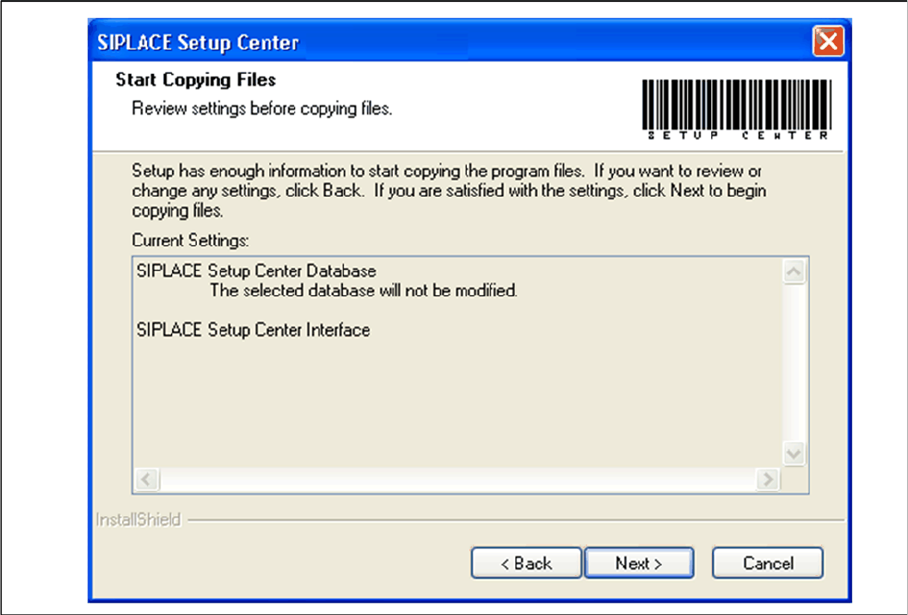
Step 5
► The Start Copying Files dialog box gives you a chance to check the information again, which you
have entered during the previous steps.
► Click Next.
⇨ The installation routine is now started.
Setup Center Application Installation
Individual Setup Types and Next Steps 5.2.3 Setup Type – SIPLACE Setup Center Server
42 Installation Manual SIPLACE Setup Center 8.0
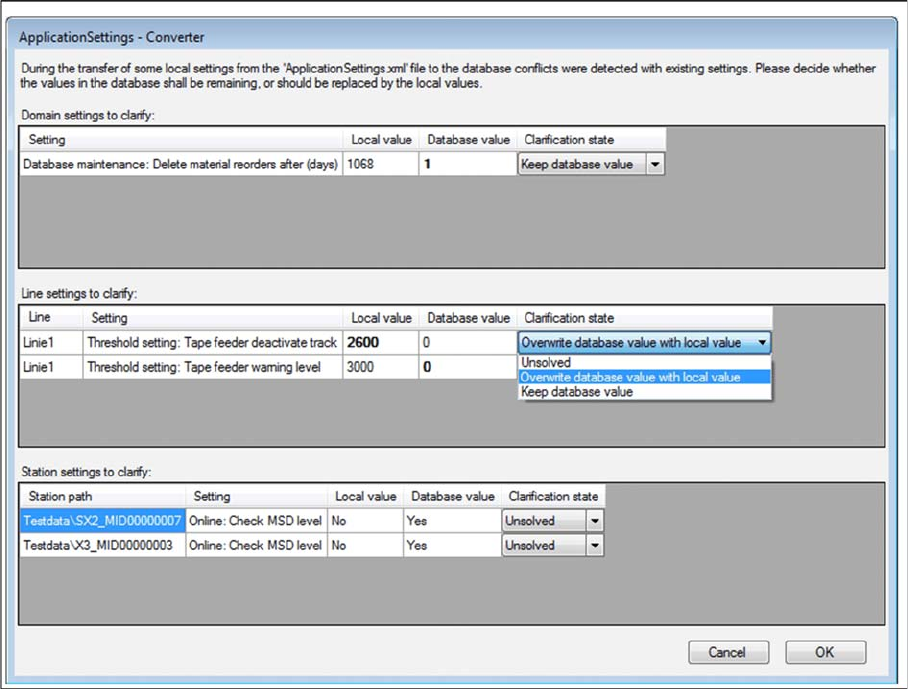
Step 6 (Only when conflicts occur)
During the installation,settings are converted, some of which have been transferred from the local Appli
-
cationSettings.xml file to the database. This can lead to conflicts with existing settings. If conflicts were
detected, the Application Settings - Converter dialog appears.
► Decide whether the values in the database shall remaining (Keep database value), or should be re
-
placed by the local values (Overwrite database value with local value).
► All settings must be solved to get the next step.
Setup Center Application Installation
5.2.3 Setup Type – SIPLACE Setup Center Server Individual Setup Types and Next Steps
Installation Manual SIPLACE Setup Center 8.0 43
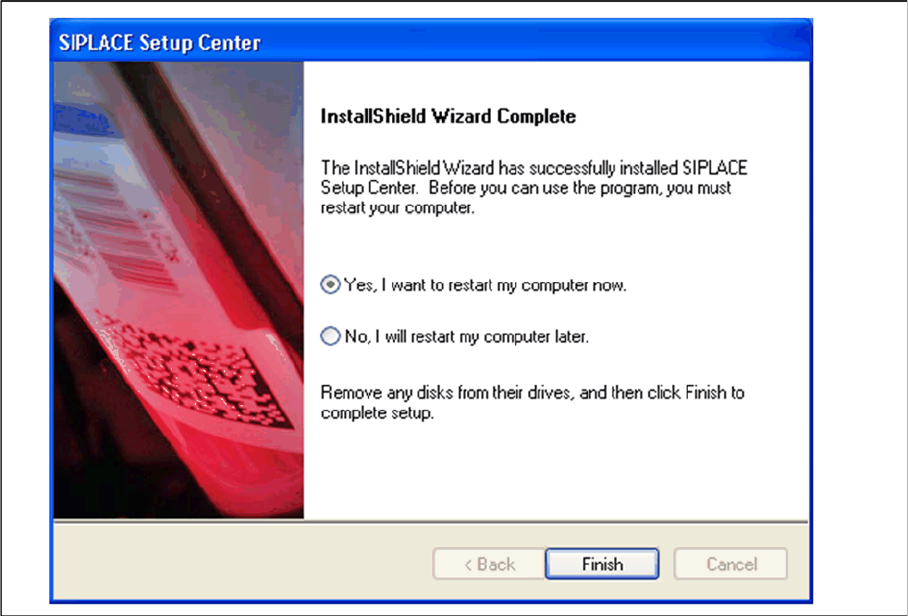
Step 7
► The "Setup Complete" window confirms that the installation has been completed successfully.
► Click Finish.