00198051-01_IM_SetupCenter_8.0_EN.pdf - 第54页
Barcode-Scanner Installation Datalogic Scanner 6.2.1 Datalogic Scanner’s Cradle BC-8030 (Narr owband) 54 Installation Manual SIPLACE Setup Center 8.0 ► Scan the barcode "RS- 232 Stand ard" to set the interface …
Barcode-Scanner Installation
6.2.1 Datalogic Scanner’s Cradle BC-8030 (Narrowband) Datalogic Scanner
Installation Manual SIPLACE Setup Center 8.0 53
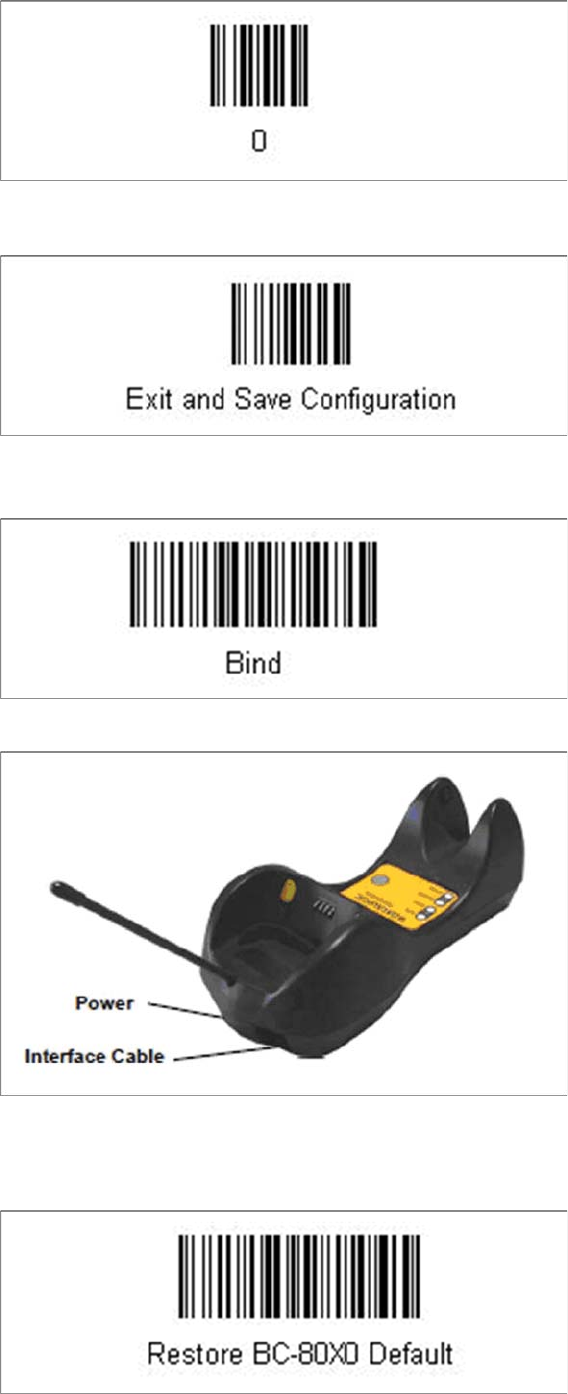
► Scan the barcode “0” four times.
The scanner must have an address (temporary "0000"), so that it can get connected to the cradle. This
address will be changed / set again later by Setup Center with the automatic configuration.
In order to configure the cradle a scanner needs to be bound to the cradle with the barcode "Bind".
► Scan the barcode "Bind" now.
► If the green LED of the scanner blinks, put the scanner into the cradle.
► The green LED is now switched off and the scanner is already registered on the cradle.
The interface of the cradle can be set up now with the following barcodes.
► Scan the barcode "Restore BC-80X0 Default" to restore the standard configuration of the cradle.
Barcode-Scanner Installation
Datalogic Scanner 6.2.1 Datalogic Scanner’s Cradle BC-8030 (Narrowband)
54 Installation Manual SIPLACE Setup Center 8.0
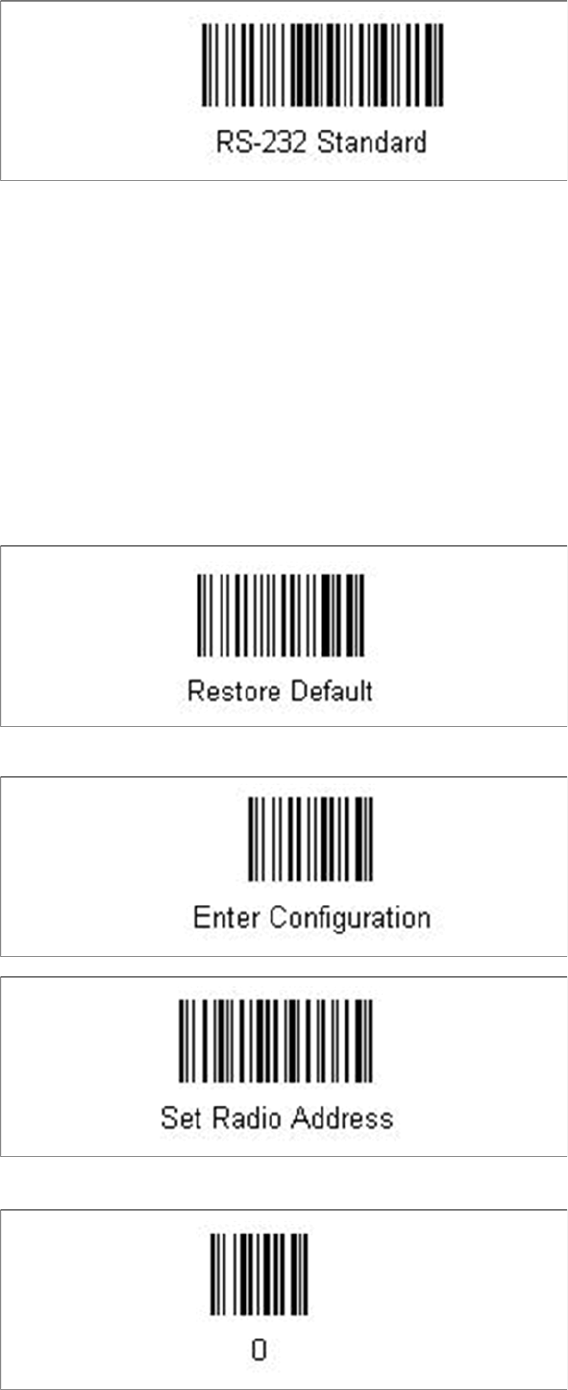
► Scan the barcode "RS-232 Standard" to set the interface to RS-232.
The cradle is now ready for use with Setup Center.
6.2.1.2
6.2.1.2 Connect cradle via USB
Connect cradle via USB
Installation of the USB-COM driver
For connection via USB, you must install the USB-COM driver first.
The installation packages for 32 bit and 64 bit operating systems are located in the “\3rdparty install
-
er\Datalogic\USB-COM Driver” directory of the Setup Center installation CD. For installation please refer
to "6.2.6 Installation of the USB-COM driver" [ ➙ 67].
Steps to configure the cradle to the USB-COM interface
The device may be configured to a different interface ex factory, the following steps switch to USB-COM
port.
► Please scan the following barcodes in the order they are printed:
The standard configuration of the scanner is restored.
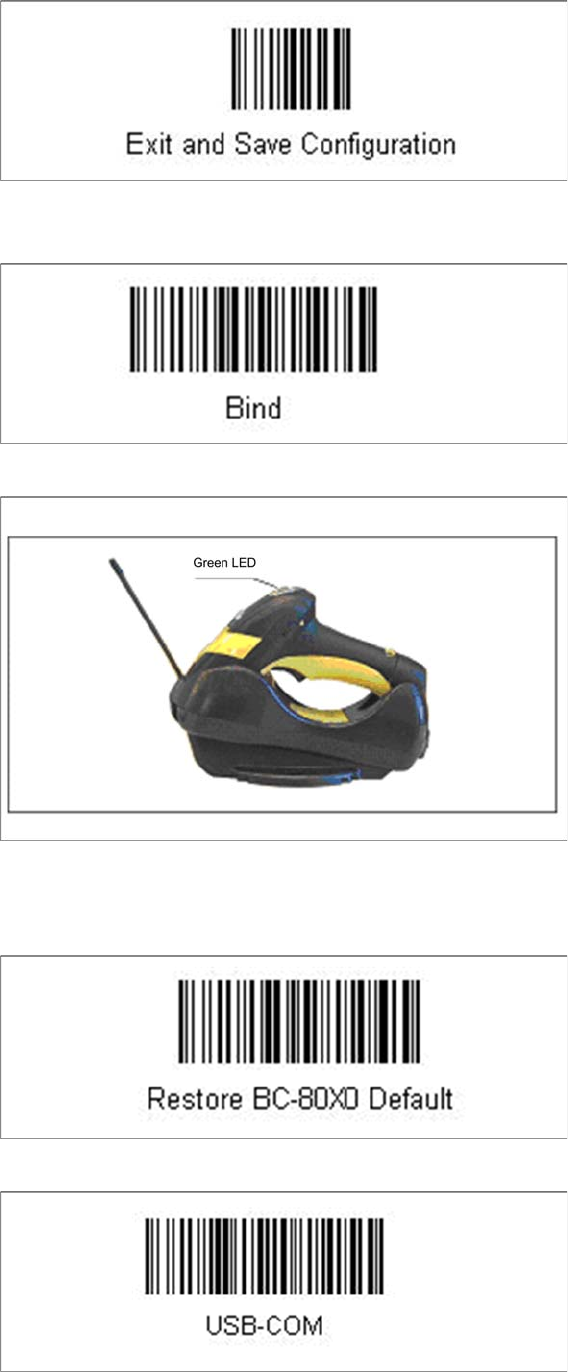
► Scan the barcode “0” four times.
Barcode-Scanner Installation
6.2.1 Datalogic Scanner’s Cradle BC-8030 (Narrowband) Datalogic Scanner
Installation Manual SIPLACE Setup Center 8.0 55
The scanner must have an address (temporary "0000"), so that it can get connected to the cradle. This
address will be changed / set again later by Setup Center with the automatic configuration.
In order to configure the cradle a scanner needs to be bound to the cradle with the barcode "Bind".
► Scan the barcode "Bind" now.
► If the green LED of the scanner blinks, put the scanner into the cradle.
► The green LED is now switched off and the scanner is already registered on the cradle.
The interface of the cradle can be set up now with the following barcodes.
► Scan the barcode "Restore BC-80X0 Default" to restore the standard configuration of the cradle.
► Scan the barcode "USB-COM" to set the interface to USB.