00198051-01_IM_SetupCenter_8.0_EN.pdf - 第90页
Docking Station Installation Data Connection with PC-CAN Card 7.3.3 Installing the CAN Bus dr iver and API 90 Installation Manual SIPLACE Setup Center 8.0 7.3.3 7 . 3 . 3 I n s t a llin g t h e C A N B u s d r iv e r a n…
Docking Station Installation
7.3.2 Connection Examples with PC-CAN Card Data Connection with PC-CAN Card
Installation Manual SIPLACE Setup Center 8.0 89
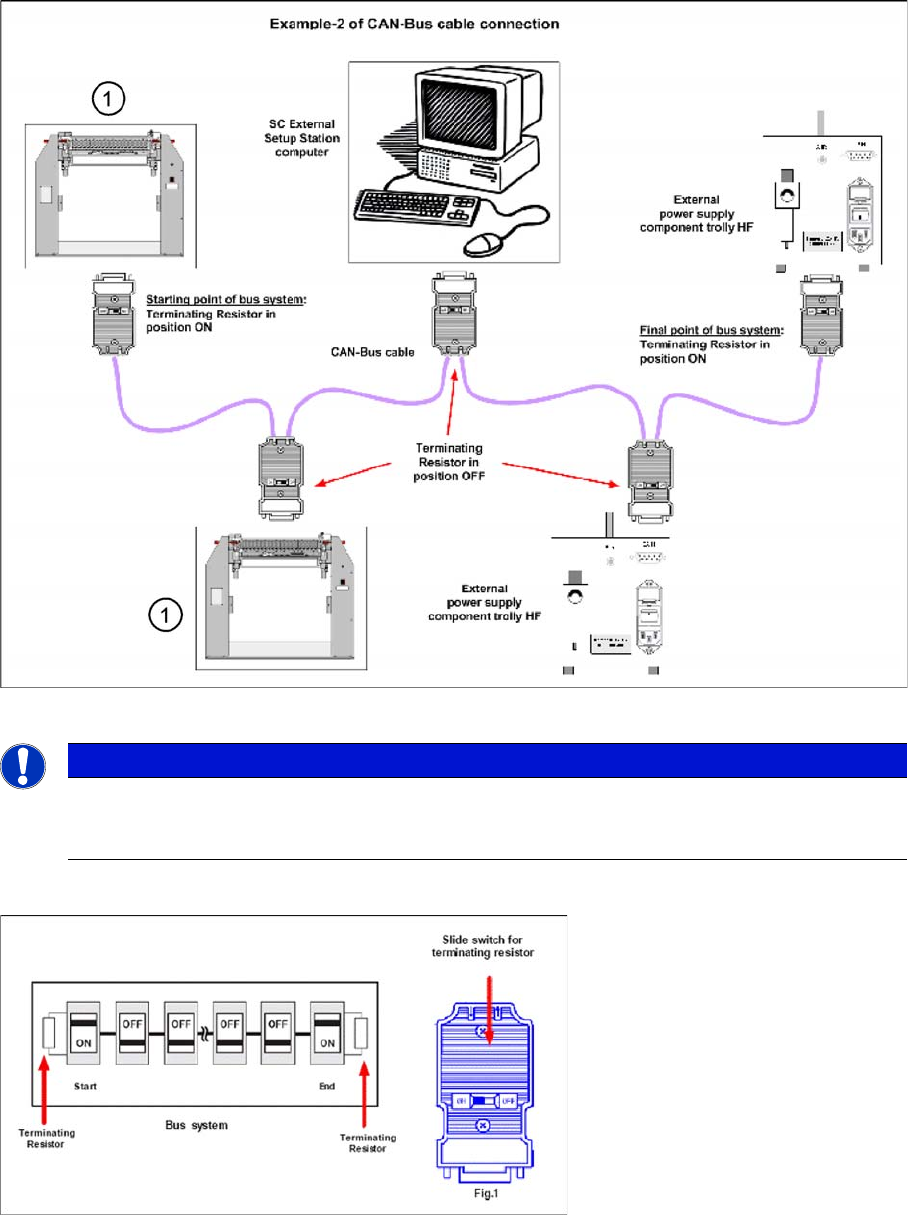
Connection Example 2
1. Docking Station X or SX
Connection Example 1 and 2
NOTICE
The integrated terminal resistor can be connected and simultaneously connects / disconnects
the outgoing bus cable when deactivating / activating. This allows an easy start up of the bus
system one segment at a time.
Docking Station Installation
Data Connection with PC-CAN Card 7.3.3 Installing the CAN Bus driver and API
90 Installation Manual SIPLACE Setup Center 8.0
7.3.3
7.3.3 Installing the CAN Bus driver and API
Installing the CAN Bus driver and API
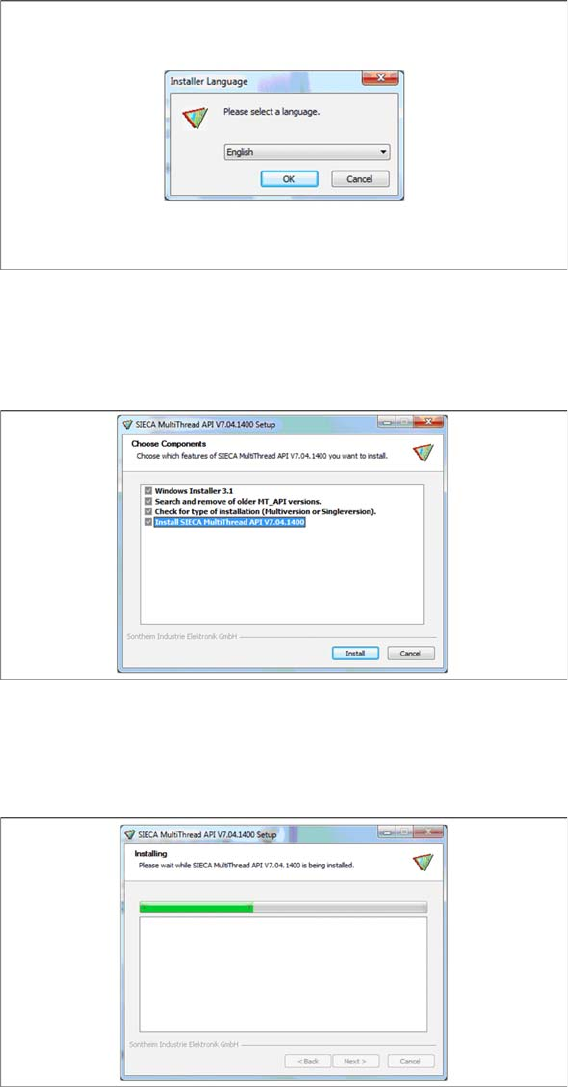
► Open the folder \3rdparty installer\Sontheim\CAN-Bus Driver\7.4.14.0 and select the application Set
-
up.exe on the Setup Center installation CD.
Step 1
► Select the language you want.
► Click OK.
Step 2
► Actually there is nothing to select / de-select, all listed features are mandatory.
► Click Install.
Step 3
The installation package will be extracted.
Docking Station Installation
7.3.3 Installing the CAN Bus driver and API Data Connection with PC-CAN Card
Installation Manual SIPLACE Setup Center 8.0 91
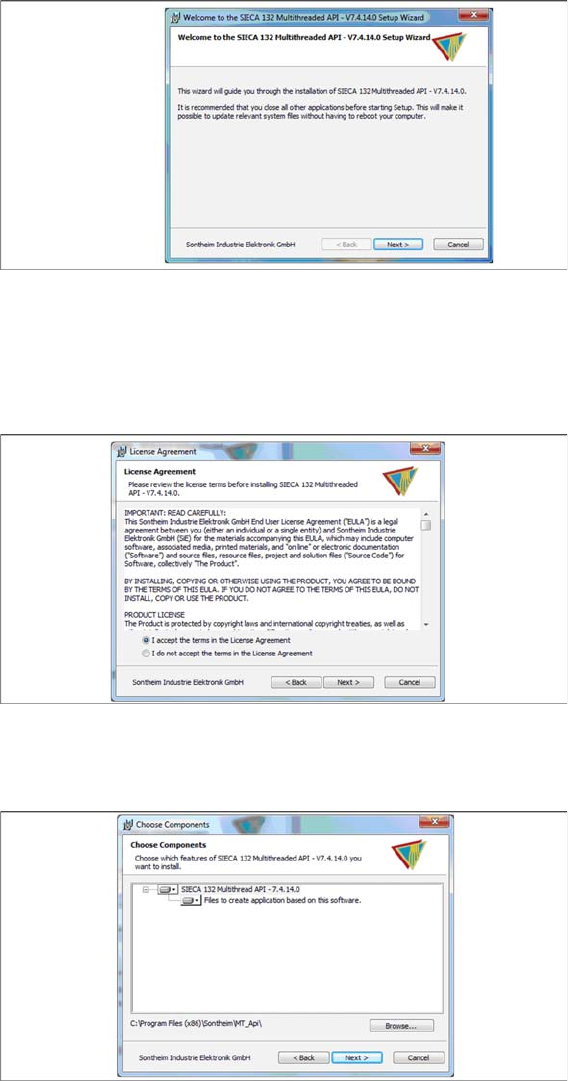
Step 4
► Click Next.
Step 5
► Read the license agreement relating to use of this software and select I accept the terms in the Li
-
cense Agreement to accept the license agreement.
► Click Next.
Step 6
► Click Next.