00198545-01_JCPM_WF2_CA4V2_EN.pdf - 第38页
www.asm-smt.com
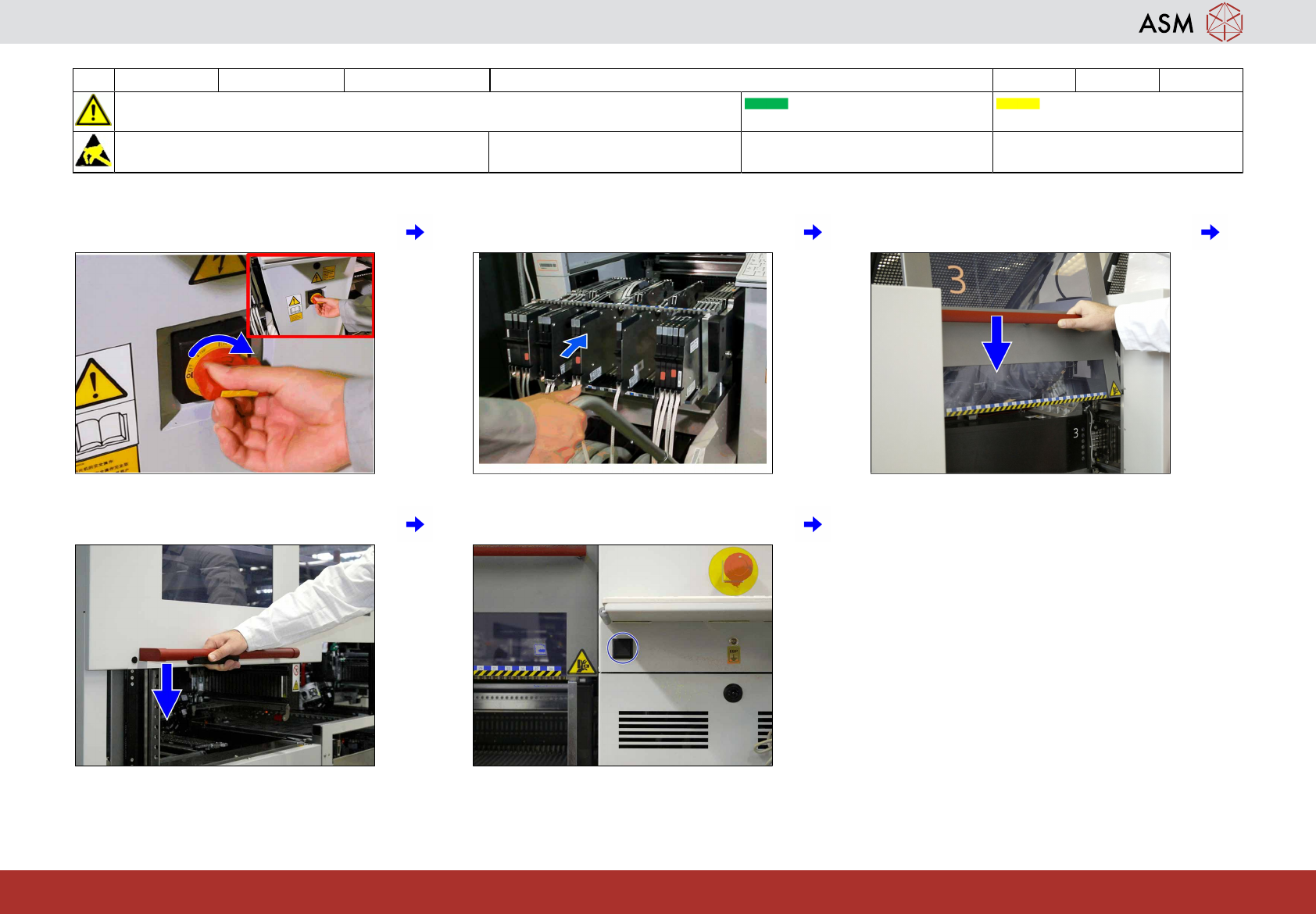
12 WF2 CA4 V2 Switch on the machine and return the changeover tables (COT) 6 min 1 / 1
CAUTION! Refer to safety instructions in user manual before commencing Maintenance
Machine Status ON Transport Empty
NOTICE! ESD guidelines are to be followed Tool: Wear Part: Consumables:
www.asm-smt.com
1 Switch on the machine. 2 Return the COT. 3 Close the cover.
4 If open: close the sliding door. 5 Press the COT button to dock the COT.

www.asm-smt.com
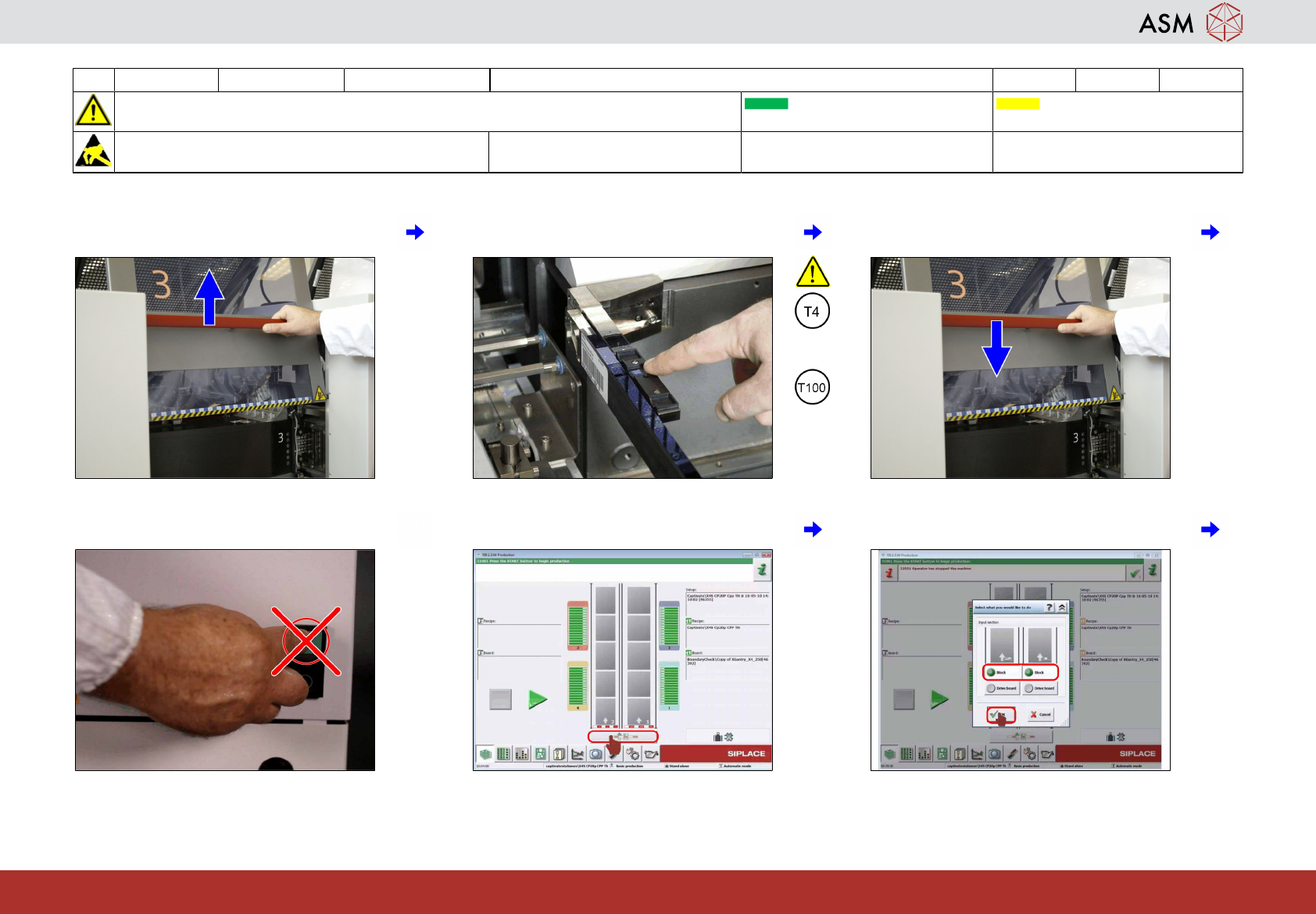
13 WF2 CA4 V2 Calibrate the C&P20 A/P/M2 head 14 min 1 / 4
CAUTION! Refer to safety instructions in user manual before commencing Maintenance
Machine Status ON Transport Empty
NOTICE! ESD guidelines are to be followed Tool:
T2, T4 or T100
Wear Part: Consumables:
www.asm-smt.com
1 Open the cover. 2 Ensure the presence of a suitable cali-
bration tool.
3 Close the cover.
or
4 Do not press the machine start button! 5 Click on the "Block Conveyor" icon. 6 Block both lanes and click on "OK".