20121120111955_KY8030_2_Maintenance_Manual_Eng_ver1 - 第69页
Maintenance Manual | 69 3.5. Remote control/Monitoring Setting (Server) 3.5.1. N ETWORK S ETTING 1. Click the right button of the mouse at [My Computer] and select [Properties]. 2. Click the …
68 | KY-8030 2
3DSolderPasteInspectionSystem
Version 1.0
KOH YOUNG TECHNOLOGY INC.
3.4.3. PACKAGE WEIGHT AND SIZE
Model Package weight Package size (W x D x H)
KY-8030 2 700Kg 1800mm x 1500mm x 1700mm
3.4.4. STORAGE
Thefollowingistheenvironmentforthemachinestorage.
※Caution: Save the machine in the environment specified below. Otherwise the machine may be
damagedormaycarryoutafaultyoperation.
Temperatureforoperation:0°C~30°C(32°F~86°F)
Temperatureforstorage:0°C~30°C(32°F~86°F)
Acceptablehumidity:50%
Maintenance Manual | 69
3.5. Remote control/Monitoring Setting (Server)
3.5.1. NETWORK SETTING
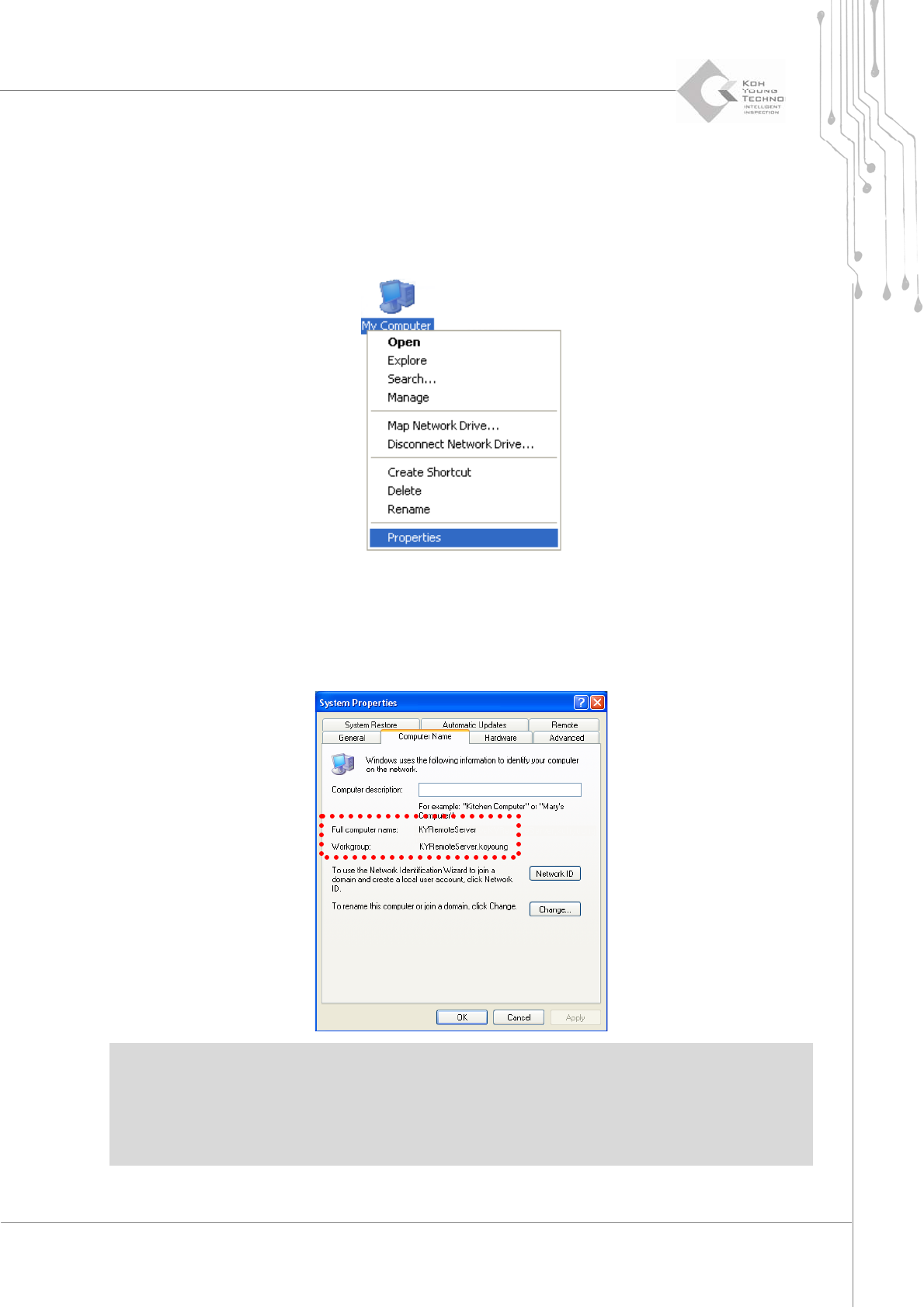
1. Clicktherightbuttonofthemouseat[MyComputer]andselect[Properties].
2. Clickthe[ComputerName]Tab.
3. Confirm the computer name (KYRemoteServer), small group (kohyoung) name and
userʹsname.
※Caution:
Ifcomputernames aresamewhen remote controllingmorethanone machine, the machines cannot
beusedatthesametime.
Thedomainsofallmachinesandcontrolsevermustbesameinordertoremotecontrolthemachine.
70 | KY-8030 2
3DSolderPasteInspectionSystem
Version 1.0
KOH YOUNG TECHNOLOGY INC.
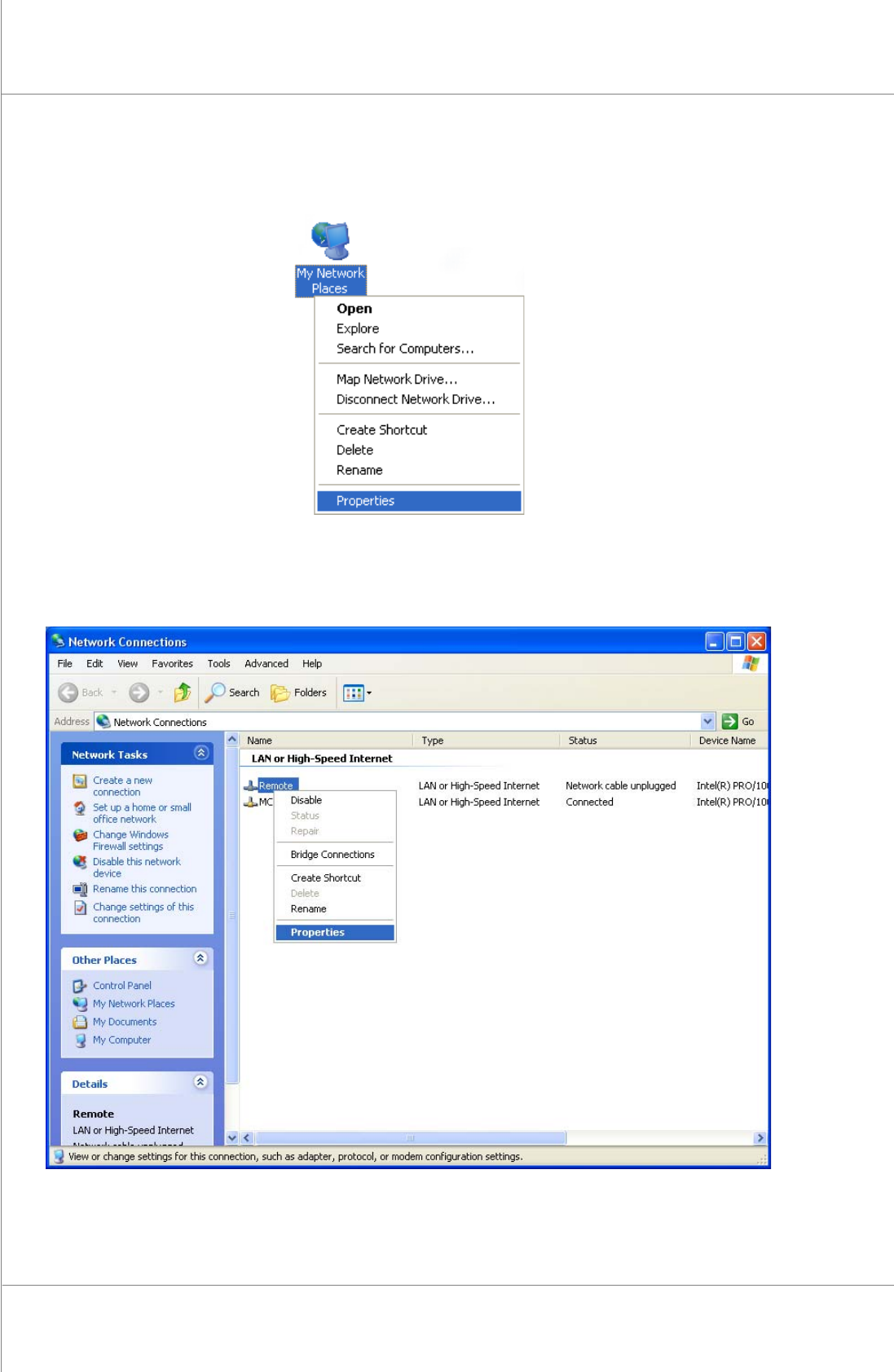
4. Click the right button of the mouse at the [My Network Places], and then select
[Properties].
5. Click the right button of the mouse at the [Local area connection], and then select
[Properties].