20121120111955_KY8030_2_Maintenance_Manual_Eng_ver1 - 第70页
70 | KY -8030 2 3D Solder Paste Inspec tion System V ersion 1.0 K OH Y OUNG T ECHNOLOGY I NC . 4. Click the right button of the mouse at the [My Network Places], and then select [P…
Maintenance Manual | 69
3.5. Remote control/Monitoring Setting (Server)
3.5.1. NETWORK SETTING
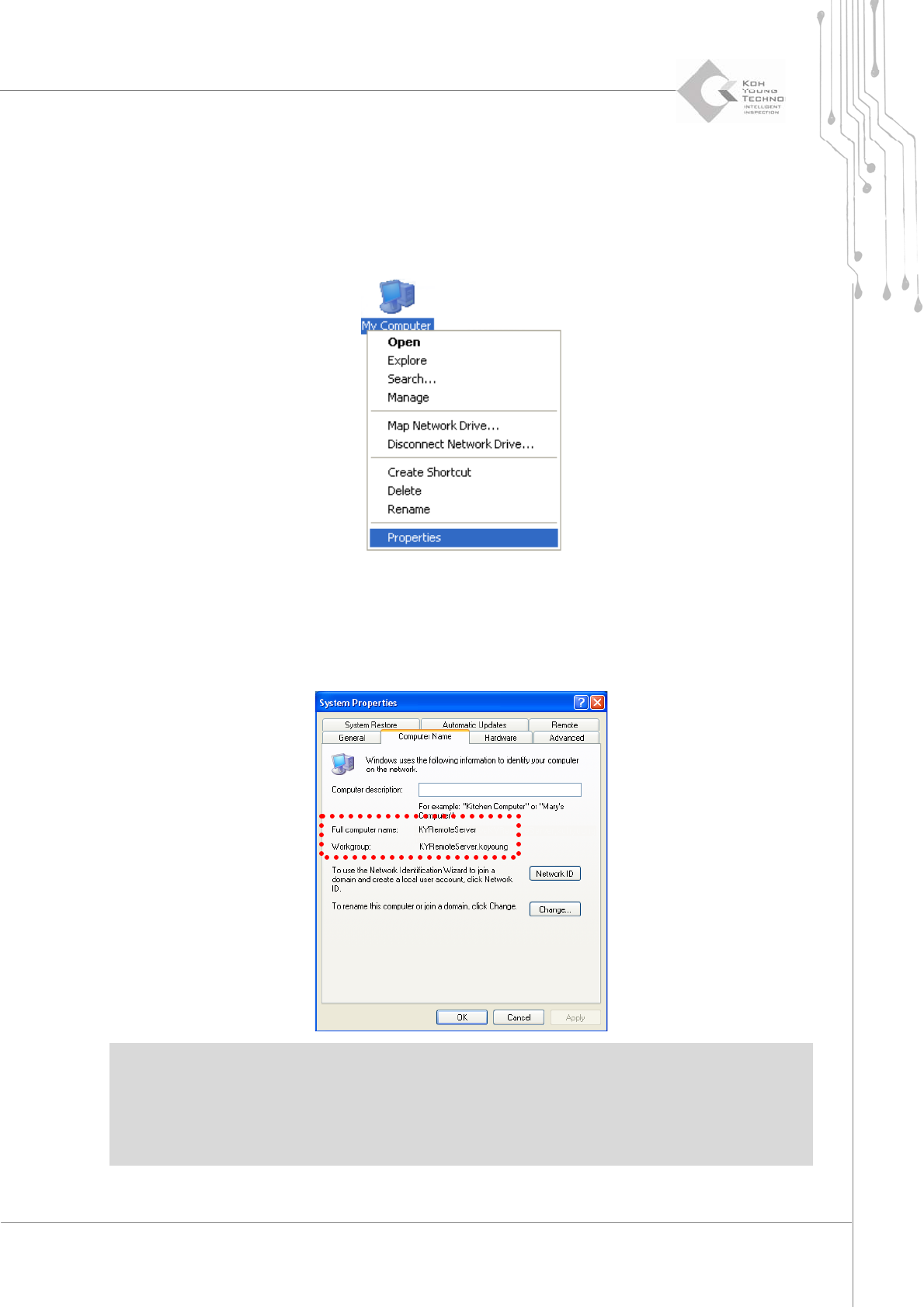
1. Clicktherightbuttonofthemouseat[MyComputer]andselect[Properties].
2. Clickthe[ComputerName]Tab.
3. Confirm the computer name (KYRemoteServer), small group (kohyoung) name and
userʹsname.
※Caution:
Ifcomputernames aresamewhen remote controllingmorethanone machine, the machines cannot
beusedatthesametime.
Thedomainsofallmachinesandcontrolsevermustbesameinordertoremotecontrolthemachine.
70 | KY-8030 2
3DSolderPasteInspectionSystem
Version 1.0
KOH YOUNG TECHNOLOGY INC.
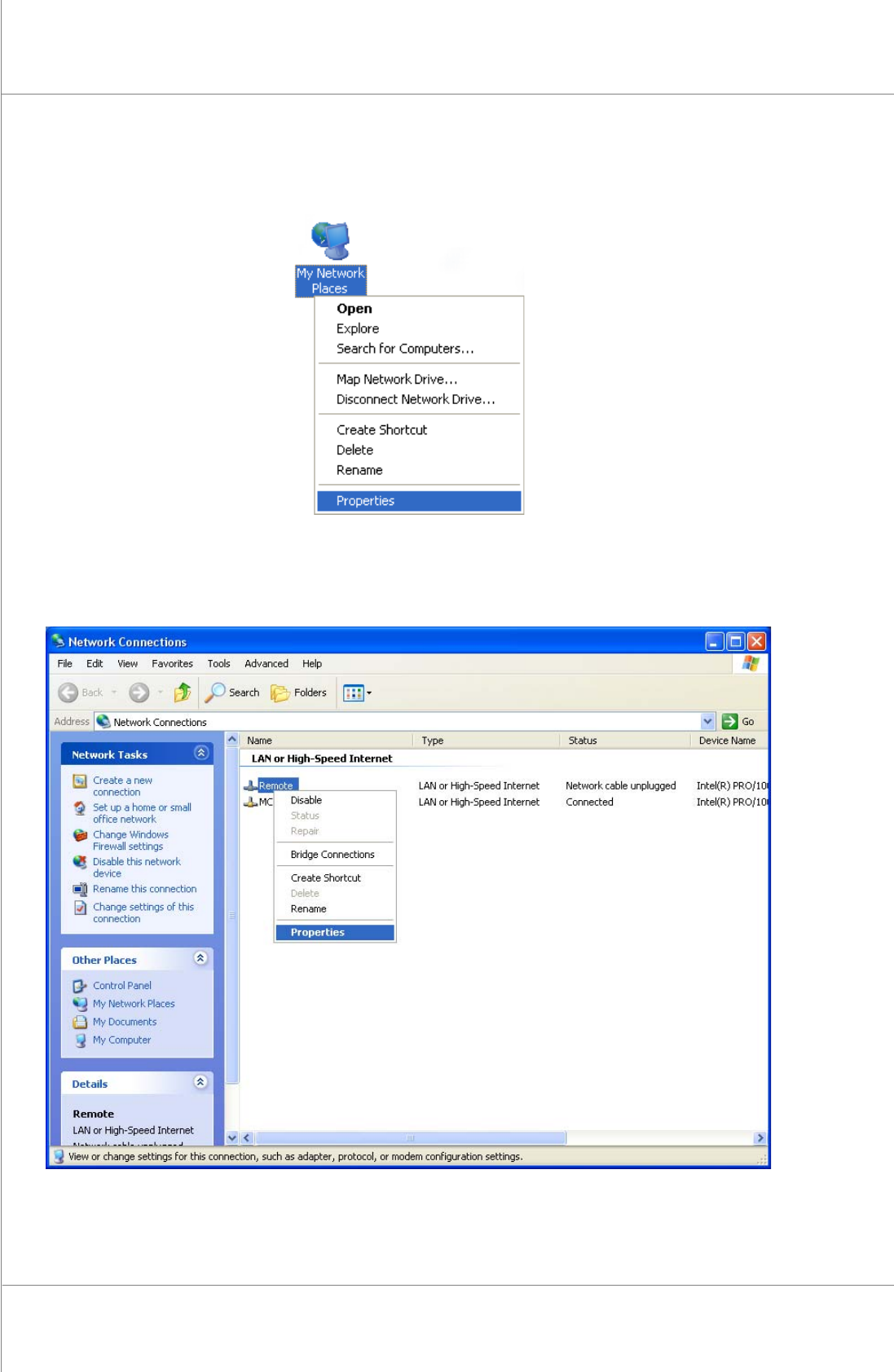
4. Click the right button of the mouse at the [My Network Places], and then select
[Properties].
5. Click the right button of the mouse at the [Local area connection], and then select
[Properties].
Maintenance Manual | 71
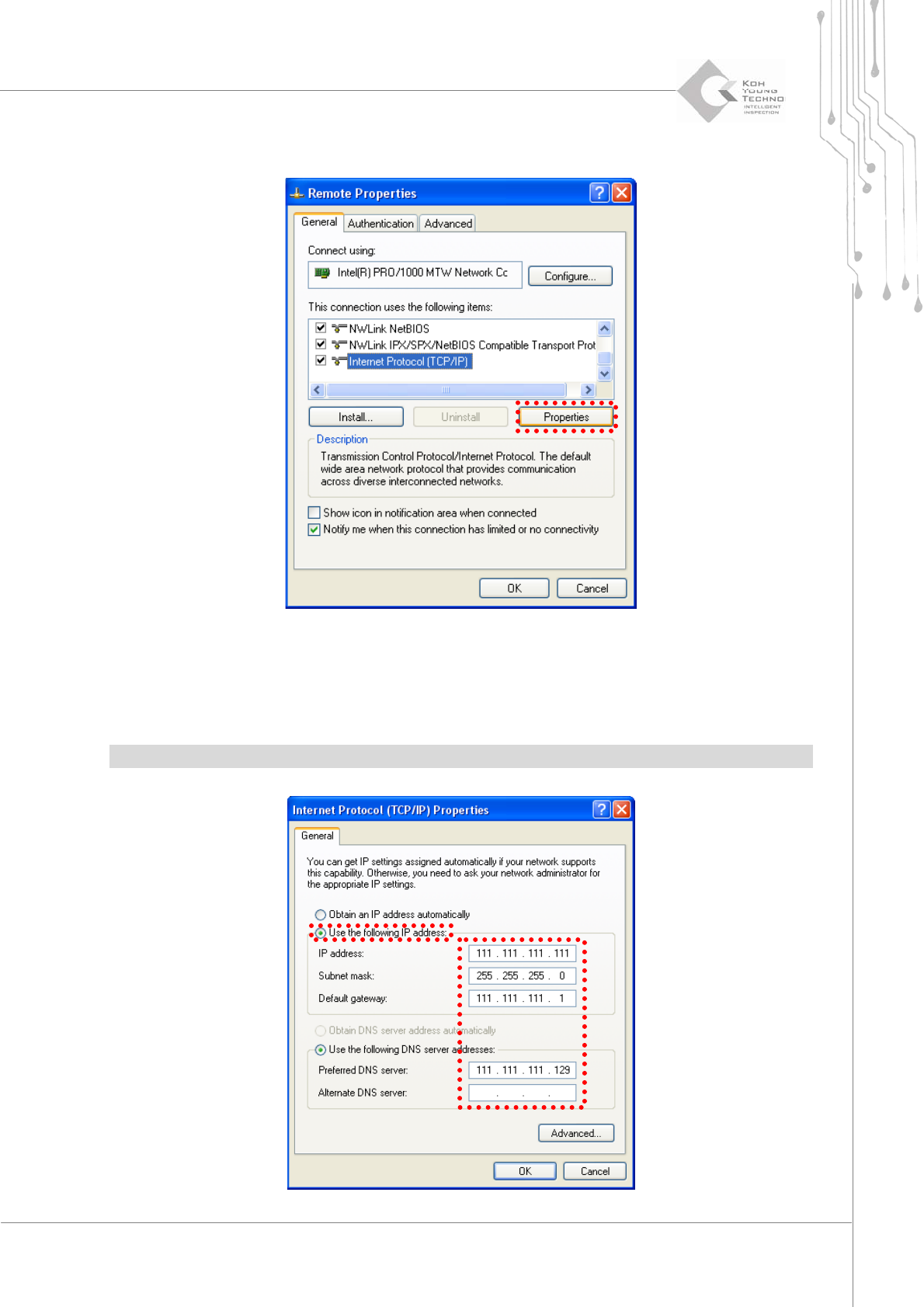
6. Clickthe[Properties]buttonafterselecting“InternetProtocol(TCP/IP)”.
7. SelectthenextIPaddressuse.
8. Input the IP address, serve net mask, standard gateway and standard/sub DNS server
andthenclickthe[OK]button.
※Note:Inputvaluediffersdependingonthecompany.PleaseconsultwithaNetworkengineer