20121120111955_KY8030_2_Maintenance_Manual_Eng_ver1 - 第87页
Maintenance Manual | 87 12. Select “Protocol” and then click the [Add] button. 13. Click the [OK] button after selecting “NWLink IPX/SPX/NetBIOS Compatible Tr a n s p o r t Po r t ” . …
86 | KY-8030 2
3DSolderPasteInspectionSystem
Version 1.0
KOH YOUNG TECHNOLOGY INC.
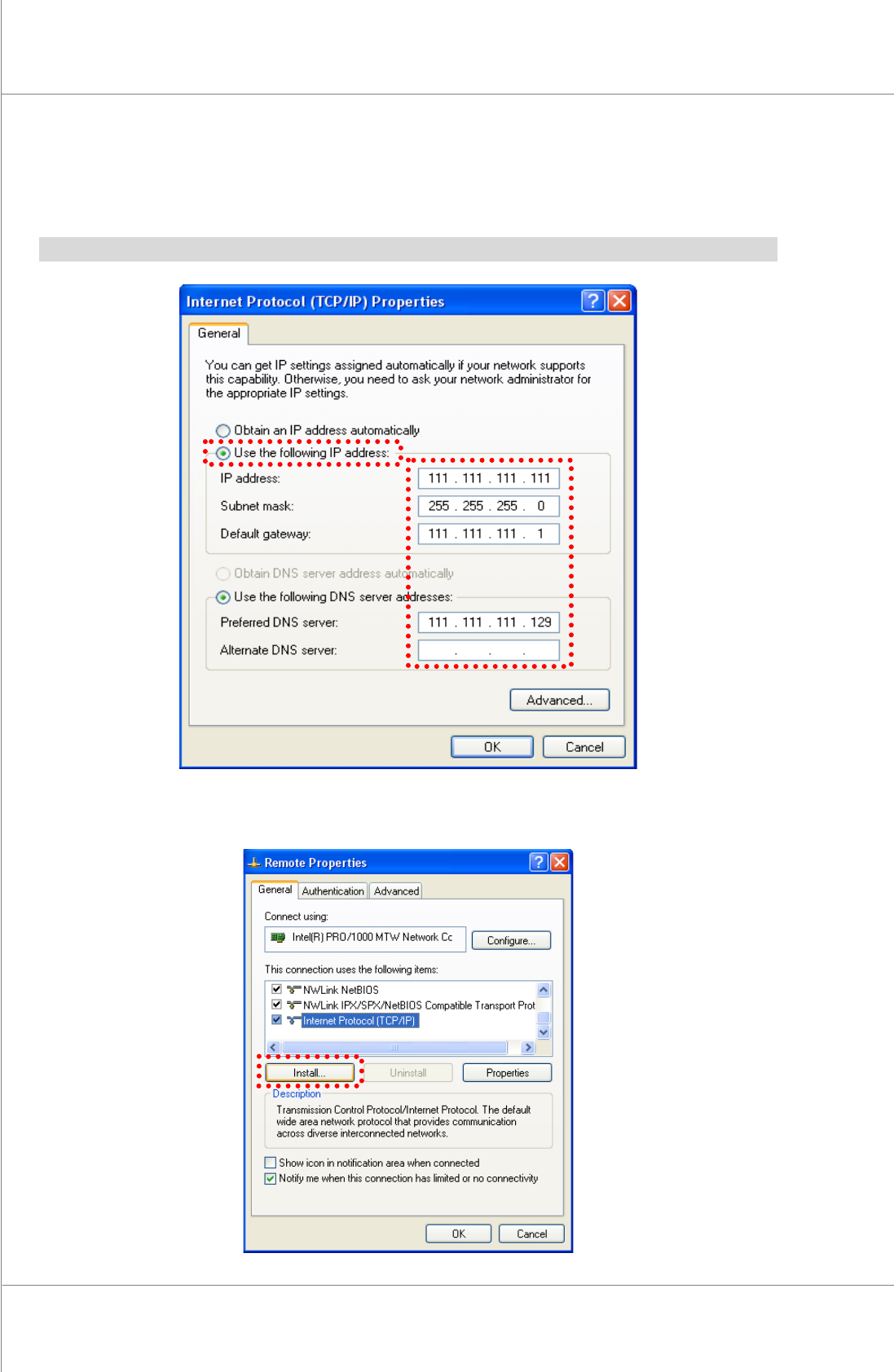
9. Selectthe“UsethefollowingIPaddress”.
10. Clickthe[OK]buttonafterinputtingtheIPaddress,Subnetmask,standardgatewayand
standard/subDNSserver.
※Note:Inputvaluediffersdependingonthecompany.PleaseconsultwithaNetworkengineer.
11. Pleaseclickthe[Install].
Maintenance Manual | 87
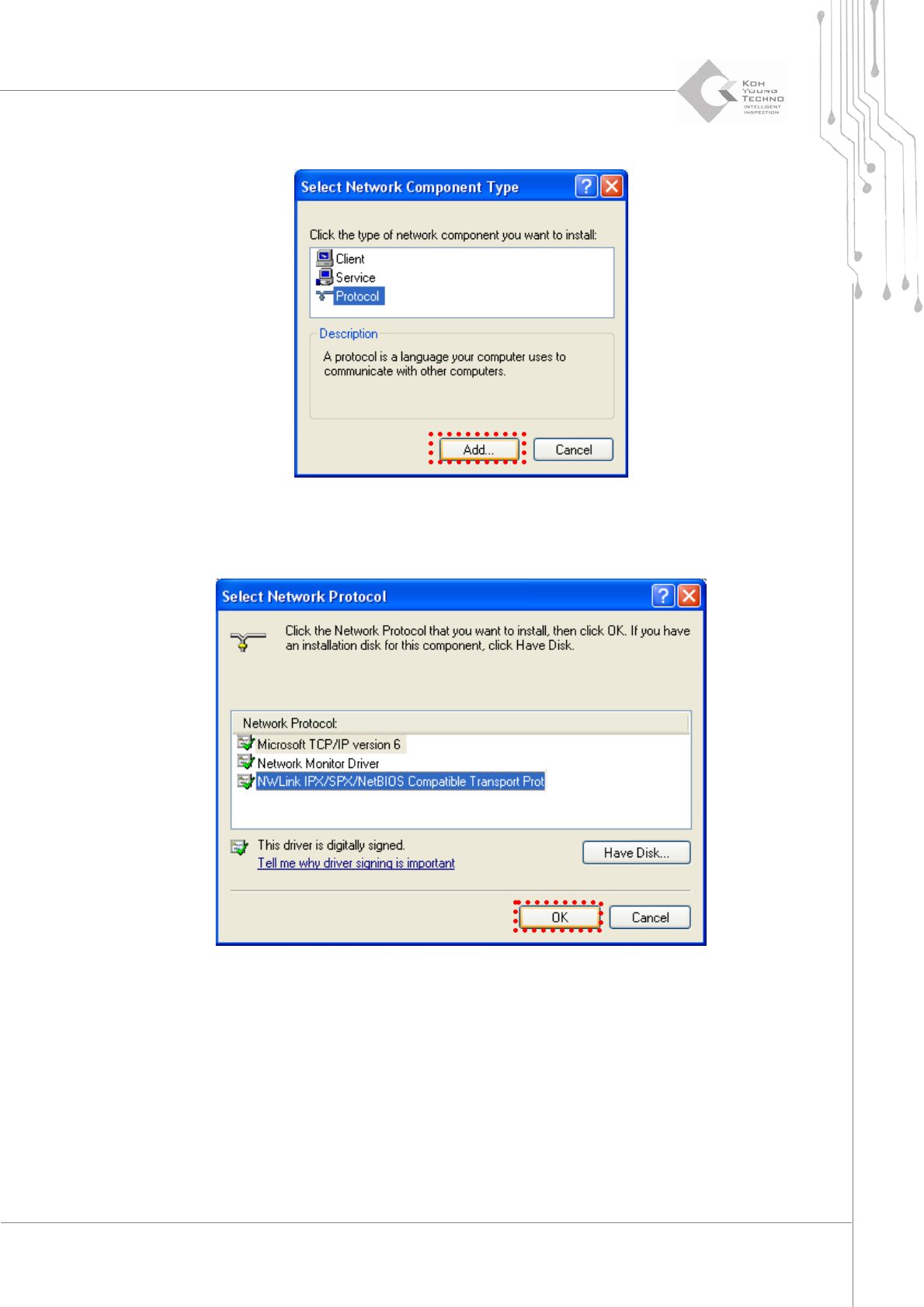
12. Select“Protocol”andthenclickthe[Add]button.
13. Clickthe[OK]buttonafterselecting“NWLinkIPX/SPX/NetBIOSCompatibleTransport
Port”.Aprotocolisadded.
88 | KY-8030 2
3DSolderPasteInspectionSystem
Version 1.0
KOH YOUNG TECHNOLOGY INC.
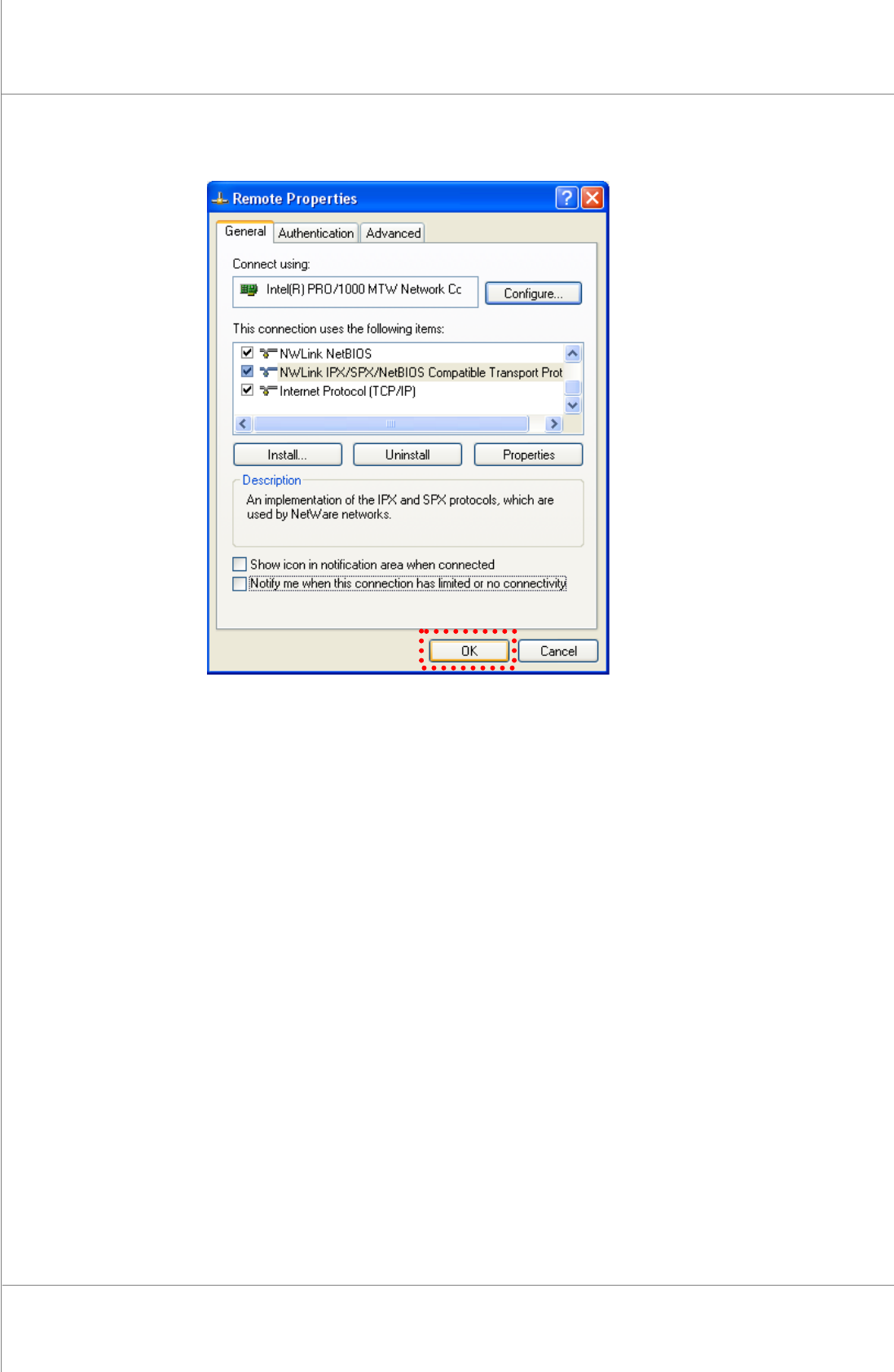
14. Clickthe[OK]button.