KE-3010_SPE_EN - 第40页
- 35 - 5.2.15. Off set Placem ent A f ter Solder Screen - printing (Factory - Set Option) A component place me nt position error may occur after re - flowi ng if you place a component on the P W B p ad when the solder pr…
- 34 -
5.2.14. Coplanarity (Factory-Set Option)
By moving a target component that is to be measured at constant speed in the direction
(Y-direction) perpendicular to the laser line (X-direction), the camera shoots the diffuse
reflection of laser beam emitted to the component and the device creates 3-D image to
measure displacement without touching the component. This device determines if a
component is appropriate or not based on the 3-D image obtained from the component
information sent by the mounter in advance (that is, checks the height of the electrode).
Accordingly, lead bend in the up/down direction of a lead component or a nick of a ball
component can be recognized, thereby preventing a contact fault between a PWB and a
component.
Colinearity check:
The colinearity check inspects “how much a side on which leads are located is bent in the
up/down directions.”
Coplanarity check:
This check can check coplanarity (uniformity of the bottom of a terminal) of a component with
the three-point method (JEDEC standard: JESD22-B108A) or the method of least squares
(JEDEC standard: JESD22-B108A).
A
pplicable components
- Components to be recognized with a VCS only.
- BGA, FBGA, connector, and lead components (SOP and QFP) whose respective pitch
is the same and whose respective lead width is the same
*
1. If you do not enter the correct lead width and electrode size of a component whose
lead width is less than 0.3 mm on the “Component” data screen of the Program Editor,
the system may not be able to detect its terminal correctly.
*2. Component height:SC specification: 6 mm, NC specification: 12 .0 mm
HC specification: 20.0mm, EC specification:25.0mm
A product whose laser class is 3b is used in the coplanarity sensor.
- K
ey switch
The front section of the machine is equipped with a key switch. Only when the key
switch is set to ON, you can use the coplanarity function.
- Cover open
Regardless of the key switch state, any laser is not emitted when the cover opens.
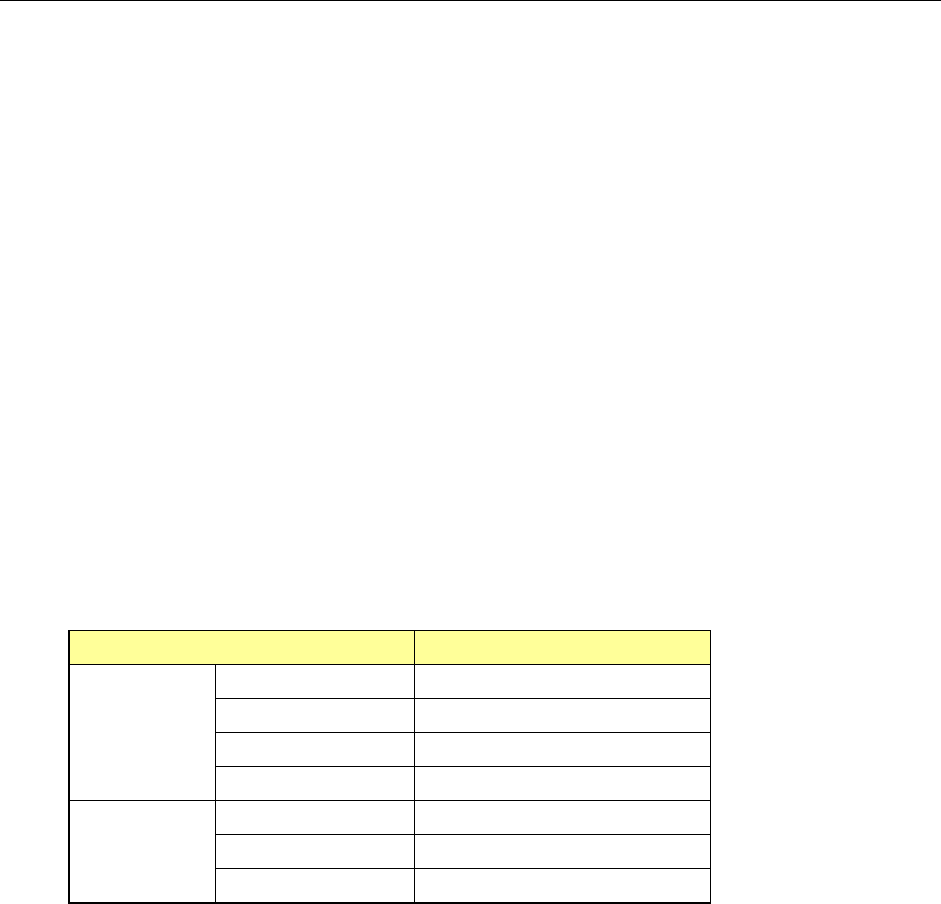
Item
Dimensions
Lead
component
Pitch 0.4 mm or more
Lead width
*1
0.18 mm or more
Lead length 0.5 mm or more
Component size 48 mm×150 mm or less
Ball
component
Pitch 0.8 mm or more
Ball diameter 0.4 mm or more
Component size 48 mm×150 mm or less
- 35 -
5.2.15. Offset Placement After Solder Screen-printing (Factory-Set Option)
A component placement position error may occur after re-flowing if you place a component
on the PWB pad when the solder printing position is shifted from the pad position because a
PWB expands or shrinks.
This function uses an OCC to recognize a gap between a PWB pad and printed solder that is
generated as a result of expansion and/or contraction of a PWB, and places a component on
the printed solder instead of the pad. This makes use of the self-alignment effect to
improve the component placement accuracy after re-flowing.
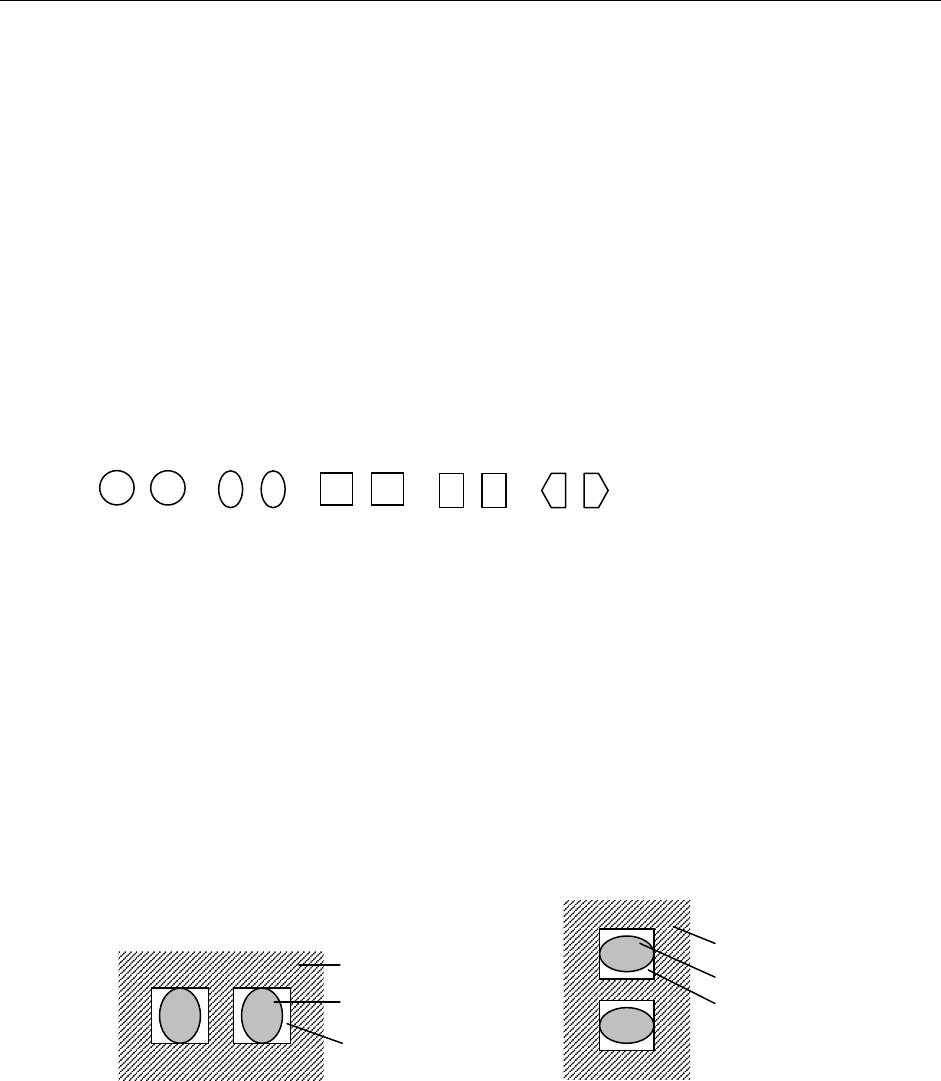
① Applicable solder shape
A pair of cream solders, which are symmetrical, screen-printed on a PWB pad for a
square chip
* The shape of screen-printed solder should be symmetrical. The system cannot
accurately detect how much to correct the gap unless the shape is symmetrical.
The applicable shapes should be: circle, oval, square, rectangle and pentagon.
(Recognition of other shapes should be checked.)
② A
pplicable solder
Eutectic solder (NIHON HANDA: RX363-92MY0 (S)) and lead-free solder (TAMURA
KAKEN: TFL-204F-111S)
(* Solder described in parentheses is already checked for its appropriateness.)
③ Applicable chip size
0402, 0603, 1005, 1608, 2012, 3216
* Note that image of a set of solder whose shorter side is 0.16 mm or more and whos
e
longer side is 3.2 mm or less has to be obtained.
④ A
pplicable solder angle
0°, 90°, 180°, 270° (Angle error for a camera: within ± 3°)
<Solder angle: 0° or 180°> <Solder angle: 90° or 270°>
⑤ A
pplicable board material and pad material
− Board material: glass epoxy, paper phenol, flexography, ceramic
− Pad material: gold, copper, hot air leveling
* The solder paste should have a certain level of contrast. If there is a portion whose
br
ightness is the same as that of solder in the area to be detected due to the condition of the
printed solder, serigraph, a pattern or PWB, and so any image that only solder looks bright
cannot be obtained, the system may not be able to correct the component placement
position by recognizing it. In such a case, you have to set the position of solder paste again
so that it can have the certain level of contrast.
PWB
Solder
Pad
PWB
Solder
Pad
- 36 -
5.2.16. Fluxer (Factory-Set Option)
This is a flux supply device that applies flux to ball components such as a BGA, CSP and flip
chip (does not apply any adhesive or solder paste).
Y
ou can install this device on the mounter with either of the following two methods.
<
Where to install>
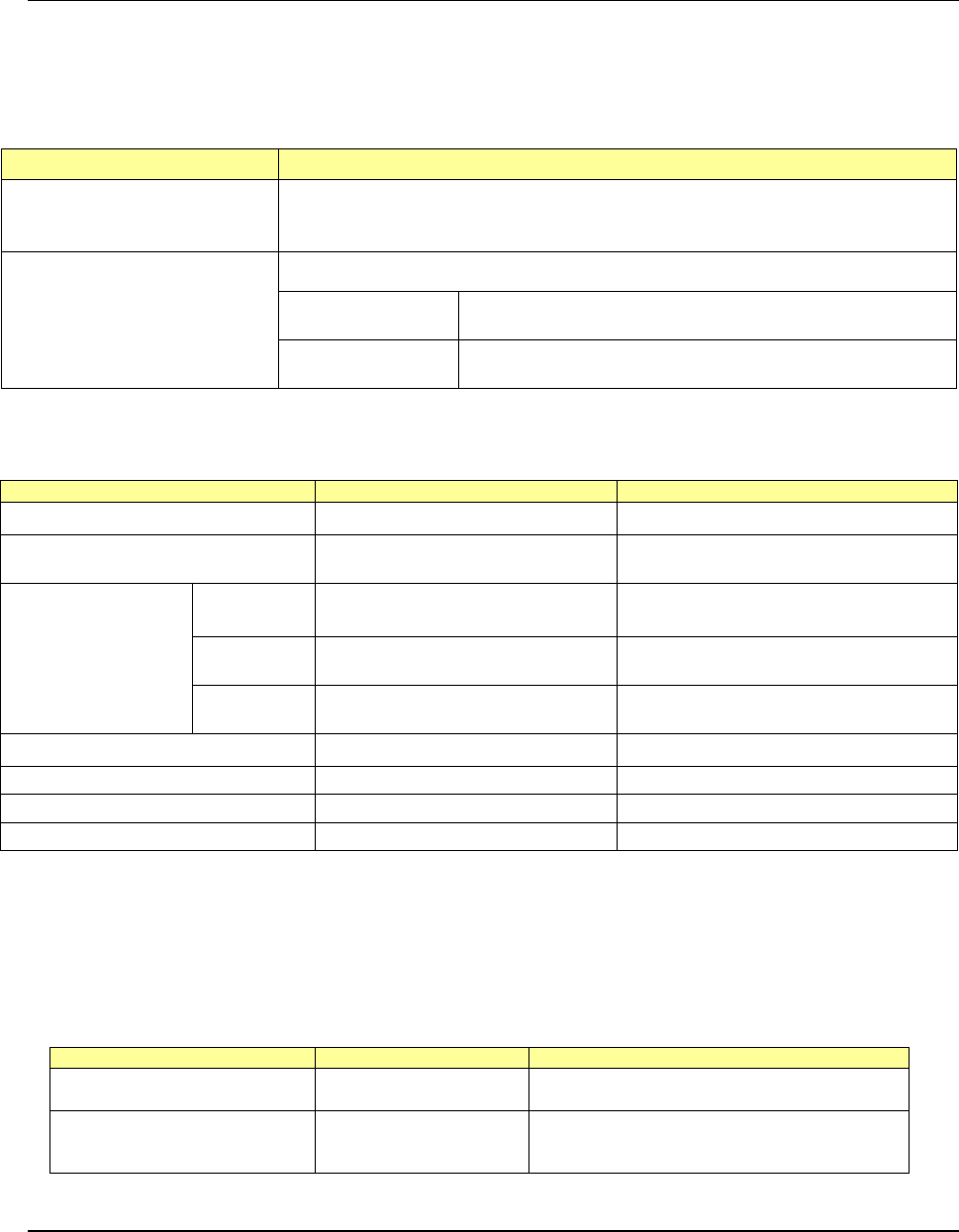
Installation position Remarks
Type 2
(To be attached on the main
unit)
Since this type of fluxer is attached on the base frame, any MTC cannot be attached
on the machine when the fluxer is attached. The number of component supply
devices to be attached on the bank is not restricted.
Type 3
(To be attached on a bank/Rear
side only)
The area for six mechanical 8-mm tape feeders (12 slots) is to be occupied.
Mechanical bank
The area for six mechanical 8-mm tape feeders (12 slots) is
to be occupied. (A connector bracket is required.)
Electric bank
The area for six electric 8-
mm tape feeders (6 slots) is to be
occupied.
Note 1: Either a fluxer or a rotary-type solder transfer unit option can be installed on the machine.
Note 2: The type of attached on an electric bank does not correspond to the Feeder exchange trolley RF.
<
Facility specifications>
Item
Specifications
Remarks
Applicable flux viscosity
8.4 Pa·s to 22.0 Pa·s
Cycle time required for flux application
and component placement
1,100cph
When the distance each of the X and Y
axes travels is 450 mm or less
Cavity dimensions
(*See Note 3.)
Depth
Minimum 0.02 mm (± 5 μm)
Maximum 0.2 mm (± 10 %)
Size
Maximum 30 mm×30 mm
(*See Note1 and 2.)
Maximum size of a cavity when only
one cavity is provided
Number of
cavities
1 to 4
Maximum eight on the top and bottom
sides
Power consumption
DC24V/0.3A
Life
5 years
(22 hours×300 days)/1 year
Parts needing periodic replacements
Electromagnetic valve, cylinder
Time for replacement: 2 years after use
Consumables
Fluxer plate, flux container
Time for replacement: 1 year after use
N
ote 1: The cavity size shall be “the maximum size of a component to be used” + “3-mm
margin around the component.”
Note 2: When two or more cavities are used, all cavities shall fit in the 30 mm×30 mm
area.
Note 3: If you need a cavity whose dimensions are not any of the JUKI standard
dimensions, contact our Sales person.
Standard part
Part number
Dimensions of a cavity
Fluxer plate 120/200 40044090
Size: X = 30 mm, Y = 30 mm
Depth: Front 0.12 mm/Rear 0.20 mm
Fluxer plate 30/50/70/100 40044091
Size: X = 30 mm, Y = 14 mm
Depth: Front A 0.03 mm/Front B 0.05 mm
Rear A 0.10 mm/Rear B 0.07 mm
5.2.17. Electrical Leakage Breaker (Factory-Set Option)
A standard breaker functions if any excess current flows or if a short-circuit fault occurs.
When you replace it with an electrical leakage breaker, this new breaker interrupts electrical
leakage, and then prevents the resulting electrical shock, so you can handle the machine
more safely.