KE-3010_SPE_EN - 第73页
- 68 - 7. Control System 7.1. Control 7.1.1. Saving a program KE - 3010/3020V/3020VR mounter store a production pro gram onto the SSD in the main unit. W hen y ou use a USB po rt, you can store it on an ex ternal storage…
- 67 -
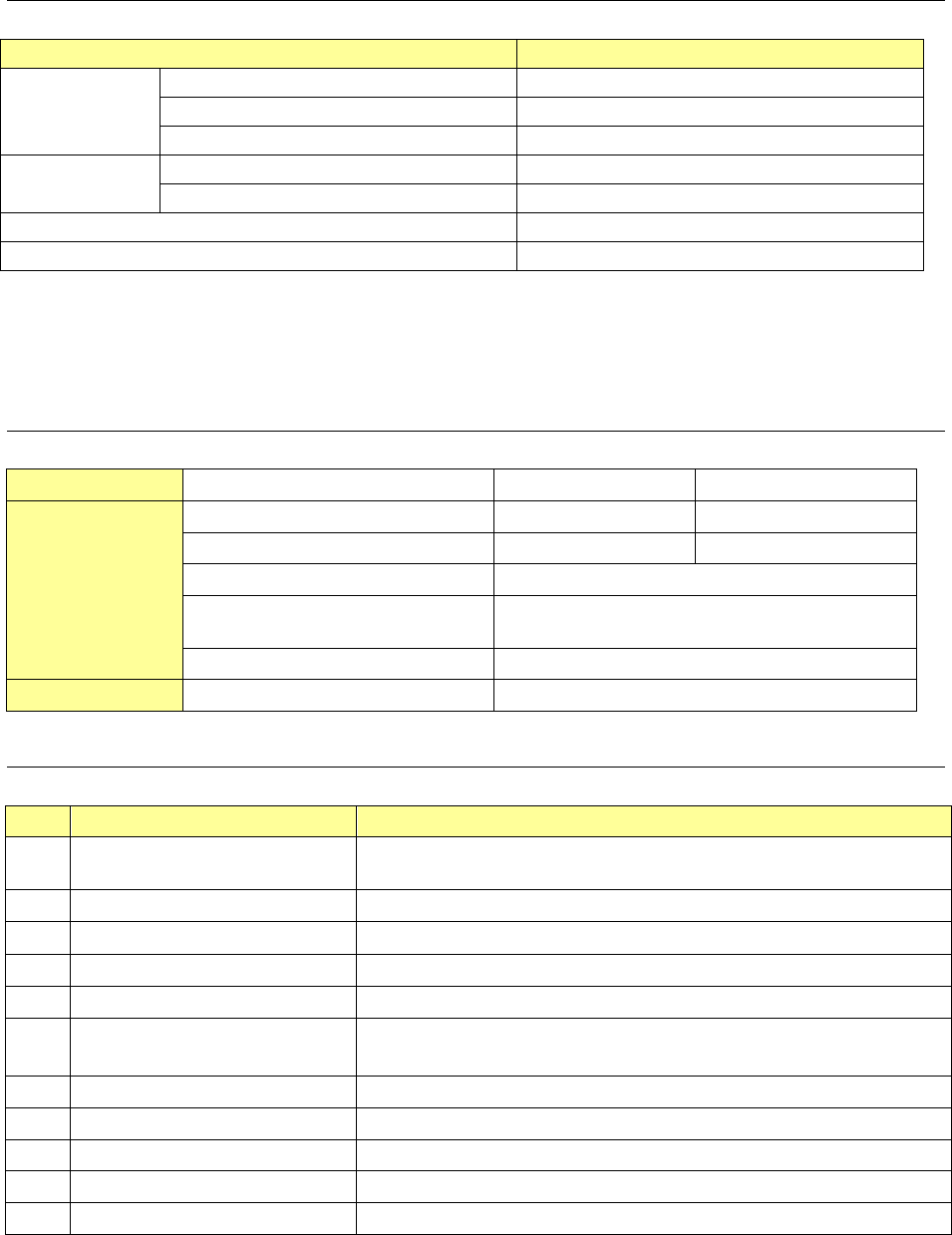
6.8.3. Facility Specification
Item Contents
Power supply
Voltage
Single-phase AC 200V/220V/240v (
±
10%)
Frequency 50/60 Hz
Apparent power 1.5 kVA
Compressed air
to be used
Air pressure
0.5
±
0.05 MPa, dry air
Max. air consumption
150 L/min. (standard status) ∗
Note 1
Noise
75 dB (A) or less
∗
Note 2
Degree of cleanliness Class 10,000 or less
Note 1: Standard status: Air status with a temperature of 20
°
C, an absolute pressure of
0.1 MPa (= 100 kPa =1 bar), and a relative humidity of 65%
Note 2: Noise is measured in conformity with JIS Z 8731.
6.8.4. External dimensions
Item
Board transport height 900mm 950mm
Dimensions
Height H (with signal light) 1,955 2,005
Height H (without signal light) 1,400 1,450
Width W 696
Depth D
(from mechanism part to handle)
1,160
Dimensions with cover open 450
Weight
Approx. 340kg
6.8.5. Options
No. Name Description
1
Heater (Option to be attached
at shipment from the factory)
Heater for the push-up unit
2 Pallet for a grip ring Pallets for 4-, 5-, 6-, and 8-inch wafers are available.
3 Grip ring
Grip rings for 4-, 5-, 6-, and 8-inch wafers are available. See n
ote 1
4 Pallet for a waffle tray Pallets for 2- and 4-inch waffle trays are available.
5 Needle For push-up of a bare chip
6 Collet For absorption of a bare chip
A collet for each size of bare chip is available.
7 Stacker Additional stacker (not including a pallet)
8 Pallet for a 6-inch flat ring Pallet on which a wafer is to be attached directly
9 Grip ring replacement jig Jig for attaching a wafer on a grip ring
10 Wafer alignment jig Jig for attaching a wafer parallel to a pallet
11 Leveling jig pallet Pallet for leveling the machine
Note 1: When you purchase an option from the recommended manufacturer:
ULTRONICS INC. http://www.ultronics.co.jp/
Manufacture’s model name 4-inch: GRP-2620-44 5-inch: GRP-2620-5
6-inch: UGR-6 8-inch: UGR-8
- 68 -
7.
Control System
7.1. Control
7.1.1. Saving a program
KE-3010/3020V/3020VR mounter store a production program onto the SSD in the main unit.
When you use a USB port, you can store it on an external storage device also.
7.1.2. Limit of a production program
● Maximum number of placement points per circuit : 10,000 points
● Maximum number of circuits per PWB : 1,200 for a matrix board
200 for a non-matrix board
● Maximum number of points per PWB : 10,000 points
● Maximum number of component data records : maximum number of component
types that can be attached on the machine
● Maximum number of component pick-up records : same as the above.
● Maximum number of Area Fiducial marks :
50 sets for component placement positioning mark,
1 set for a BOC mark (2 to 3 marks)
7.2. Production Mode
The following three production modes are available during production:
PWB production
- Specifies the number of PWBs you plan to produce and produces PWBs actually.
Trial mode
- Performs a trial PWB production.
You can select the PWB pick-up position tracking function or PWB placement position
tracking function that is to be performed after placement.
Dry run mode
- Checks the PWB pick-up/placement process without using any component.
You can select the PWB pick-up/placement position tracking function.
- 69 -
8.
Other Specifications
8.1. Electrical interfaces
8.1.1. Kinds and meanings of electrical signals
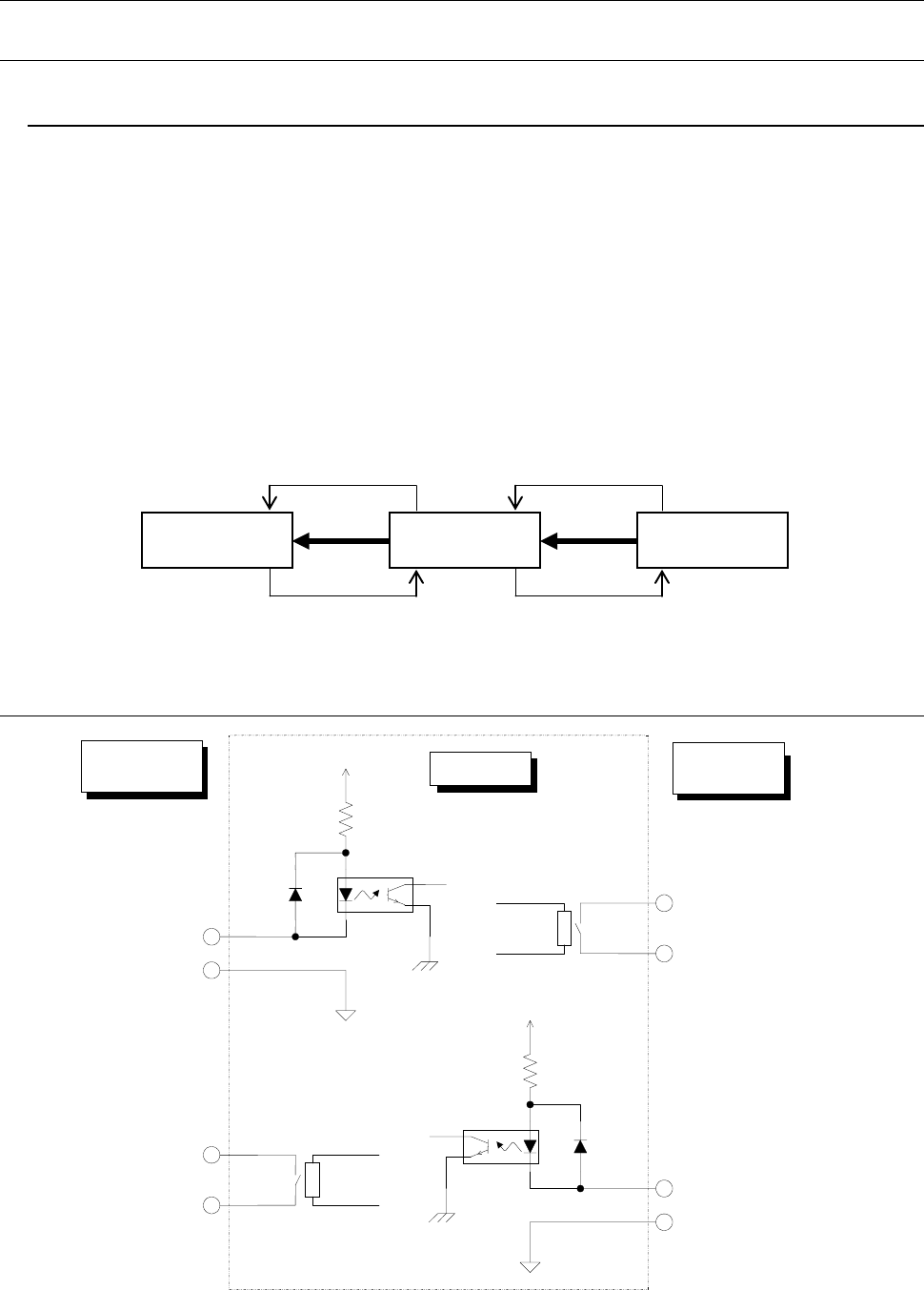
The conceptual diagram of the electrical signals both on the mounters and the other side
machines is shown, as follows: The electrical signals between the mounters and
upstream-side devices ①, ② and between the mounters and downstream-side devices ③,
④ is shown in the following diagram.
a) The electrical signal ① is called the “transport request input signal (or PWBs
available-in),” receiving the PWBs transport requests from the upstream-side devices.
b) The electrical signal ② is called the “transport permit output signal (or ready-out),”
having the PWBs carried out to the upstream-side devices.
c) The electrical signal ③ is call the “transport request output signal (or PWBs
available-out),” requesting the PWBs transport to the downstream-side devices.
d) The electrical signal ④ is called the “transport permit input signal (or ready-in),
“ receiving the PWBs transport permits from the downstream-side devices.
Figure
Conceptual diagram connecting the electrical signal
8.2. Specifications for connections between the front and rear devices
Figure
Signal interfaces and connection terminals
Downstream-
side devices
Mounters
Upstream-
side devices
④
③
②
①
Pin No. 1 :
Transport permit input signal
Pin No. 2 :
Transport permit common
signal
Relay contact
Downstream-
side devices
Mounter
Upstream-
side devices
Pin No. 3 :
Transport request output signal
Pin No. 4 :
Transport request common
signal
Pin No. 1 :
Transport permit output signal
Pin No. 2 :
Transport permit common signal
Pin No. 3 :
Transport request input signal
Pin No. 4 :
Transport request common signal
Relay contact
+24V
+24V