00191297-02.pdf - 第107页
User Manual SIPLACE S-23 HM 3 Introduction and Basic Concepts Software Vers ion SR.405.xx 05/99 Iss ue 3.3 User Interface - Views and Menus 105 Machine options... 3 Depending on acc ess le vel, y ou ca n obtain in format…
3 Introduction and Basic Concepts User Manual SIPLACE S-23 HM
3.3 User Interface - Views and Menus Software Version SR.405.xx 05/99 Issue
104
Start SITESTF11 3
This automatically starts the SITEST test program for machine set-up and calibration.
The user interface, together with the procedure for the execution of the functions, is described in
the separate User’s Manual for the SITEST test program. 3
NOTE
The SITEST test program cannot be started from the "Operator" access level. 3
GEM F12 3
This menu item is used to call the GEM interface functions.
For a more extensive description of the procedure refer to Chapter 12. 3
NOTE
The GEM interface functions cannot be called unless the GEM interface has been configured.
At the "Operator" access level, only the function "Send and receive messages" is available.
The GEM interface functions are not available in the current software version. 3
3.3.2.3 "Options" Menu
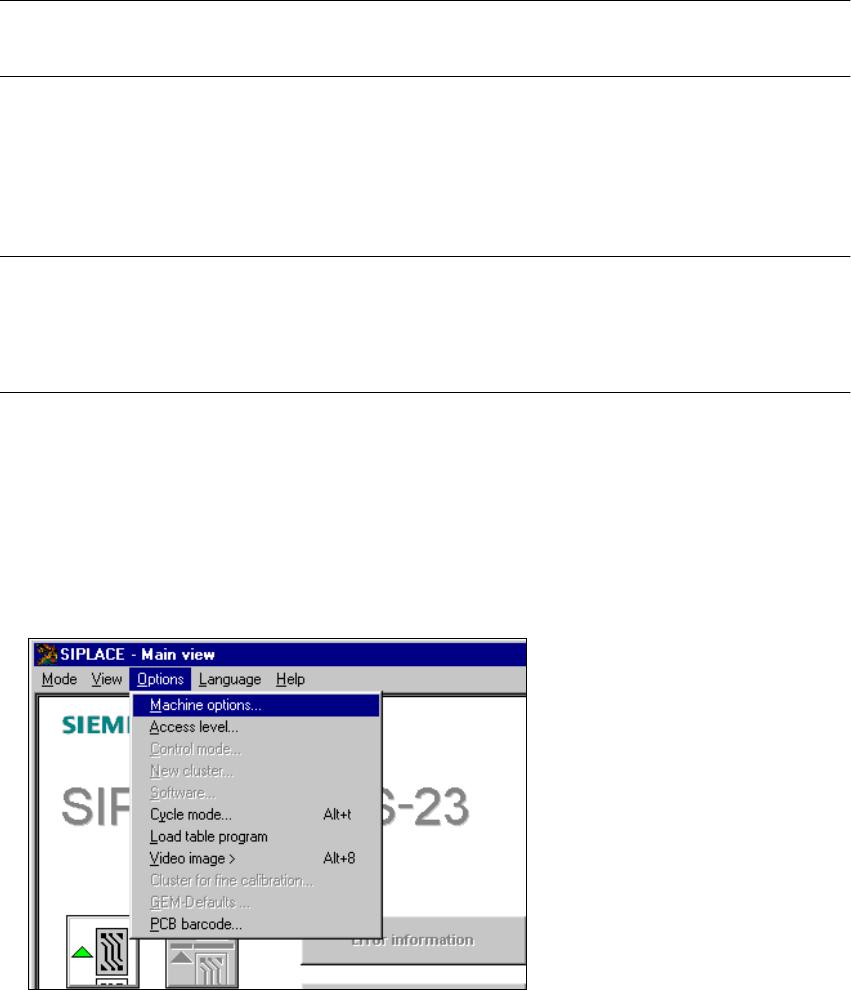
The "Options" menu is only available in the main view. This menu contains all the supplementary
functions. 3
È Click the required menu item and then make the appropriate settings or selections in the corre-
sponding windows or dialog boxes.
3
User Manual SIPLACE S-23 HM 3 Introduction and Basic Concepts
Software Version SR.405.xx 05/99 Issue 3.3 User Interface - Views and Menus
105
Machine options... 3
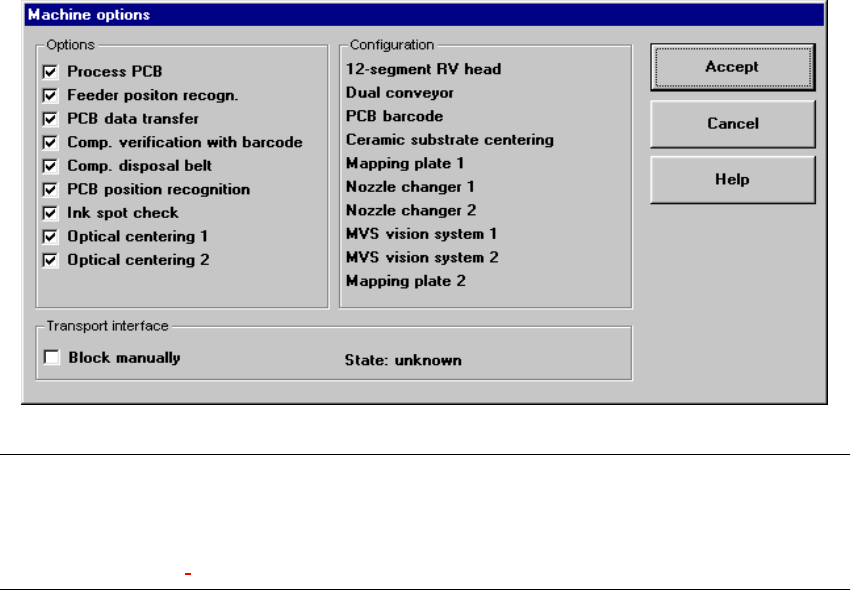
Depending on access level, you can obtain information about the station configuration
("Operator") or activate or deactivate the displayed machine options ("Line engineer", "Service").3
È Click the menu item Machine options...
The following window is displayed.
3
NOTE
Only those machine options are displayed which are configured at the current station.
The different machine options and the associated functions are described in Chapter 4 Placement
Functions, Chapter 6 Vision functions and chapter 12 Station Extensions - Software. 3
È Click the checkboxes corresponding to the machine options which you want to activate or
deactivate.
3 Introduction and Basic Concepts User Manual SIPLACE S-23 HM
3.3 User Interface - Views and Menus Software Version SR.405.xx 05/99 Issue
106
NOTE
At "Operator" access level, it is only possible to activate and deactivate the conveyor interface
options. 3
Access level... 3
It is possible to protect some user interface functions against unauthorized use by setting an
access level and allocating a password. Functions which are not accessible from a given access
level cannot be executed since the associated push-button, radio buttons and menu commands
are either inactive or not displayed. 3
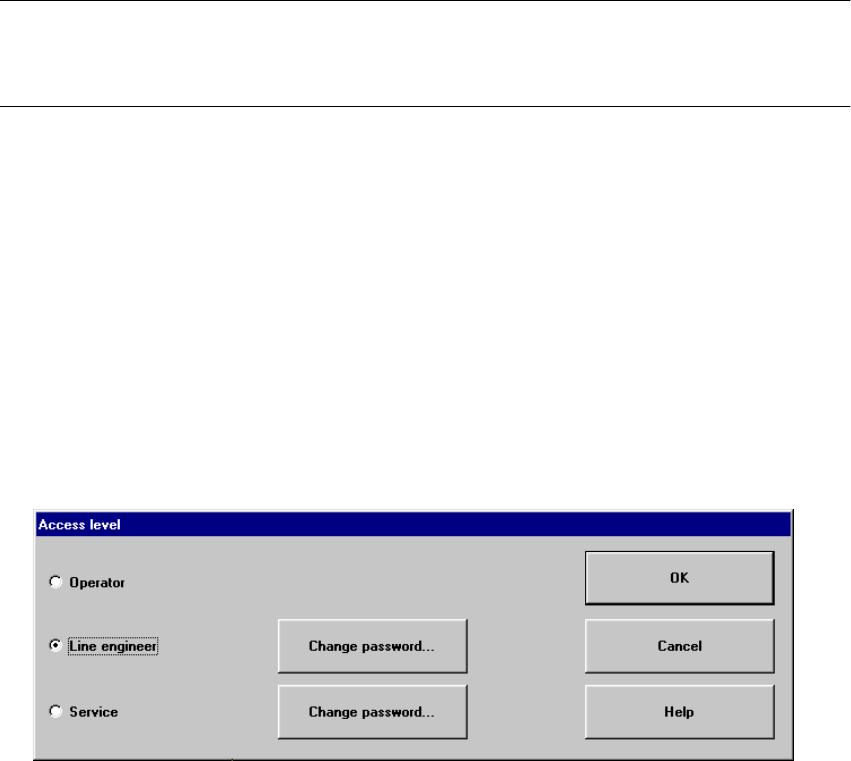
You can choose between the access levels "Operator", "Line engineer" and "Service". Passwords
can be allocated for the access levels "Line engineer" and "Service". 3
È Click the menu item Access level ...
The "Access level" dialog box is opened.
3
È Click the radio button for the required access level.
È Click the "Change password" button to the right of the access level if you want to allocate a
password or change an existing password.
The dialog box for password entry is now displayed.
3