00191297-02.pdf - 第231页
User Manual S-23 HM 6 Vision functions Software Vers ion SR.405.xx 05/99 Iss ue 6.6 Test Component 229 6 Fig. 6.6 - 3 ’T est component’ flow chart, ’T est component’ menu, ’Component’ menu item’ ’Test component’ menu No …
6 Vision functions User Manual S-23 HM
6.6 Test Component Software Version SR.405.xx 05/99 Issue
228
6
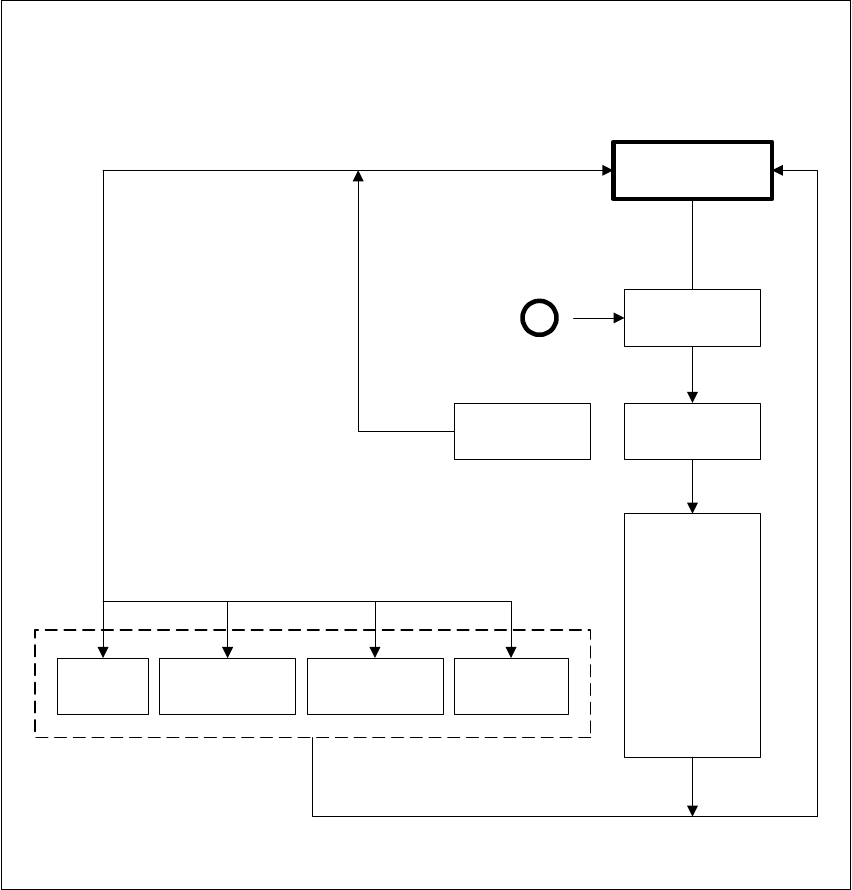
Fig. 6.6 - 2 ’Test component’ flow chart - ’Select package form’ menu
Select
package form
If there is a
component on
the nozzle, it will
be discarded.
The station
computer
requests GF file
from the line
computer and
loads it down to
the MVS.
Default
Revolver head
12 seg. /DLM1 *)
Flip-chip *)
Pick & Place
head *)
Load
package form
’Select package form’ menu
A
Select
package form
Camera type
Save
GF data
*) Applies to 80F in the case that the component is to be centered not only using the standard
camera type (Default) but also another camera type.
User Manual S-23 HM 6 Vision functions
Software Version SR.405.xx 05/99 Issue 6.6 Test Component
229
6
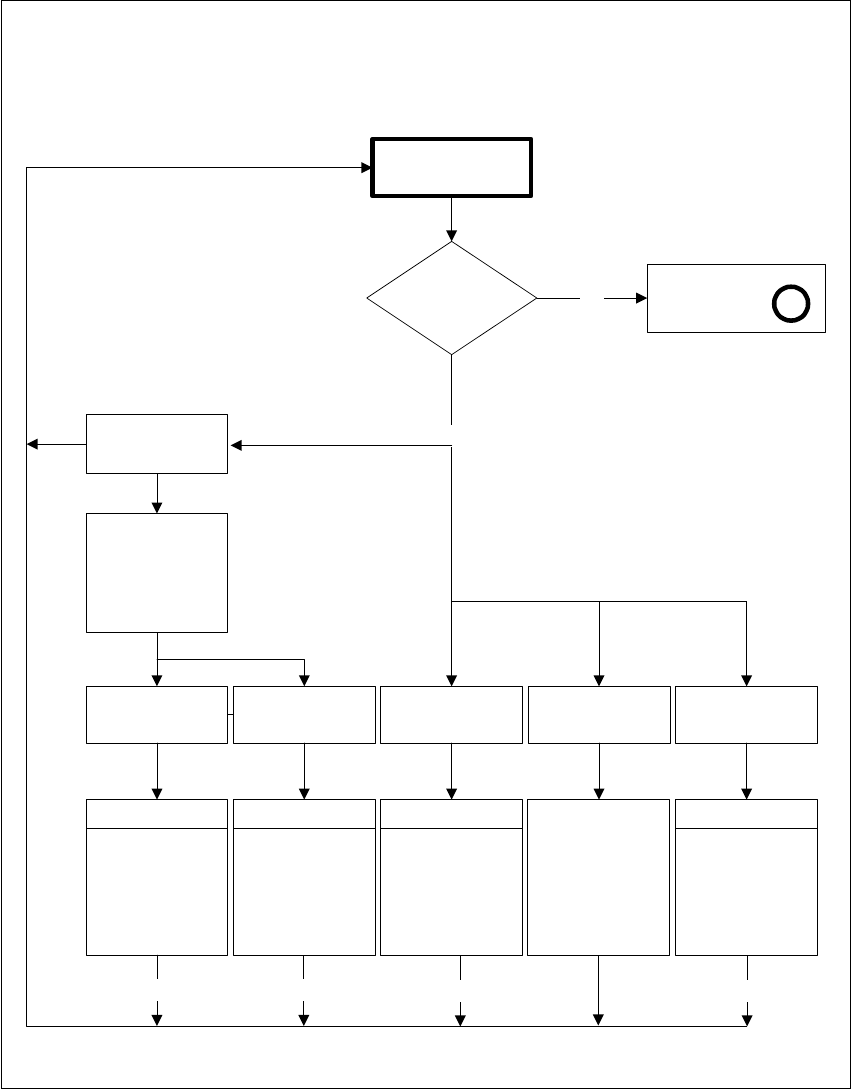
Fig. 6.6 - 3 ’Test component’ flow chart, ’Test component’ menu, ’Component’ menu item’
’Test component’ menu
No
Test component
GF data
loaded?
Select package
form menu
A
Yes
Test Measure Display Store image Evaluation time
ESC
Perform GF-
specific meas.
steps one after
the other
Video image
Measure
package form.
Display meas.
results
Video image
Display synthetic
description
Video image
Video image is
saved on hard
disk of MC
controller
Evaluation time
Video image
ESC ESC
Pickup
component from
feeder and rotate
it underneath the
component
camera
Component
Pickup
ESC
6 Vision functions User Manual S-23 HM
6.6 Test Component Software Version SR.405.xx 05/99 Issue
230
6
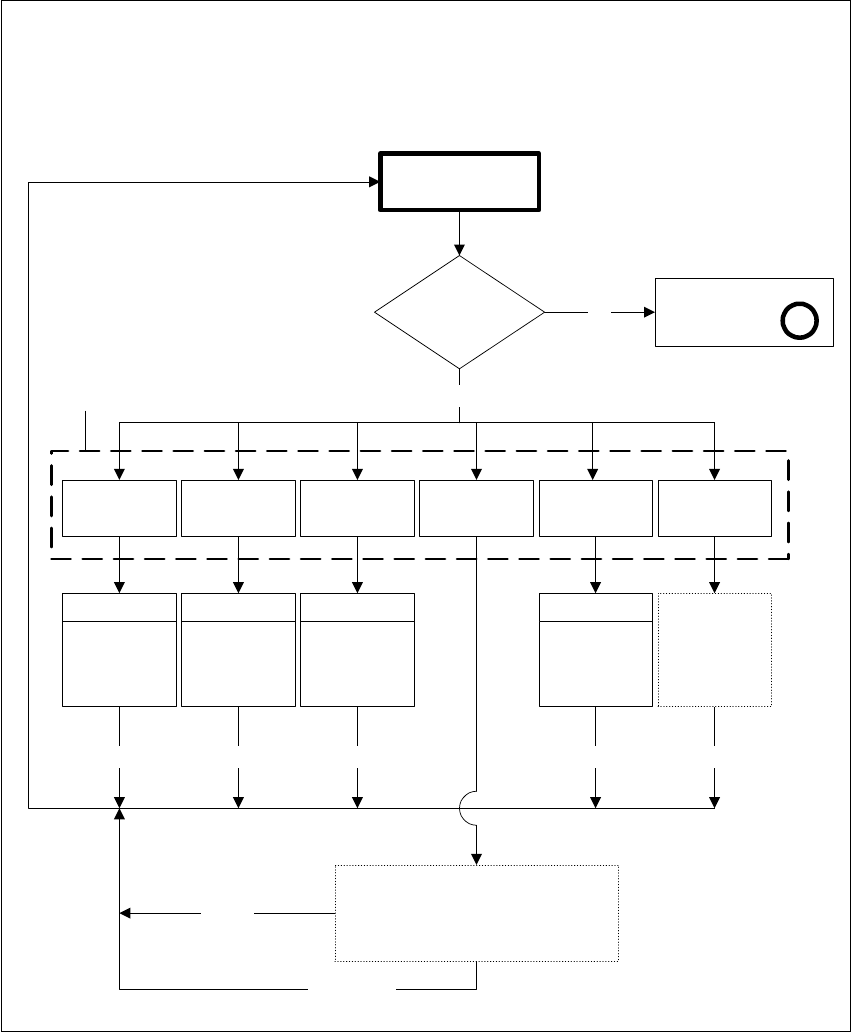
Fig. 6.6 - 4 ’Test component’ flow chart - ’Edit GF data’ menu
’Test component’ menu options
’Edit GF data’ menu
Test component
GF data
loaded?
Yes
Cancel
Edit package form data
Illumination
No
Select package
form menu
A
Package
dimension
Pin
dimension
Transform Ball image
Measure
mode
ESC
Video image
ESC
Video image
ESC
Modification
of
GF data
Video image
ESC
Modification
of
GF data
Video image
ESC
See menu
options ’Test
component’,
from Figs.
6.6-5 to 6.6-8
Cancel Accept
Input box
’Select contrast graduation’:
Program LUT
Accept data
Modification
of
GF data
Modification
of
GF data