Maintenance Schedule保养计划 - 第16页
Vision XP+ V AC / XP+ / XP / XS Page 25 2 Mainte nance 2.5 Co oling T ract Service Instructions V ersion 1.3 2.5.4 Clean cooling modu le 1 VXP+ Fig. 2-22 Disconnec t power supply Fig. 2-23 Lower nozzle field Fig. 2-24 Un…
Page 24 Vision XP+ VAC / XP+ / XP / XS
2 Maintenance
2.5 Cooling Tract
Service Instructions
Version 1.3
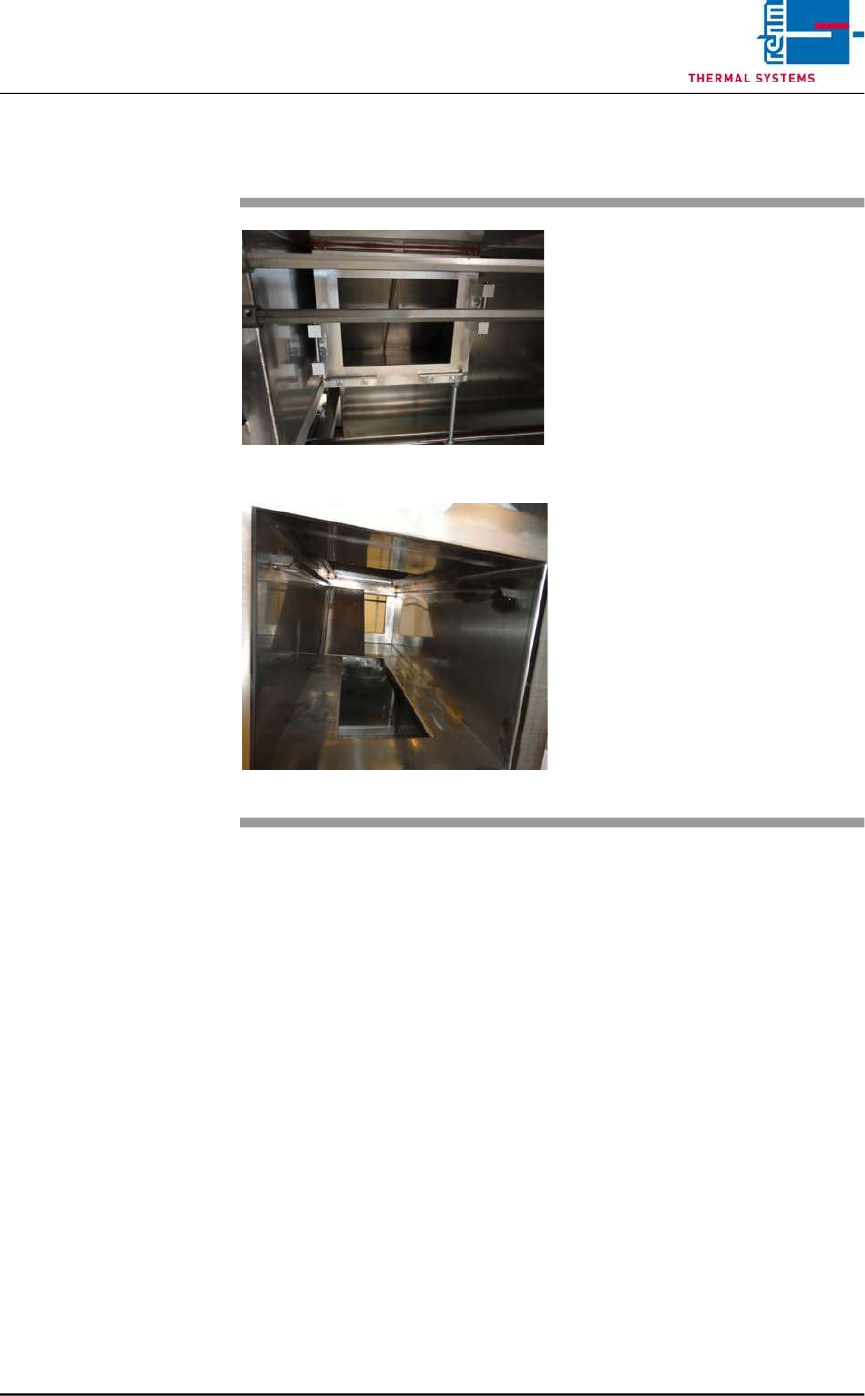
2.5.3 Additional cleaning chute VXP+
Fig. 2-20 Additional cleaning chute
Fig. 2-21 Additional cleaning chute 1
Consumables:
• Oven cleaner
• Cleaning rags
• Cleaning bath
An additional cleaning chute for the
cooling section is fitted at the front of
the plant.
This chute simplifies cleaning of the
cooling chute; the partitioning plates
may be individually removed and
placed in a suitable cleaning bath.
The cooling chute may now be
cleaned on both sides.
Thereafter reassemble everything
in reverse order.
Vision XP+ VAC / XP+ / XP / XS Page 25
2 Maintenance
2.5 Cooling Tract
Service Instructions
Version 1.3
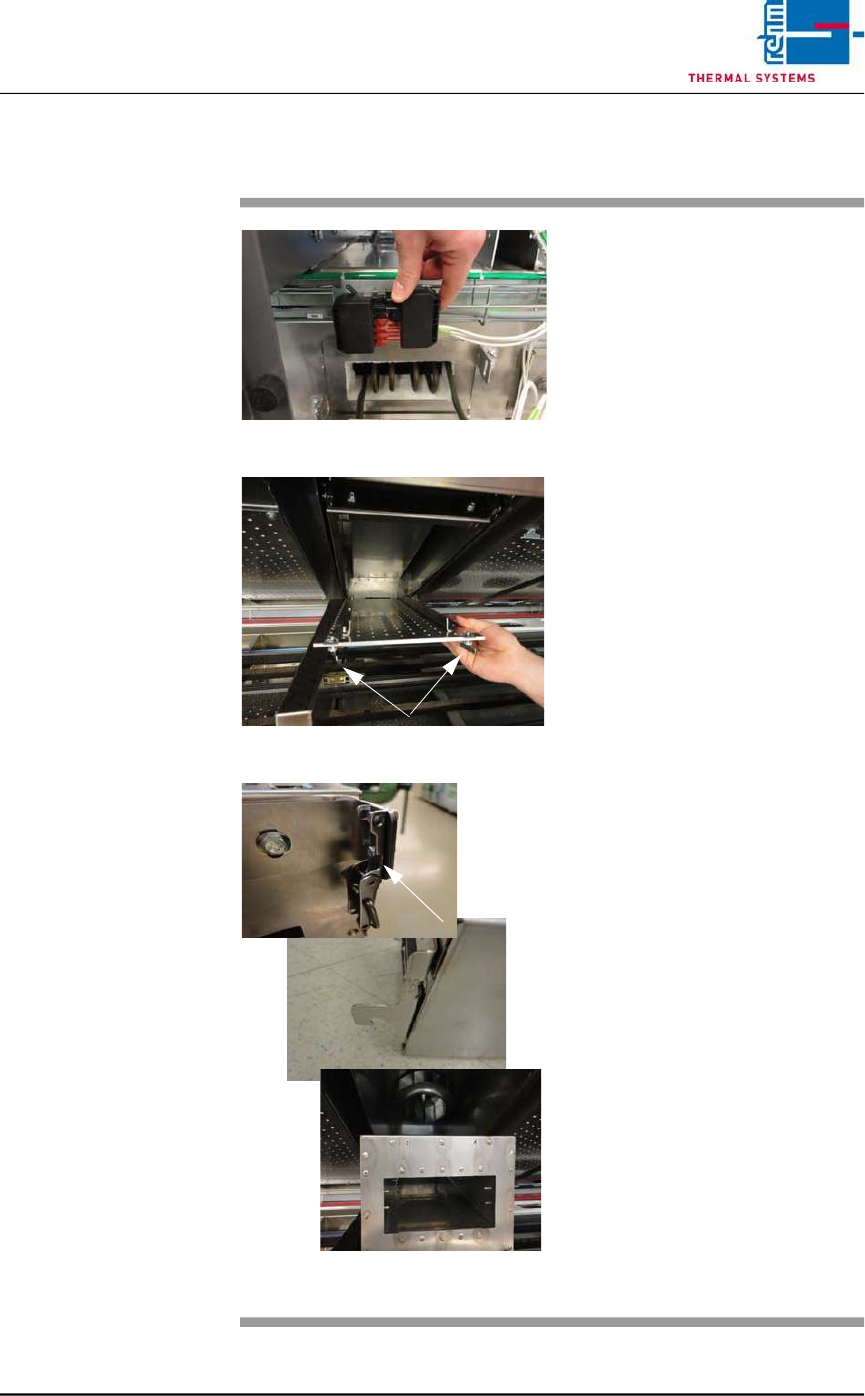
2.5.4 Clean cooling module 1 VXP+
Fig. 2-22 Disconnect power supply
Fig. 2-23 Lower nozzle field
Fig. 2-24 Unlatch, remove the cooling modu-
le
Consumables, tools:
• Oven cleaner
• Cleaning rags
• Cleaning bath
Procedure:
1. First disconnect the electric
heater supply at the back of
the plant. Then pull out the
heater at the back.
2. Now remove cooling module 1
at the front of the machine for
cleaning, as follows.
3. Rotate the wing screws on the
right and left of the nozzle field
by 90° and lower the nozzle
field for cleaning.
4. Unlatch the cooler cassette,
lift and pull out towards the
front.
5. Place the cooler cassette in the
cleaning bath.
6. Re-fit the cleaned cooler cas-
sette.
7. Check the water through-flow at
the flow meter.
8. Push the heater at the back of
the machine back in and plug in
the power supply.
Page 26 Vision XP+ VAC / XP+ / XP / XS
2 Maintenance
2.5 Cooling Tract
Service Instructions
Version 1.3
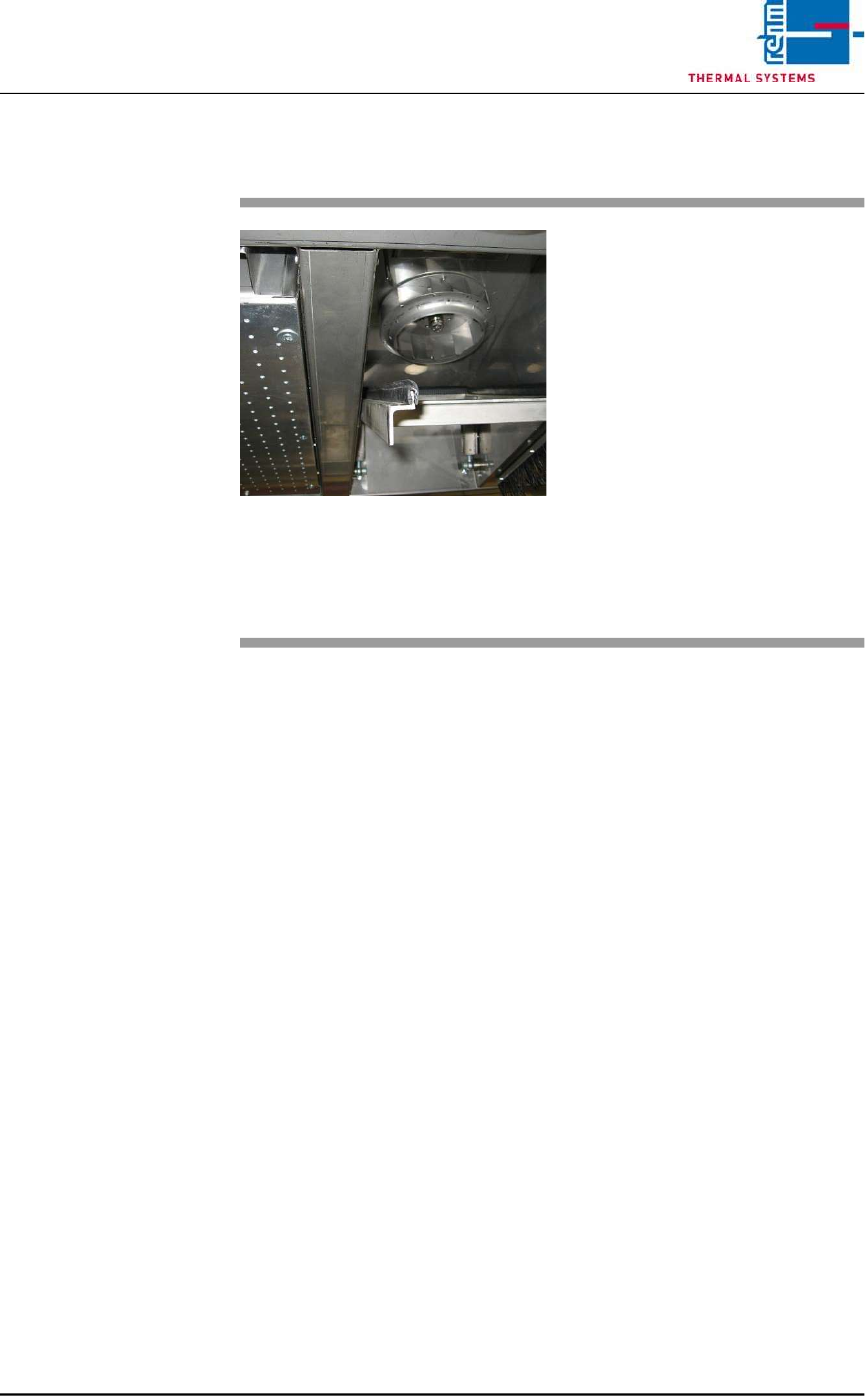
2.5.5 Inspecting and Cleaning the Fan Impeller
Fig. 2-25 Cleaning the Fan Impeller
The fan impellers are located in the
process chamber behind the cooler
cartridges.
Consumable materials, tools:
• Oven cleaner
• Rags
Procedure:
1. Remove the cooler cartridge
(see instructions in chapter
2.5.2).
2. Inspect the fan impellers for
contamination, and clean with
oven cleaner and rags if
necessary.