Maintenance Schedule保养计划 - 第42页
Vision XP+ V AC / XP+ / XP / XS Page 51 2 Mainte nance 2.14 C onveyor S ystem Service Instructions V ersion 1.3 2.14.3 Cleaning th e Sensors Fig. 2-84 Cleaning the Sensors Consumable materials, to ols: • appropriate cle …
Page 50 Vision XP+ VAC / XP+ / XP / XS
2 Maintenance
2.14 Conveyor System
Service Instructions
Version 1.3
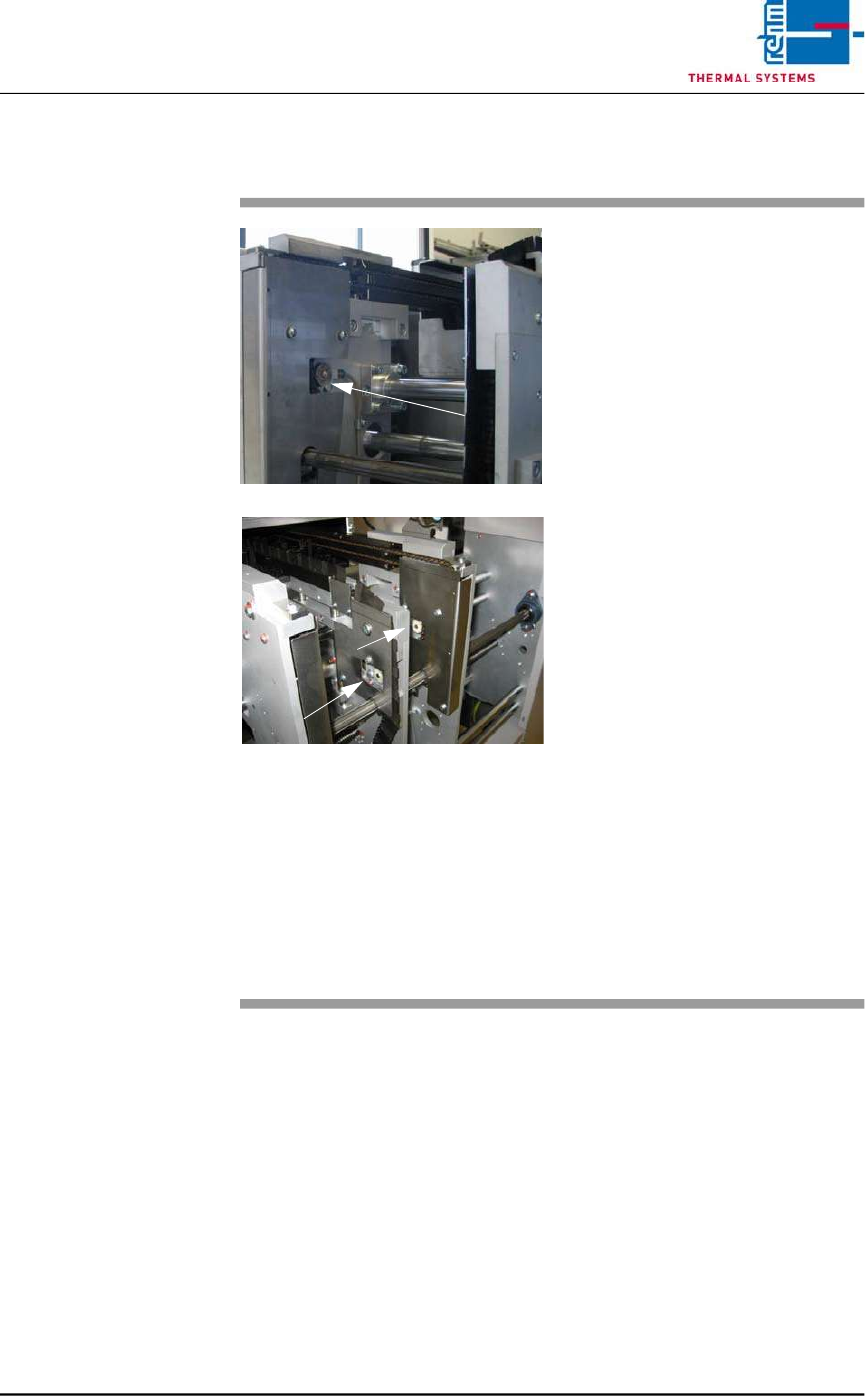
2.14.2 Chain Lubricator – Replacing the Felt Wheels
Fig. 2-83 Chain – Felt Wheels
Consumable materials, tools:
• Chain fluid
• Felt wheels Center Board
Support / PCB´s
Procedure:
1. The felt wheels should be lightly
saturated with oil, and should
make contact with the conveyor
chain.
2. If no chain oil is present,
double-check the chain
lubricator settings at the
controller. Start the chain
lubricator manually and check
to see if oil is delivered to the
lubricator unit.
3. The felt wheels must be
replaced or readjusted if they
no longer make contact with the
conveyor chain, or if they are
frayed.
4. Inspect, and if necessary
replace the felt wheels for the
lubricator unit at the fixed side
panel.
5. Inspect, and if necessary
replace the felt wheels for the
lubricator unit at the other side
panels.
Vision XP+ VAC / XP+ / XP / XS Page 51
2 Maintenance
2.14 Conveyor System
Service Instructions
Version 1.3
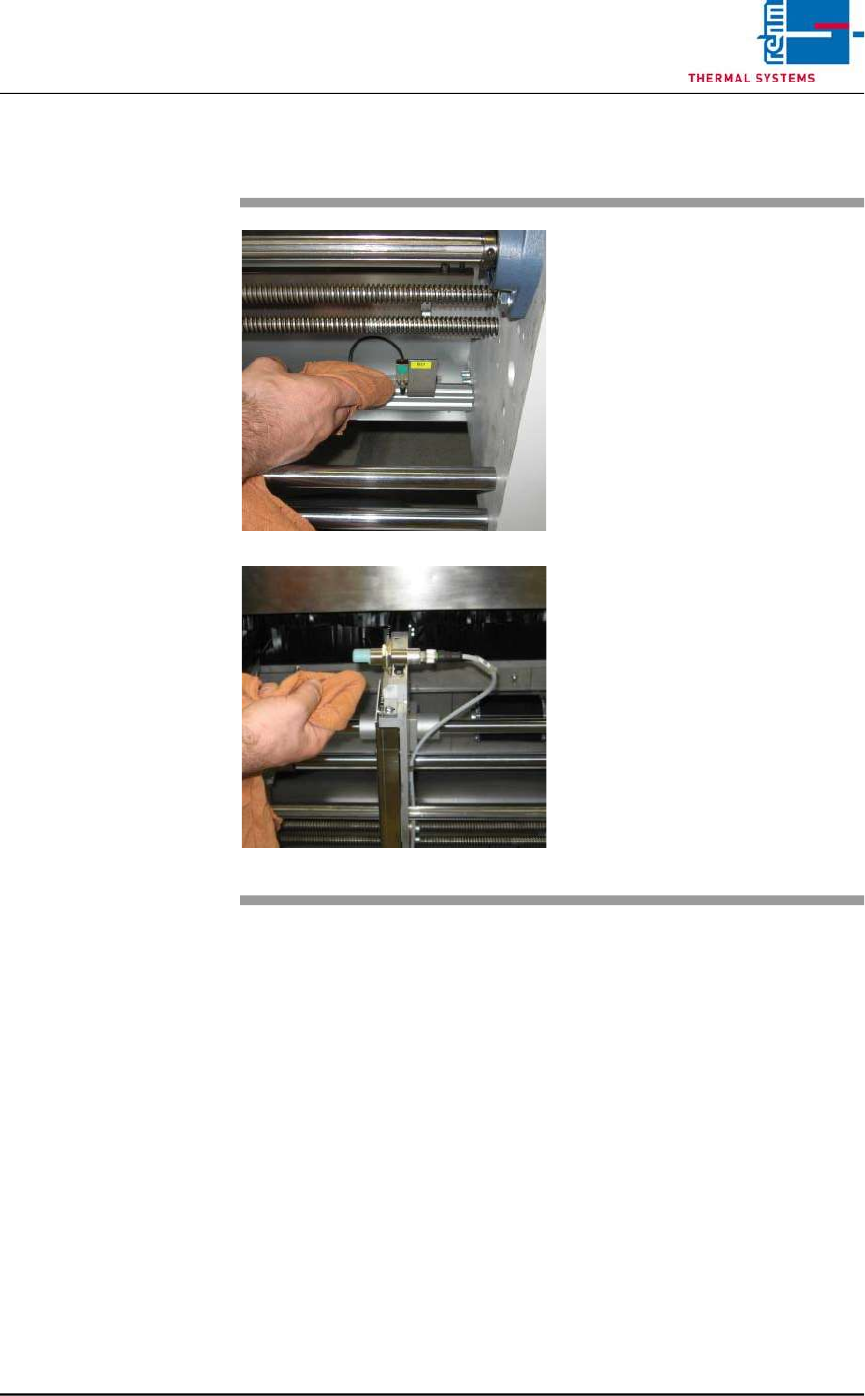
2.14.3 Cleaning the Sensors
Fig. 2-84 Cleaning the Sensors
Consumable materials, tools:
• appropriate cleaning agent
• Rags
Procedure:
1. Carefully wipe the sensors with
appropriate cleaning agent and
a rag.
Caution!
Do not press the sensors too firmly,
and do not bend them. Do not use
any sharp objects for cleaning.
Note!
The sensors are to be cleaned only
with alcohol and solvent-free
cleaning agent.
Page 52 Vision XP+ VAC / XP+ / XP / XS
2 Maintenance
2.15 Cleaning the Control Cabinets
Service Instructions
Version 1.3
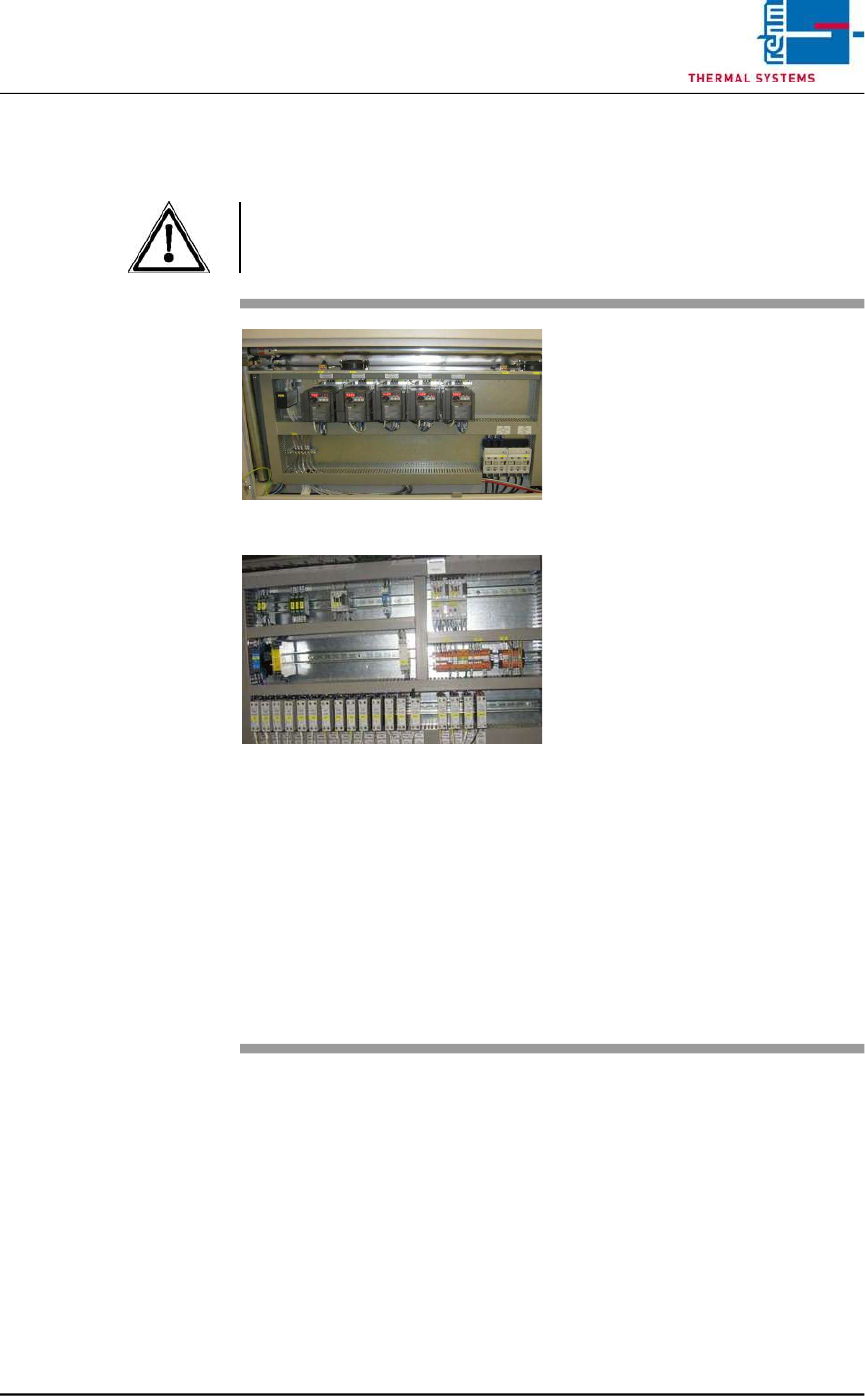
2.15 Cleaning the Control Cabinets
Attention!
The system must be turned off at the mains switch. Components may
nevertheless be electrically charged.
Fig. 2-85 Control Cabinet 1
Fig. 2-86 Control Cabinet 2
Tools:
• Vacuum cleaner
Procedure:
1. Carefully clean all of the
components in the control
cabinet with the vacuum
cleaner.
Note!
The components must not be
allowed to pop out of their
retainers.
2. Vacuum the fans in the control
cabinet doors as well (above
the components).
3. The frequency converters have
to be de-energized before
suction.
Now, exhaust the fans in the
frequency converters up and
down.
Note!
In order to assure cooling of the
electrical components, all fans
included with the system must
be vacuum cleaned on a
regular basis.