Dek印刷机中文培训.pdf - 第20页
If the Scre en is Center justif ied im age,use Right Hand Side Marker Put the screen location. Positio n must the PCB width. 放钢网的时侯要注意!中间开孔要 看右手边!位置定了是 PCB 的宽度 If the Screen is Edge justified image, Use Right Hand Side M…
ADJUSTABLE SCREEN MOUNT (ASM)
ADJUSTMENTS AND SETTINGS
12.6 Technical Reference Manual Chapter Issue 6 Nov 05
ADJUSTMENTS AND SETTINGS
Screen Depth
Adjuster
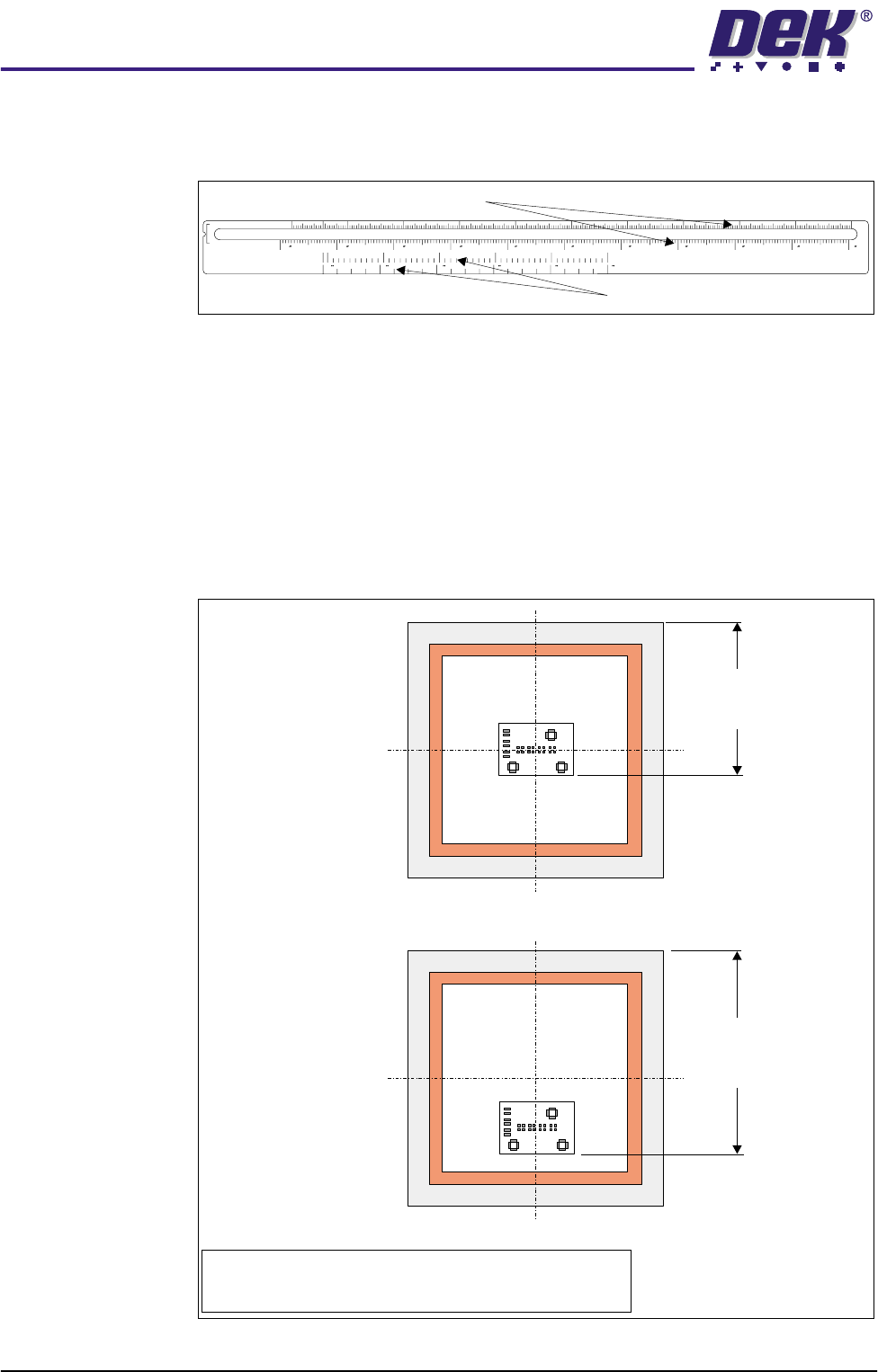
The screen depth adjuster has two scales as follows:
The rear of stencil to front of image scale, marked on the top of the screen depth
adjuster, can be used for either centre justified or front justified stencils. The
scale has both imperial and metric units as follows:
• Metric - 150mm to 650mm
• Imperial - 6” to 26”
When using this scale the screen depth adjuster is set to the rear of stencil to
front of image value. The figure below shows this measurement for both centre
and front justified stencils
Figure 12-3 Rear of Stencil to Front of Image Measurement
REAR OF STENCIL
TO FRONT OF IMAGE
CENTRE JUSTIFIED IMAGE SIZE
650
622 600 550 500 450 400 350 300 250 200 150
68101214161820222426
508 500 400 300 200
100 0
048121620
Rear of Stencil to Front of Image Scale
Centre Justified Image Size Scale
Front Justified
Rear of Stencil
to
Front of Image
Centre Justified
NOTE
Rear of stencil to front of image is measured from the rear
face of the screen frame to the front edge of the image.
Rear of Stencil
to
Front of Image
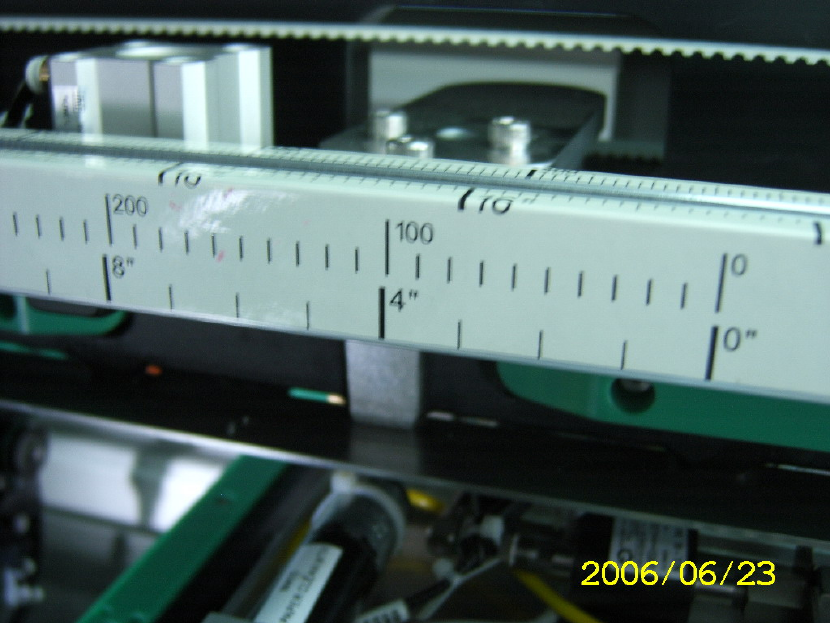
If the Screen is Center justified image,use Right Hand Side Marker Put the
screen location. Position must the PCB width.放钢网的时侯要注意!中间开孔要
看右手边!位置定了是 PCB 的宽度
If the Screen is Edge justified image, Use Right Hand Side Marker Put the screen
location. Position must the distance from Front Stencil to Front Image. 放钢网的
时侯要注意!钢网边开孔的要看右手边!位置定了是钢网边开孔的长度.
Dek Printer Training 19/70 25 June 2006
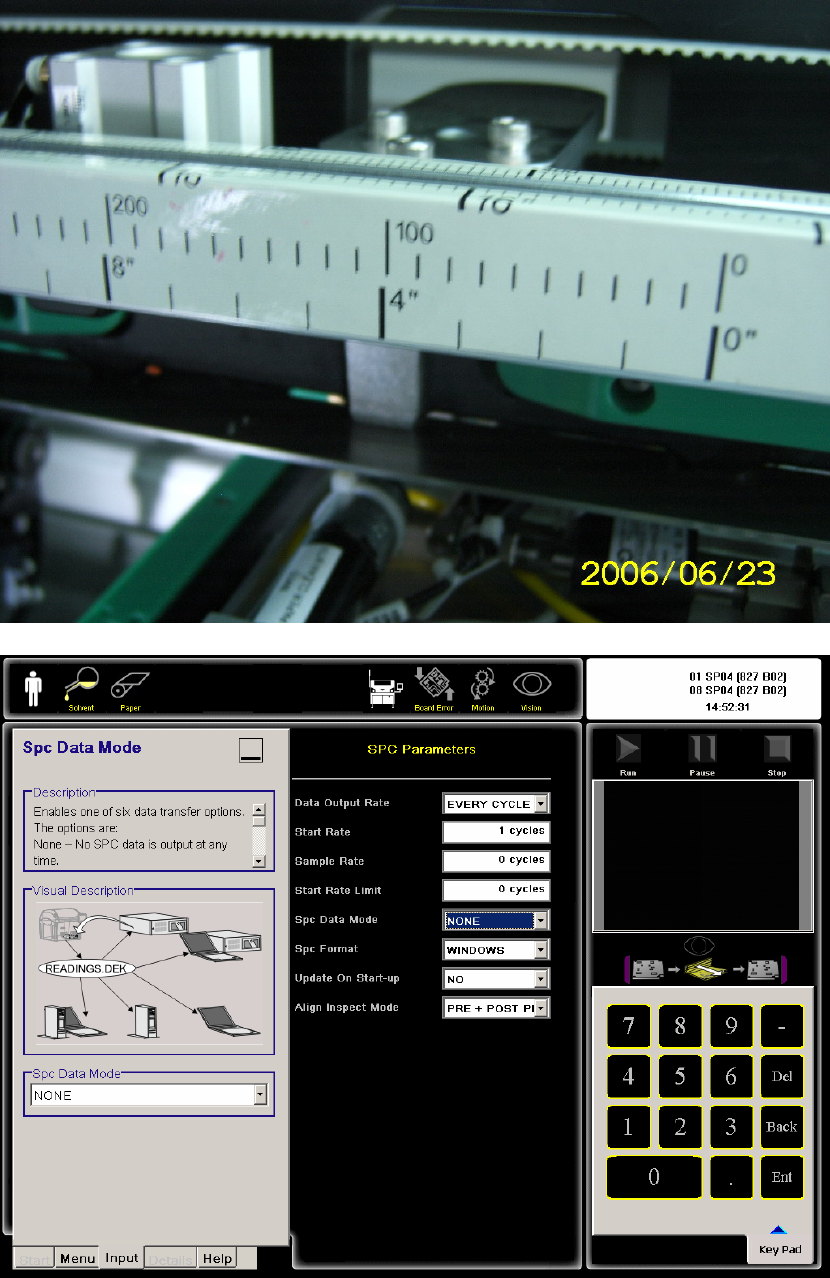
18. SPC SETUP 统计设定
ALIGN INSPECT MODE 正常是 NONE
19. LOAD BOARD 送 PCB 板
Dek Printer Training 20/70 25 June 2006