Dek印刷机中文培训.pdf - 第40页
3 SA T A 80G Hard disk(Partition C: , D:, E: ) 硬盆 C: install WIN XP , 安装了 WIN XP D: install DEK program file 安装了 SOFT 软件 E: printer config fi le(E:\CONFIG) & product f ile(E:\Product) 安装了机器的工作参数 **** 3 G: DISK(USB Th…
Rising Table 按照程序设定的 separation speed 下降 separation distance 高度,
同时,印刷刮刀运动到 Dwell 高度。 → 23、根据 Underside clearance 高度的
设定,Rising Table 全速下降,同时,板的夹 紧机构松开。 → 24、PCB 板传
送皮带运动到出板感应器感应到有板为止。 → 25、清洗周期和添加锡膏周期
循环记数器的记数分别相应的增加。如果都没有到 达,机器进行下一个循环的
印刷,否则执行相应功能动作。
25. Computer Hardware Device 计算机的硬件
3 Embedded WIN XP系统Embedded WIN XP
3 PC motherboard主板 is 250mm x 250 mm (model no : G4S300-B)
Dek Printer Training 38/70 25 June 2006
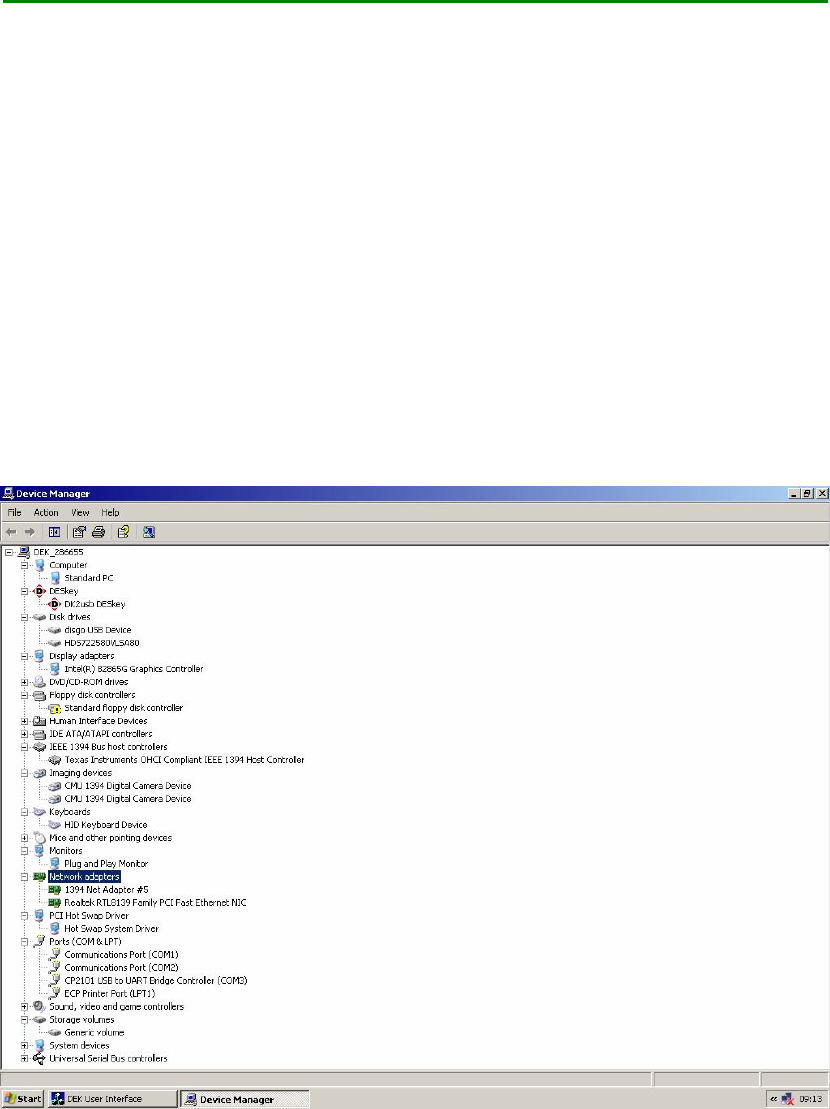
3 SATA 80G Hard disk(Partition C: , D:, E: ) 硬盆
C: install WIN XP,安装了 WIN XP
D: install DEK program file 安装了 SOFT 软件
E: printer config file(E:\CONFIG) & product file(E:\Product)安装了机器的工作参数****
3 G: DISK(USB Thumb driver ) must insert. Do not remove this USB Thumb Driver. It
will make Machine fail to boot up G:盘一定要接的,没有接就开不了机
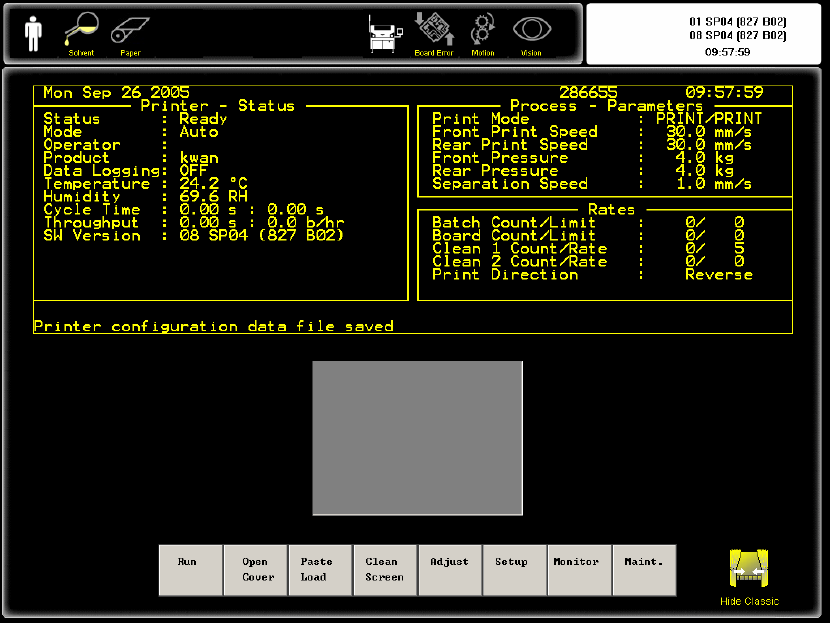
Printer software印刷机软件有二个 : (i) 08 SP04 New Instinctiv 版本 (ii) 08 SP04 Classic
program 经典版本
Classic program 经典版本
Dek Printer Training 39/70 25 June 2006
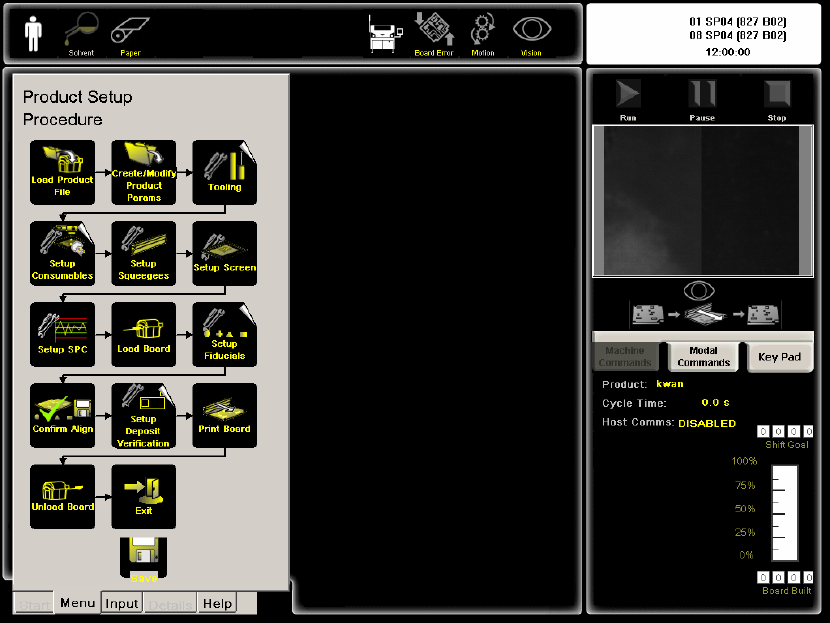
New dek program 版本
3 Software recovery 恢复系统:
(1) insert System recovery disk system software for IBUS 03.04 PT NO 152663 放系统光
盘片重新用光盘起动
(2)continue继续 PRESS “C”
(3)Press “C” to continue install the Software
(4)Enter machine Serial number按入机器编号
(5) Reboot computer 重新起动电脑
(6)Insert DEK Software CD 08 SP04(827) PT NO 152674 放入DEK的软件光盘
(7)Press “C” computer will reboot & install DEK software
(8Ccopy backup config & product data to E:/ 把机器参数放到E:盘config 文件夹
26. SMEMA connection联机
SMEMA Upline connected to Loader上线接送板机
Loader Pin 1 connected to Upline pin 1(12V). 送板机一号针接上线一号针(二十
四伏)
Loader Pin 2 connected to Upline pin 2(0V return) 送板机二号针接上线二号针
Dek Printer Training 40/70 25 June 2006