PT200中级培训.pdf - 第16页
4. 补丁的安装 重启时用 installpt 这个用户名进入, 密码也为 installpt 。 选择安装文件,点击 install ,出现以下对话框 , 点 1 处就开始安装。 1 Start to install Clos I iff Installer start 餐. PTShell IU:31 AM To learn about the exciting new features in XP now, click here.…
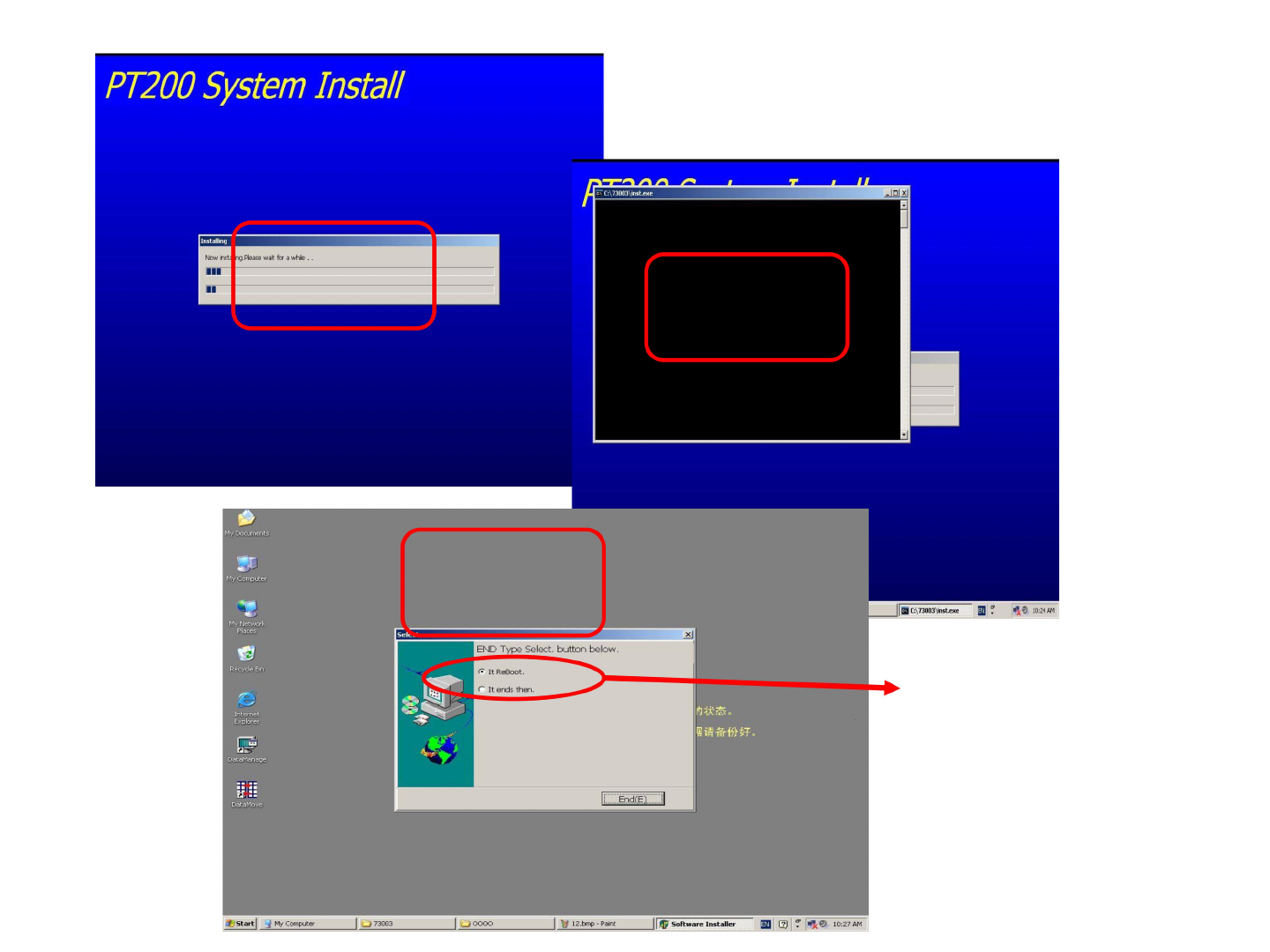
等待安装完后选
择立即重启
1
2
3
PT200
System
Install
5
以⑦
10:24
AM
的
C:\73003\inst.exe
M
12.bmp
-
Paint
」
OOOO
O
73003
My
Documents
My
Computer
Recycle
Bin
向状态
。
曾请备
份好。
DataMove
My
Network
Places
回?
力
0
10:27
AM
f
Start
,
My
Computer
1
1
Software
Installer
DataManage
c
Internet
Explorer
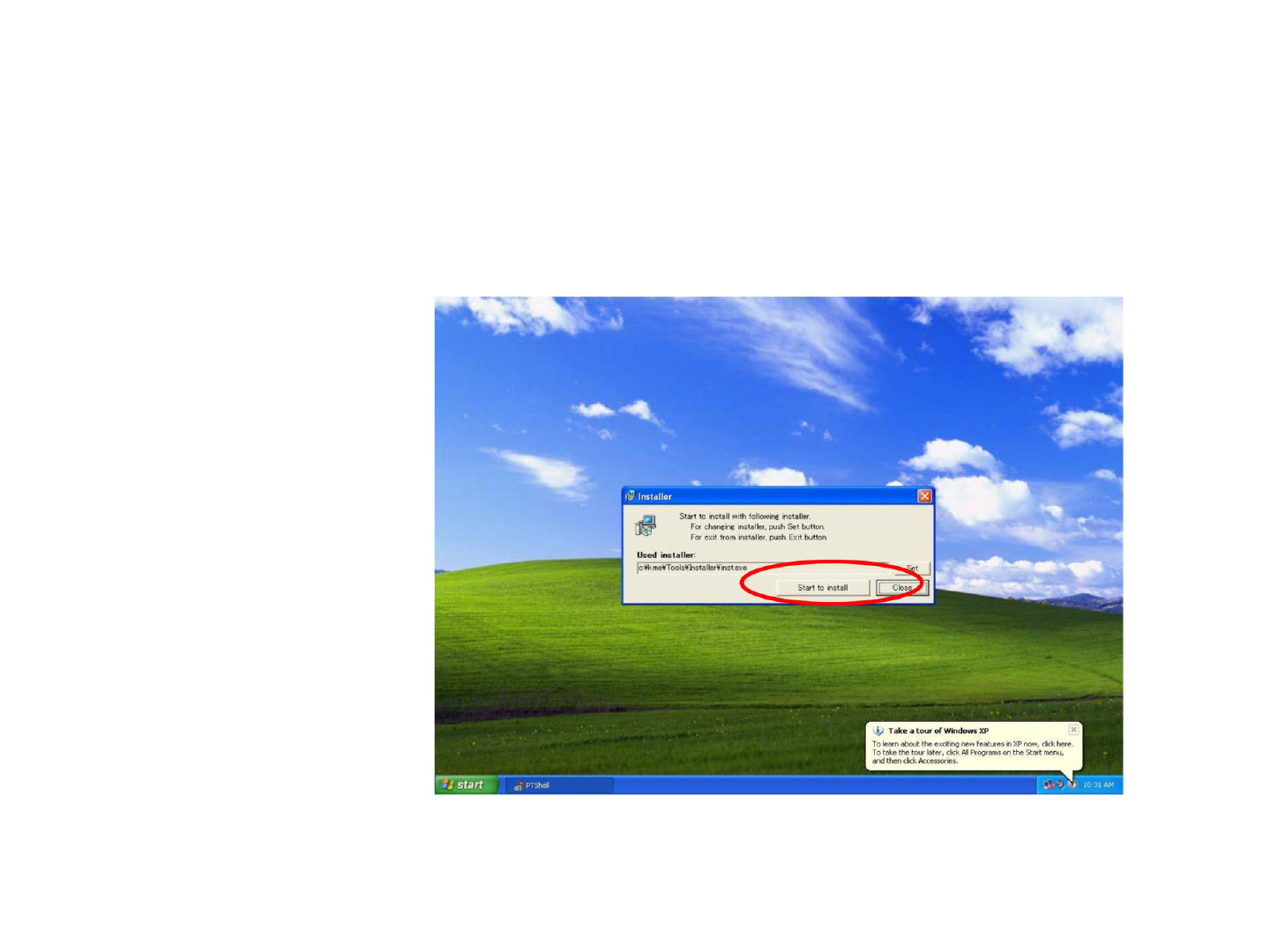
4.补丁的安装
重启时用installpt这个用户名进入,密码也为installpt。
选择安装文件,点击install,出现以下对话框,
点1处就开始安装。
1
Start
to
install
Clos
I
iff
Installer
start
餐.
PTShell
IU:31
AM
To
learn
about
the
exciting
new
features
in
XP
now,
click
here.
To
take
the
tour
later,
click
All
Programs
on
the
Start
menuj
and
then
click
Accessories.
歹
Take
a
tour
of
Windows
XP
Start
to
install
with
following
installer
For
changing
installer,
push
Set
button.
For
exit
from
installer,
push
Exit
button.
——A
Used
installer:
c
:¥k
me¥Tools¥Insta
llerMinst.exe
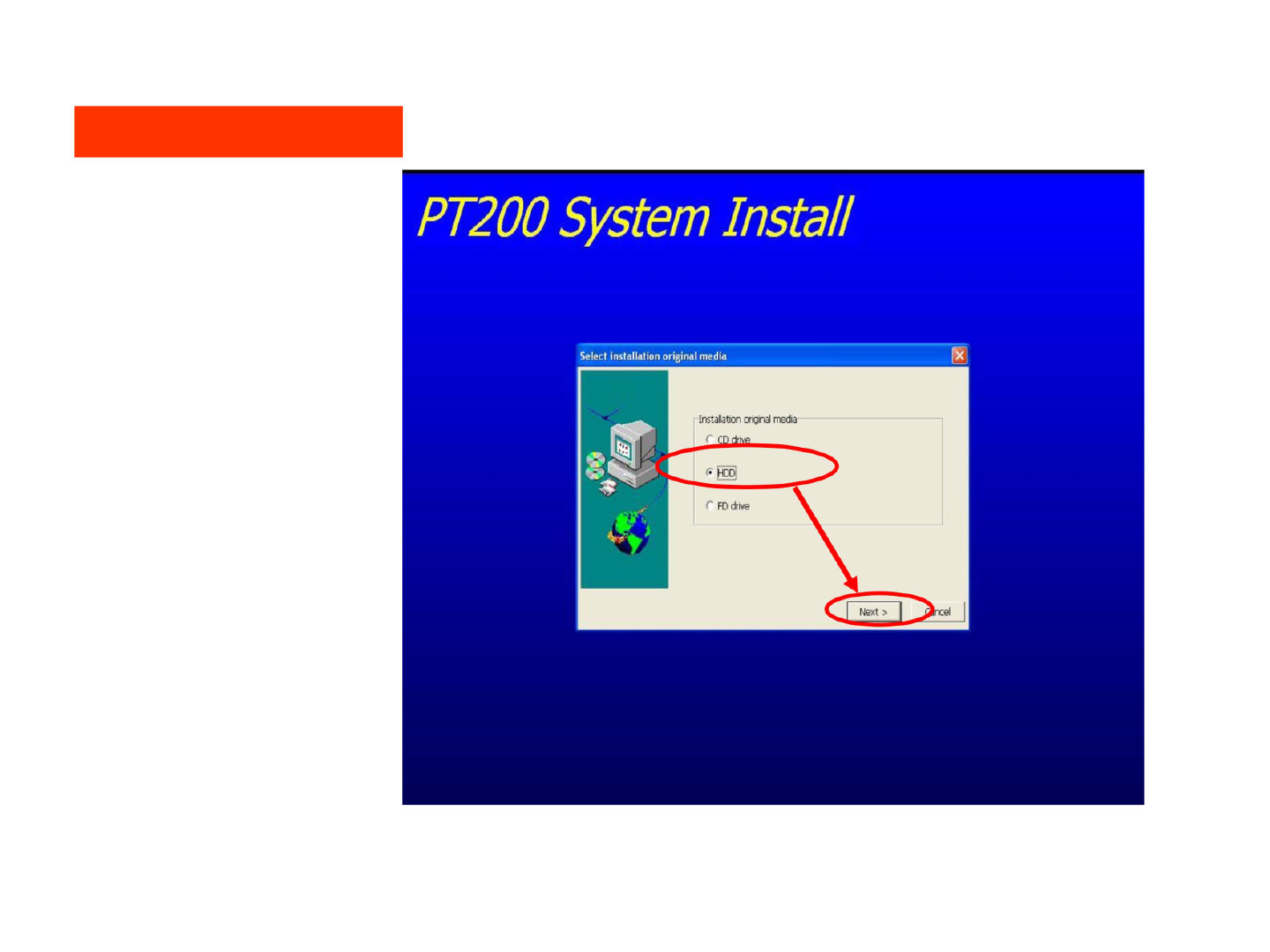
安装软件的路径选择
1处为从硬盘开始
1
PT200
System
Install
Select
installation
original
media