PT200中级培训.pdf - 第17页
安装软件的路径选择 1 处为从硬盘开始 1 PT200 System Install Select installation original media
4.补丁的安装
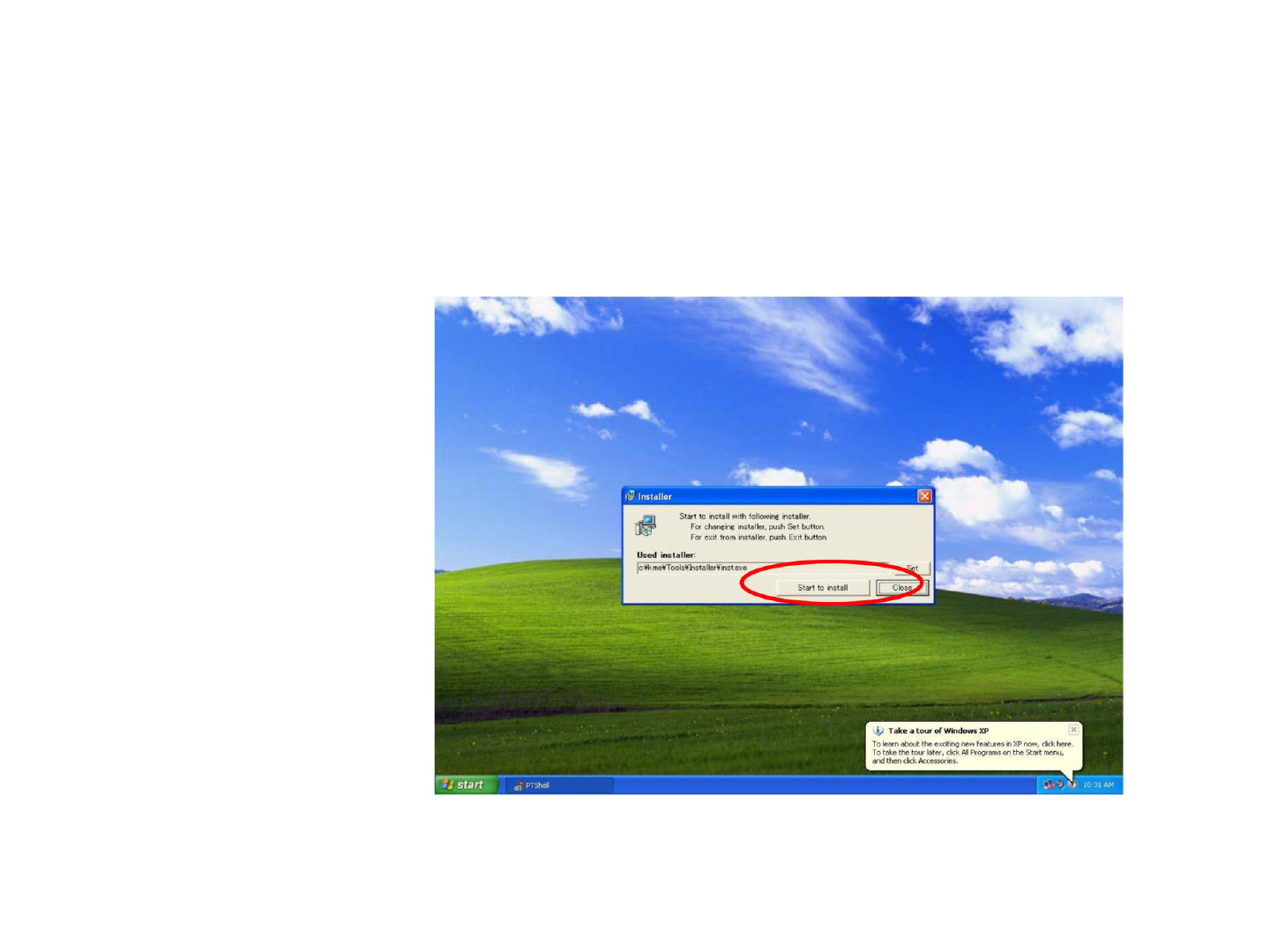
重启时用installpt这个用户名进入,密码也为installpt。
选择安装文件,点击install,出现以下对话框,
点1处就开始安装。
1
Start
to
install
Clos
I
iff
Installer
start
餐.
PTShell
IU:31
AM
To
learn
about
the
exciting
new
features
in
XP
now,
click
here.
To
take
the
tour
later,
click
All
Programs
on
the
Start
menuj
and
then
click
Accessories.
歹
Take
a
tour
of
Windows
XP
Start
to
install
with
following
installer
For
changing
installer,
push
Set
button.
For
exit
from
installer,
push
Exit
button.
——A
Used
installer:
c
:¥k
me¥Tools¥Insta
llerMinst.exe
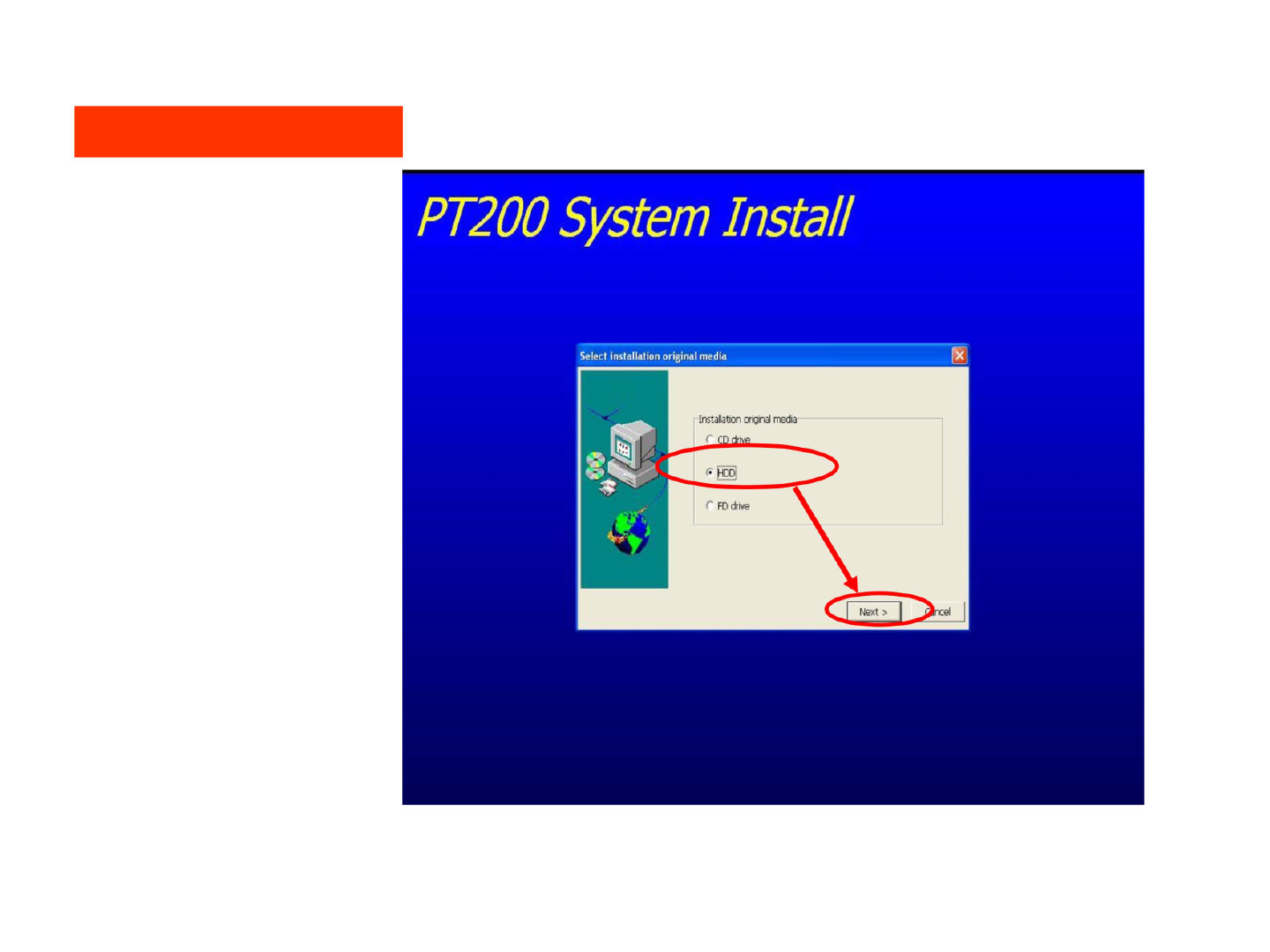
安装软件的路径选择
1处为从硬盘开始
1
PT200
System
Install
Select
installation
original
media
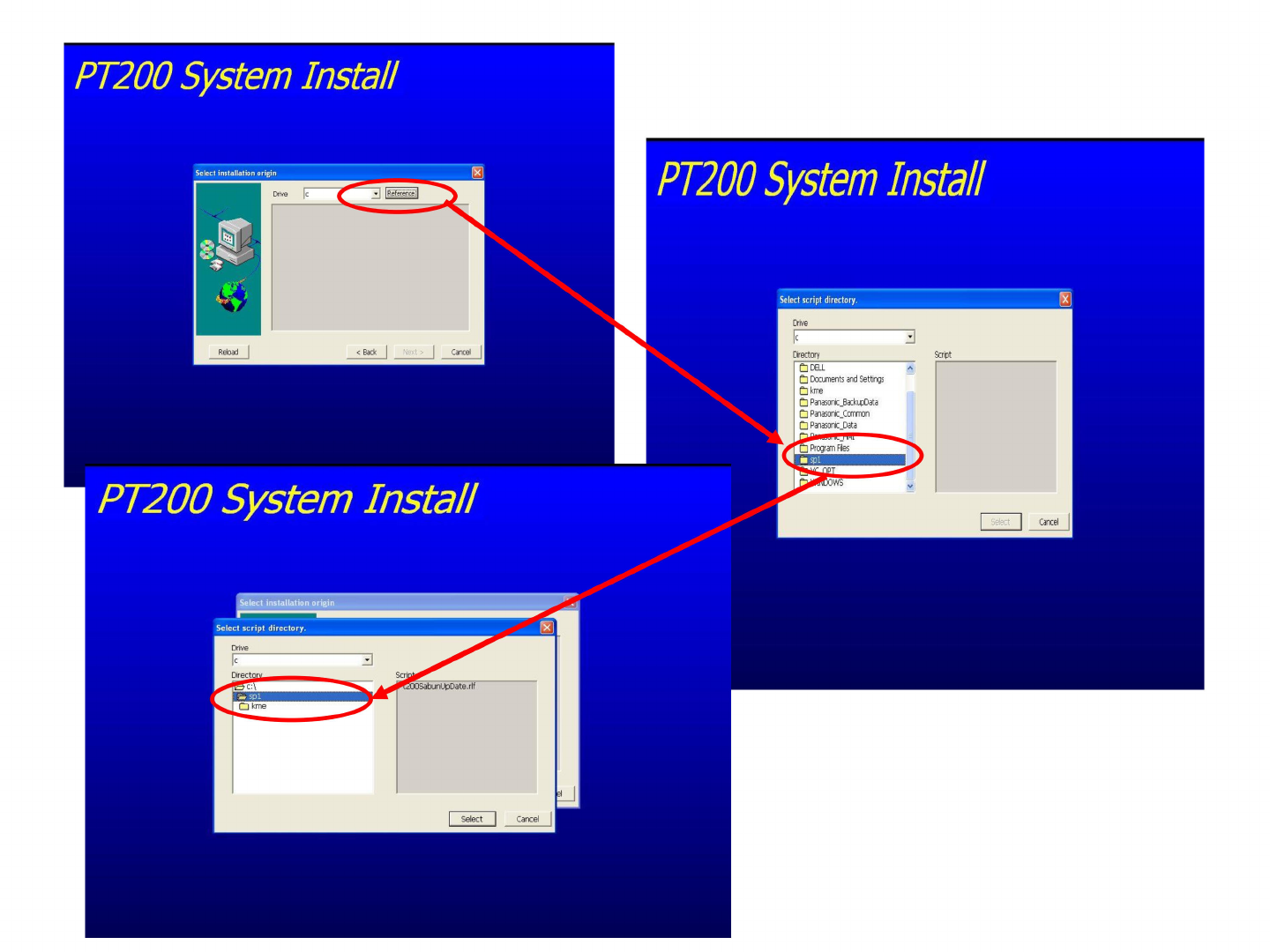
逐步选择我们要安装的文
件所在的文件夹
PT200
System
Install
|
衰而
ence
|
Reload
<
Back
PT200
System
Install
Select
installation
origin
PT200
System
Install
Select
installation
origin
Drive
|c
Cancel