PT200中级培训.pdf - 第2页
目 录 一、 PT200 所需的系统环境及 安装 二、 PT200 的一些基本参数设 置 三、 Backup / Restore 四、 PT200 程序的优化思路 五、优化技巧 六、分析工具的使用 七、 P ART 库的编辑 、 PT200 程 序的优 化思路 U!

PT200中级培训报告
From:程序组
Date:APR-21-08
冠
捷科技
用
心事注
领
航视界
^TPV

目 录
一、PT200所需的系统环境及安装
二、PT200的一些基本参数设置
三、Backup / Restore
四、PT200程序的优化思路
五、优化技巧
六、分析工具的使用
七、PART库的编辑
、
PT200
程
序的优
化思路
U!
一、PT200所需的系统环境及安装
1.安装PT200的操作系统必须满足以下的几个条件,这
几个条件可在系统安装时就设定好。
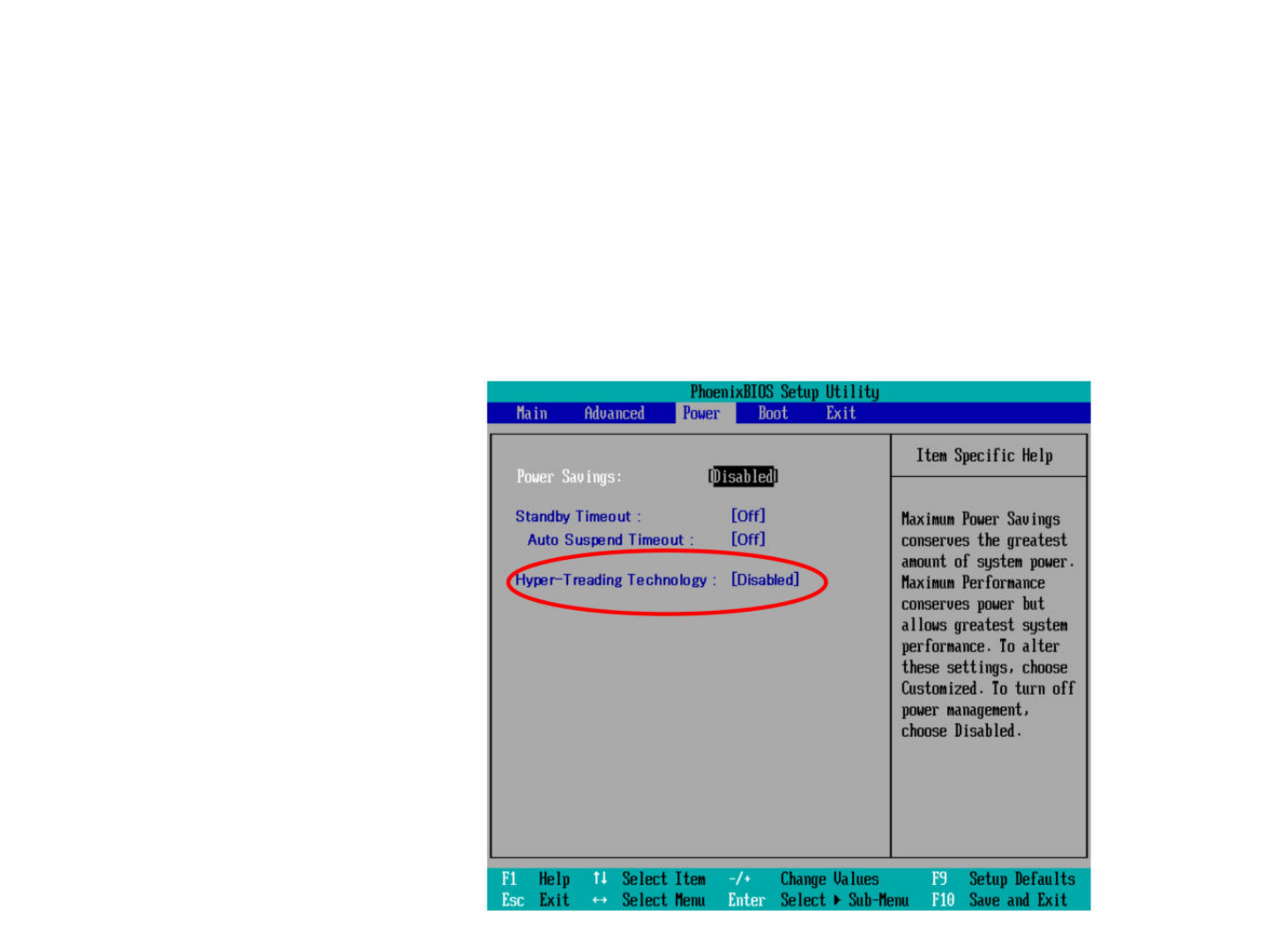
➢ 要确保BIOS 里HYPER-TREADING关闭
PhoenixBIOS
Setup
Utility
Power
Item
Specific
Help
Help
m
Select
Item
Select
Menu
3
Exit
isabled[
Power
Sauings:
3
Fl
Esi
-/+
Entei
Maximum
Power
Sauings
conserues
the
greatest
amount
of
system
power
.
Maximum
Performance
conserues
power
but
allows
greatest
system
performance.
To
alter
these
settings,
choose
Customized.
To
turn
off
power
management,
choose
Disabled.
Nain
Aduanced
Boot
Exit
Standby
Timeout
:
[Off]
Auto
Suspend
Timeout
:
[Off]
reading
Technology
:
Change
Values
Select
>
Sub-Henu
Setup
Defaults
Saue
and
Exit