00197962-01_2nd_HMI_and_Tower_Light_en - 第16页
Installing a Second Human Machine Interface Installing the Cable Branch into the Base Machine 2.3.1 Step 1: Removing the Base Machine Metal Covers 16 Assembly Instructions SIPLACE E ► Remove the metal covers (1) at the b…
Installing a Second Human Machine Interface
2.3.1 Step 1: Removing the Base Machine Metal Covers Installing the Cable Branch into the Base Machine
Assembly Instructions SIPLACE E 15
2.3
2.3 Installing the Cable Branch into the Base Machine
Installing the Cable Branch into the Base Machine
2.3.1
2.3.1 Step 1: Removing the Base Machine Metal Covers
Step 1: Removing the Base Machine Metal Covers
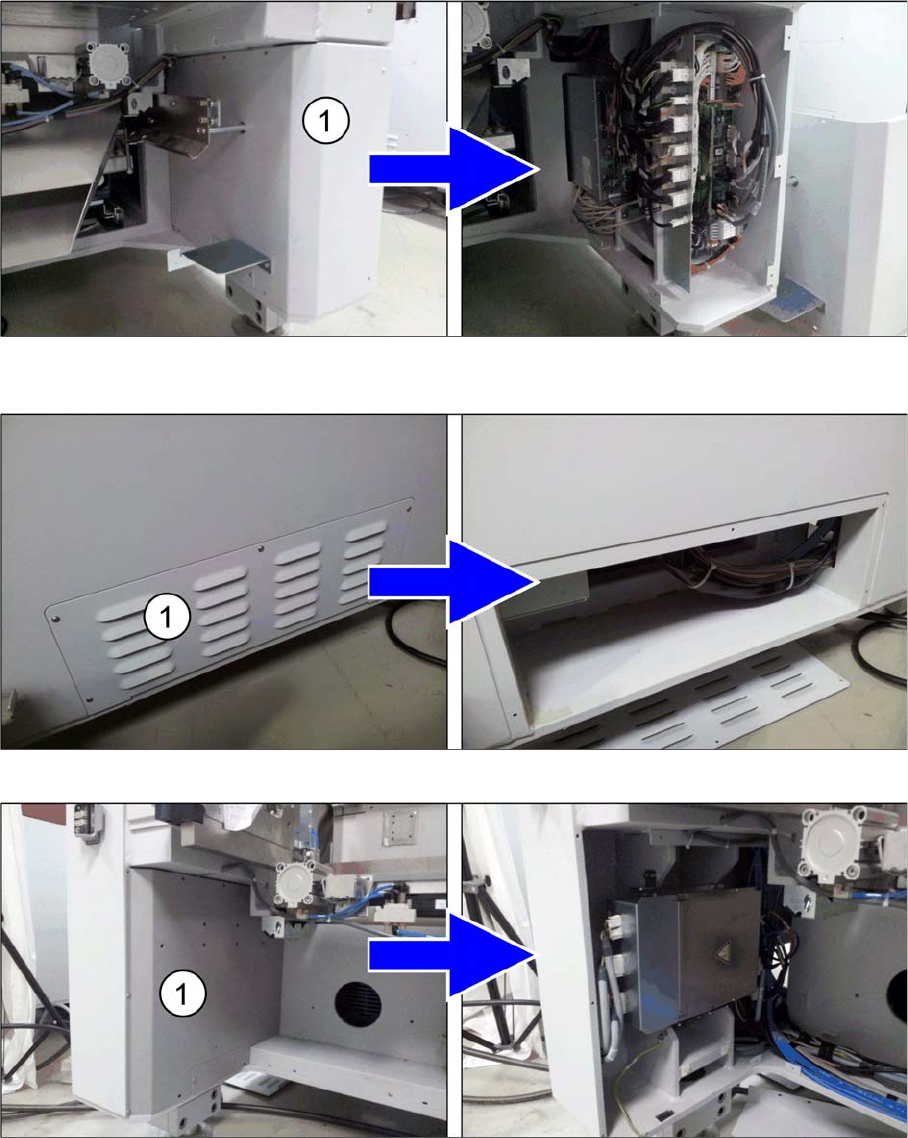
► Pull out the movable feeder table at the location 2 side of the machine.
► Pull out the fixed feeder table and the movable feeder table at both sides of the machine.
► Remove the metal cover (1) at the bottom right on the fixed table side of the machine to access the
BoxPC.
► Remove the metal cover (1) at the bottom right side of the machine behind the BoxPC.
► Remove the metal cover (1) at the bottom left on the movable table side of the machine (location 2).
Installing a Second Human Machine Interface
Installing the Cable Branch into the Base Machine 2.3.1 Step 1: Removing the Base Machine Metal Covers
16 Assembly Instructions SIPLACE E
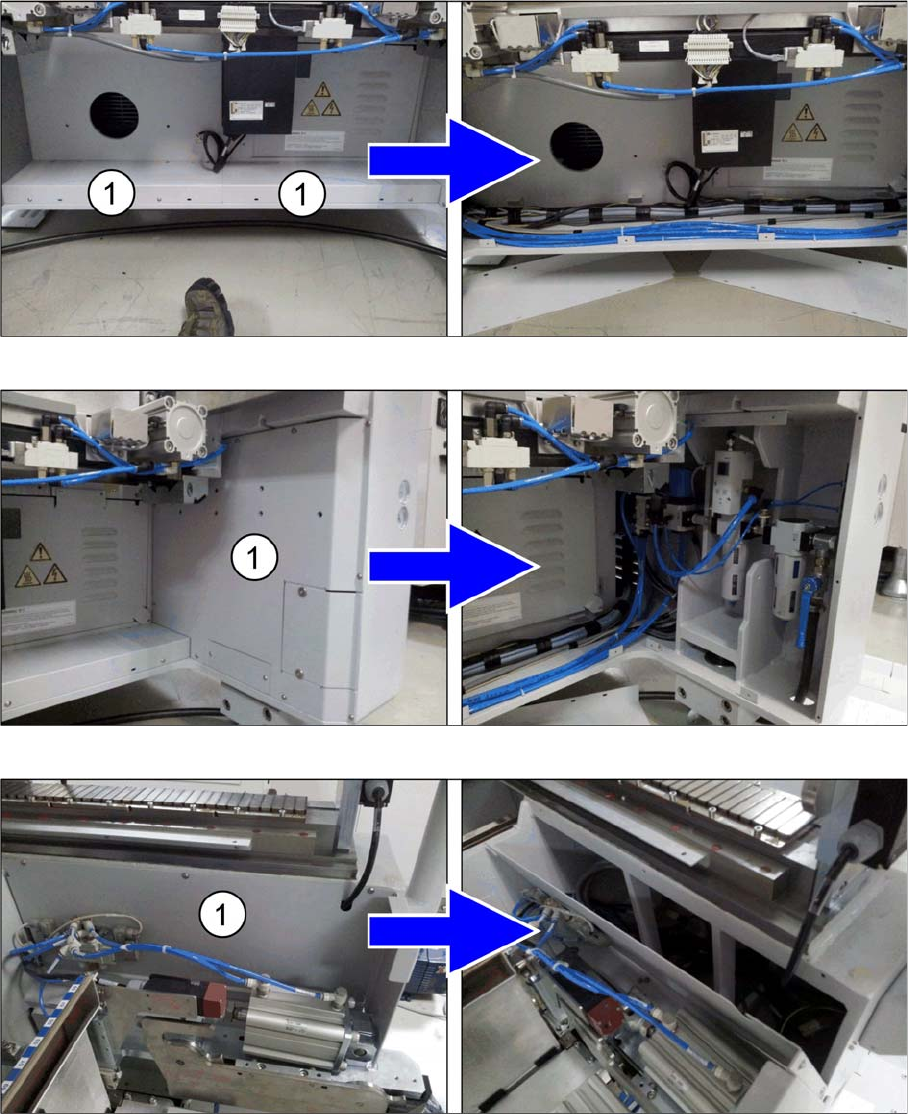
► Remove the metal covers (1) at the bottom on the movable table side of the machine.
► Remove the metal cover (1) at the bottom right on the movable table side of the machine (location 2).
► Remove the metal cover (1) at the top right on the movable table side of the machine (location 2).
Installing a Second Human Machine Interface
2.3.2 Step 2: Laying the Cable Branch into the Machine Installing the Cable Branch into the Base Machine
Assembly Instructions SIPLACE E 17
2.3.2
2.3.2 Step 2: Laying the Cable Branch into the Machine
Step 2: Laying the Cable Branch into the Machine
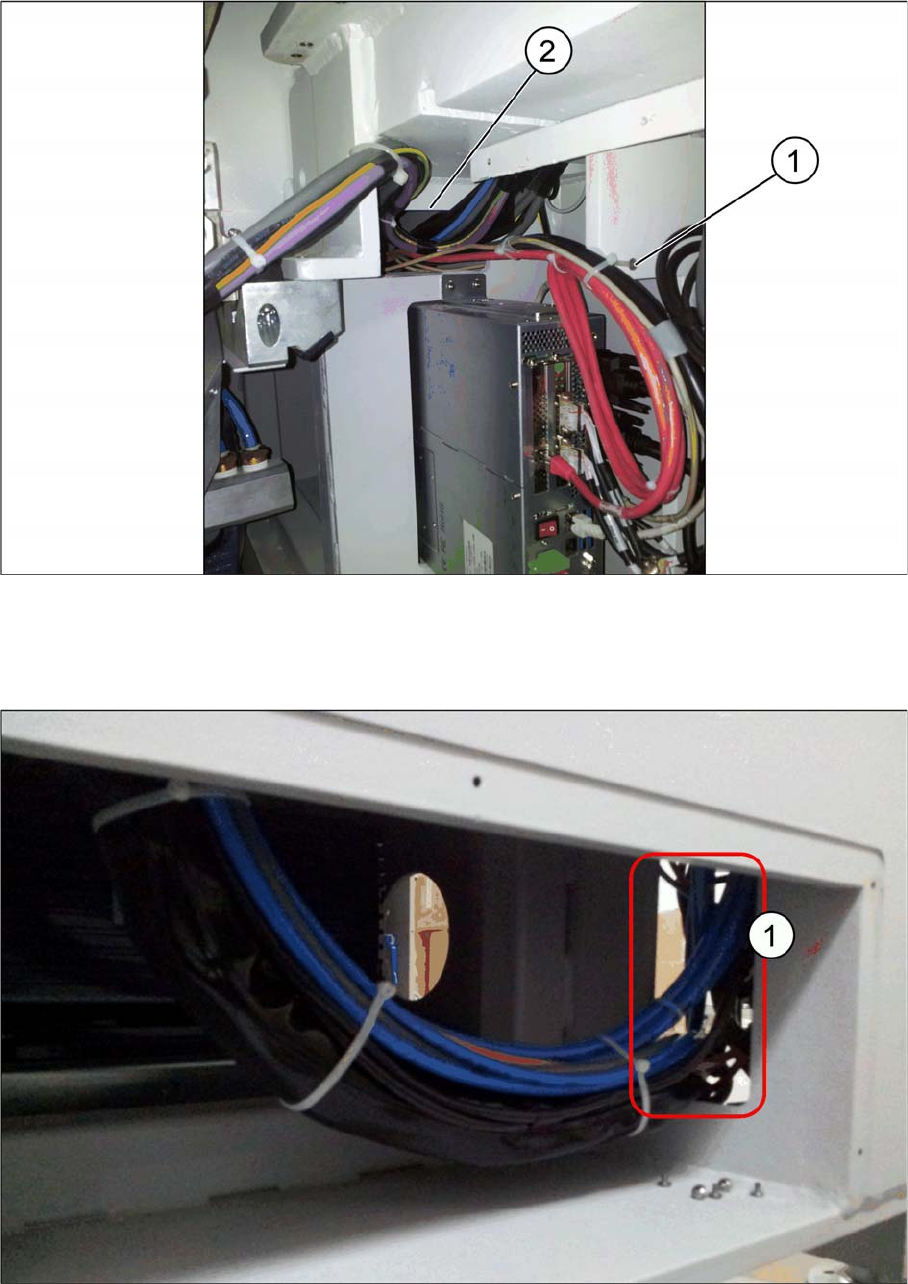
► Connect the DVI and the USB extension cables (1) to the BoxPC ports according to the wiring dia
-
gram PC to 2nd HMI frame kit.
See "2.6.1 Wiring Diagram PC to 2nd HMI Frame Kit" [ ➙ 28].
► Push the extension cable branch through the opening hole (2) on top of the BoxPC.
► Push the extension cable branch through the opening hole (1) on the right side.