00197962-01_2nd_HMI_and_Tower_Light_en - 第42页
Installing the 2 Tower Light Kit or the 3 Tower Light Kit Functional Verificati on Afte r Installation 42 Assembly Instructions SIPLACE E ► On the Para meter p age Ma chine input/o utput , select Gree n/yellow/red indica…
Installing the 2 Tower Light Kit or the 3 Tower Light Kit
Functional Verification After Installation
Assembly Instructions SIPLACE E 41
3.4
3.4 Functional Verification After Installation
Functional Verification After Installation
► Power up the machine.
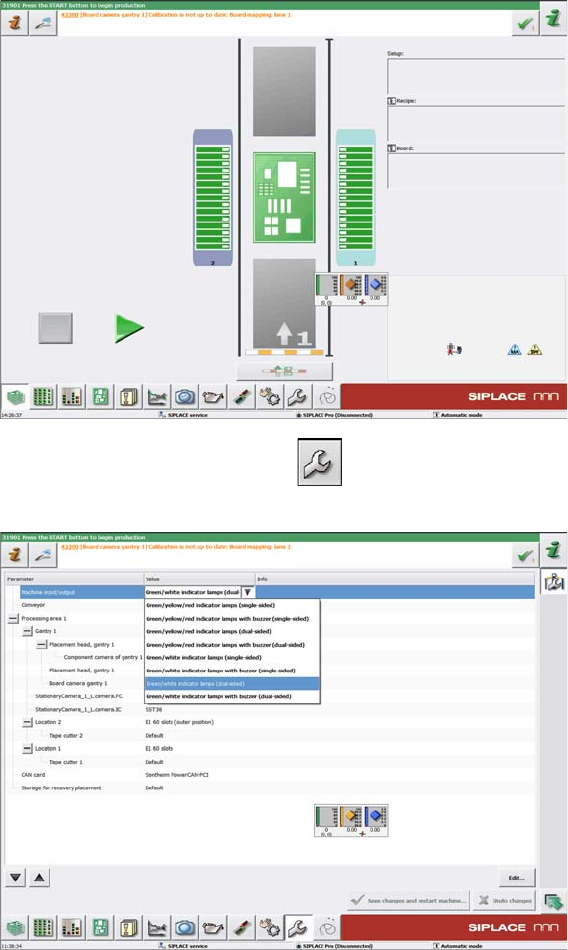
► On the main screen, click the icon.
► On the Parameter page Machine input/output, select Green/white indicator lamps (dual sided) for
the 2 tower light kit installation at location 2.
-Or-
Installing the 2 Tower Light Kit or the 3 Tower Light Kit
Functional Verification After Installation
42 Assembly Instructions SIPLACE E
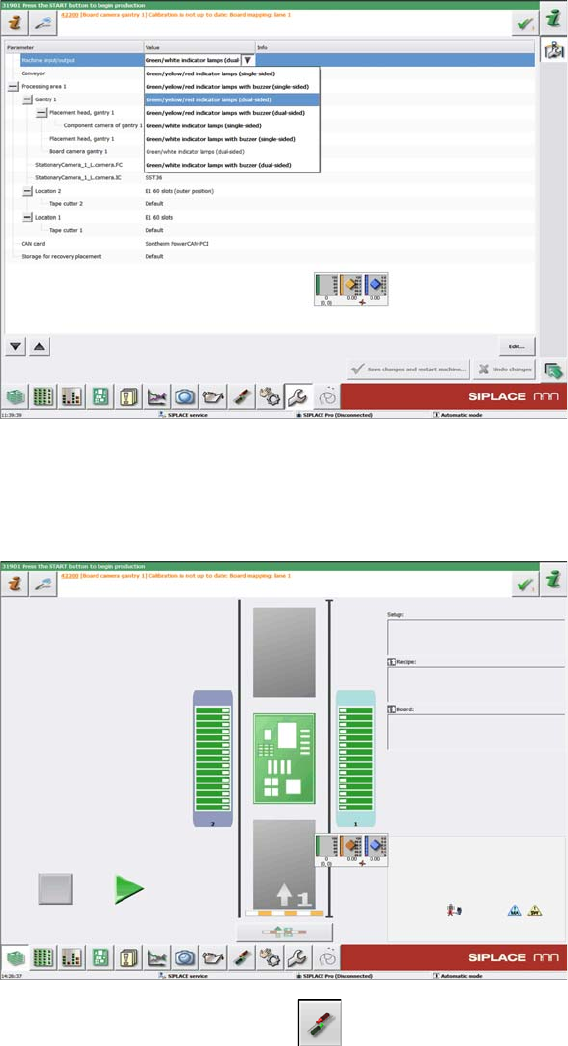
► On the Parameter page Machine input/output, select Green/yellow/red indicator lamps (dual sided)
for 3 tower light kit installation at location 2.
► Click Save changes and restart the machine.
► Power up the machine again.
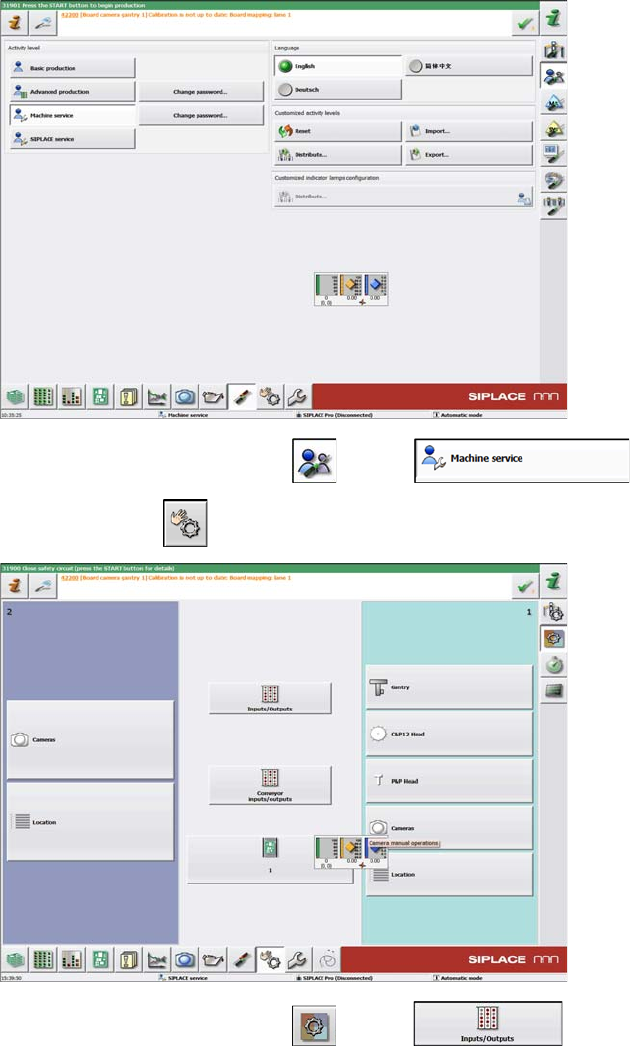
► On the main screen, click the icon.
Installing the 2 Tower Light Kit or the 3 Tower Light Kit
Functional Verification After Installation
Assembly Instructions SIPLACE E 43
► On the next screen, click the and the icons.
► Then click the icon to go to the next page.
► On the next screen, click the and the icons.