00197962-01_2nd_HMI_and_Tower_Light_en - 第44页
Installing the 2 Tower Light Kit or the 3 Tower Light Kit Functional Verificati on Afte r Installation 44 Assembly Instructions SIPLACE E ➢ For 2 tower light kit, th e screen above will be seen. ► Click Green lamp 2 or W…
Installing the 2 Tower Light Kit or the 3 Tower Light Kit
Functional Verification After Installation
Assembly Instructions SIPLACE E 43
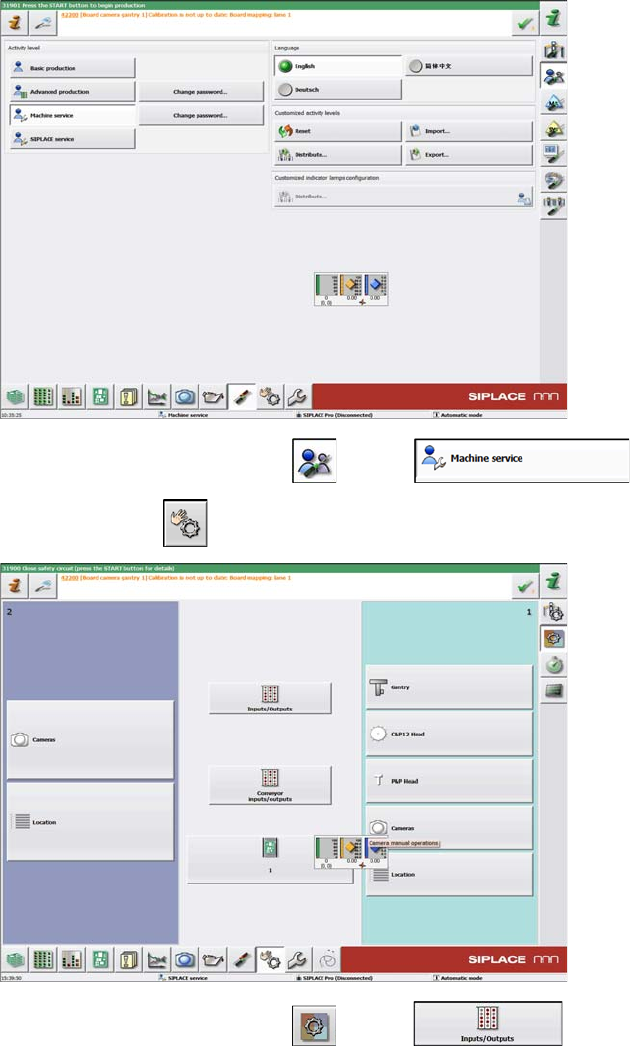
► On the next screen, click the and the icons.
► Then click the icon to go to the next page.
► On the next screen, click the and the icons.
Installing the 2 Tower Light Kit or the 3 Tower Light Kit
Functional Verification After Installation
44 Assembly Instructions SIPLACE E
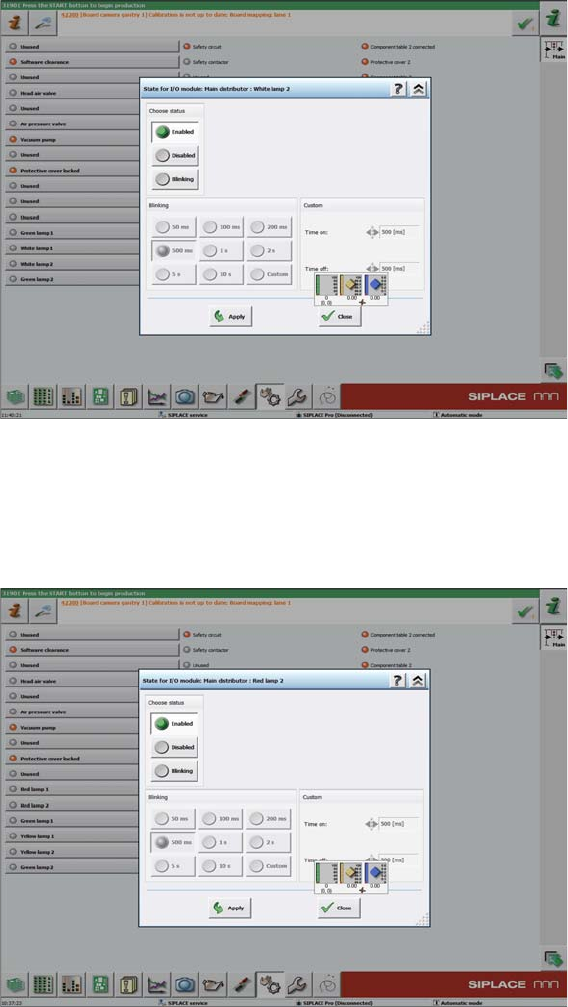
➢ For 2 tower light kit, the screen above will be seen.
► Click Green lamp 2 or White lamp 2 to test the two lights installed at location 2.
► Click the Enabled or Disabled icons, to manually turn the two lights on and off in order to verify if they
are working.
➢ For 3 tower light kit, the screen below will be seen.
► Click on Green lamp 2, Yellow lamp 2 or Red lamp 2 to test the three lights installed at location 2.
► Click the Enabled or Disabled icons, to manually turn the three lights on and off in order to verify if
they are working.
Installing the 2 Tower Light Kit or the 3 Tower Light Kit
Diagrams for the 2 Tower Light and 3 Tower Light Installation Kits
Assembly Instructions SIPLACE E 45
3.5
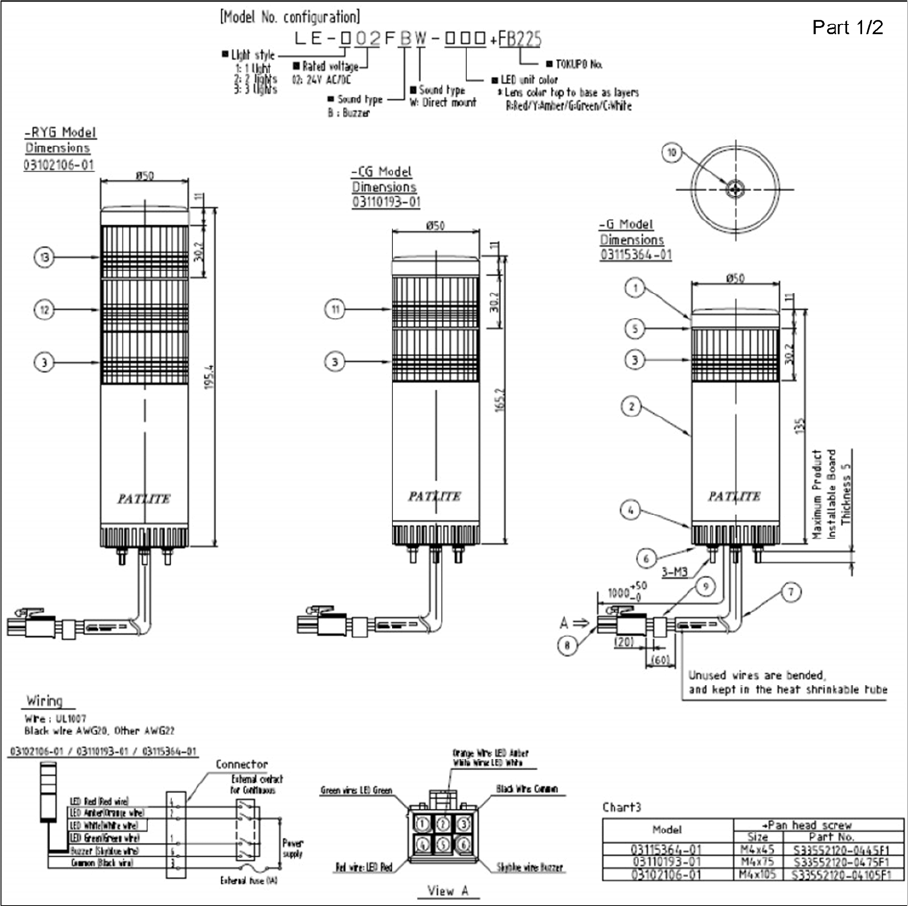
3.5 Diagrams for the 2 Tower Light and 3 Tower Light Installation Kits
Diagrams for the 2 Tower Light and 3 Tower Light Installation Kits
Main Error Lamp kits, 90012022-010101BD4