00900057-02_IM_Performance_Monitor_2.1_EN.pdf - 第28页
ASM Performance Monitor 2.1 / Installation Manual 01/2021 Edition 28 4.10 Configuring Mobile App Settings The following dialogs are only a vailable if you selected to install APM Mobile in the Packages and Features dialo…
ASM Performance Monitor 2.1 / Installation Manual 01/2021 Edition
27
4.9 Specifying AOI Adapter Configuration
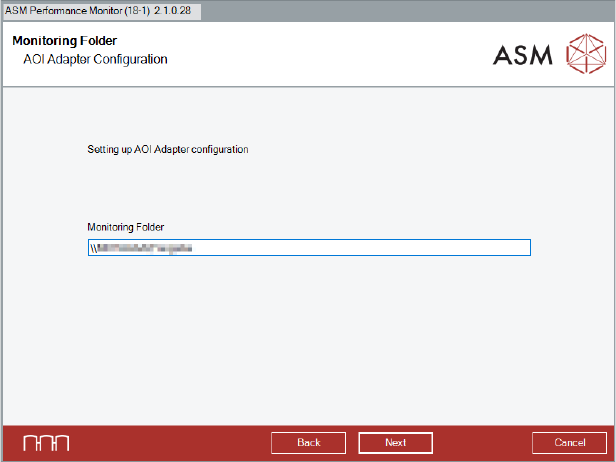
The Monitoring Folder dialog is only available if you selected to install the AOI Adapter in the
Packages and Features dialog.
Figure 4-16: Monitoring Folder dialog
► Specify the destination of the Monitoring Folder. In the Monitoring Folder, XML-files are saved
which are used by the AOI Adapter to interpret AOI machine data.
It is recommended to use the central share or a distributed share drive as Monitoring Folder for
each line. Please make sure that there is read/write access to the Monitoring Folder.
► Click the Next button.
The Monitoring Folder is created.
For further information on the AOI Adapter, please refer to section 6.4.
ASM Performance Monitor 2.1 / Installation Manual 01/2021 Edition
28
4.10 Configuring Mobile App Settings
The following dialogs are only available if you selected to install APM Mobile in the Packages and
Features dialog.
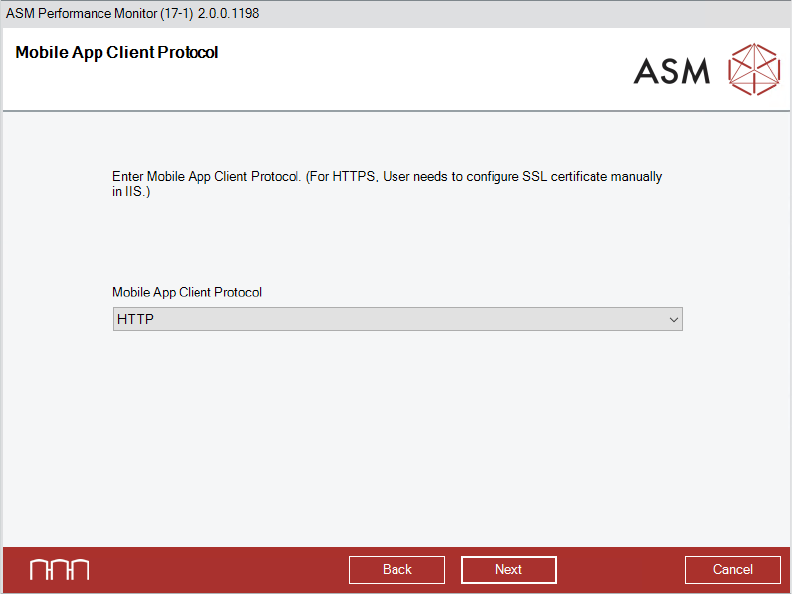
Figure 4-17: Mobile App Client Protocol dialog
► Select the Mobile App Client Protocol from the drop-down menu.
► Click the Next button.
The Mobile App Communication Protocol dialog is displayed.
ASM Performance Monitor 2.1 / Installation Manual 01/2021 Edition
29
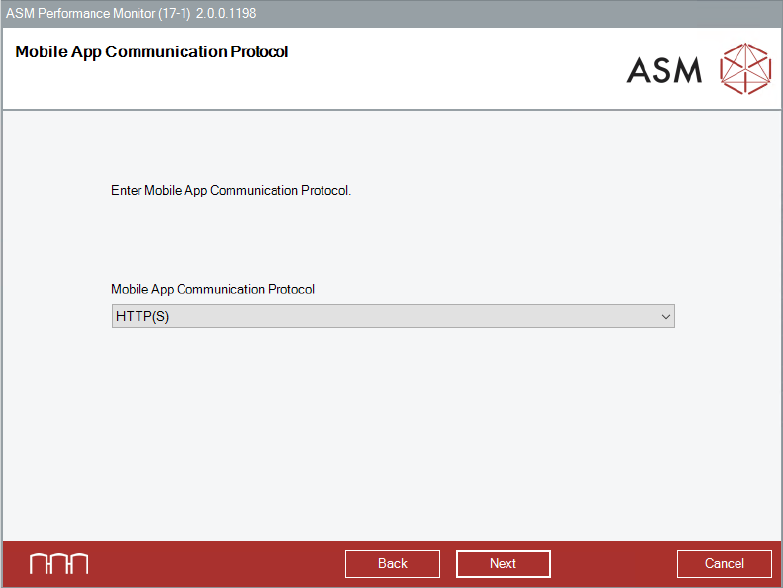
Figure 4-18: Mobile App Communication Protocol dialog
► Select the Mobile App Communication Protocol from the drop-down menu.
In order to use HTTPS, a certificate needs to be provided.
If the Mobile Web Server is deployed on a dedicated network (DMZ) for access outside the
secured factory network, HTTPS is recommended.
► Click the Next button.
The Mobile Service Host dialog is displayed.