00900057-02_IM_Performance_Monitor_2.1_EN.pdf - 第30页
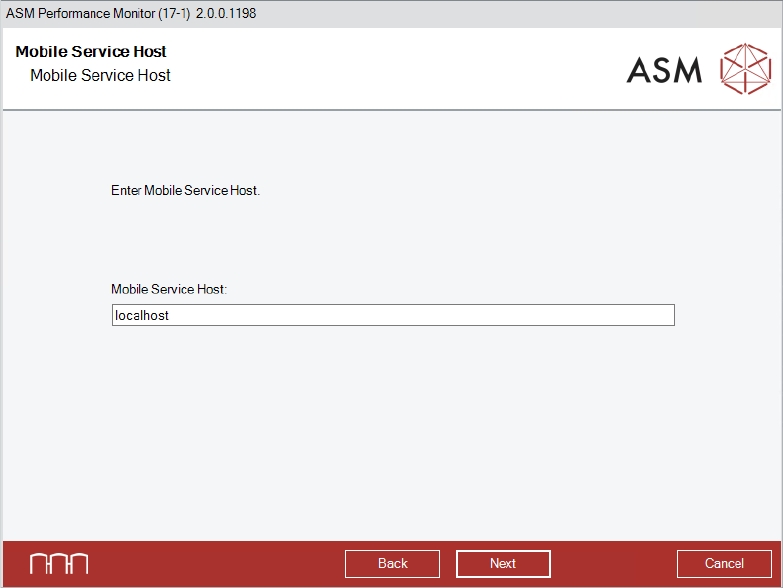
ASM Performance Monitor 2.1 / Installation Manual 01/2021 Edition 30 Figure 4- 19 : Mobile Servic e Host dialog ► Enter the Mobile S ervice Host . ► Click the Next button. The APMDBA User dialog is displayed .
ASM Performance Monitor 2.1 / Installation Manual 01/2021 Edition
29
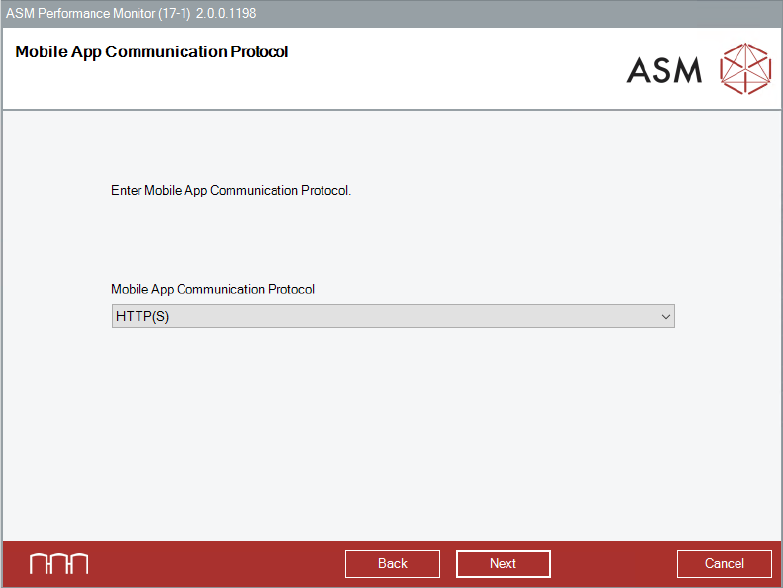
Figure 4-18: Mobile App Communication Protocol dialog
► Select the Mobile App Communication Protocol from the drop-down menu.
In order to use HTTPS, a certificate needs to be provided.
If the Mobile Web Server is deployed on a dedicated network (DMZ) for access outside the
secured factory network, HTTPS is recommended.
► Click the Next button.
The Mobile Service Host dialog is displayed.
ASM Performance Monitor 2.1 / Installation Manual 01/2021 Edition
30
Figure 4-19: Mobile Service Host dialog
► Enter the Mobile Service Host.
► Click the Next button.
The APMDBA User dialog is displayed.
ASM Performance Monitor 2.1 / Installation Manual 01/2021 Edition
31
4.11 Entering User Passwords
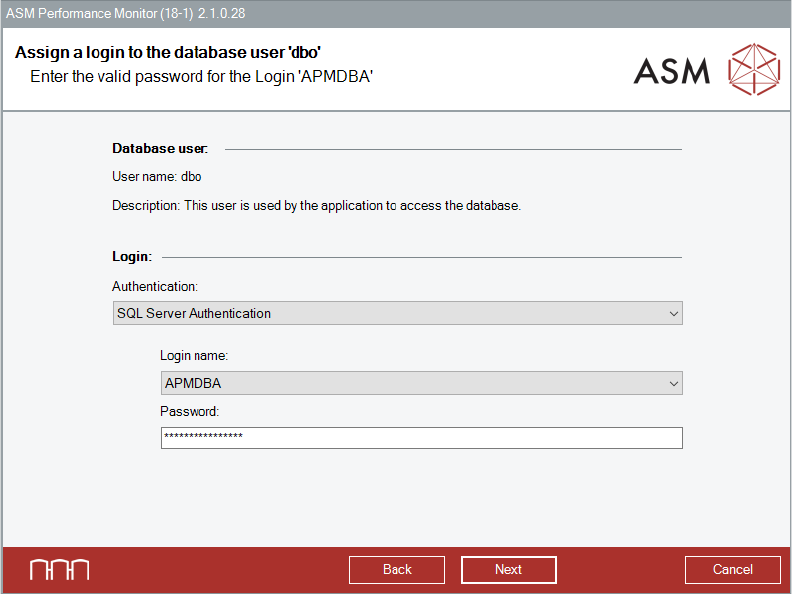
If the APMDBA User does not exist, the installer will create it.
If the account already exists, you will have to enter the correct password for the existing accounts.
Figure 4-20: Password for APMDBA user dialog
► Select the authentication method for the user.
► Select the login name.
► Enter the correct password for the existing APMDBA User account.
All databases will be created and accessed by this account.
► Click the Next button.