00900057-02_IM_Performance_Monitor_2.1_EN.pdf - 第61页
ASM Performance Monitor 2.1 / Installation Manual 01/2021 Edition 61 ► Click the Yes button t o allow the changes to your system. After successful removal, the following dialog is displayed. Figure 8-4: Removal compl ete…
ASM Performance Monitor 2.1 / Installation Manual 01/2021 Edition
60
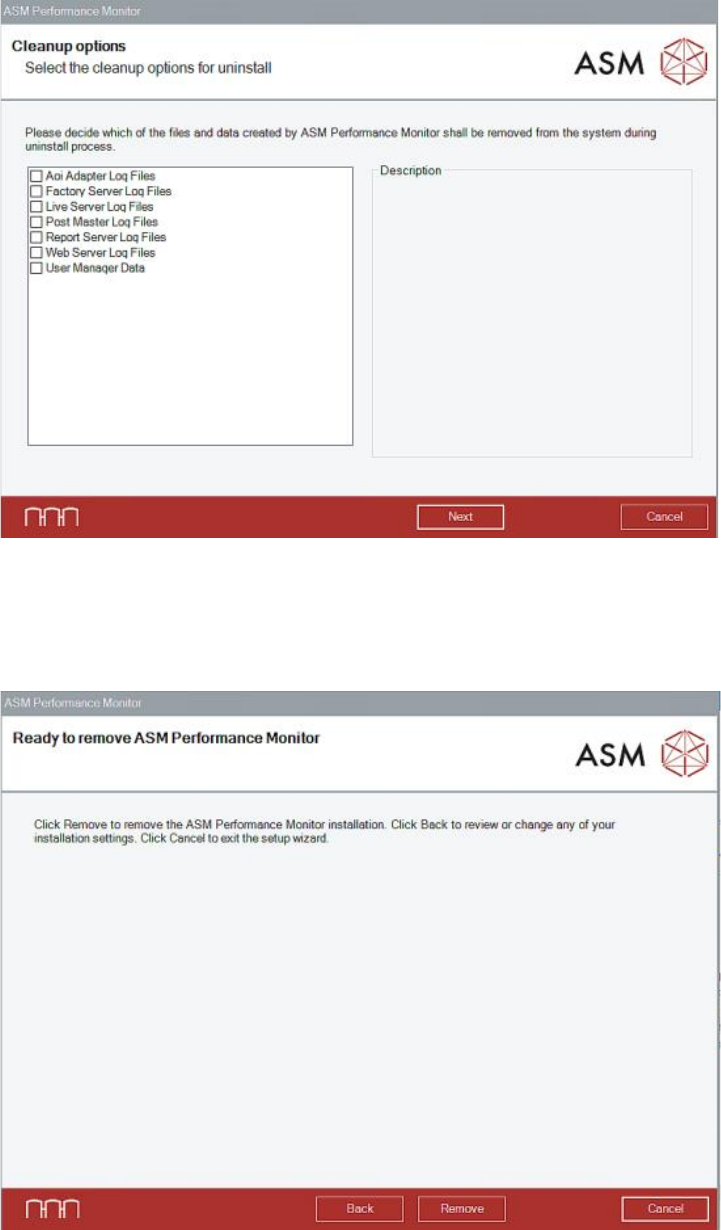
In the Cleanup options dialog, a list with the files created during runtime of ASM Performance
Monitor is displayed.
Figure 8-2: Cleanup options dialog
► Select the files you want to uninstall additionally to the files installed by the setup.
► Click the Next button.
ASM Performance Monitor is now ready to be removed. The following dialog is displayed.
Figure 8-3: Ready to remove dialog
► Click the Remove button to confirm uninstalling the ASM Performance Monitor software.
If User Account Control is enabled, a corresponding dialog is additionally displayed before the
removal starts.
ASM Performance Monitor 2.1 / Installation Manual 01/2021 Edition
61
► Click the Yes button to allow the changes to your system.
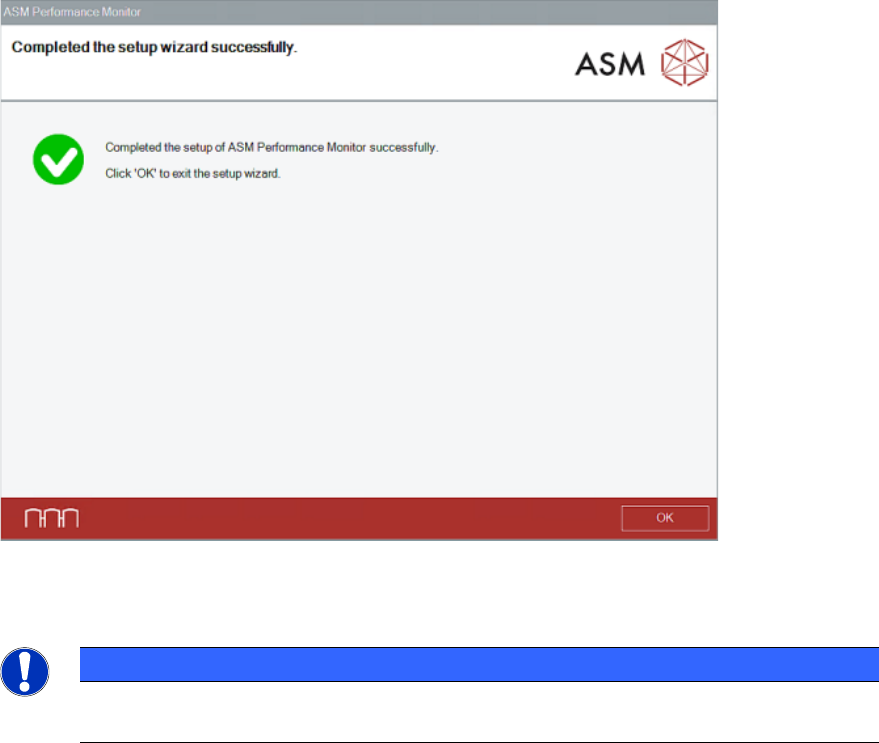
After successful removal, the following dialog is displayed.
Figure 8-4: Removal completed dialog
► Click the OK button to exit the setup wizard.
NOTICE
The ASM Performance Monitor database will not be deleted by the uninstalling
procedure!
ASM Performance Monitor 2.1 / Installation Manual 01/2021 Edition
62