AltaPail II Bulk Melters Product Manual.pdf - 第120页
Advanced Software M elter Configuration 7 -34 Part 1121836_03 E 1 1/2014 Nordson Corporation Adminis trative Options and Settin gs The following se ctions detail t he following: S Managing recipes S Viewing the event l o…
Advanced Software Melter Configuration
7-33
Part 1121836_03
E 11/2014 Nordson Corporation
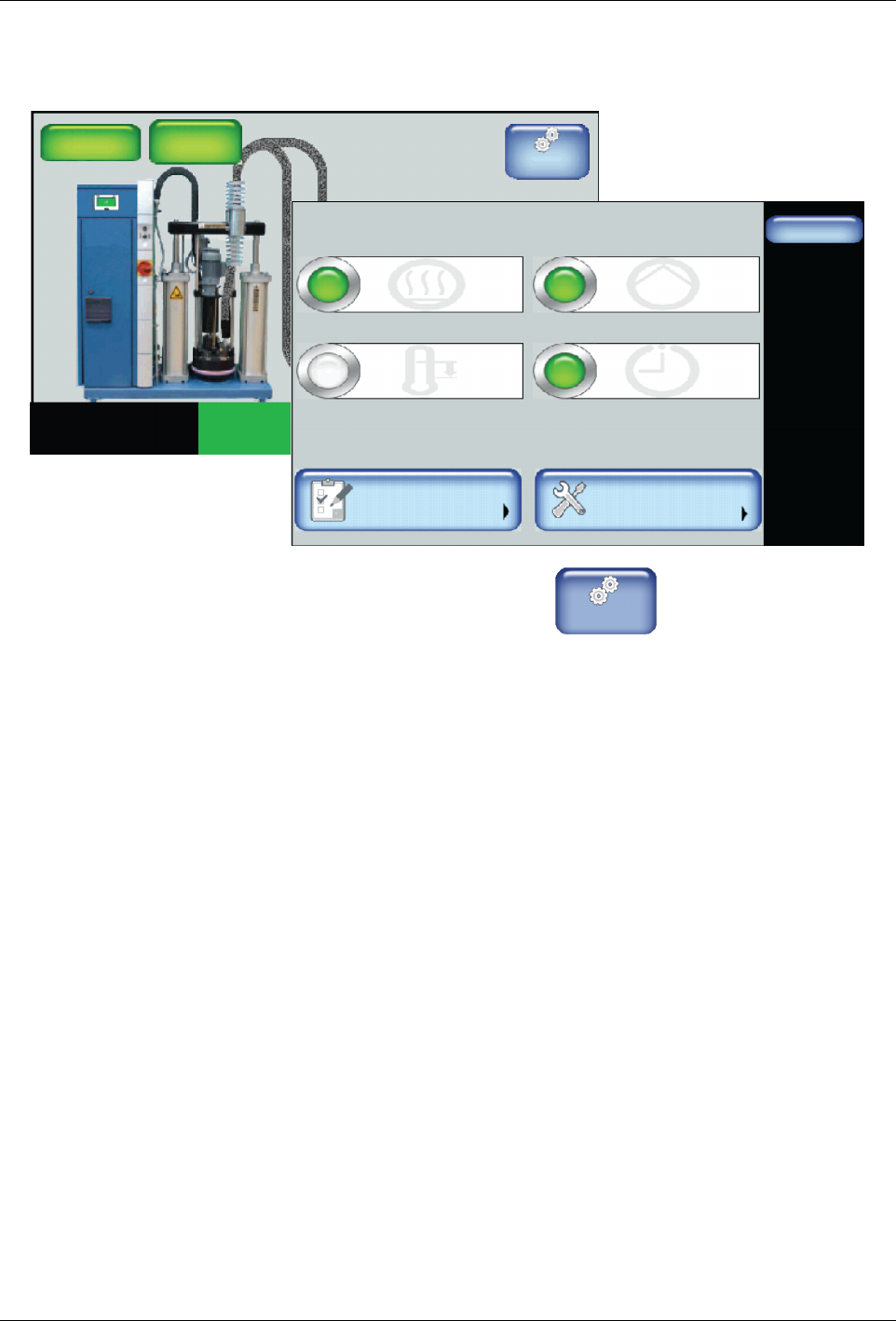
Step 3: Switch On the Master Scheduler Control
Master
Controls
System Status:
Platen
176_C
176_C
Pump
GTL
32 RPM
Zone 1A
Ready/OK
Pump: On
Heaters:On
Password: Disabled
Recipes:
Nothing Loaded
176_C
Zone 1B
176_C
Zone 2A
176_C
Zone 2B
Done
Scheduler
Pump ControlHeater Control
Standby
Settings System
Master Controls
Scheduler: Off
Pump: OnHeaters: On
Standby: Off
1. From the Home Display touch
Master
Controls
2. Touch the Scheduler button to switch it On.
3. Touch Done.
Advanced Software Melter Configuration
7-34
Part 1121836_03
E 11/2014 Nordson Corporation
Administrative Options and Settings
The following sections detail the following:
S
Managing recipes
S
Viewing the event log
S
Resetting to System Defaults
S
Resetting password level codes
S
Viewing system information
S
Locking out melter communication
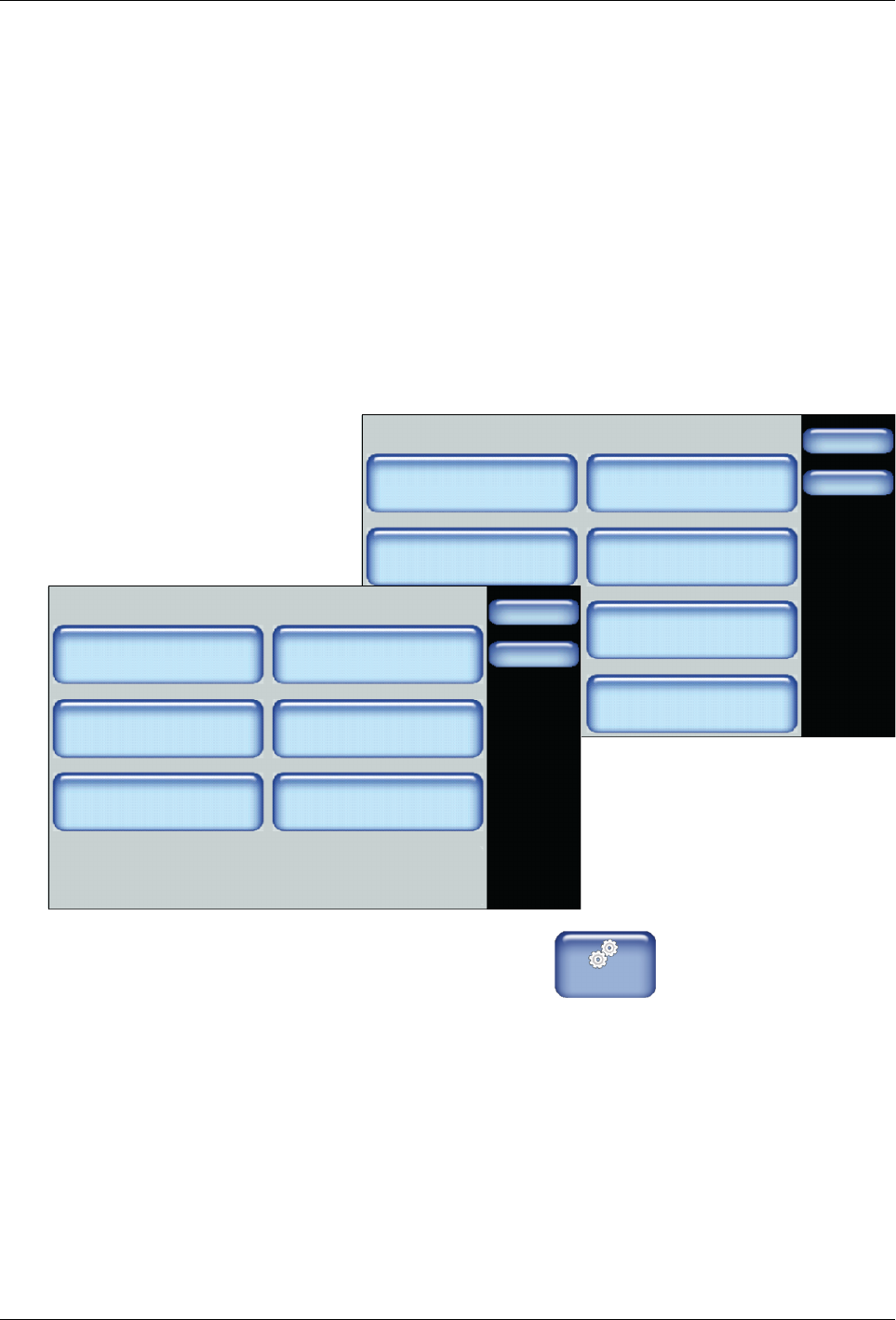
Accessing Administration Settings and Options
System
Done
Home
Formats/Units
Date/Time
Password
Display
Service Interval Administration
Scheduler Language
03/20/2014 4:40PM
500 Hours
Administration
Done
Home
System Reset
Display/Save Diagnostics
Recipes
Lockout Communication
Reset Password Display System Data
Off
1. From the Home Display touch
Master
Controls
2. Touch the System, then Administration.
Refer to the following sections for more information.
Advanced Software Melter Configuration
7-35
Part 1121836_03
E 11/2014 Nordson Corporation
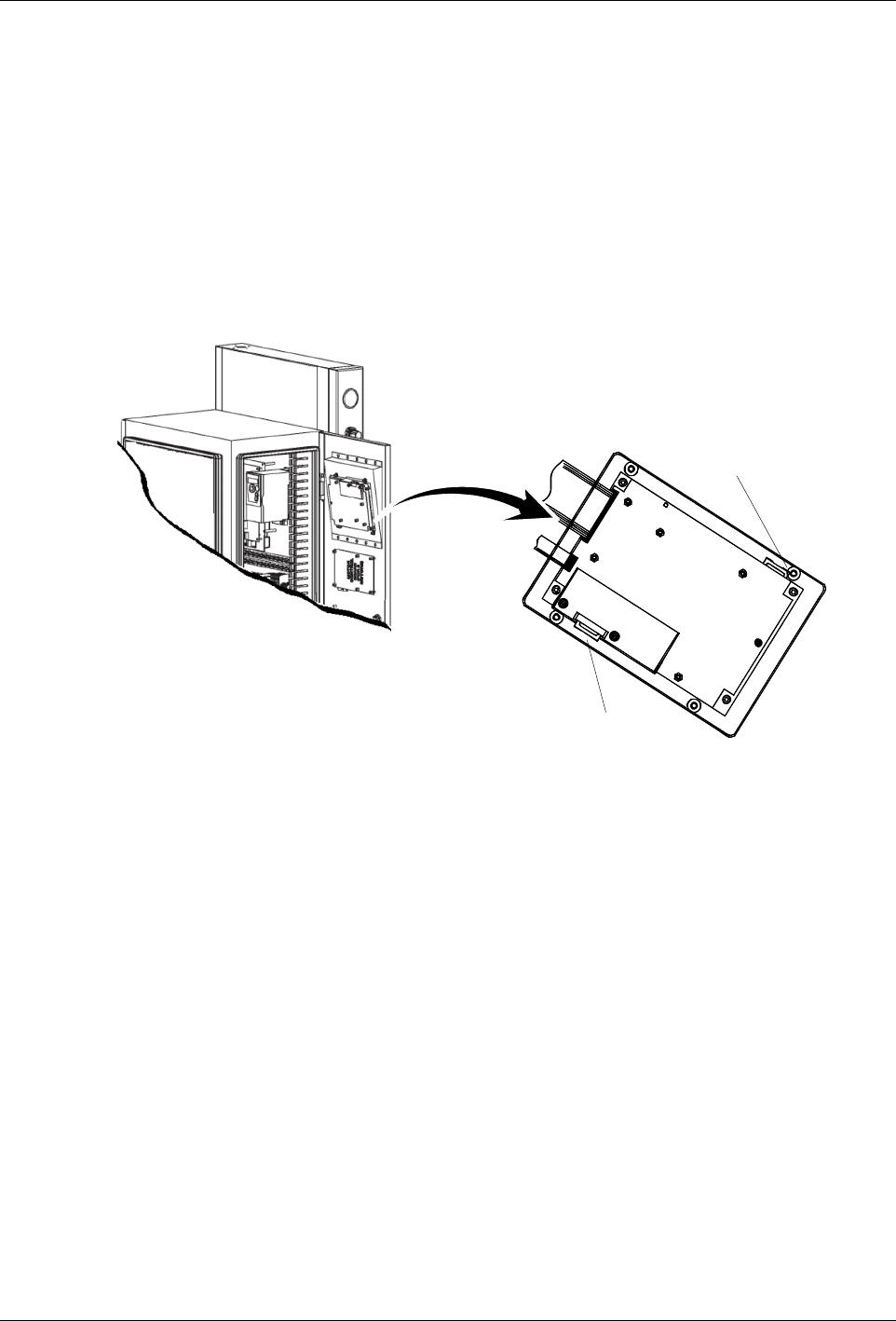
Locating the Customer and Internal SD Cards
The LCD Module includes two SD Card slots:
S
Customer SD Card - Contains a \backup folder for when you want to
revert back to a previous working version of the software, as well as the
EventLog.csv and the diagnostic.nor files.
S
Internal SD Card - Contains system files and a \Recipes folder where all
recipes are stored. Refer to Distributing Recipes with other AltaPail II
Melters for more information.
NOTE: You must switch the melter off, and disconnect the electrical power to
the melter at the local power source before accessing either SD Card.
Customer SD Card
Internal SD Card
Figure 7-1 Location of the Customer and Internal SD Cards.