AltaPail II Bulk Melters Product Manual.pdf - 第53页
About the Touch Screen D isplay and User Interface 5 -2 Part 1121836_03 E 1 1/2014 Nordson Corporation Overview The touch screen display replaces the membrane control panel used on previous Nordson melters. With a touch …

About the Touch Screen Display and User Interface
5-1
Part 1121836_03
E 11/2014 Nordson Corporation
Section 5
About the Touch Screen Display and
User Interface
WARNING! Allow only qualified personnel to perform the following tasks.
Follow the safety instructions in this document and all other related
documentation.

About the Touch Screen Display and User Interface
5-2
Part 1121836_03
E 11/2014 Nordson Corporation
Overview
The touch screen display replaces the membrane control panel used on
previous Nordson melters. With a touch of your finger on the display screen,
you can navigate the graphical user interface to setup, operate and maintain
this melter.
The melter is shipped from the factory with most software settings
pre-configured and ready to use. However, there are some settings that you
must configure and fine-tune to best fit your manufacturing process.
About the Touch Screen Display and User Interface
5-3
Part 1121836_03
E 11/2014 Nordson Corporation
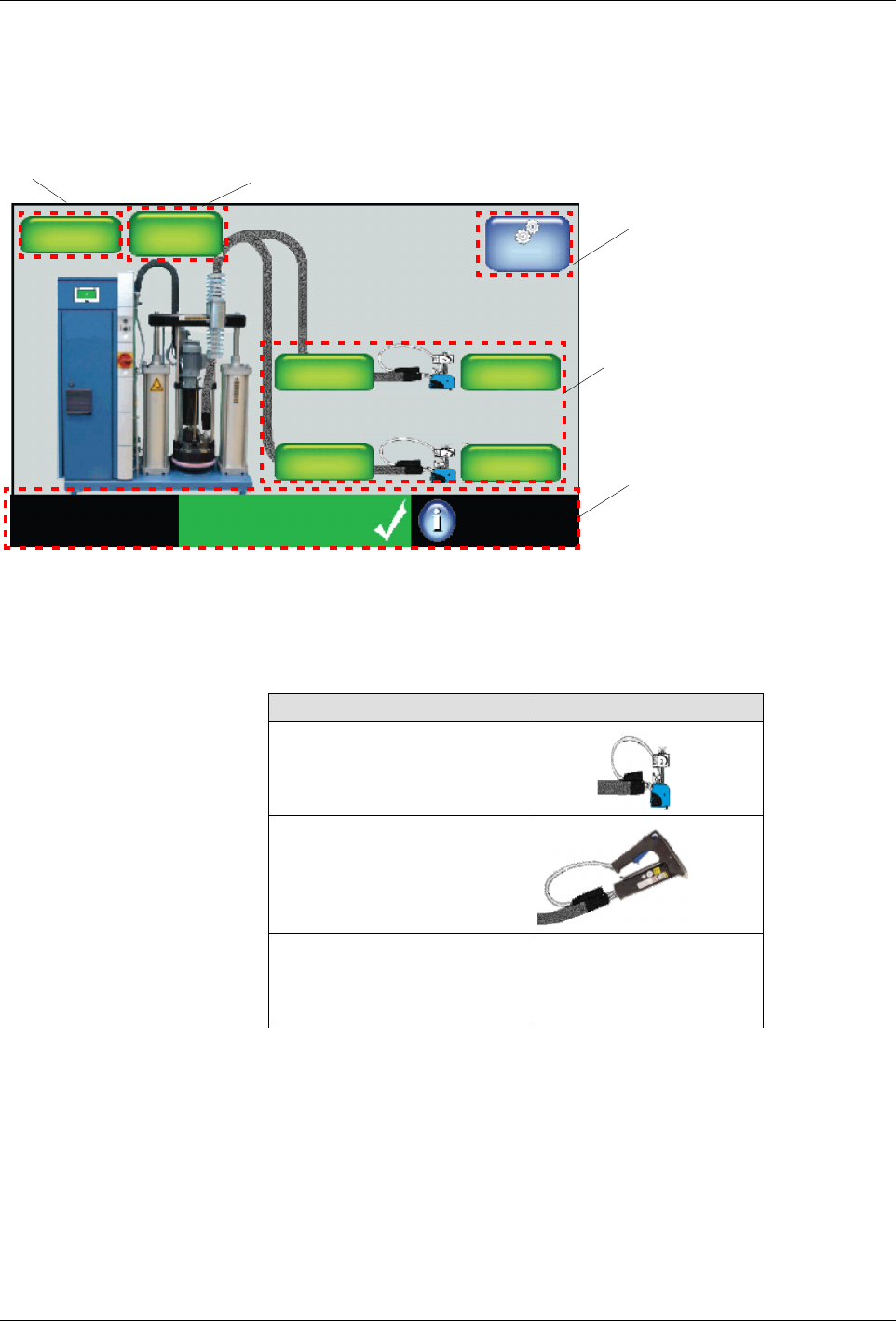
About the Home Screen
The Home screen is divided into the following parts.
Master
Controls
System Status:
Ready/OK
Platen
176_C
176_C
Pump
GTL
32 RPM
Zone 1A
Pump: On
Heaters:On
Password: Disabled
Recipes:
Nothing Loaded
External
Zones
176_C
Zone 1B
176_C
Zone 2A
176_C
Zone 2B
Navigation
Pump
Platen
Monitor
Figure 5-1 The Home Display
NOTE: The Home screen only displays the type of applicator connected to
the melter. The graphic does not change based on PID Type selection.
Item Graphic
Standard/ Large Applicator
Hand Applicator
S
Air Heaters
S
Standard/Large Hose
S
Custom PID Values
N/A