AltaPail II Bulk Melters Product Manual.pdf - 第55页
About the Touch Screen D isplay and User Interface 5 -4 Part 1121836_03 E 1 1/2014 Nordson Corporation Navigation - The Master C ontrol s S creen You can access the Master Control s screen from: S The Home screen, t ouch…
About the Touch Screen Display and User Interface
5-3
Part 1121836_03
E 11/2014 Nordson Corporation
About the Home Screen
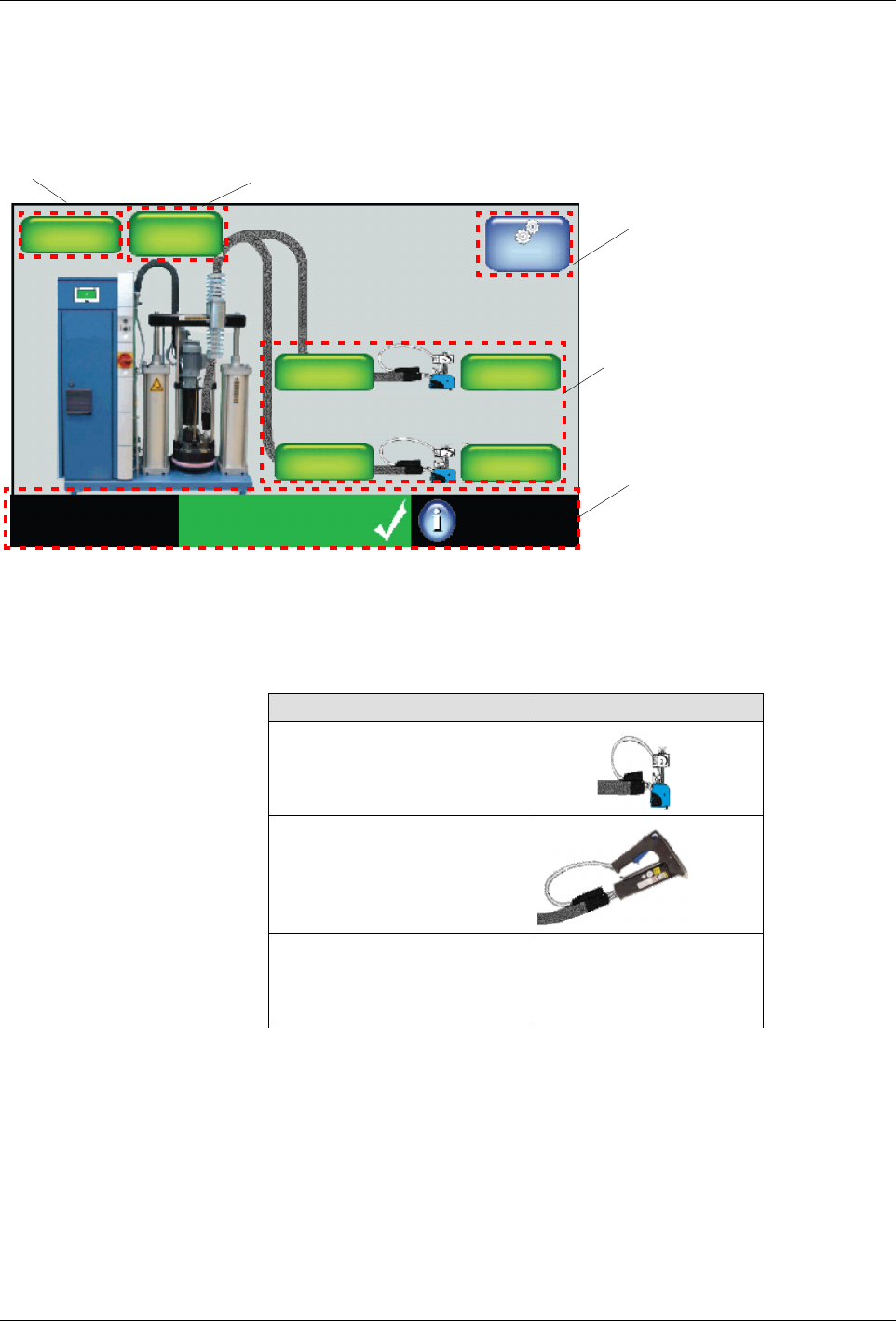
The Home screen is divided into the following parts.
Master
Controls
System Status:
Ready/OK
Platen
176_C
176_C
Pump
GTL
32 RPM
Zone 1A
Pump: On
Heaters:On
Password: Disabled
Recipes:
Nothing Loaded
External
Zones
176_C
Zone 1B
176_C
Zone 2A
176_C
Zone 2B
Navigation
Pump
Platen
Monitor
Figure 5-1 The Home Display
NOTE: The Home screen only displays the type of applicator connected to
the melter. The graphic does not change based on PID Type selection.
Item Graphic
Standard/ Large Applicator
Hand Applicator
S
Air Heaters
S
Standard/Large Hose
S
Custom PID Values
N/A
About the Touch Screen Display and User Interface
5-4
Part 1121836_03
E 11/2014 Nordson Corporation
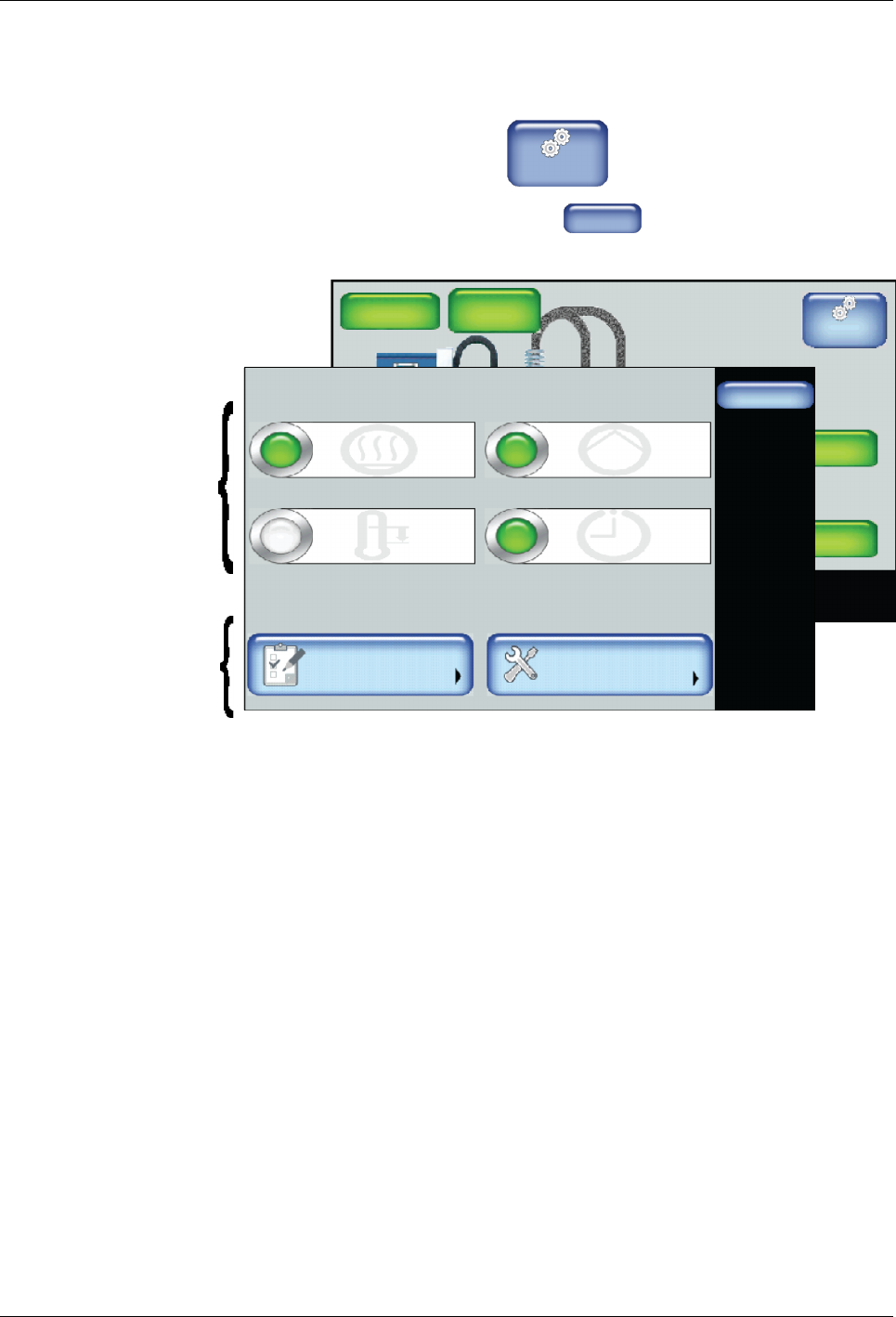
Navigation - The Master Controls Screen
You can access the Master Controls screen from:
S
The Home screen, touch
Master
Controls
S
Most other screens, touch touch
Home
System Status:
Platen
176_C
176_C
Pump
GTL
32 RPM
Zone 1A
Ready/OK
Pump: On
Heaters:On
Password: Disabled
Recipes:
176_C
Zone 1B
176_C
Zone 2A
176_C
Zone 2B
Done
Scheduler
Pump ControlHeater Control
Standby
Settings System
Master Controls
Scheduler: Off
Pump: OnHeaters: On
Standby: Off
Master
On/Off
Controls
Access to basic
and advanced
melter settings
Master
Controls
Figure 5-2 The Master Controls Display
About the Touch Screen Display and User Interface
5-5
Part 1121836_03
E 11/2014 Nordson Corporation
About the Master On/Off Controls
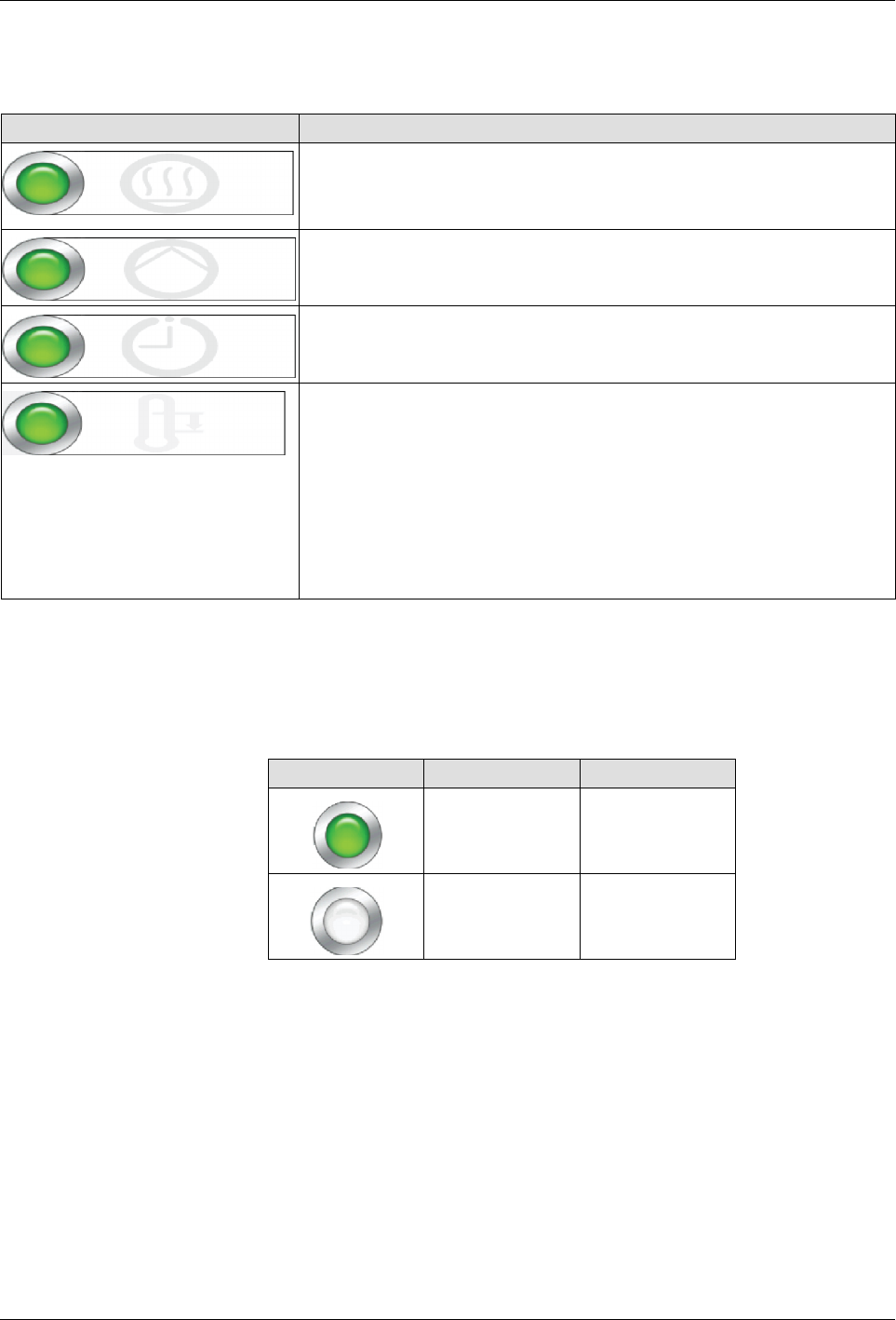
Use the Master Controls to switch the following On or Off:
Touch Description
Heater Control
Switch the heaters On or Off.
NOTE: The master heater control automatically switches Off, along
with the pumps when the melter is in a Fault condition.
Pump Control
Switch the pump On or Off.
Scheduler
Switch the system scheduler On or Off.
Refer to Configuring Scheduled Events for more information.
Standby
Place the melter into or out of Standby mode.
Notes:
S
Manually place the melter In or Out of Standby mode.
S
Overrides any previously configured Scheduled and/or
Standby events.
S
Refer to the next chapter for more information about
programming the melter when to automatically enter or exit out
of standby mode.
About the Heater Control, Standby and Scheduler Buttons
The following table describes what the color represents for Heater Control,
Standby and Scheduler buttons .
Button Color Description
Green On
White Off