AltaPail II Bulk Melters Product Manual.pdf - 第68页
About the Touch Screen Display and U ser Interface 5 -17 Part 1121836_03 E 1 1/2014 Nordson Corporation About the Screen Saver Once the melter is running, the screen saver appears after 5 mi nutes (the default) of no use…
About the Touch Screen Display and User Interface
5-16
Part 1121836_03
E 11/2014 Nordson Corporation
Requirements for Running the Pump
The following lists the system requirements before running a pump:
S
The melter status must indicate Ready/OK.
S
The Pump must be enabled.
S
In addition to the Platen, at least one external zone must be enabled.
S
The Master Heater Control switch must indicate On.
S
The Master Pump Control switch must indicate On.
Basic Pump Operation Modes
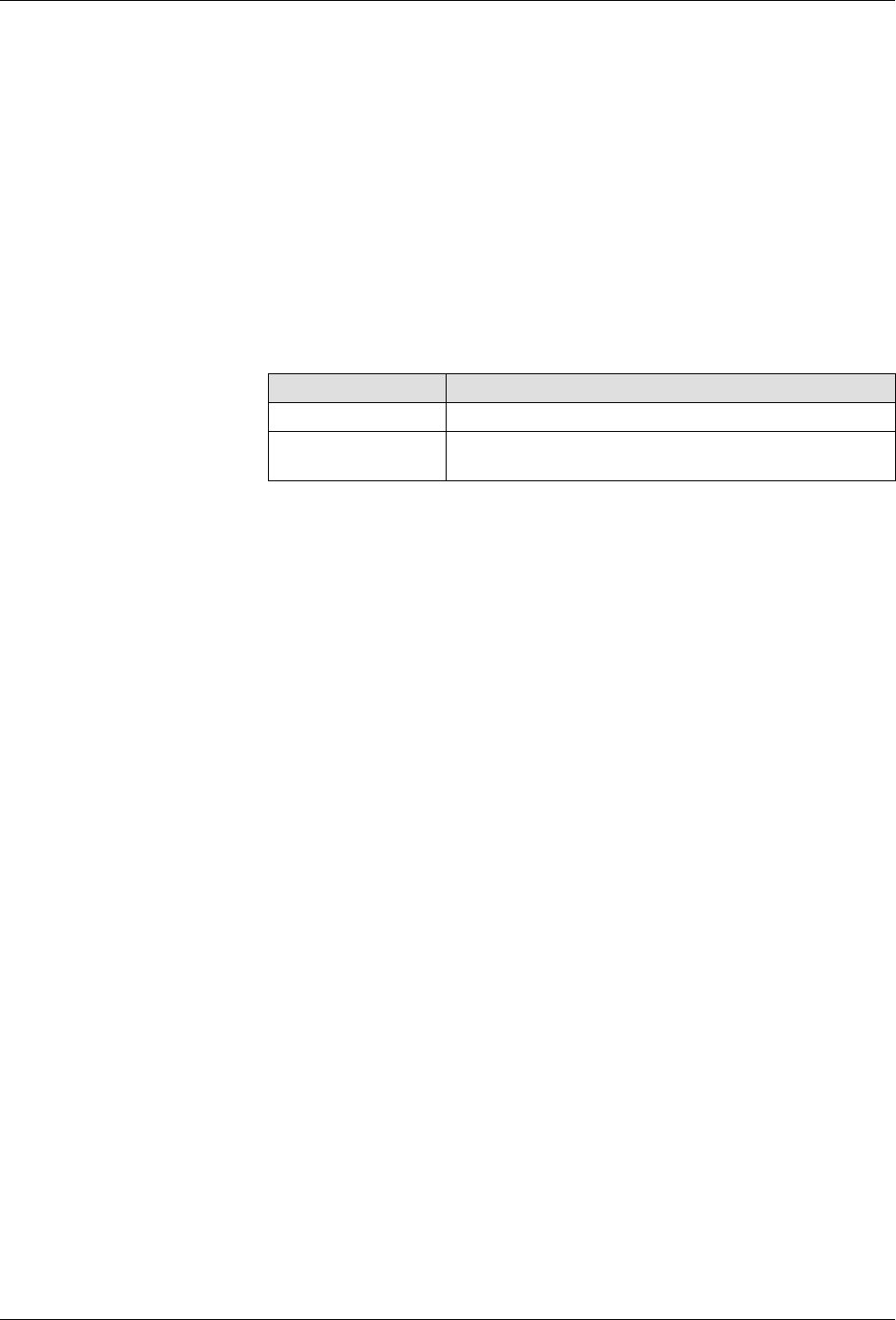
There are two default pump operation modes:
Operation Mode Description
Manual (default) Delivers adhesive at a constant speed.
Gear-to-Line Delivers adhesive at a rate proportional to the line
speed.

About the Touch Screen Display and User Interface
5-17
Part 1121836_03
E 11/2014 Nordson Corporation
About the Screen Saver
Once the melter is running, the screen saver appears after 5 minutes (the
default) of no user interaction with the touchscreen. The Home screen
re-appears when you touch anywhere on the screen saver.
System Status:
Ready/OK
Figure 5-5 The Screen Saver

About the Touch Screen Display and User Interface
5-18
Part 1121836_03
E 11/2014 Nordson Corporation
This page intentionally left blank.