AltaPail II Bulk Melters Product Manual.pdf - 第83页
Basic Software Melter Configuration 6 -14 Part 1121836_03 E 1 1/2014 Nordson Corporation About G ear-to-Line Gear-to-Li ne uses a single s et point on a c urve for pump control. Fig 5-3 indicates the follo wing: S At 80%…
Basic Software Melter Configuration
6-13
Part 1121836_03
E 11/2014 Nordson Corporation
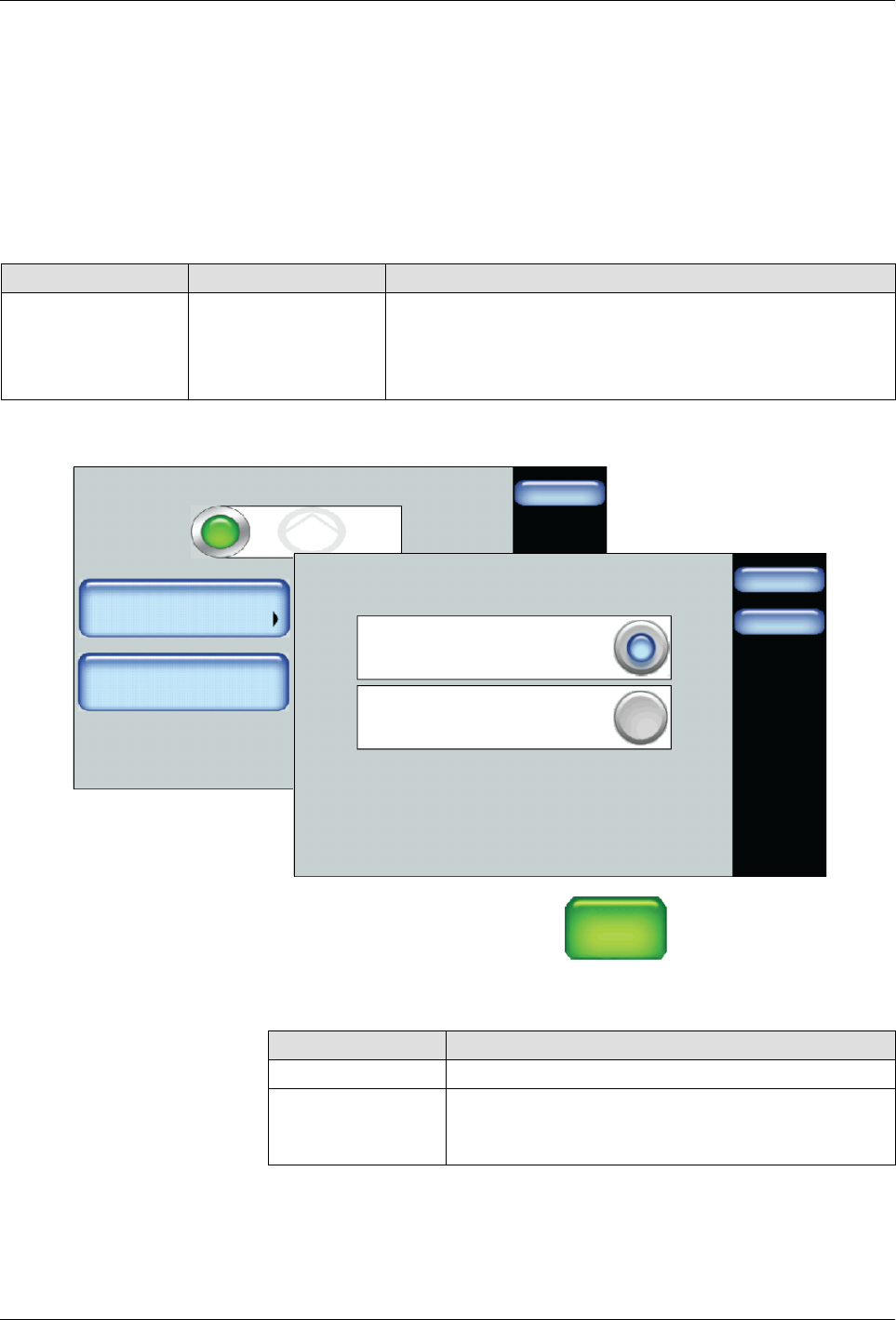
Changing Pump Operation Modes
Notes:
S
You can make use of standard or hand applicators in Manual or
Gear-to-Line pump operation modes.
S
If you connect a standard (automatic) applicator to one external zone
and a hand applicator to a different external zone, regardless of which
you connect first, the pump will operate in hand applicator mode. The
Home screen also displays both zones with a hand applicator icon.
Setting Default Option
Operation Mode Manual
S
Manual - Delivers adhesive at a constant speed you
manually enter. Use Manual Mode to purge the melter.
S
Gear-to-Line - Delivers adhesive at a rate proportional
to the line speed.
Pump
Done
Adjust Speed
Pump Control
85 RPM
Advanced
Pump Operation Mode
Done
Cancel
Manual
Gear-to-Line
1. Access the Home screen, touch
Pump
GTL
45 RPM
then the Advanced button
2. Touch Change Operation Mode and select which pump mode you want
to use.
Operation Mode Description
Manual Pump runs at a constant Speed.
Gear-to-Line Pump runs runs at a variable speed based on line
speed signal.
3. Touch Done.

Basic Software Melter Configuration
6-14
Part 1121836_03
E 11/2014 Nordson Corporation
About Gear-to-Line
Gear-to-Line uses a single set point on a curve for pump control.
Fig 5-3 indicates the following:
S
At 80% maximum line speed, the pump set point RPM speed is 60 RPM.
S
At 20% minimum line speed, the pump set point RPM speed is 15 RPM.
% Line Speed
0%
20% 40%
60%
80%
100%
Motor Speed (RPM)
0
10
20
30
40
50
60
70
20%, 15 RPM
80%, 60 RPM
Figure 6-3 Gear-to-Line, single-point on a curve
Basic Software Melter Configuration
6-15
Part 1121836_03
E 11/2014 Nordson Corporation
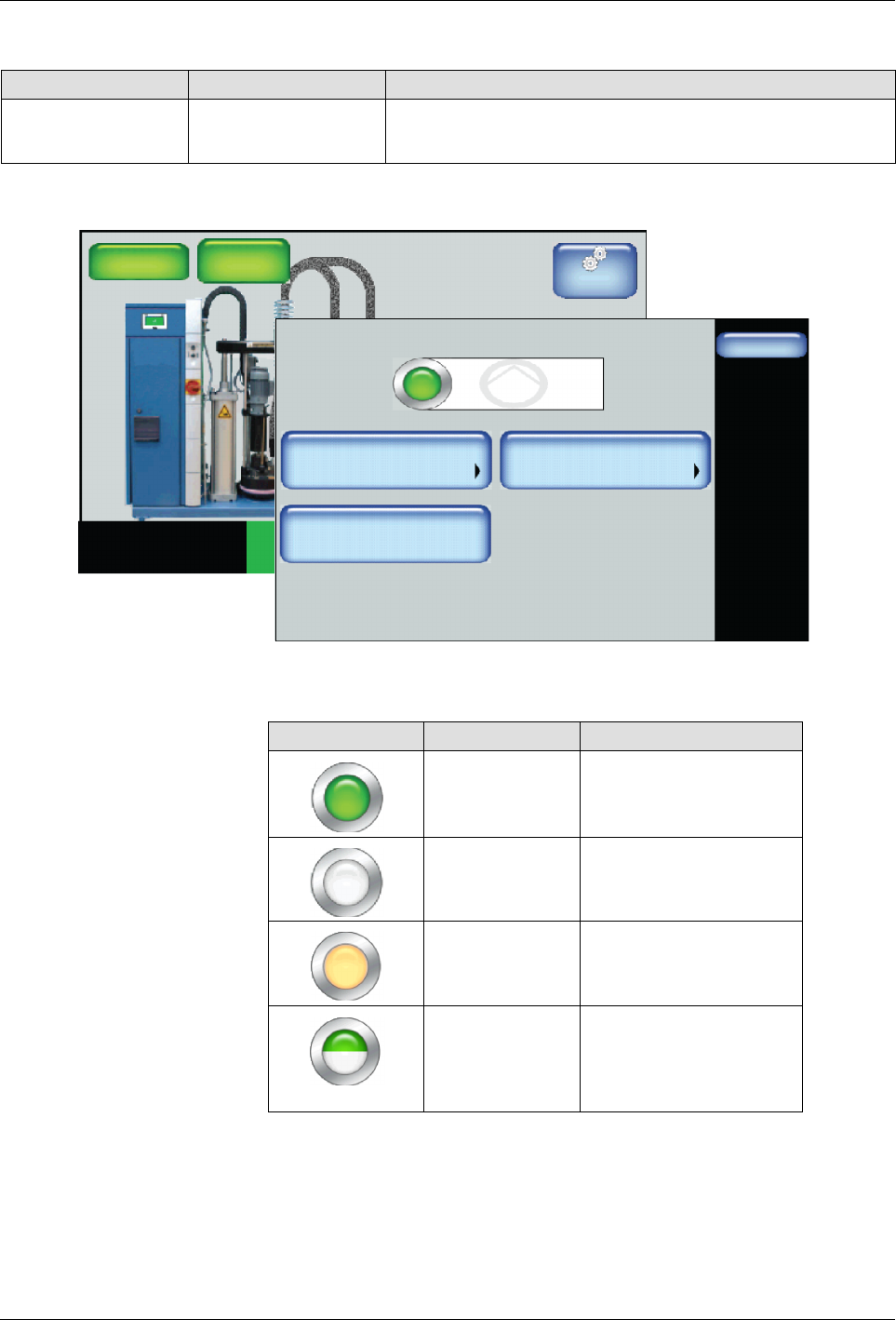
Switching the Pump On/Off
Setting Default Option
Pump Control Off
S
On
S
Off
Master
Controls
System Status:
Platen
176_C
176_C
Pump
GTL
32 RPM
Zone 1A
Ready/OK
Pump: On
Heaters:On
Password: Disabled
Recipes:
Nothing Loaded
176_C
Zone 1B
176_C
Zone 2A
176_C
Zone 2B
Pump
Done
Adjust Speed
Pump Control
85 RPM
Advanced
Pump: On
Operation Mode
MAN
1. Access the Home Display and touch the a pump.
2. Touch the Pump Control button to switch the Pump On/Off.
Button Color Description
Green On
White Off
Orange Auto Pump enabled
Half green
Half white
S
Pump Configured for
remote control
S
Pump operating with
a handgun
NOTE: Changes take effect when you touch Done.