AltaPail II Bulk Melters Product Manual.pdf - 第96页
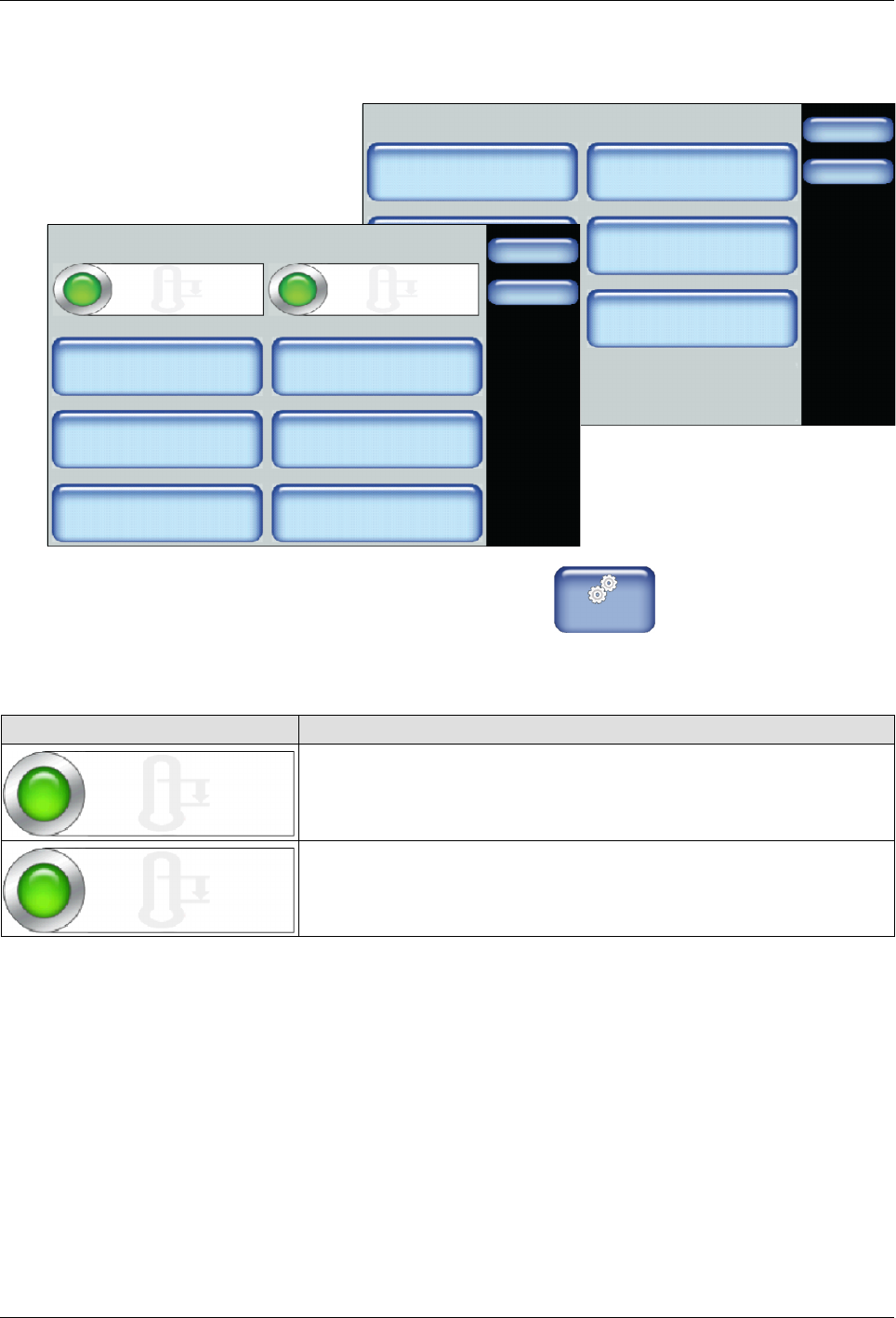
Advanced Software M elter Configuration 7 -10 Part 1121836_03 E 1 1/2014 Nordson Corporation Touch De scription Note : You must have the Automatic Standby option Enabled to make use of the following: Auto Standby Start T…
Advanced Software Melter Configuration
7-9
Part 1121836_03
E 11/2014 Nordson Corporation
Accessing Standby Settings
Settings
Done
Home
Temperature
Input
Ready Delay
Standby
Output Pump
Standby Settings
Done
Home
Auto Standby Start Time Platen Standby
Temp Offset
Hoses Standby
Temp Offset
Applicator Standby
Temp Offset
Auto Heaters Off Time
Auto Exit Standby Time
Auto Exit Standby Time
Enabled
Automatic Standby
60 min.
60 min.
60 min.
60_C
60_C
60_C
Enabled
1. From the Home Display touch
Master
Controls
2. Touch Settings, then Standby.
3. Do the following to continue.
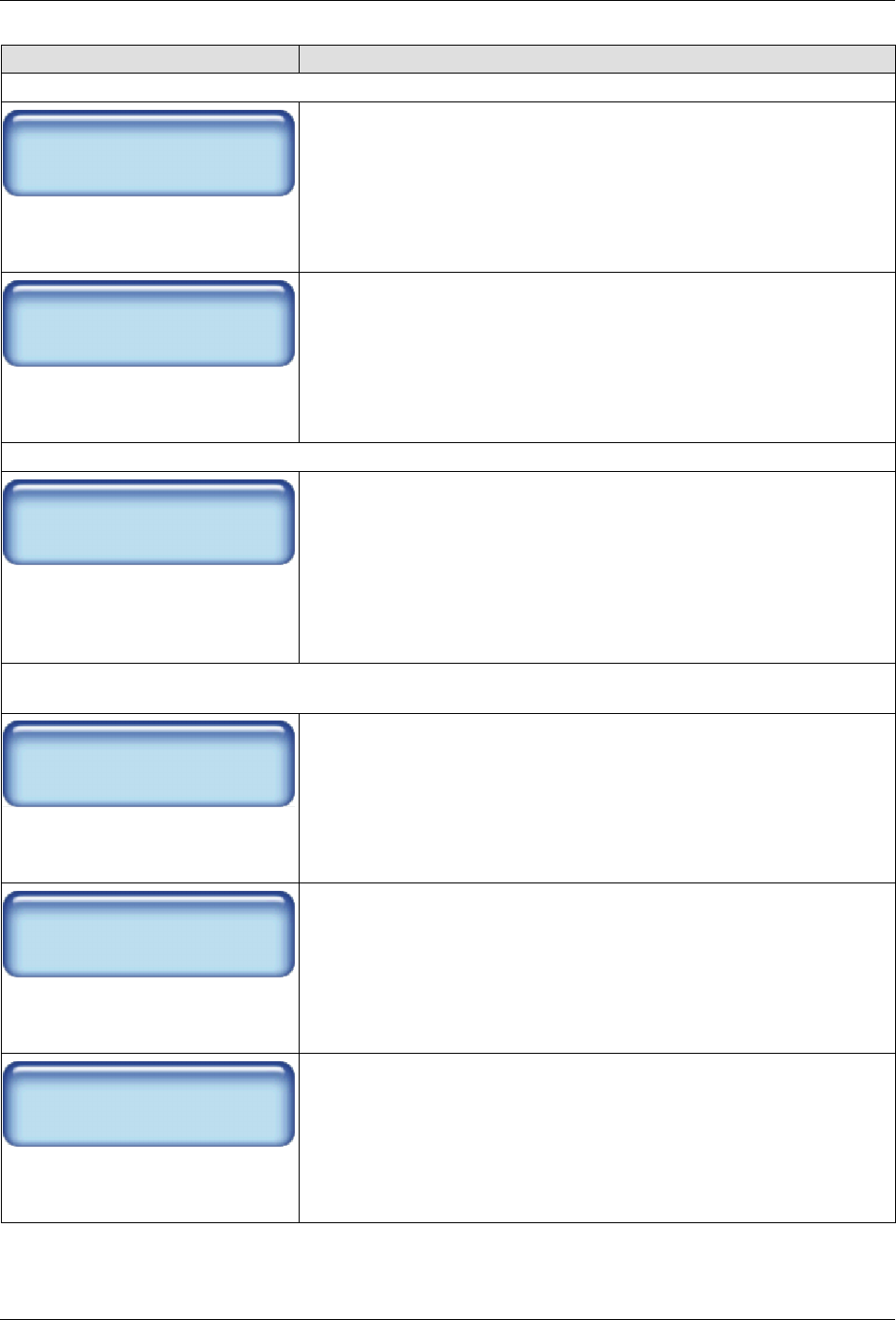
Touch Description
Automatic Standby
Enabled
Enables the system the ability to automatically place the melter into
standby mode.
Default: Disabled
Auto Exit Standby Time
Enabled
Enables the system the ability to automatically exit the melter out of
standby mode.
Default: Disabled
Advanced Software Melter Configuration
7-10
Part 1121836_03
E 11/2014 Nordson Corporation
Touch Description
Note: You must have the Automatic Standby option Enabled to make use of the following:
Auto Standby Start Time
60 min.
Define the elapsed time of melter inactivity before the melter
automatically enters standby mode.
Default is 0 (zero) minutes
Minimum time is 0 (zero) minutes
Maximum time is 60 minutes
Auto Heaters Off Time
60 min.
Define the amount of time that must elapse after the automatic
standby time ends before the heaters automatically switch Off.
Default is 0 (zero) minutes
Minimum time is 0 (zero) minutes
Maximum time is 60 minutes
Note: You must have the Auto Exit Standby Time option Enabled to make use of the following:
Auto Exit Standby Time
60 min.
Define the amount of time that must elapse after the automatic
standby time ends before exiting out of standby mode and into normal
operation.
Default is 0 (zero) minutes
Minimum time is 0 (zero) minutes
Maximum time is 60 minutes
Note: The following offset standby temperature settings apply whether the melter was automatically or
manually placed into standby mode.
Platen Standby
Temp Offset
60_C
Define the number of degrees, from the set point temperature, of the
platen that you want to decrease while in standby mode.
Default is 60_C (120_F)
Minimum temp is 5_C (10_F)
Maximum temp is 60_C (120_F)
Hoses Standby
Temp Offset
60_C
Define the number of degrees, from the set point temperature, of all
enabled hoses that you want to decrease while in standby mode.
Default is 50_C (100_F)
Minimum temp is 5_C (10_F)
Maximum temp is 60_C (120_F)
Applicator Standby
Temp Offset
60_C
Define the number of degrees, from the set point temperature, of all
enabled applicators that you want to decrease while in standby mode.
Default is 50_C (100_F)
Minimum temp is 5_C (10_F)
Maximum temp is 60_C (120_F)
Advanced Software Melter Configuration
7-11
Part 1121836_03
E 11/2014 Nordson Corporation
Advanced Pump Settings
Touch the Advanced button to do the following:
S
Switch the Auto Pump option On/Off
S
Calibrate the pump
S
Define container to low timer settings
S
When using hand applicators, define pump off delay timing
The following sections detail each procedure in greater detail.
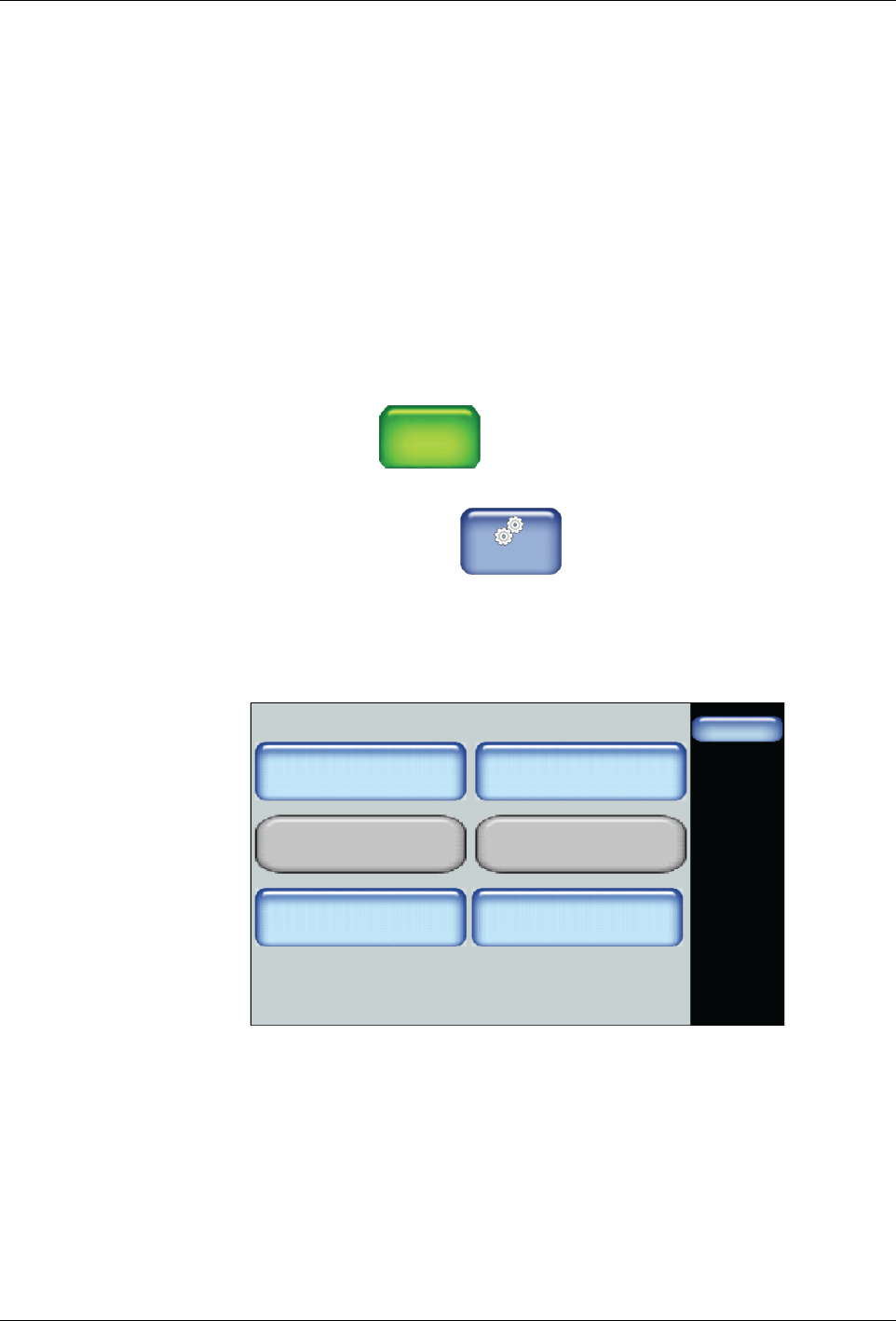
Accessing the Advanced Pump Screen
You can access the Advanced Pump screen by:
S
Touching
Pump
GTL
45 RPM
from the Home screen then the Advanced
button.
S
Touching the touch
Master
Controls
from the Home screen, then Settings |
Pump | Advanced
NOTE: Refer to Basic Pump Configuration in the previous chapter for more
information.
Pump - Advanced
Done
Pump Off Delay Infinite
Off
Pump Off Delay Time
0 Sec.
Pump Calibration
On
Container Low to Empty
Timer
0 Sec.
Auto Pump
Off
Remote Control