GD450 说明书(中英文版) - 第26页
- 2 6 - Pix 3-2 (The main interface of the program) 3. 机器会自动转入归零模式。 单击 [ 退出 ] 按钮, 机器退出归零模式; 单击 [ 开始归零 ] 按钮, 机器转入归零进程, 并自动检测机器内部是否存在 PCB 板 , 如图 3- 3, 如机器内有 PCB , 请在该提示下状态下取出,并单击 [ 确定 ] 按钮 , 机器正式开始归零直到完成 , 如图 3-4 。 The pri…
- 25 -
6) 使用时应将锡膏均匀地刮涂在刮刀前面的模板上,且超出模板开口位置,保证刮刀运
动时能将锡膏通过网板开口印到 PCB 板的所有焊盘上。
Spread the solder paste evenly on the template which is assembled before the
scraper. The solder paste need be spread beyond the open position of the template
to insure that scraper can print the solder paste on all of the bonding pads of the
PCB boards through the stencil open position.
3.2.3 PCB 定位调试 PCB Positioning adjustment
1. 打开机器主电源开关。
Turn on the main power switch of the equipment.
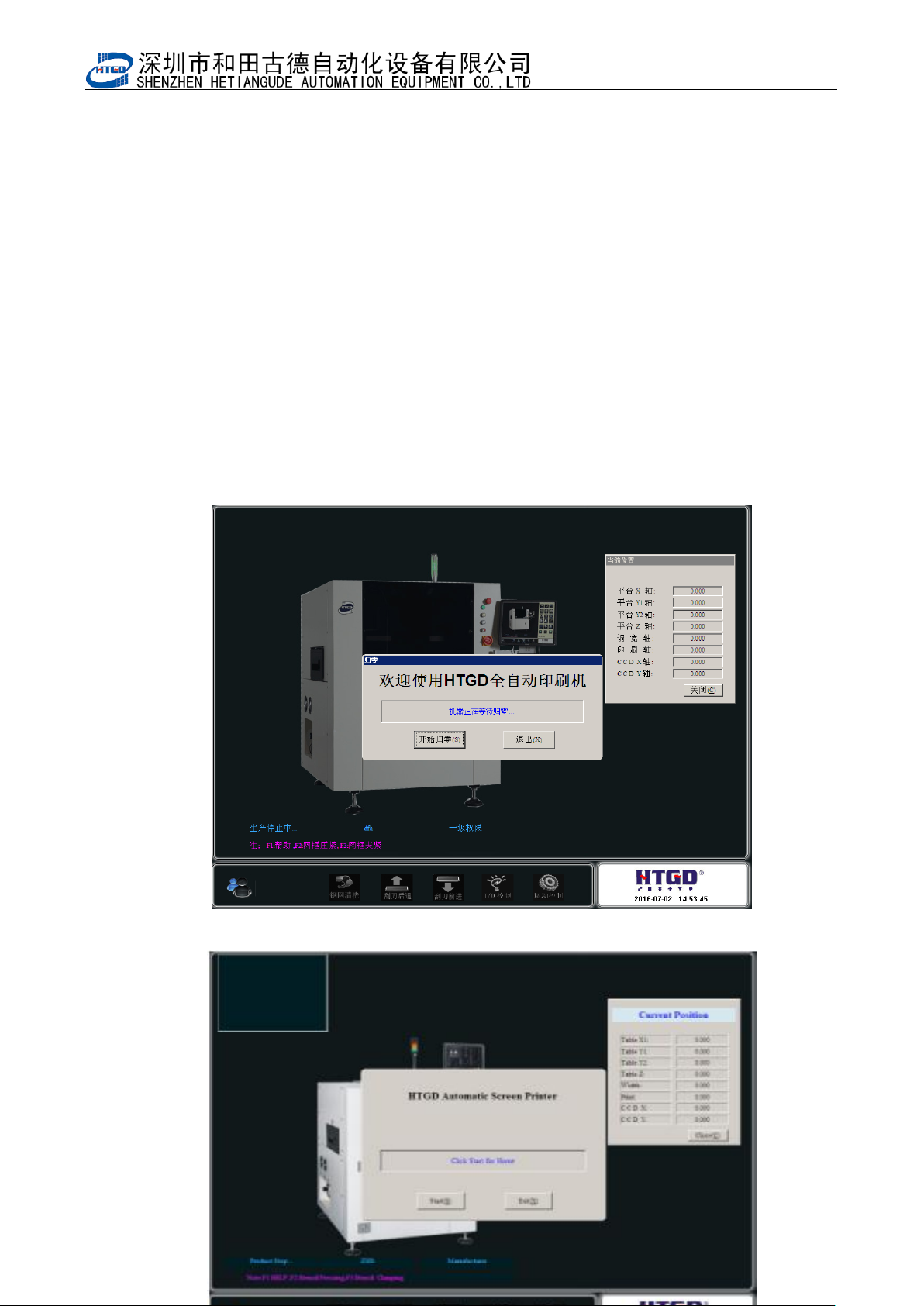
2. 进入印刷机主画面。如图 3-2
Enter the main interface of the printer. See pix 3-2
图 3-2(打开机器程序的主界面)
- 26 -
Pix 3-2 (The main interface of the program)
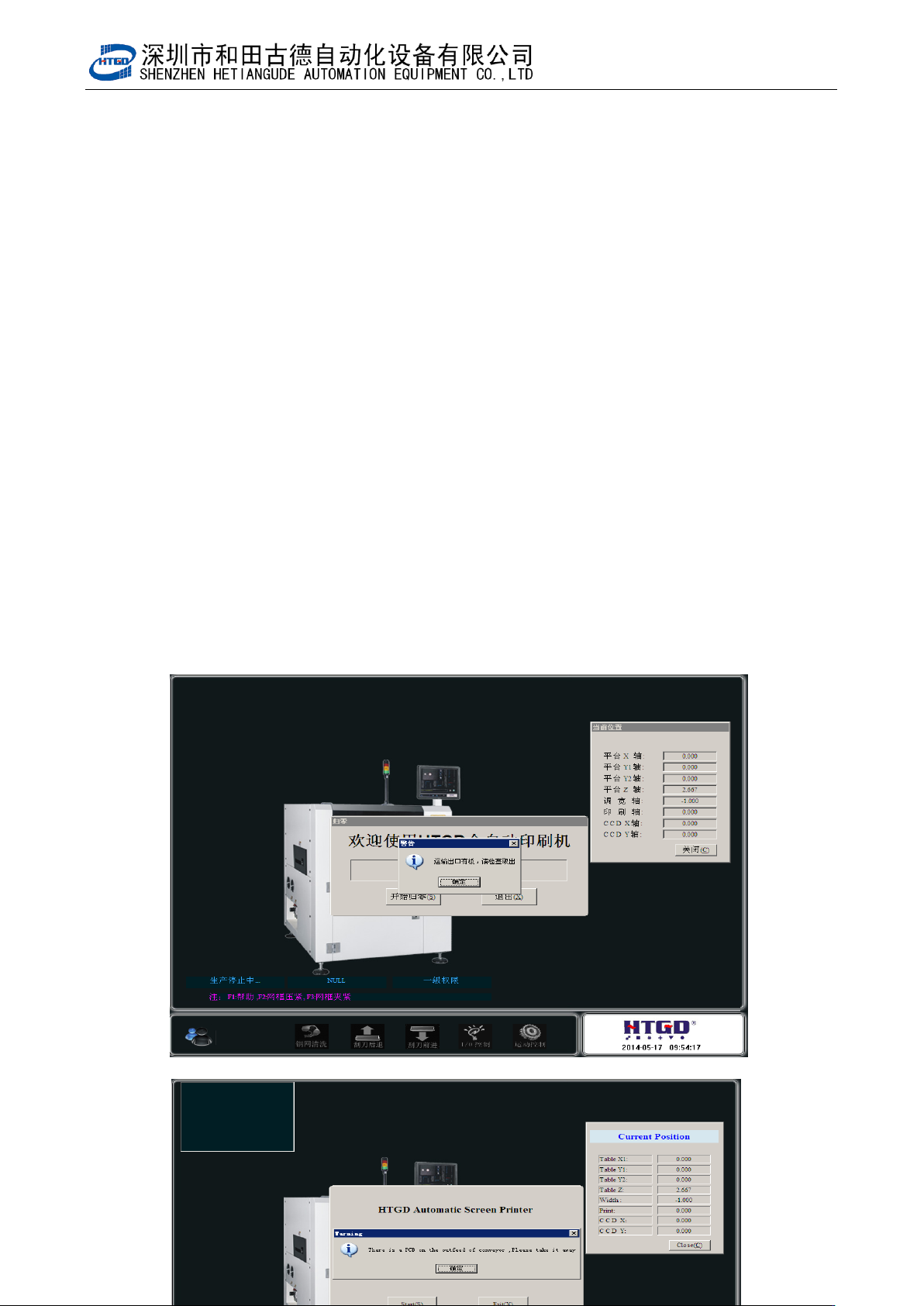
3. 机器会自动转入归零模式。单击[退出]按钮,机器退出归零模式;单击[开始归零]按钮,
机器转入归零进程,并自动检测机器内部是否存在 PCB 板,如图 3-3,如机器内有 PCB,
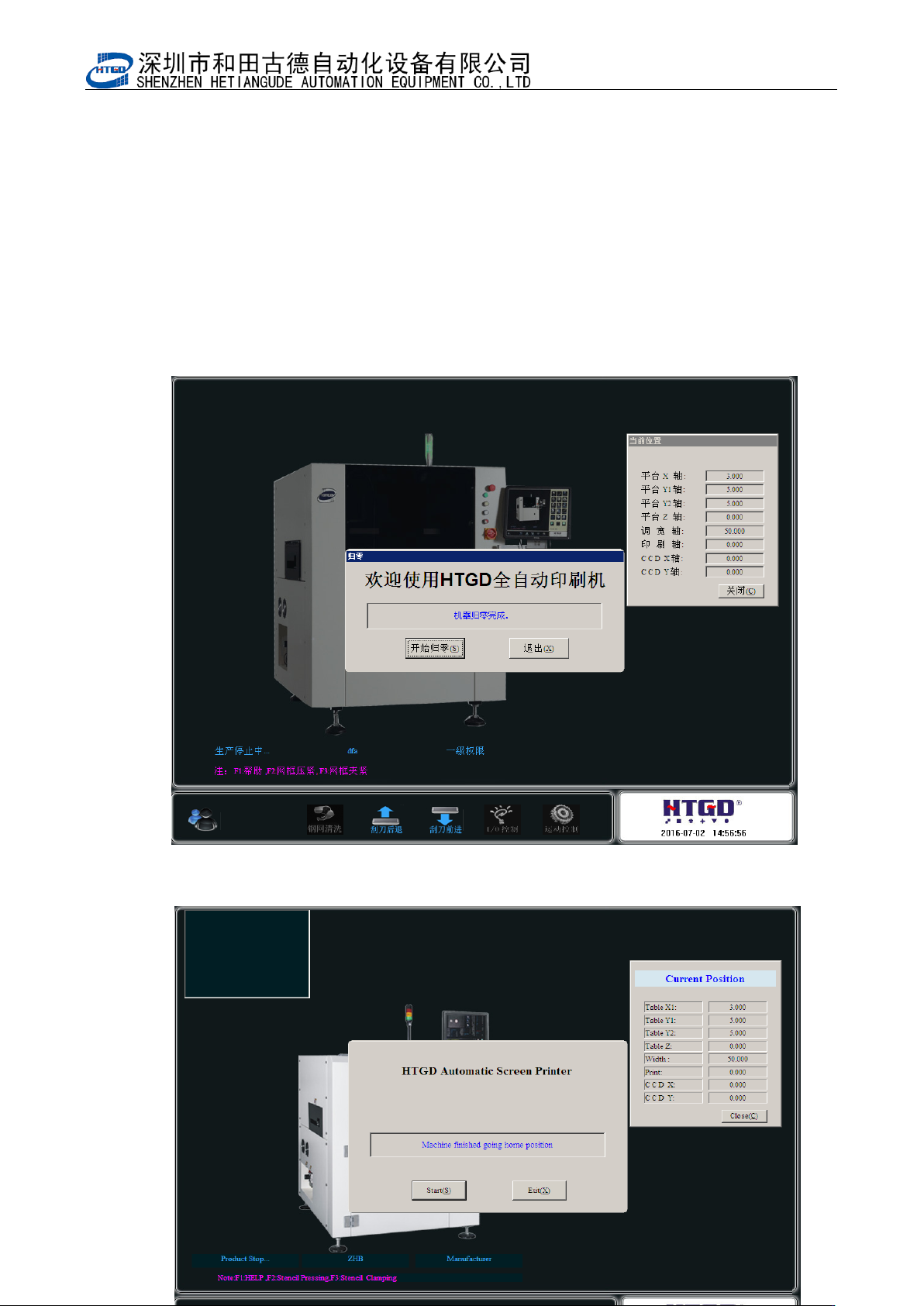
请在该提示下状态下取出,并单击[确定]按钮,机器正式开始归零直到完成,如图 3-4。
The printer will enter into the mode of returning to zero. Clicking the 退出(exit) button,
the printer exits the mode of returning to zero. Clicking the 开始归零(return to zero)
button, the printer will enter into the process of returning to zero and inspect
automatically whether there is PCB board inside the printer. See pix 3-3. If there is
PCB board, please take out it according to the indication and click 确定(OK )button.
The process of returning to zero finished. See pix 3-4.
图 3-3(归零时提示机器内存在 PCB,提示取出)
- 27 -
Pix 3-3 (take out the PCB when the indication comes out during the process of returning to zero)
图 3-4(机器进入归零状态)