GD450 说明书(中英文版) - 第39页
- 3 9 - 图 3- 13 (点击 [ MARK 点设置 ] ,开启 Mark 编辑状态) Pix 3-13(the m ark can be edited b y clicking the “ MARK 点设置 ” (Mark point setting) button. 图 3- 14 ( Mark 点设置完毕后保存的界面,点击是回到主界面)
- 38 -
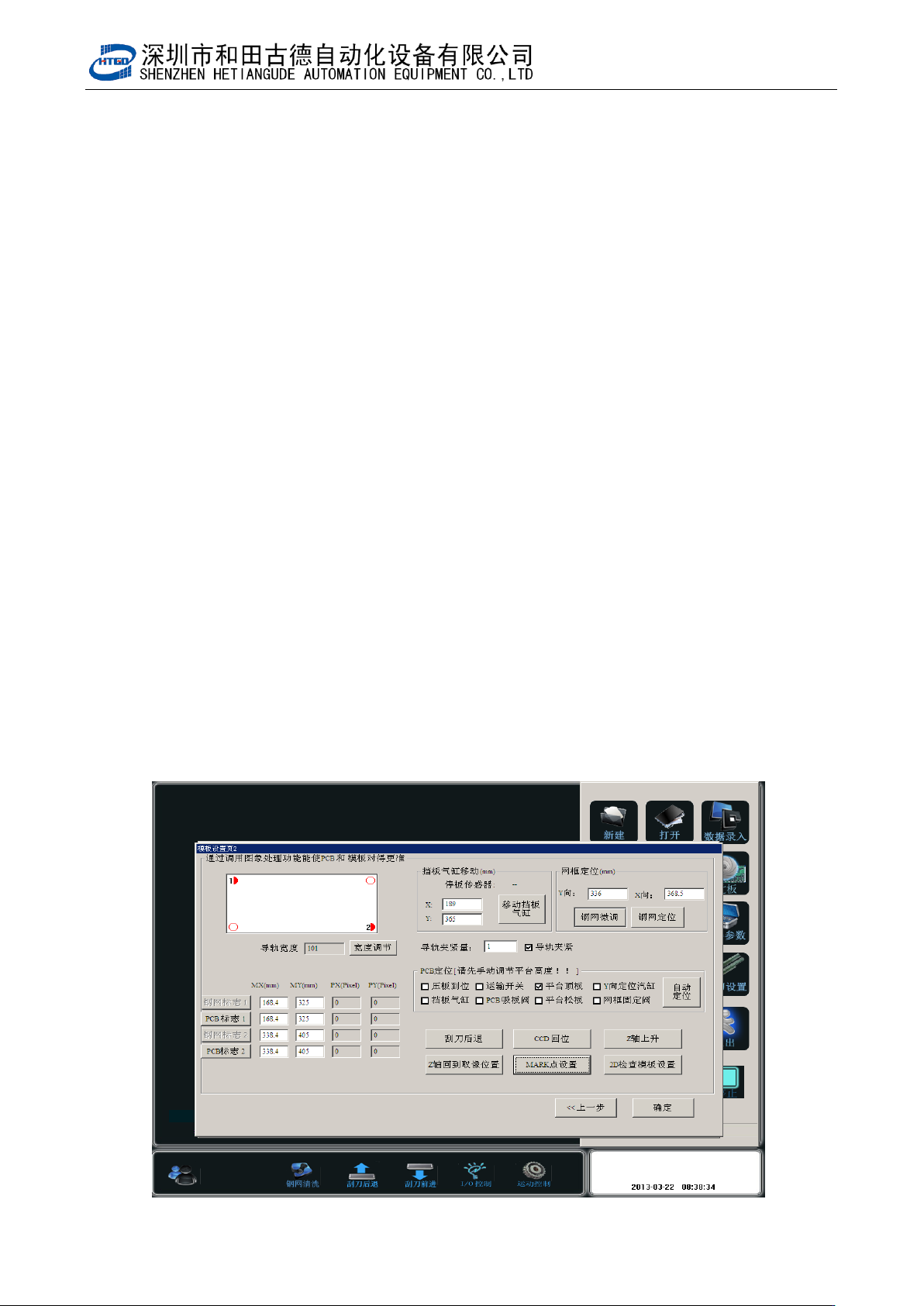
Pix 3-12(PCB positioning)
注意:设置好 PCB 标志点到边距离后,将 PCB 放置在运输轨道入口处,点击 [自动定位]PCB
自动送到预定位置并固定夹紧。如图 3-12;点击[Z 轴上升]将
PCB 顶到钢网位置,打开(网框固定阀)把钢网放入并与 PCB 对齐。
Notice: Place the PCB in the entrance of the transmission rail after setting the
distance between PCB mark and side. Click (automatic positioning) button, PCB
will be delivered automatically to the preset position and will be clamped and
fixed. See pix 3-12. By clicking(Z axis lifts up) button, the PCB will be lift to the
stencil position. Turn on frame fixed valve and put in the stencil and let stencil
align at PCB.
- 39 -
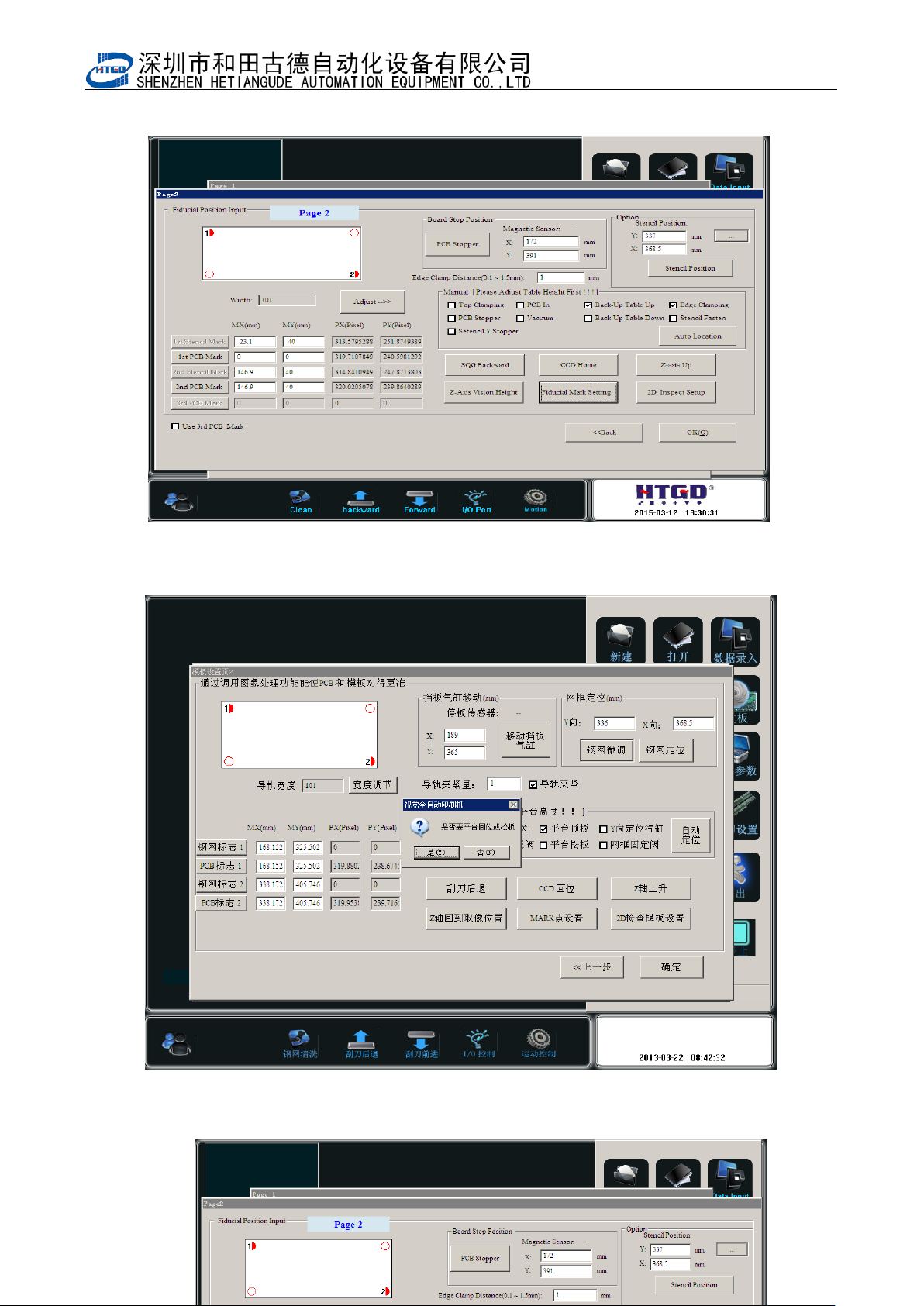
图 3-13(点击[MARK 点设置],开启 Mark 编辑状态)
Pix 3-13(the mark can be edited by clicking the “MARK 点设置”(Mark point setting) button.
图 3-14(Mark 点设置完毕后保存的界面,点击是回到主界面)
- 40 -
Pix 3-14(The saved interface after setting of mark point and click “是”(Yes)to come back
to the main interface.)
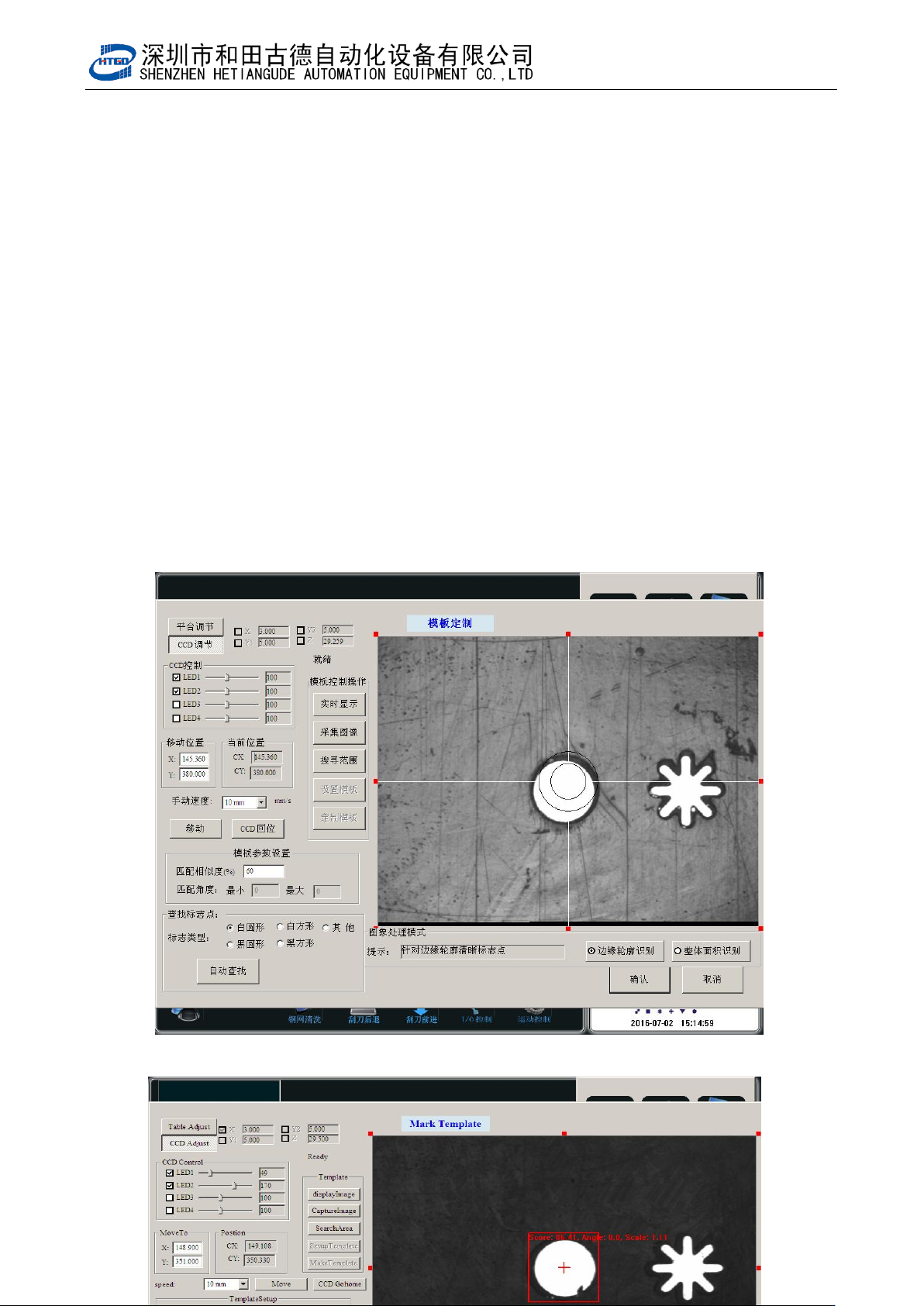
图 3-15(点[PCB 标志 1]打开此界面,点击自动查找)