GD450 说明书(中英文版) - 第48页
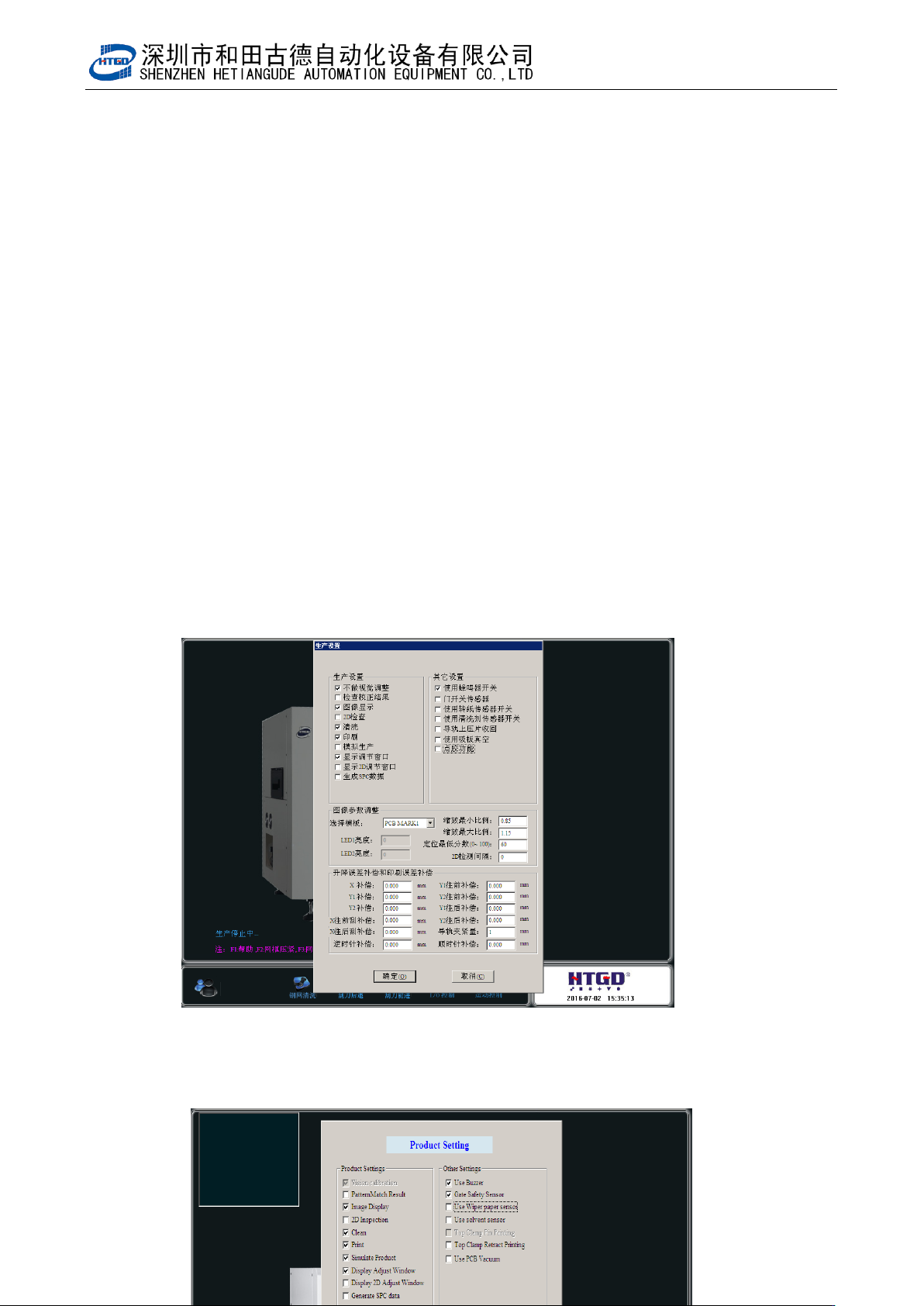
- 4 8 - 图 3- 18 (生产设置界面)
- 47 -
Click “ ” (start) button in the main interface of the software. According to the
software instructions, it will enter production mode. The interface in the pix 3-18 will
be displayed after the finish of the PCB transmission, positioning and image capture
and the Z axis lift up to the printing location.
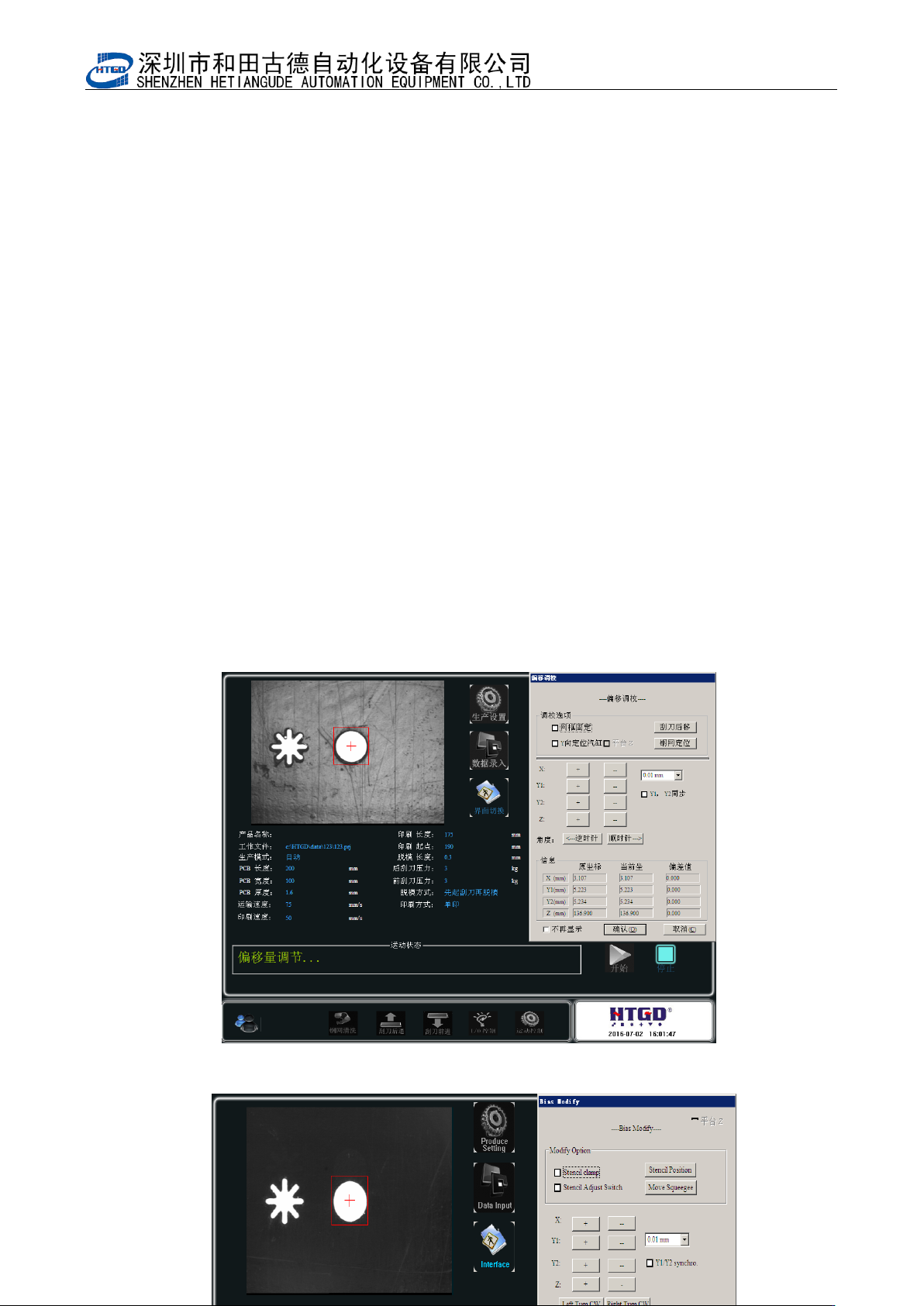
3. 在 3-18 界面下,检查 PCB 是否和钢网紧贴,要求是 PCB 刚好挨着钢网,否则需调节
Z 轴高度,直到满足要求。检查 PCB 焊盘是否和钢网网孔重合,如不重合,则需要调
整平台 X、Y1、Y2,直到重合为止。
Check whether the PCB is against stencil in the interface of pix 3-18. The PCB need
be against stencil. Otherwise operator need adjust the height of Z axis until the PCB
is against stencil. Check whether PCB bonding pad and stencil hole is overlapped. If
not, please adjust the X,Y1,Y2 of platform until PCB bonding pad and stencil hole is
overlapped.
在图 3-18 界面下安装刮刀,
注意:
刮刀片安装前应检查其刀口是否平直,有无缺损。
Assemble the scraper in the interface of pix 3-13. Please check whether the blade is
even, straight and damaged before assembling the scraper blade.
4. 以上工作完成后点击[确定]按钮,完成第一块 PCB 的印刷。
Click “确定”(ok) button after above preparation are finished. Then the printing of the
first PCB are finished.
5. 如印刷结果不符合质量要求,应重新进行参数设置或在主界面上点击[ ]按钮进入
图 3-19 界面输入平台及印刷误差补偿值,直到印刷结果满足质量要求,方可正式开始
生产。
If the printing performance can not meet the quality requirement, operator need reset
the parameter or click “ ” (production setting) button to enter the interface of pix
3-19. Input the error compensation value of platform and printing in that interface
until printing performance can not meet the quality requirement and then can start
the production officially.
6. 锡膏印刷质量要求:
The quality requirement of solder paste printing.
本机器设定锡膏厚度在 0.1—0.3mm 之间、焊膏覆盖焊盘的面积在 75%以上即满足质
量要求。
The thickness of solder paste for this printer need be 0.1—0.3mm. There are
above 75% solder paste printed on the bonding pad.
- 48 -
图 3-18(生产设置界面)
- 49 -
Pix 3-18(production setting interface)
图 3-19(微调窗口)