GD450 说明书(中英文版) - 第59页
- 59 - button and program it according to the introduction in chapter 3 2 . :打开工程文件按钮。 打开一个之前建立好的 程序。如图 4-5 ,选择 要打开的工程,点击 [ 打开 ] 即可; : Open project file. Open a program which has been done before. Select the project and …
- 58 -
position.
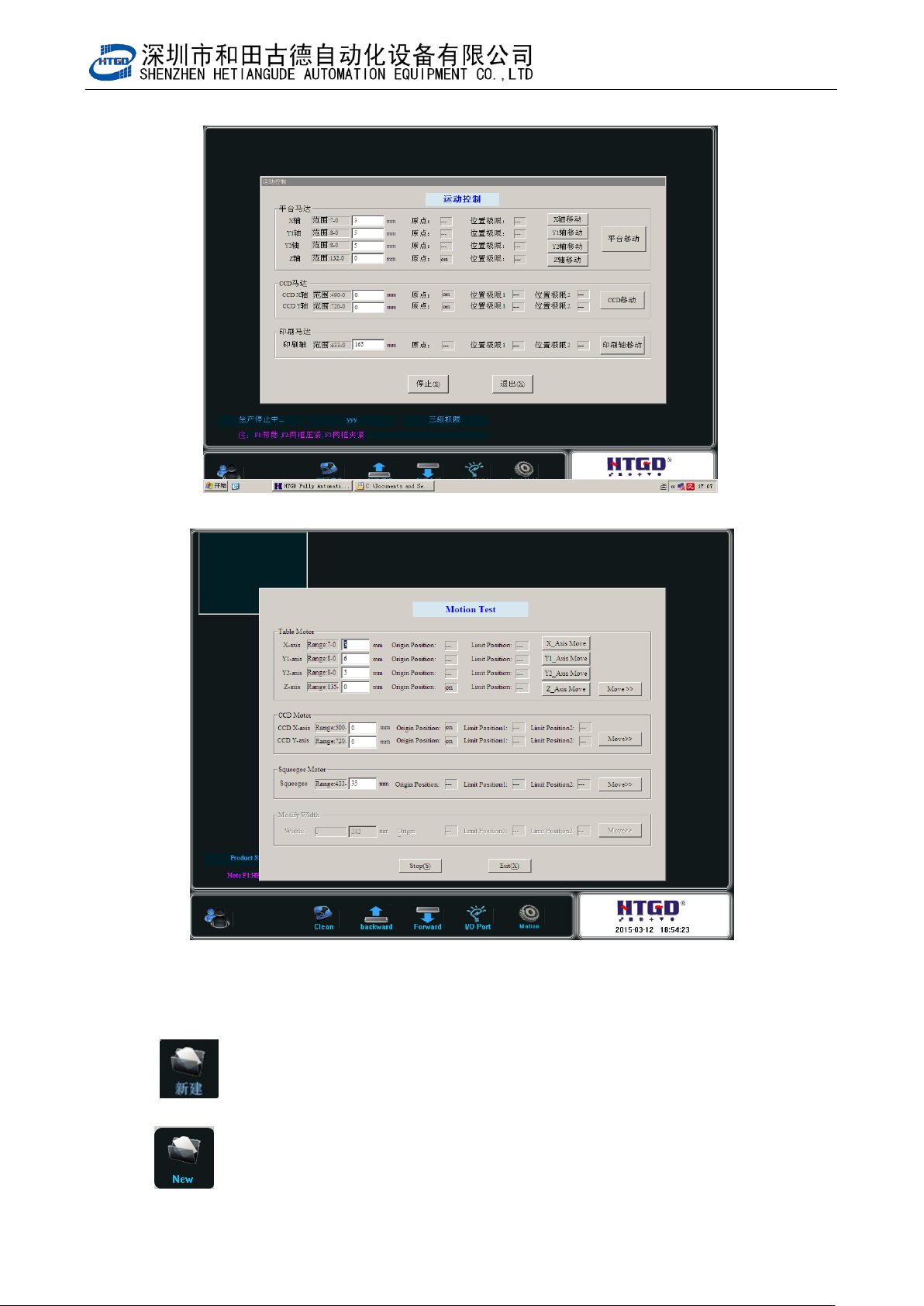
图 4-4(运动控制)
Pix 4-4 (movement control)
4.2.2 主工具栏 2 功能解释及其操作 The explanation and operation of the functions in
main tool bar 2
1. :新建工程。新建一个印刷程序,点击该按钮在图 3-6 界面上输入工
程的代号点击[确定]然后按第三章讲的内容做程序即可;
: New project. Create a new printing program. Click this button in the
interface of pix 3-6. Input the project name and click “确定” (ok)
- 59 -
button and program it according to the introduction in chapter 3
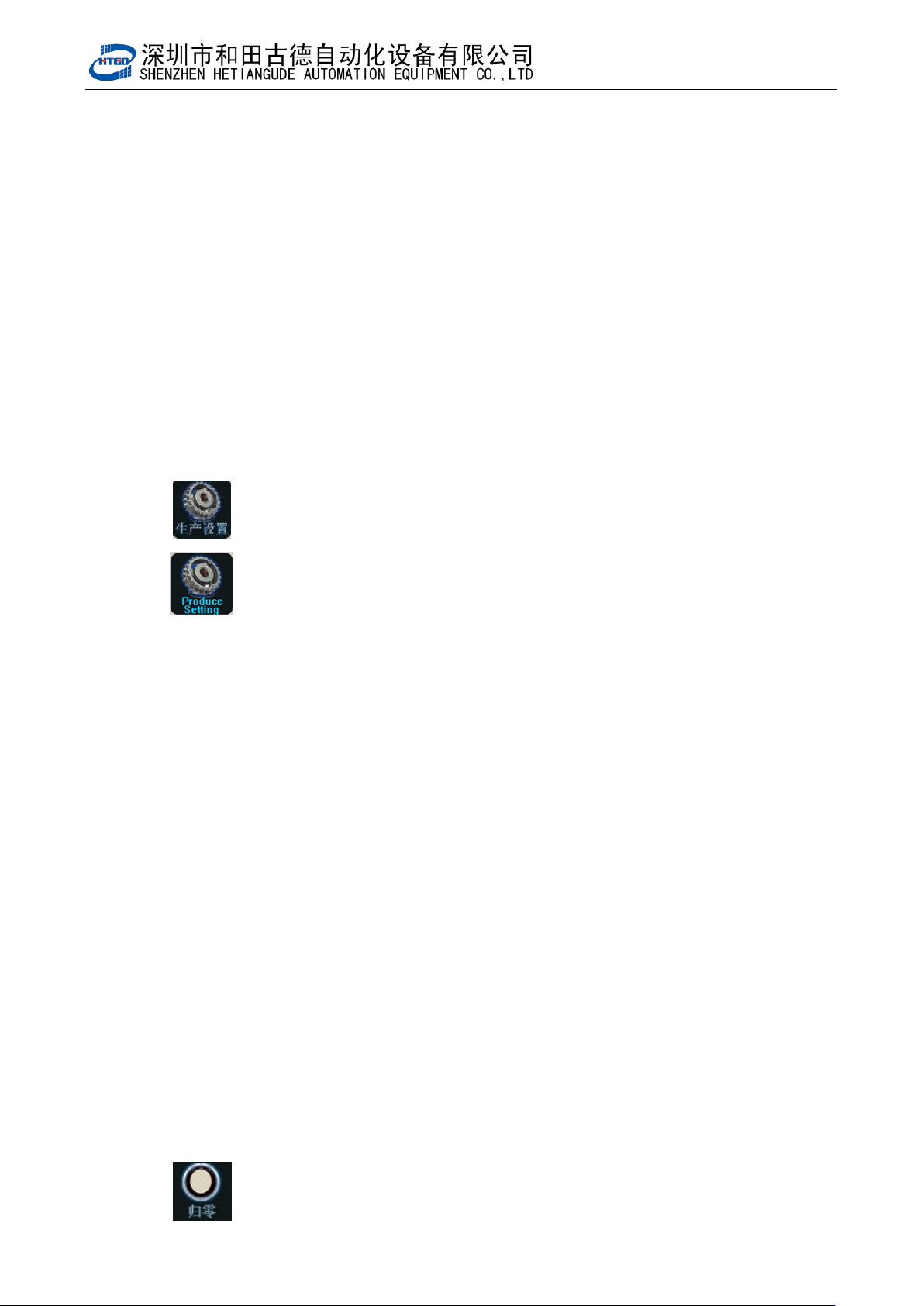
2. :打开工程文件按钮。打开一个之前建立好的程序。如图 4-5,选择
要打开的工程,点击[打开]即可;
: Open project file. Open a program which has been done before.
Select the project and click “打开”(open)button. See pix 4-5.
图 4-5(打开工程)
Pix 4-5(open project)
3. :数据录入按钮。该按钮在两种状态下使用。
: Data input. Use this button under the following two conditions:
- 60 -
一.打开工程或新建工程时
该状态下单击该按钮出现图 3-7 所示的界面。该界面下的设置请参照第三章。
Open project or create new project.
The interface in the pix 3-7 will display under the above conditions. Please refer to
the chapter 3 to set this interface.
二.在生产过程中按机器外壳上的“Start/Stop”按钮后
该状态下单击该按钮出现图 3-7 界面,相关设置请参考第三章。
Press the “Start/Stop” button on the shell of the printer during the production.
The interface in the pix 3-7 will display under the above condition. Please refer to the
chapter 3 to set this interface.
4. :生产设置按钮。点击该按钮后出现图 3-18 界面。在该界面下可设置的
项目有:
: Production setting. Clicking this button will display the interface of
pix 3-18. The settable items in the interface are as following:
生产设置:有很多选项,勾选后执行,反之不执行;
Production setting: Many options can be selected. Start execution after the selection
and vise versa.
平台补偿:输入平台补偿值;
Platform compensation: input the platform compensation value.
刮刀 Y 向补偿:当机器对位精度达到要求时,印出来的锡膏是偏的,这时就要根据偏移
的数值输入相应的补偿。前后刮刀均不一样。
The Y direction compensation of the scraper: when the matching accuracy meets the
requirement and the printing solder paste is offset, the operator needs input the
corresponding compensation value according to the offset data. It is different for front and
back scraper
其他设置:同样有很多选项,勾选后执行,反之不执行;
Other settings: Many options can be selected. Start execution after the selection and
vise versa.