GD450 说明书(中英文版) - 第68页
- 68 - 图 4- 13 (刮刀设 13 : :界面切换按钮。单击该按钮进行生产界面与主界面的切换; : Interface shift. Do the shift of the p roduction interface and m ain interface by clicking this button. 14 : :退出按钮。单击该按钮退出系统; : Exit. Exit the system by clicking thi…
- 67 -
Pix 4-12 (manual cleaning)
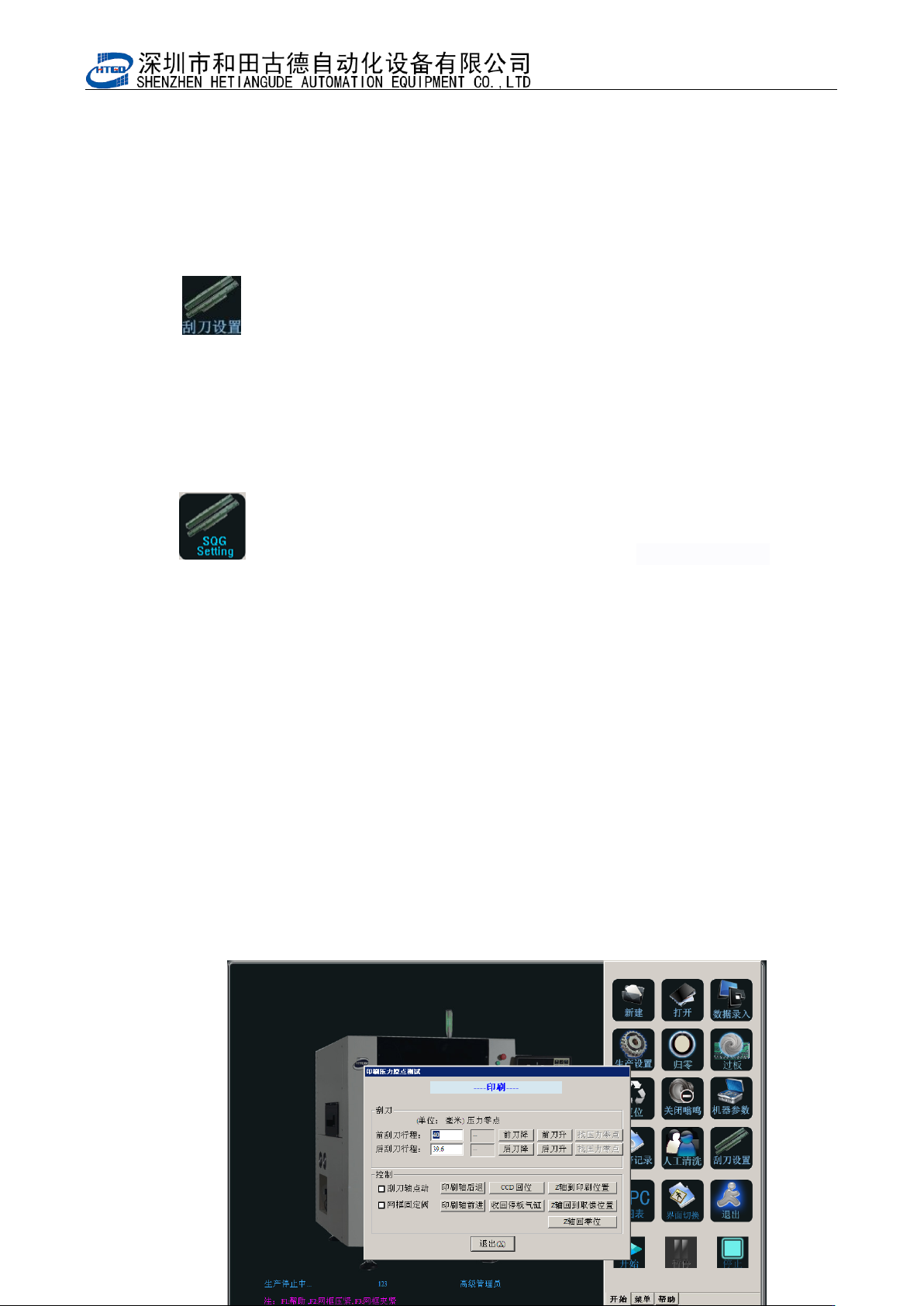
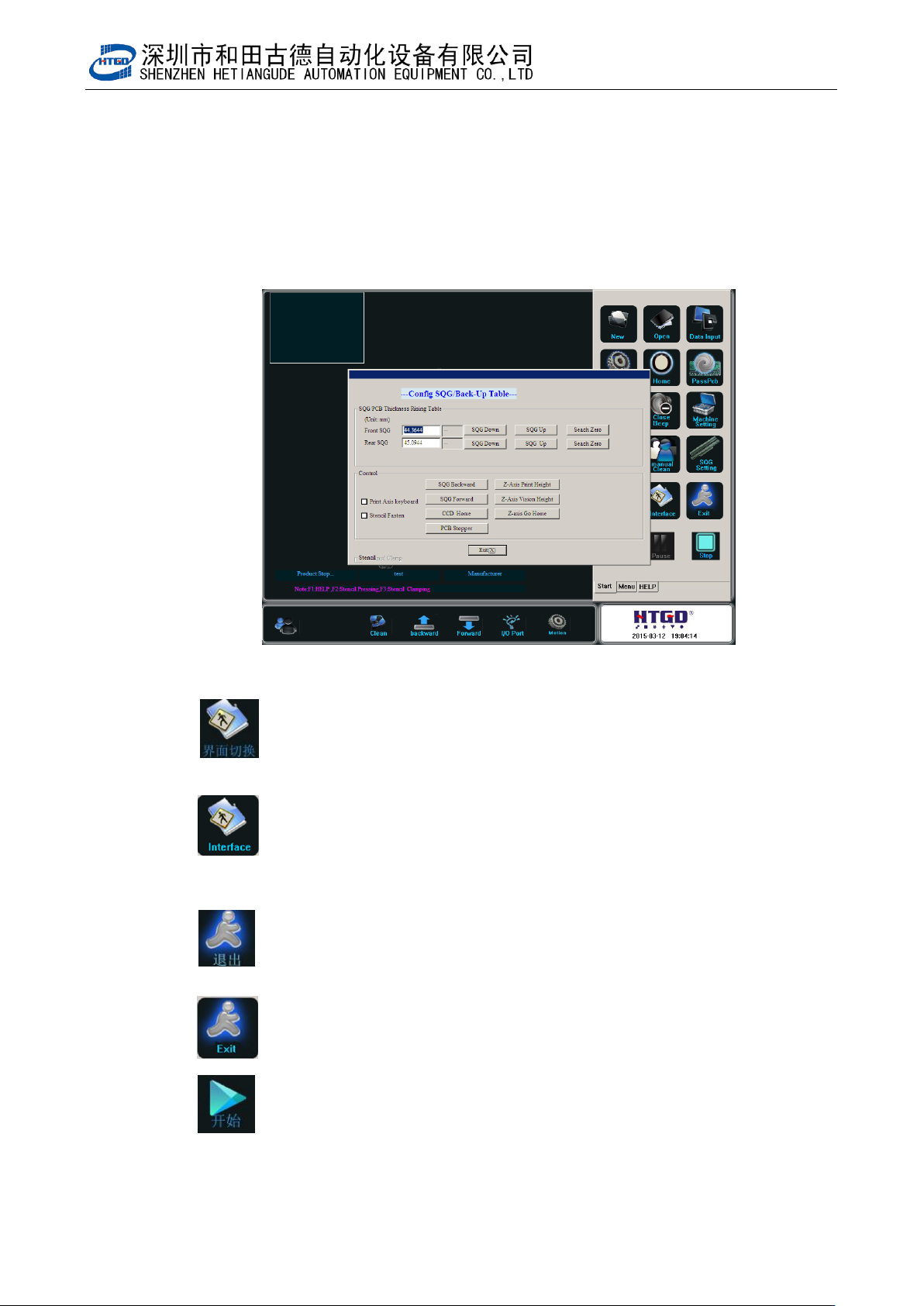
12: :刮刀设置按钮。单击该按钮后如图 4-13,在此界面可设置前后刮刀压
力零点位置;程序编辑完成后将 PCB 放置在运输导轨中间段,点击“Z
轴到印刷位置”,选择“刮刀轴点动”后点击“印刷轴后退”或者“印
刷轴前进”,使要测试的刮刀处于 PCB 位置,点击待测试刮刀的“找压
力零点”,刮刀会自动下降到接触钢网后停止,再同样测试另一个刮刀,
完成后升起刮刀并将 Z 轴回到零位,点击退出完成刮刀测试。
: Scraper setting. The interface in the pix 4-13 will be displayed by
clicking this button. Operator can setup the zero point position of front
and back scraper pressure. After the program has been edited, place
the PCB on the middle section of the transmission rail. Click “Z axis
lifts up to the printing position”button, select “the movement of scrape
axis point” and click “printing axis moves back” button or “printing
axis moves forward” button. Place the tested scraper in the PCB
position. Click “search the pressure zero point” button of the tested
scraper, the scraper will decline automatically to the stencil position
and stop after touching with the stencil. And test another scraper with
the same method. After finishing another scraper, lift up the scraper
and let Z axis return to the zero position. Click “退出”(exit)button,
then finish the scraper test.
- 68 -
图 4-13(刮刀设
13: :界面切换按钮。单击该按钮进行生产界面与主界面的切换;
: Interface shift. Do the shift of the production interface and main
interface by clicking this button.
14: :退出按钮。单击该按钮退出系统;
: Exit. Exit the system by clicking this button.
15: :开始按钮。单击该点击该按钮后系统会执行“判断运输导轨上有 PCB
板”、以及“提示是否调整运输导轨的宽度”等操作,依次点击是或否后机器执行印刷操
- 69 -
作。
: Start. After clicking this button, the system will judge whether there
is PCB board on the transmission rail and will indicate whether it needs to adjust
the width of the transmission rail etc. The equipment will do the printing operation
by clicking “是 ”(yes)button or “否”(no)button .
16: :暂停按钮。此按钮只作为状态提示;
: Pause. This button is only used as the notes for the state.
17: :停止按钮。点击该按钮并确认后机器会停止生产动作;
: Stop. The printer will stop production by clicking this button.
4.2.3 附属菜单解释及其操作 Function explanation and operation of attached
menu
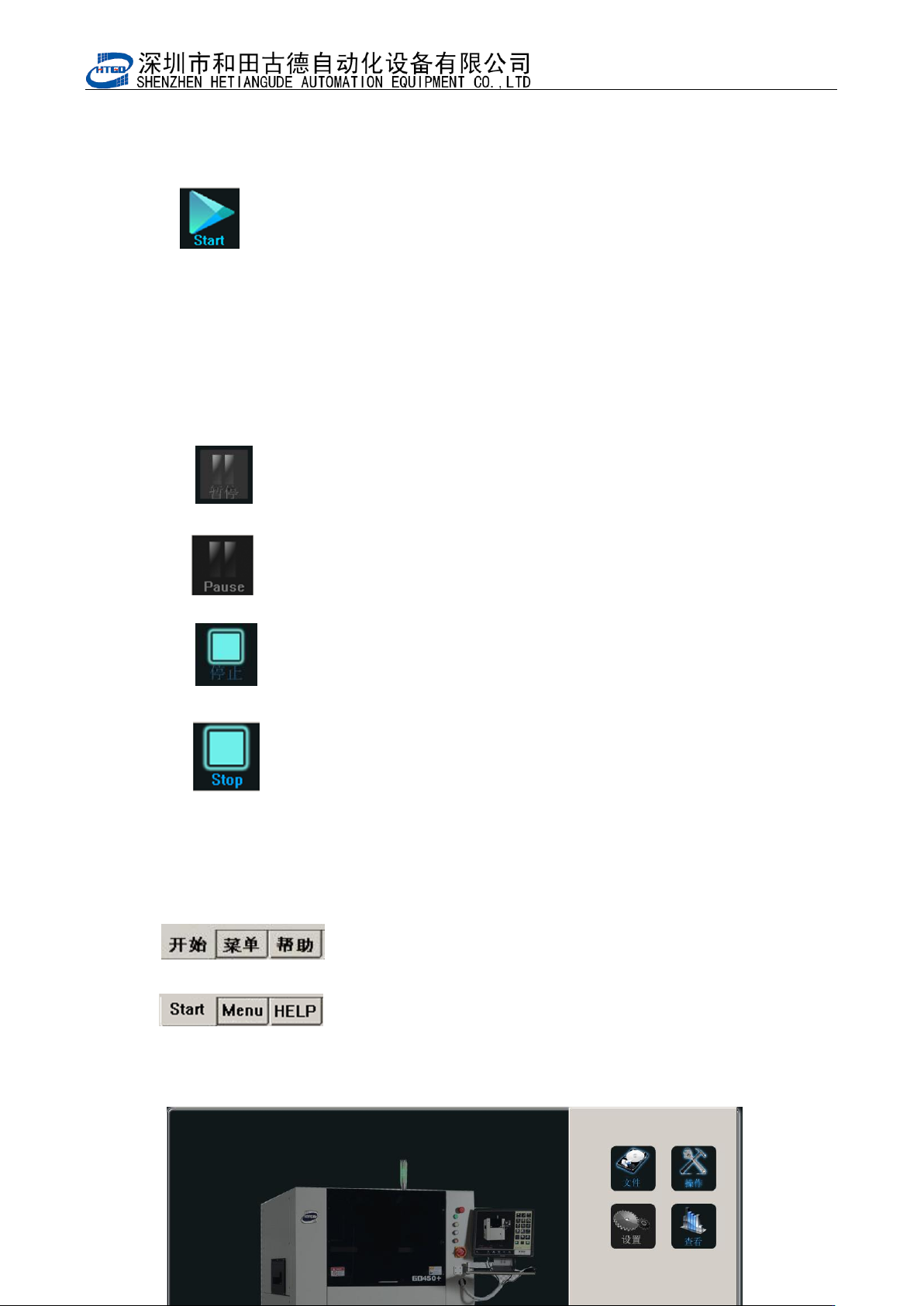
1: : 主界面点击菜单进入如图 4-14
:Click “menu” button in the main interface to enter the
interface in the pix 4-14