GD450 说明书(中英文版) - 第70页
- 7 0 - 图 4- 14 (附属菜单) Pix 4-14(attached menu) 2 : : 操作按钮。在图 4- 14 中点击操作按钮打开操作菜单如图 4- 15 : Ope ration. Open the operation menu by click this button in pix 4 -14. See pix 4- 15.
- 69 -
作。
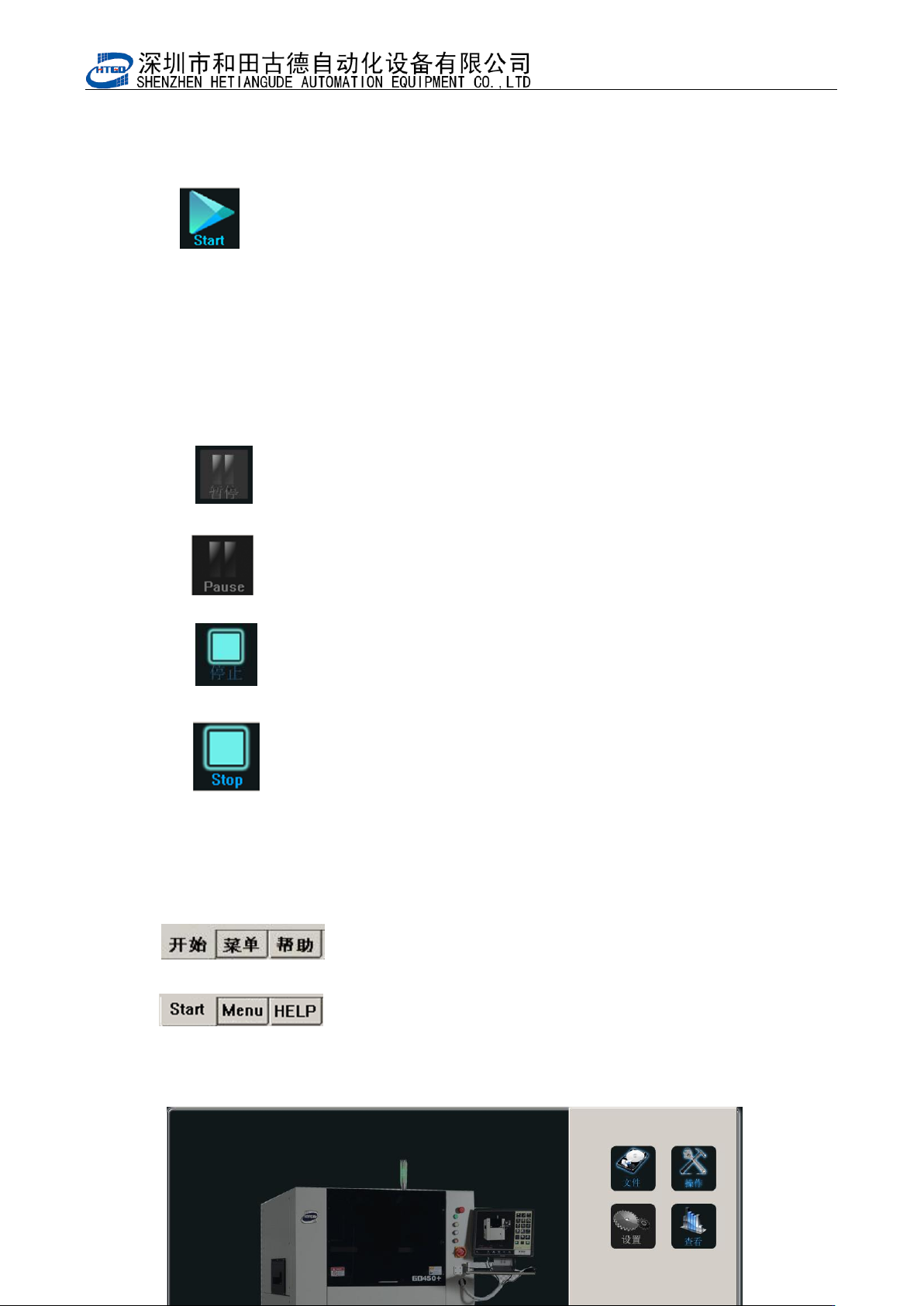
: Start. After clicking this button, the system will judge whether there
is PCB board on the transmission rail and will indicate whether it needs to adjust
the width of the transmission rail etc. The equipment will do the printing operation
by clicking “是 ”(yes)button or “否”(no)button .
16: :暂停按钮。此按钮只作为状态提示;
: Pause. This button is only used as the notes for the state.
17: :停止按钮。点击该按钮并确认后机器会停止生产动作;
: Stop. The printer will stop production by clicking this button.
4.2.3 附属菜单解释及其操作 Function explanation and operation of attached
menu
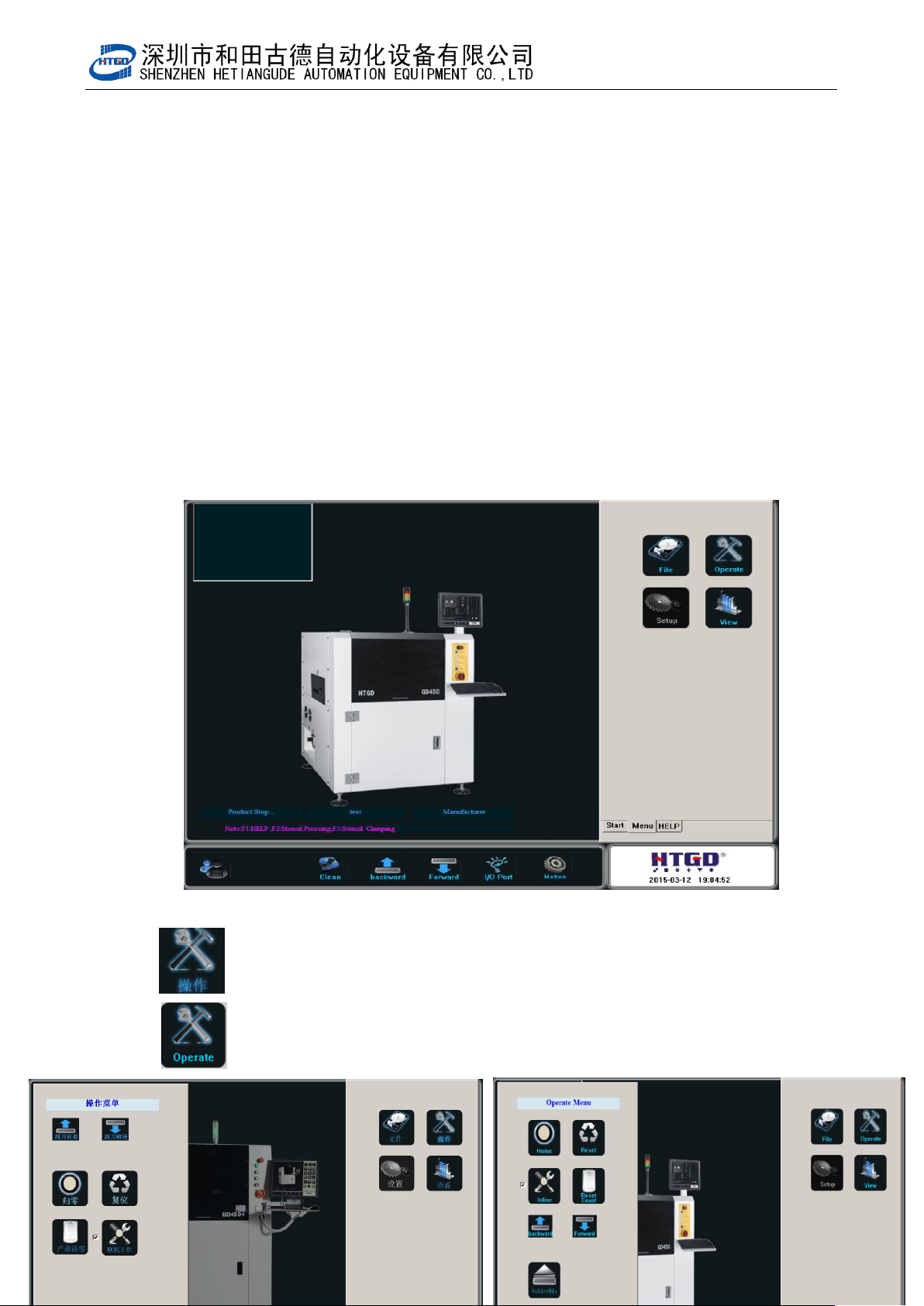
1: : 主界面点击菜单进入如图 4-14
:Click “menu” button in the main interface to enter the
interface in the pix 4-14
- 70 -
图 4-14(附属菜单)
Pix 4-14(attached menu)
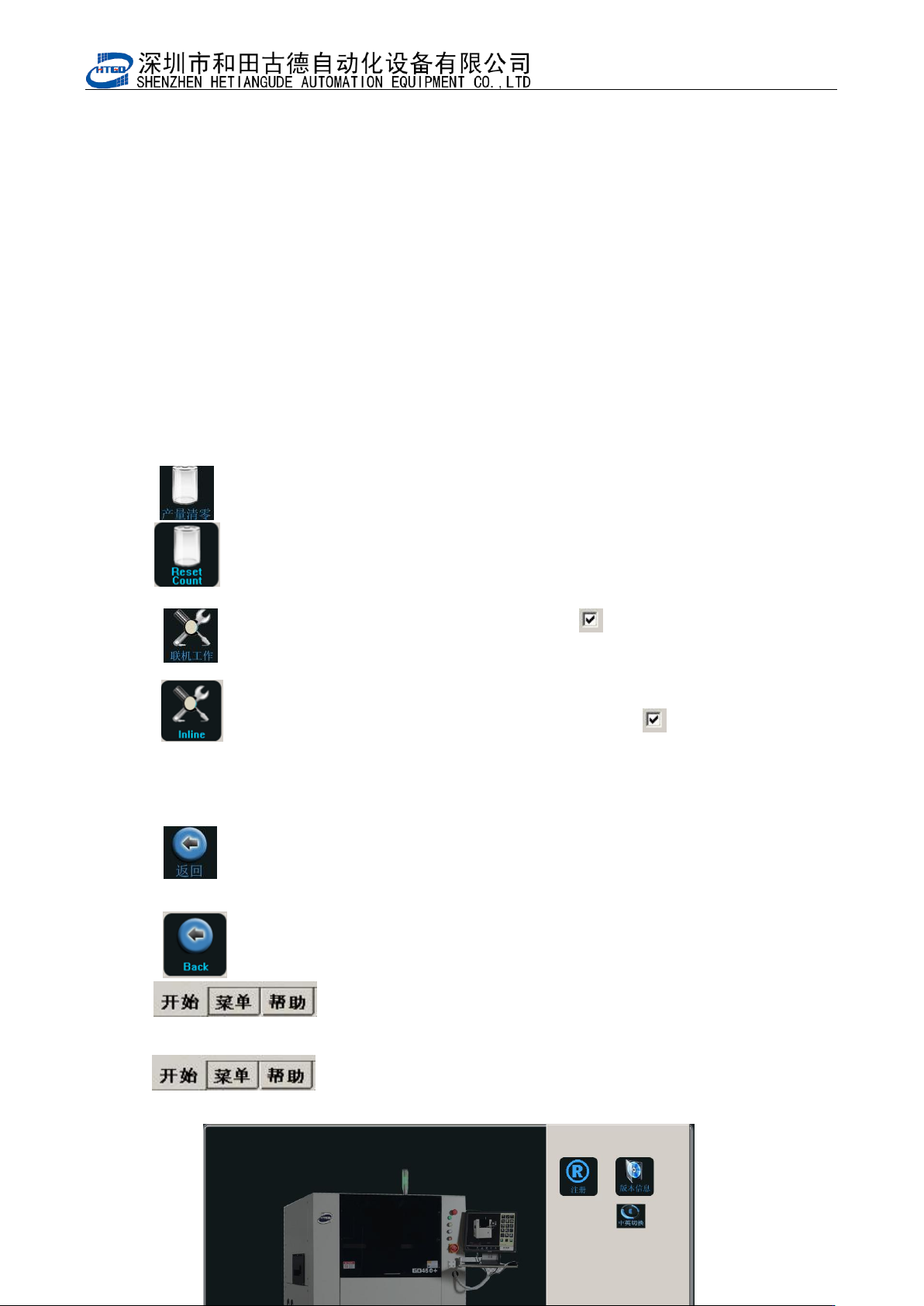
2: : 操作按钮。在图 4-14 中点击操作按钮打开操作菜单如图 4-15
: Operation. Open the operation menu by click this button in pix 4-14.
See pix 4-15.
- 71 -
图 4-15(操作菜单) Pix 4-15(operation menu)
3: : 产量清零按钮。在图 4-15 中点击产量清零按钮按提示操作清除产量;
: Reset on the output. Clicking this button in pix 4-15 will reset the output.
4: : 联机工作按钮。单击该按钮一次切换‘ ’状态,此状态表示自动在线生
成开启;
: On-line operation.Click this button and shift ‘ ’state one time. This
state means the start of automatic online.
5: : 返回按钮。单击该按钮关闭操作菜单回到图 4-14;
: Return. Clicking this button will close the operation menu and Come
back to the interface in the pix 4-14
6: : 帮助按钮。单击该按钮打开帮助菜单如图 4-16;
: Help. Enter into help menu by clicking this button. See pix
4-16.