GD450 说明书(中英文版) - 第78页
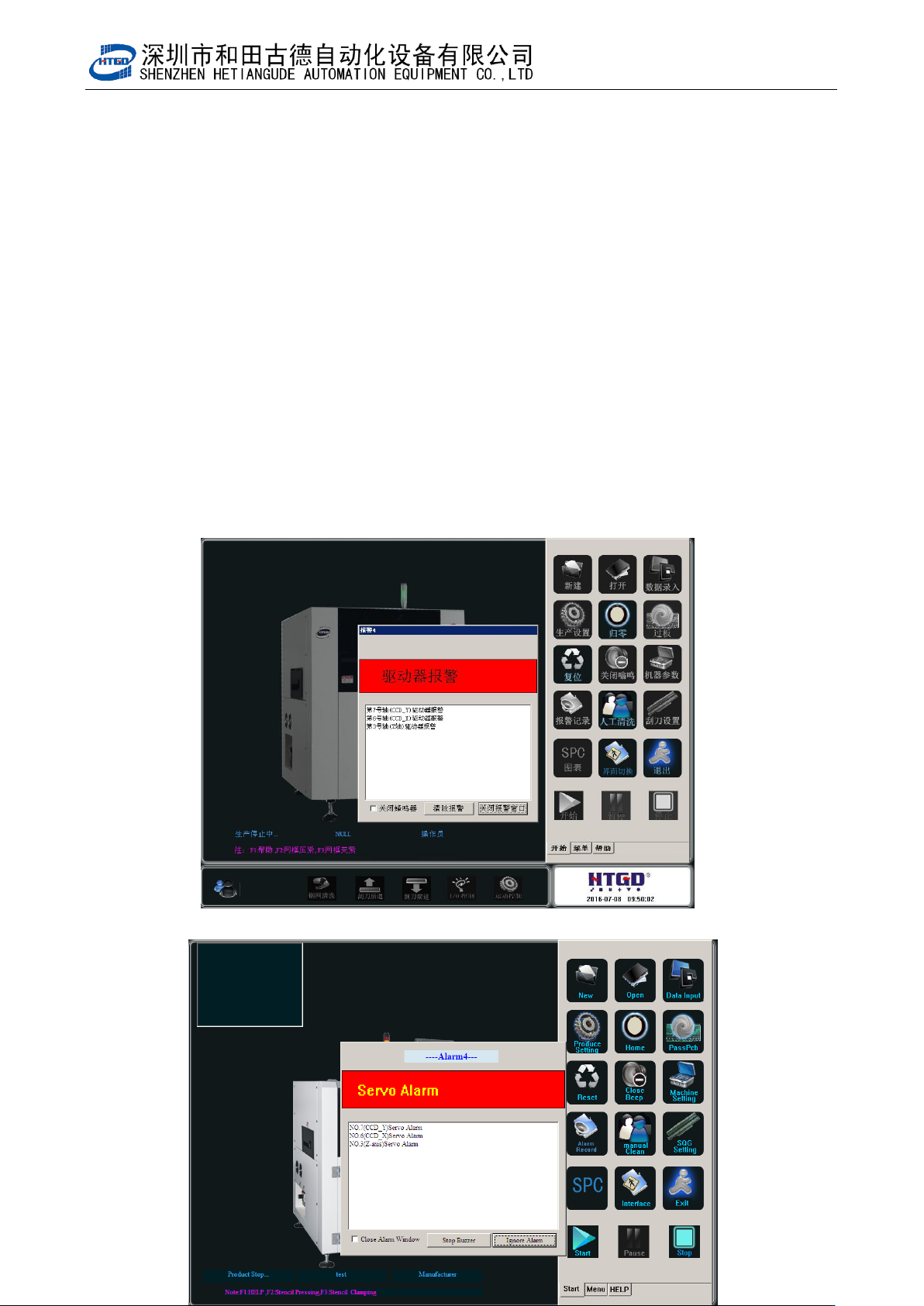
- 7 8 - Pix 5-3(alarm when the cleaning device is not at its position) 4 伺服马达报警,如图 5-4 所示。 Servo motor alarms. See pix 5- 4. 图 5-4 (驱动器报警)
- 77 -
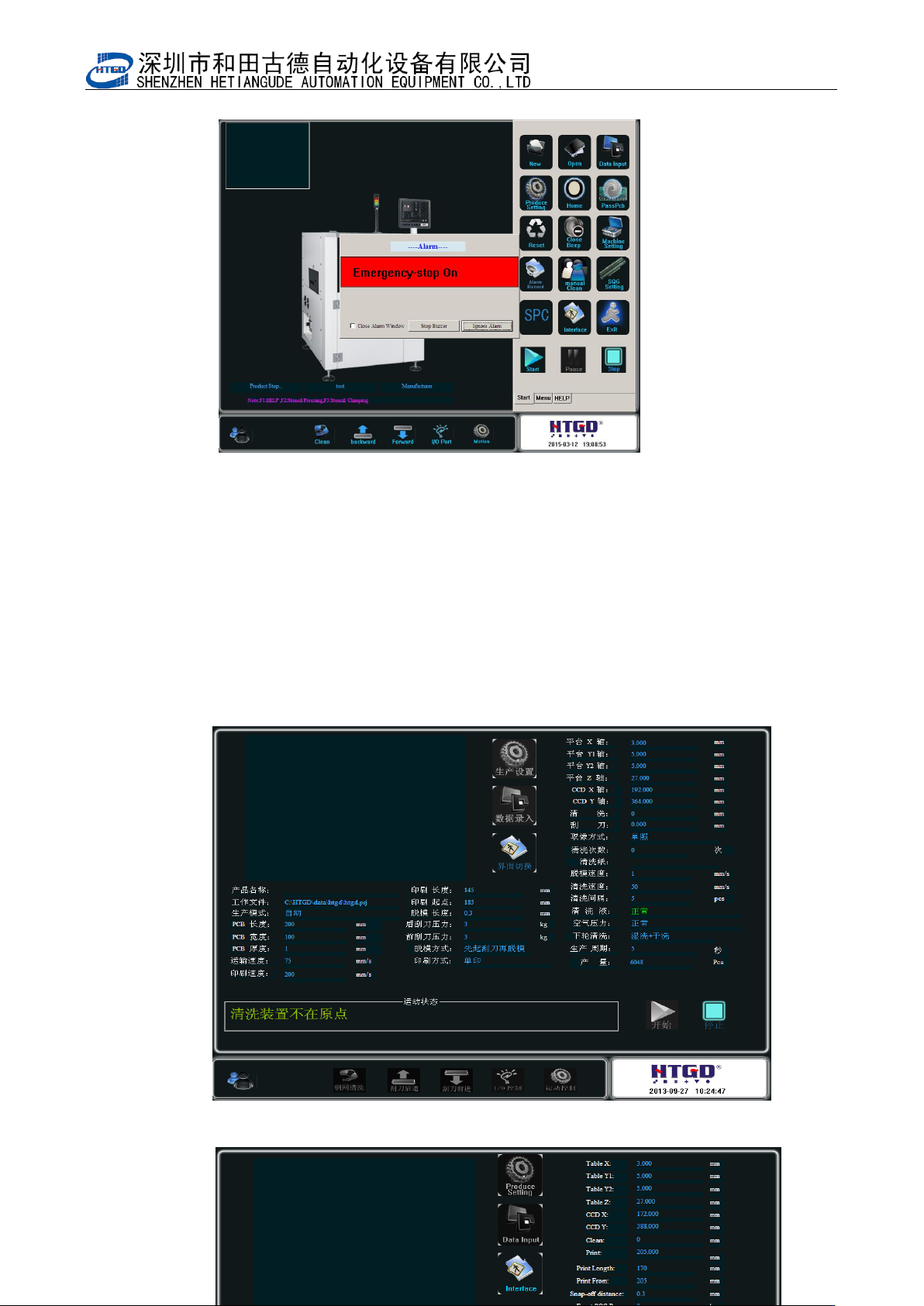
图 5-2(紧急按钮按下时报警)
Pix 5-2(the system alarms after pressing the emergent button)
3 清洗装置不在原点报警,如图 5-3 所示 The system will alarm when the cleaning device
is not at its position. See pix 5-3.
该状况是清洗架不在原点导致的,请打开机器后门,用手将清洗架往后拉,使之回到原
点。然后关上后门,并按下机器前面板上的“RESET”按键,使机器复位,解除报警。
This situation will happen when the cleaning rack is not at its position. Please open the
back door of the equipment, pull the cleaning rack backward and make it back to its position.
Close the back door and press the “reset” button on the front panel of the equipment, then
the equipment will reset and the alarm will be released.
图 5-3(清洗装置不在原点报警)
- 78 -
Pix 5-3(alarm when the cleaning device is not at its position)
4 伺服马达报警,如图 5-4 所示。Servo motor alarms. See pix 5-4.
图 5-4(驱动器报警)
- 79 -
Pix 5-4(driver alarms)
出现该报警,通常是伺服马达过载引起。首先按下“紧急按钮”断电状态下检查机器机械部分,
是否有干涉或运行不到位现象。如有类似现象,请找到原因后立刻排除;如机械部分没有任
何问题,请检查线路,是否有松动、接触不良等现象。最好重新拔插下与伺服电机及其驱动
器连接的插头。排除完所有的问题后将紧急按钮回弹,使机器上电,并复位、归零、重新运
行程序。
Usually it is caused by overload of the servo motor when this alarm occurs. Firstly press
the emergent button and check whether the mechanical section of the equipment at the
power down state has interfere or wrong running phenomenon. If there are such
phenomenons, please find the reason and exclude the fault. If the mechanical section is
good, please check whether the line is loose or disconnected. It is better to replug the plug
which connects the servo motor and servo driver. Rebounce the emergent button after
excluding all the faults. Turn on the power of the equipment, reset, and return to zero and
rerun the program.
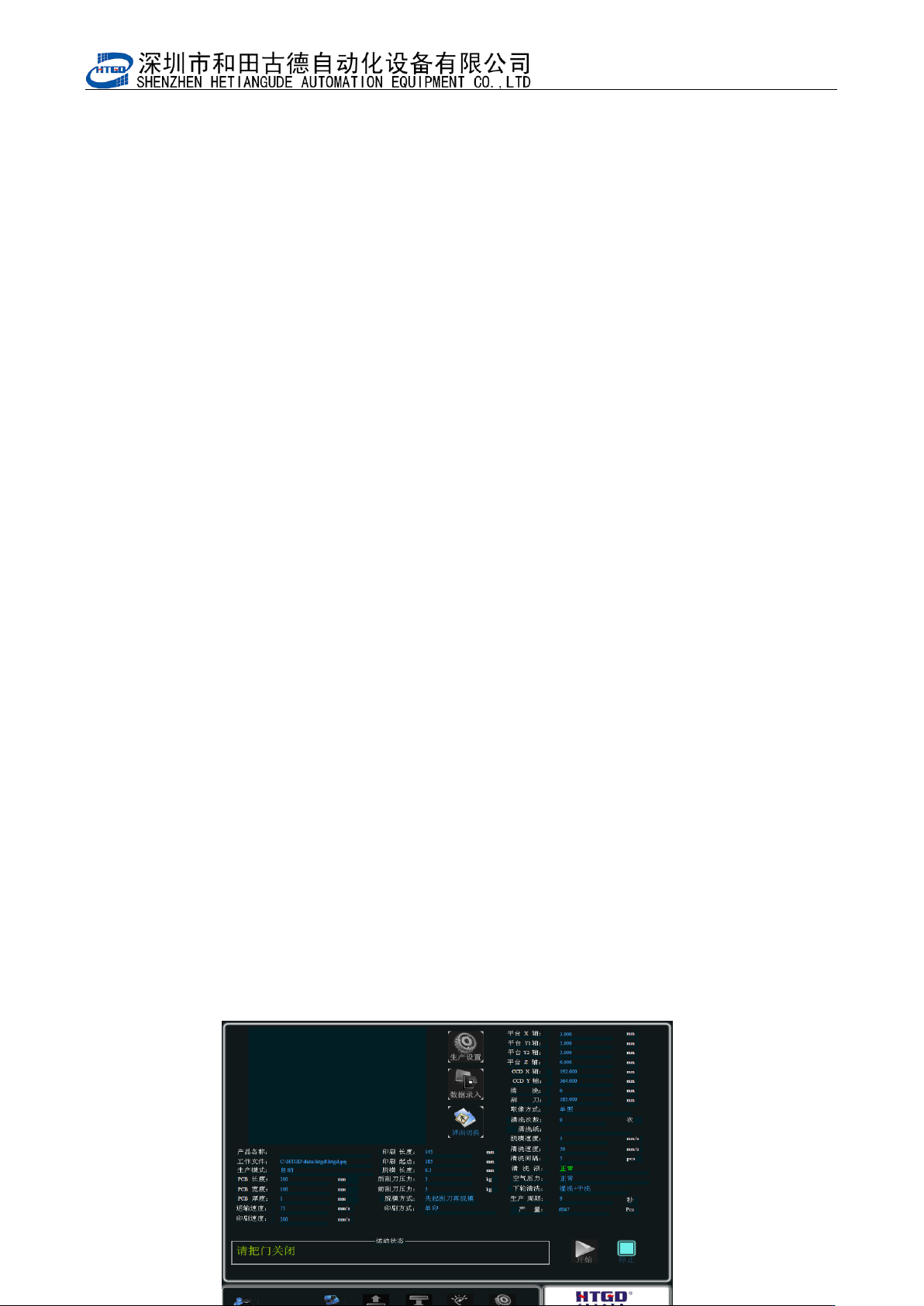
5 门开关警示,如图 5-5 所示 。这是在生产设置(图 3-18)里面勾选了使用门开关后才会
出现的状况。当勾选了该功能时,前后门,任一个处在打开状态,机器都会停止工作,并提
示 “ 请 把门 关 闭”。 这 时 我们 把 门闭 , 并 依 次按 下 机器 右 前 面 板 上的 “ RESET ” 按 钮 和
“START/STOP”按钮,机器正常工作。如不勾选该功能,则机器运行过程中开启前后门系统
会以 1/3 速度工作,很危险。所以建议生产的时候将该选项勾上。
The alarm of the open/close of door. See pix 5-5. This suitation will occur after selecting
the door switch function in the interface of production setting (pix 3-18). If select this
function, one of the front/back door is open, the equipment will stop working and reminder
“请把门关闭”(please close the door). Then operator needs close the door and press in turn
the “RESET” button and “START/STOP” button which is on the front right panel of the
equipment and the equipment can work normally. If do not select this function, open the
front or back door during the operation, the system will work at 1/3 speed. It is very
dangerous. So HTGD recommends selecting this function during the operation.