GD450 说明书(中英文版) - 第89页
- 89 - Pix 6-5(template setting) 6. 如图 6-6 ,设置好检测点后,点击定置模板。 Click “ 定置模板 ” (template customization) button aft e r setting t h e ins p ection spot. See pix 6- 6.
- 88 -
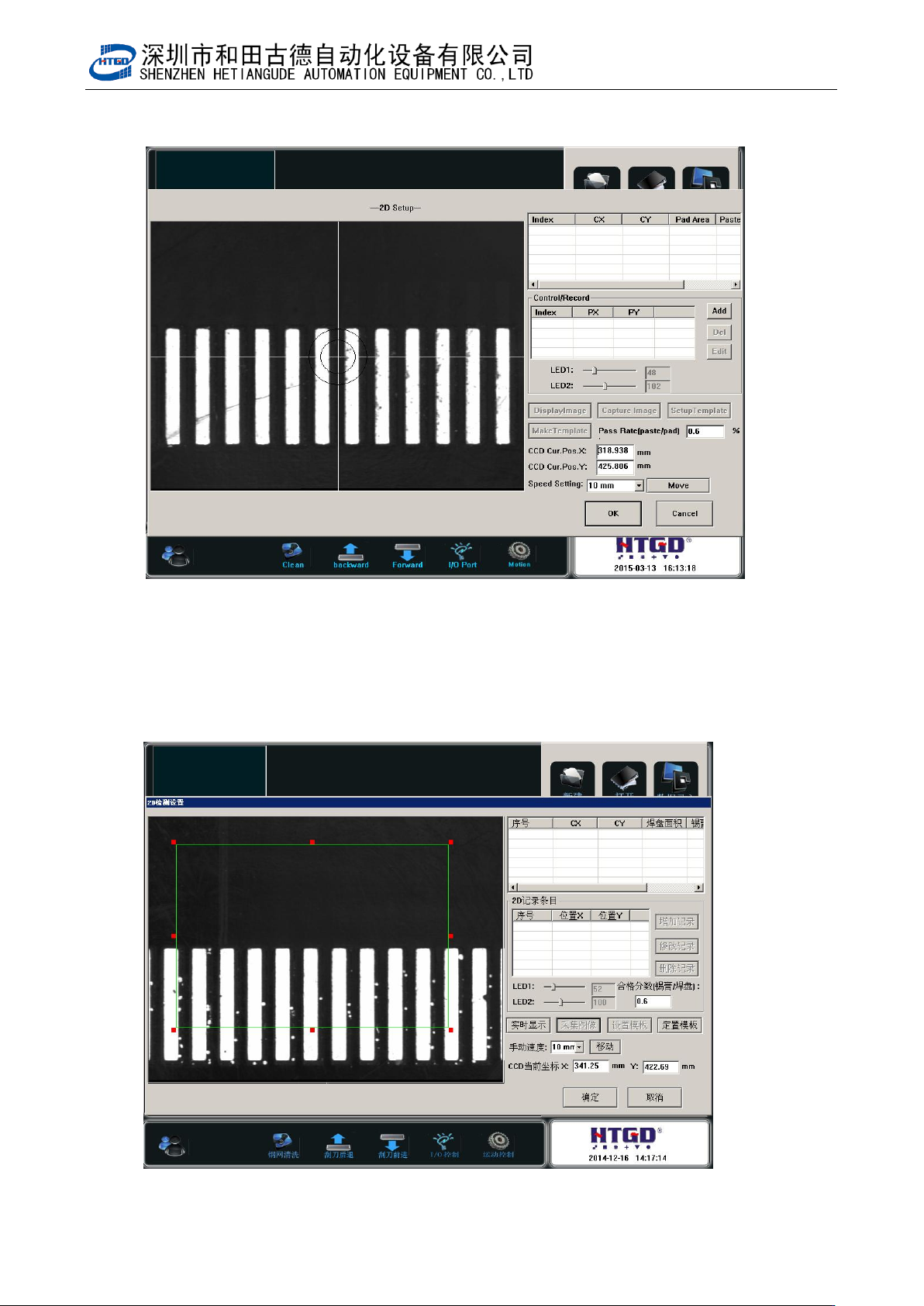
图 6-4(查找检测点)
Pix 6-4(search the inspection spot)
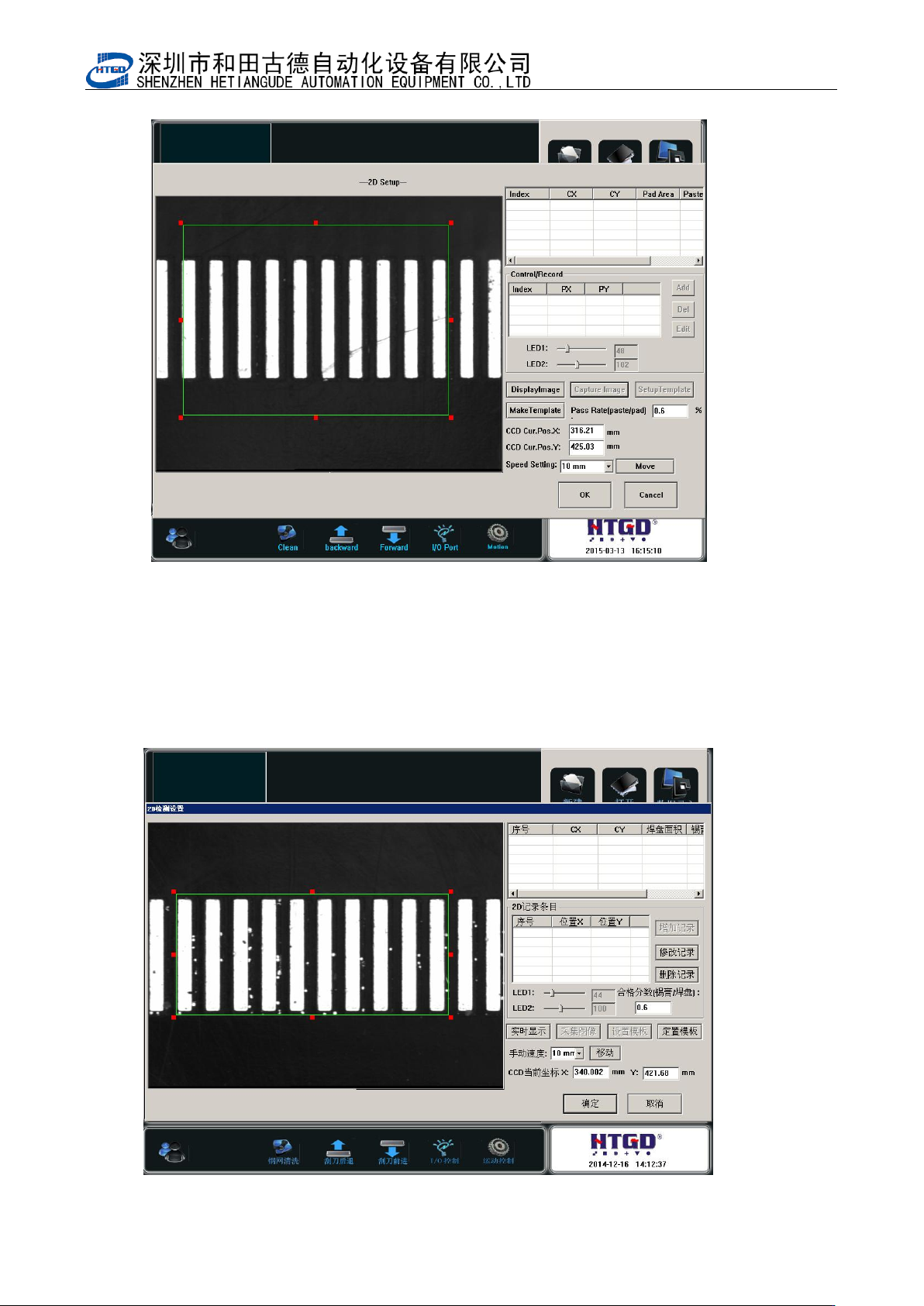
5. 点击采集图像,然后点击设置模板,手动设置 6-5 图上绿色方框
Click “采集图像”(image capture) button and click “设置模板”(template setting) button.
Setup the green square box manually in the pix 6-5.
图 6-5(设置模板)
- 89 -
Pix 6-5(template setting)
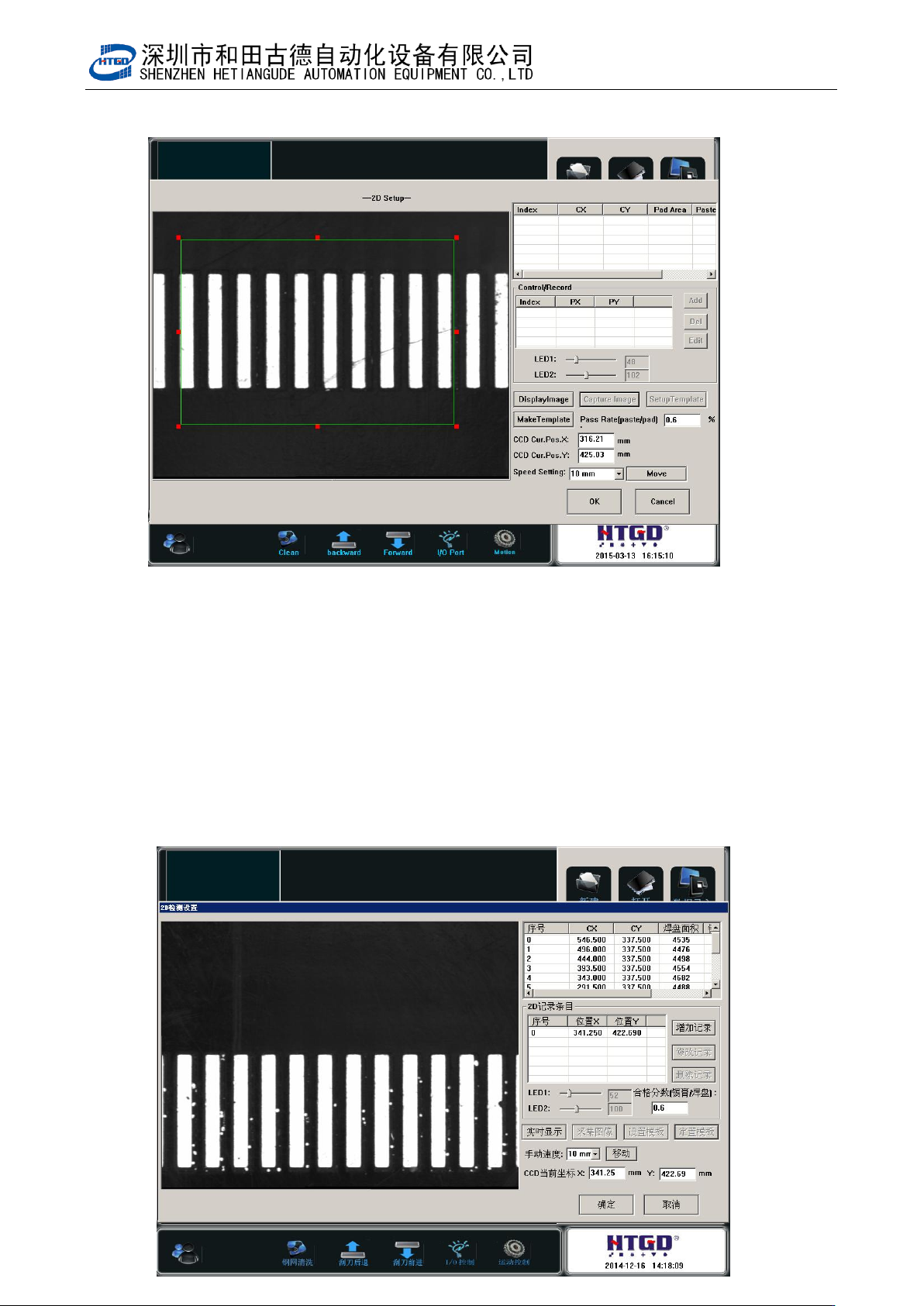
6. 如图 6-6,设置好检测点后,点击定置模板。
Click “定置模板”(template customization) button after setting the inspection spot. See
pix 6-6.
- 90 -
图 6-6(设置检测点)
Pix 6-6(setup the inspection spot)
7. 点击定置模板后,如图 6-7,显示检测点序号和坐标。如果还有需要设置检测点,则点
击增加记录,进行如上第三步以后的操作。
After clicking “定置模板”(template customization) button, it will show the item and
positioning of the inspection spot. If operator needs to setup more inspection spot,
please click “增加记录”(add record) button. And do the operations from step 3 to step