GD450 说明书(中英文版) - 第98页
- 98 - Pix 6-2-2 3 、在 HTGD 软件主界面上点击 “ 生产设置 ” ,在弹出的界面上选择相应的选项并确定。 如图 6-2-3 Click “ 生 产 设 置 ” (“Product setting”) in HTGD so ftware main interface. Select the appropriate options on the pop- up interface and Click “ 确定 ” (…
- 97 -
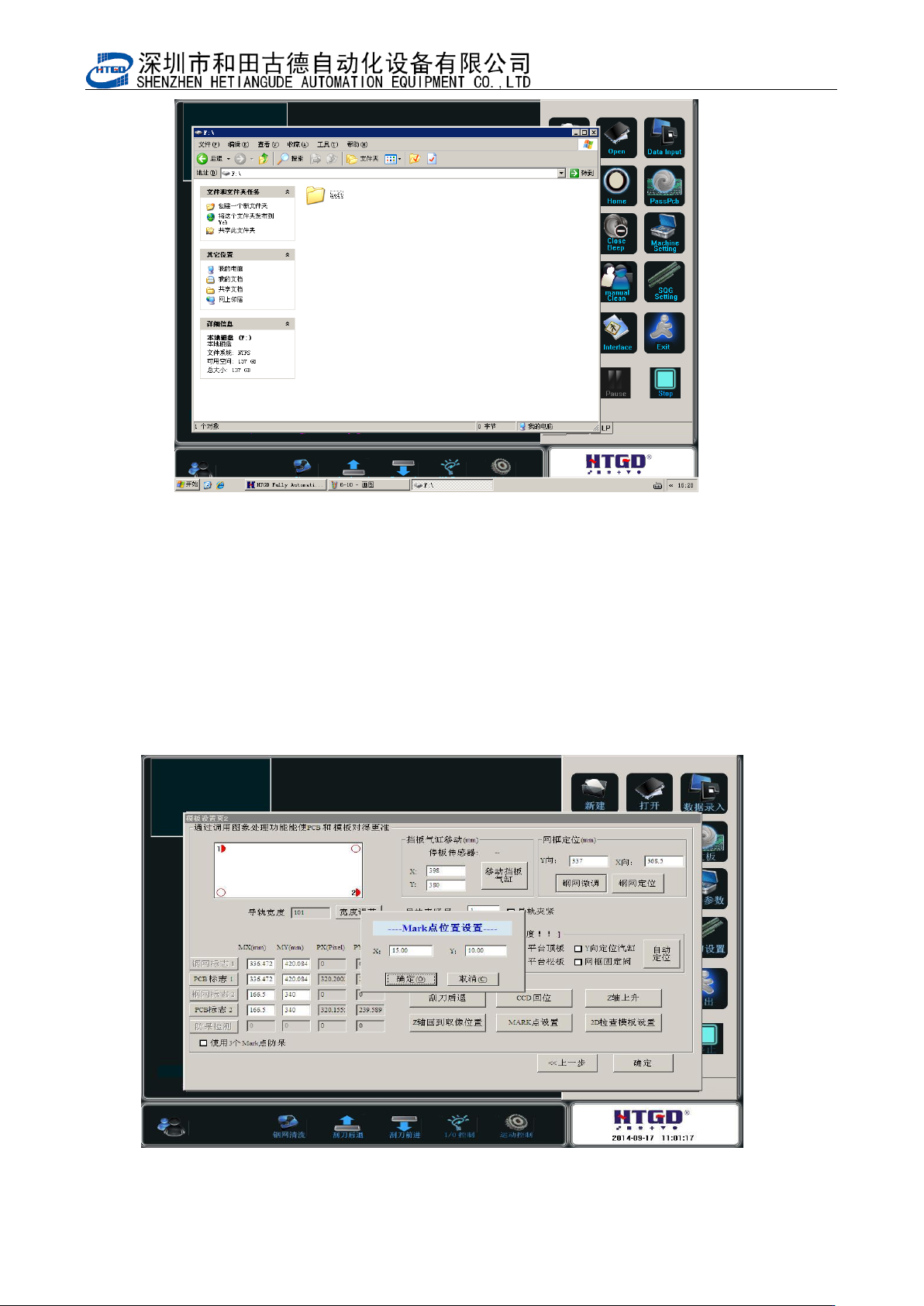
Pix 6-2-1
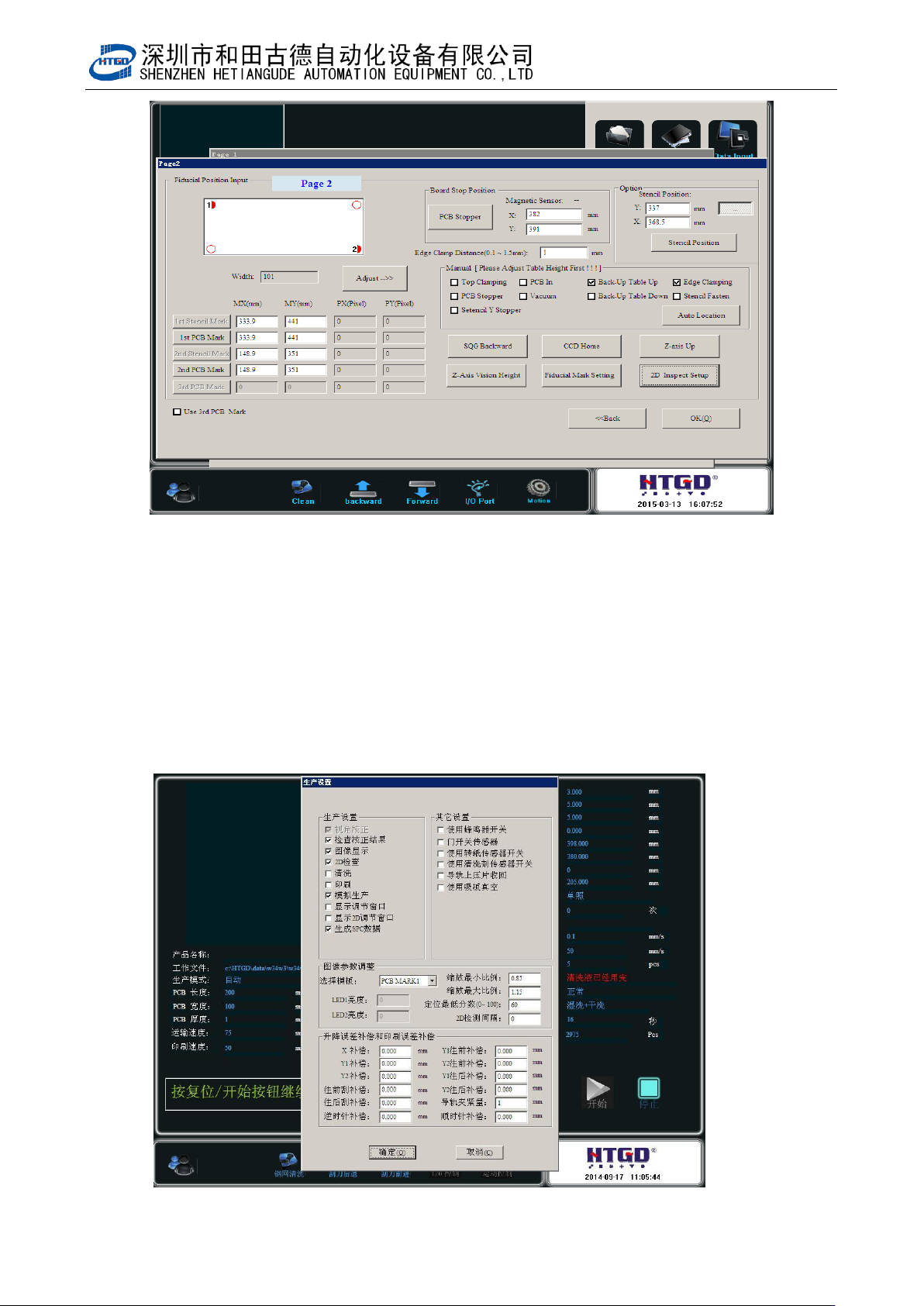
2、找一块 PCB,按常规做生产程序步骤,做完 PCB MARK 点识别过程。如图 6-2-2
Find a PCB board. Do production program steps by convention. Finish PCB MARK
point indentified process. See pix 6-2-2.
图 6-2-2
- 98 -
Pix 6-2-2
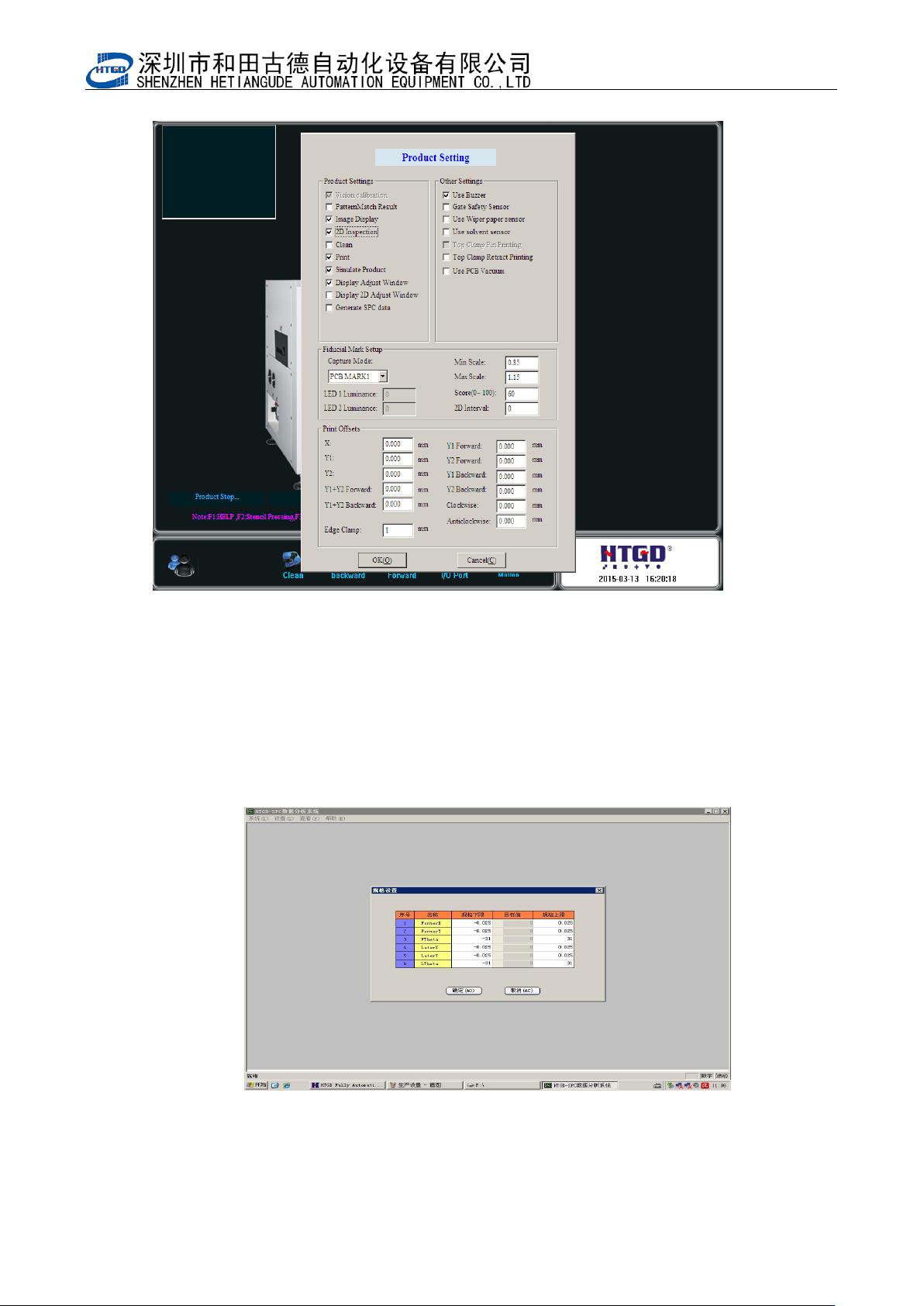
3、在 HTGD 软件主界面上点击“生产设置”,在弹出的界面上选择相应的选项并确定。
如图 6-2-3
Click “ 生 产 设 置 ”(“Product setting”)in HTGD software main interface. Select the
appropriate options on the pop-up interface and Click “确定” (ok)button. See pix 6-2-3.
- 99 -
图 6-2-3
Pix 6-2-3
4、在 HTGD 软件主界面上点击“SPC”按钮,会启动 SPC 程序,在 SPC 软件界面上点击“设置”
按钮,在弹出的对话框中设置参数,印刷机 SPC 参数需要与图 6-2-4 中的参数一致。
Click “SPC” button in HTGD software main interface. It will start the SPC program. Click“设
置”(setting)button to set parameters in the pop-up dialog box. Printer SPC parameters
need to be consistent with the parameters in pix 6-2-4.
图 6-2-4