GD450 说明书(中英文版) - 第99页
- 99 - 图 6-2-3 Pix 6-2-3 4 、在 HTGD 软件主界面上点击 “ SPC ” 按钮, 会启动 SPC 程序, 在 SPC 软件界面上点击 “设置” 按钮,在弹出的对话框中设置参数,印刷机 SPC 参数需要与图 6-2-4 中的参数一致。 Click “SPC” butt on in HTGD software main interface. It will start the SPC program. Clic…
- 98 -
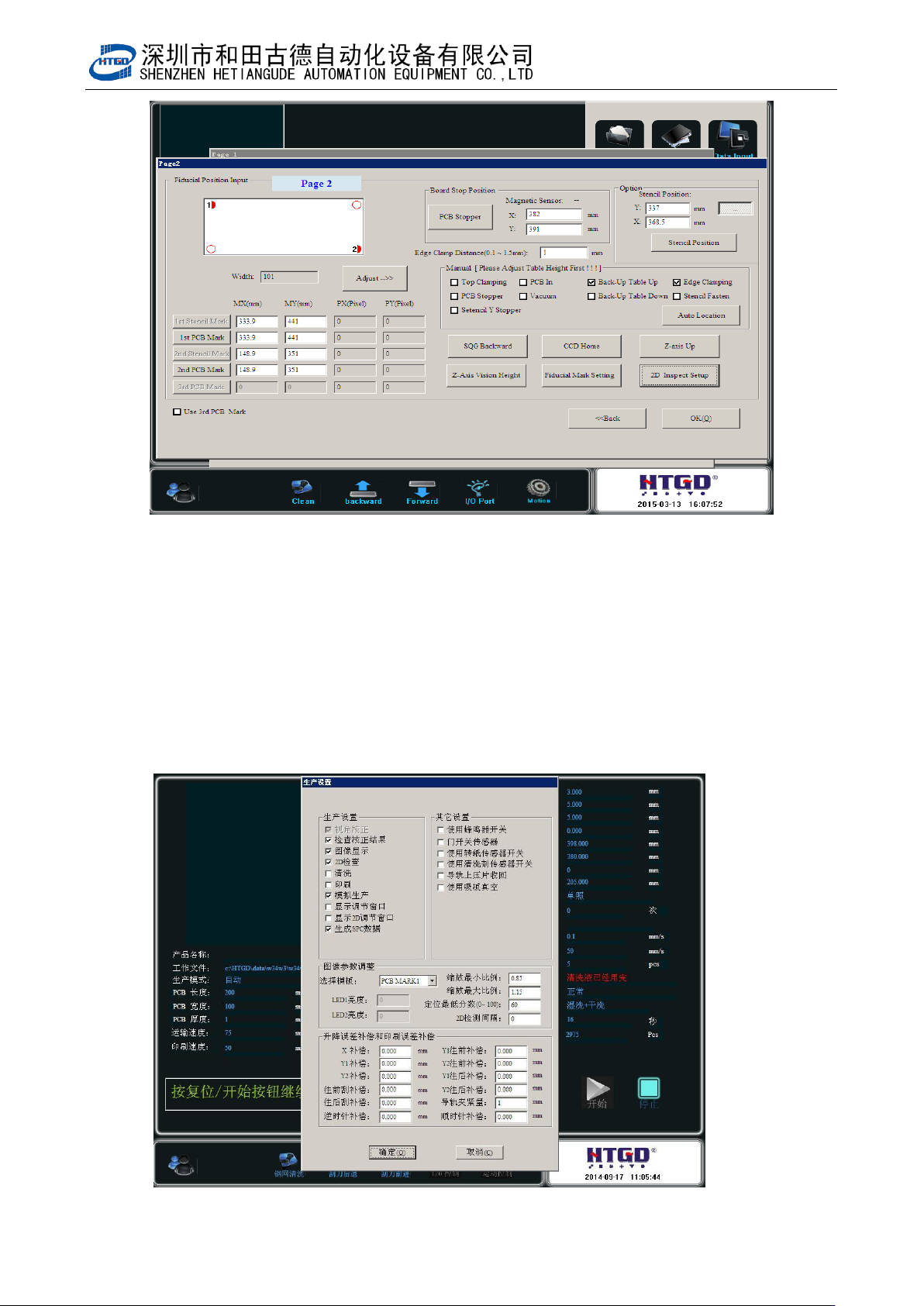
Pix 6-2-2
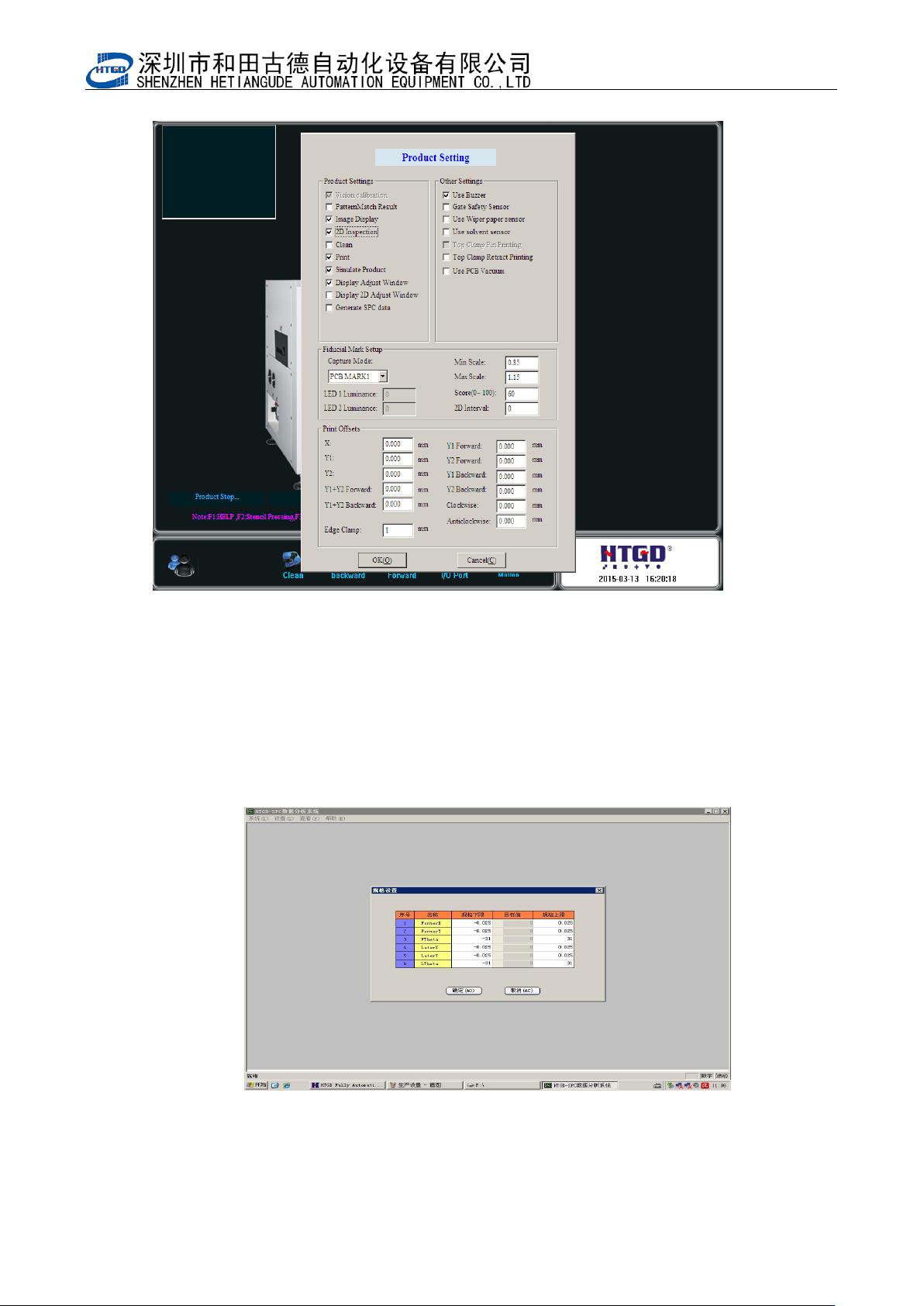
3、在 HTGD 软件主界面上点击“生产设置”,在弹出的界面上选择相应的选项并确定。
如图 6-2-3
Click “ 生 产 设 置 ”(“Product setting”)in HTGD software main interface. Select the
appropriate options on the pop-up interface and Click “确定” (ok)button. See pix 6-2-3.
- 99 -
图 6-2-3
Pix 6-2-3
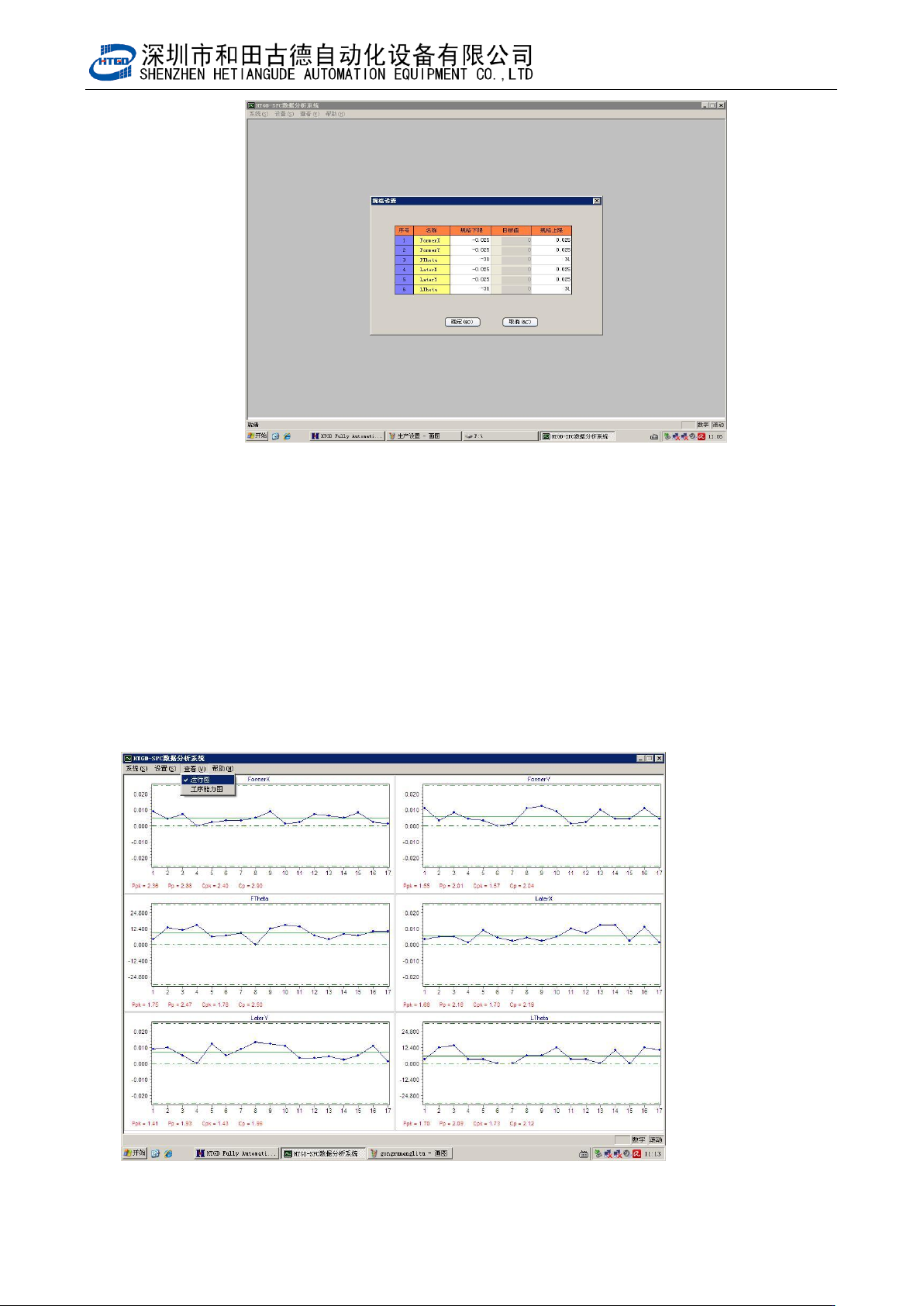
4、在 HTGD 软件主界面上点击“SPC”按钮,会启动 SPC 程序,在 SPC 软件界面上点击“设置”
按钮,在弹出的对话框中设置参数,印刷机 SPC 参数需要与图 6-2-4 中的参数一致。
Click “SPC” button in HTGD software main interface. It will start the SPC program. Click“设
置”(setting)button to set parameters in the pop-up dialog box. Printer SPC parameters
need to be consistent with the parameters in pix 6-2-4.
图 6-2-4
- 100 -
Pix 6-2-4
5、回到 HTGD 软件主界面,确认生产设置中的选项跟图 6-2-3 一致,点软件界面上的开始按
钮,将 PCB 放入机器轨道一端,开始测试。点击 HTGD 软件主界面上“SPC”按钮。采样 100
次。得出图 6-2-5 或者图 6-2-6 中的结果。
Back to HTGD main interface and confirm the options in the production settings are
consistent with the options in pix 6-2-3. Click “开始”(start) button in the software interface.
Put the PCB into the end of the machine track and start test. Click “SPC” button in HTGD
software main interface. Do the sampling 100 times. Get the results in pix 6-2-5 and pix
6-2-6.
图 6-2-5
Pix 6-2-5