QP132三级参考手册.pdf.pdf - 第27页
Chapter 1 In Manipulator

7. Before Operation
Prior to operating the machine, make sure that no one is inside the machine or inside the
safety fence, or that anyone other than yourself is touching the machine.
8. Do not Leave Tools in or on the Machine
Following maintenance on a machine, make sure that no tools have been left in or on the
machine. Tools that get caught in the machine's moving parts may cause severe damage
to the machine.
Safety Guidelines
Edition 1.0 14 QP-132 Level 3 Tutorial

Chapter 1
In Manipulator
1.1 Replacing MX-Axis Motor
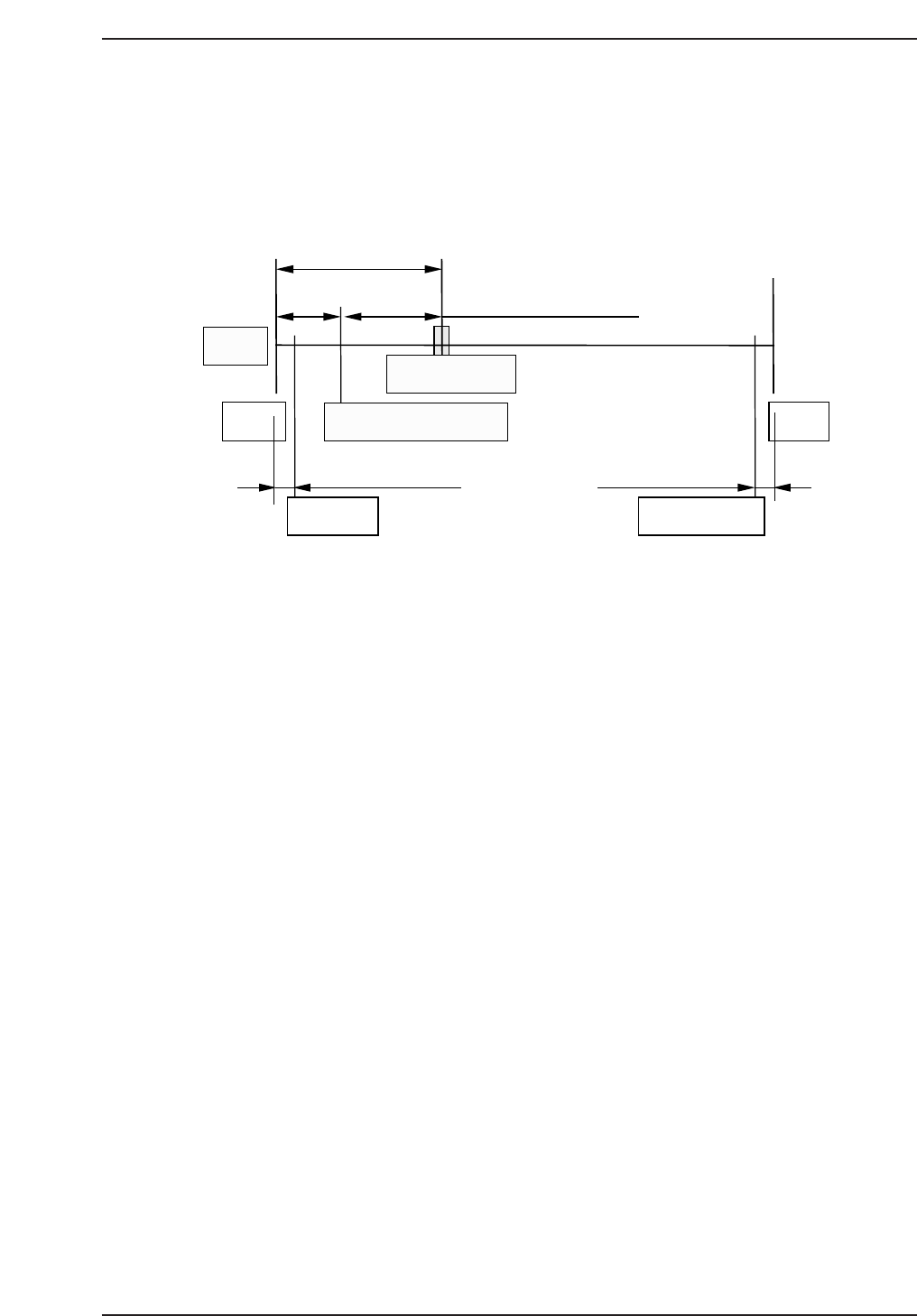
• Resolution : 0.005 mm 0.0025/pulse
• Pulse per rotation : 4000 [8000] pulse
• MX_reduce (deceleration distance) : 500 [1000] pulse
Zero set sensor position: 22.5 mm (4400 [8800] pulse) from minus
side mechanical stopper.
Zero set complete position: 10 mm (2000 [4000] pulse) from minus side
mechanical stopper.
Note: For machine ROM version 1.52 or above, use the figures in brackets [ ].
1. Replace the motor and ensure that the coupling is tightened and
centered.
2. Hold down the axis change key [3] and [Reset] key then press [Power
On] to boot the machine in mechanical check mode.
3. Press the EMERGENCY STOP button to shutdown the 200V.
4. Push the MX-robot against the minus side mechanical stopper and check
the zero set sensor and dog.
5. Move the zero set dog to the left end of oval-shaped hole so the zero set
sensor turns ON away from the mechanical stopper.
6. Move the MX-robot to the center of the stroke.
7. Press [INCH] → [Next data] or [prev data] to select the MX-axis.
8. Press [SERVO ON] → START to Servo ON and zero set.
22.5 mm (4400 [8800] pulse)
12.5 mm (2400 [4800] pulse)
3.5 mm (700 [1400] pulse) 1 mm (200 [400] pulse)
+MSZero-set complete pos.
Zero-set sensor
Motor
-MS
Soft limit Soft limit
QP13221001
10 mm (2000 [4000] pulse)
Chapter 1 1.1 Replacing MX-Axis Motor
Edition 1.1 1-1 QP-132 Level 3 Tutorial