QP132三级参考手册.pdf.pdf - 第77页
Adjust camera focus by adjusting bolt. Center pin Fixing bolt Eccentric bolt 1 mm Mark camera calibration jig M/C from IN side ← 8-inch pallet SS0 position SS index rail Focus adj. bolt Low/raise the camera to adjust foc…

5.2 Measuring Mark Camera Proper Data and
Adjustment
5.2.1 Delta and Mark Camera Pixel
1. Move the camera using inching to display the mark of the resolution
(ACGPJ9030) jig on the center of the monitor.
2. Press [SET] → [PROPER] → [PM] → PM SELECT → [PARTS CAMERA]
→ [RESOLUTION] → START to measure the resolution.
Delta, Q = ± 0.050 deg
Delta, X = ± 50 um
Delta, Y = ± 50 um
Mark Camera Pixel X = 17.5 um ~ 19.0 um
Mark Camera Pixel Y = 17.5 um ~ 19.0 um
3. Adjust the camera using Eccentric bolt and Focus adj. bolt.
4. Re-tighten and check resolution several times.
Chapter 5
5.2 Measuring Mark Camera Proper Data and Adjustment
Edition 1.1 5-3 QP-132 Level 3 Tutorial
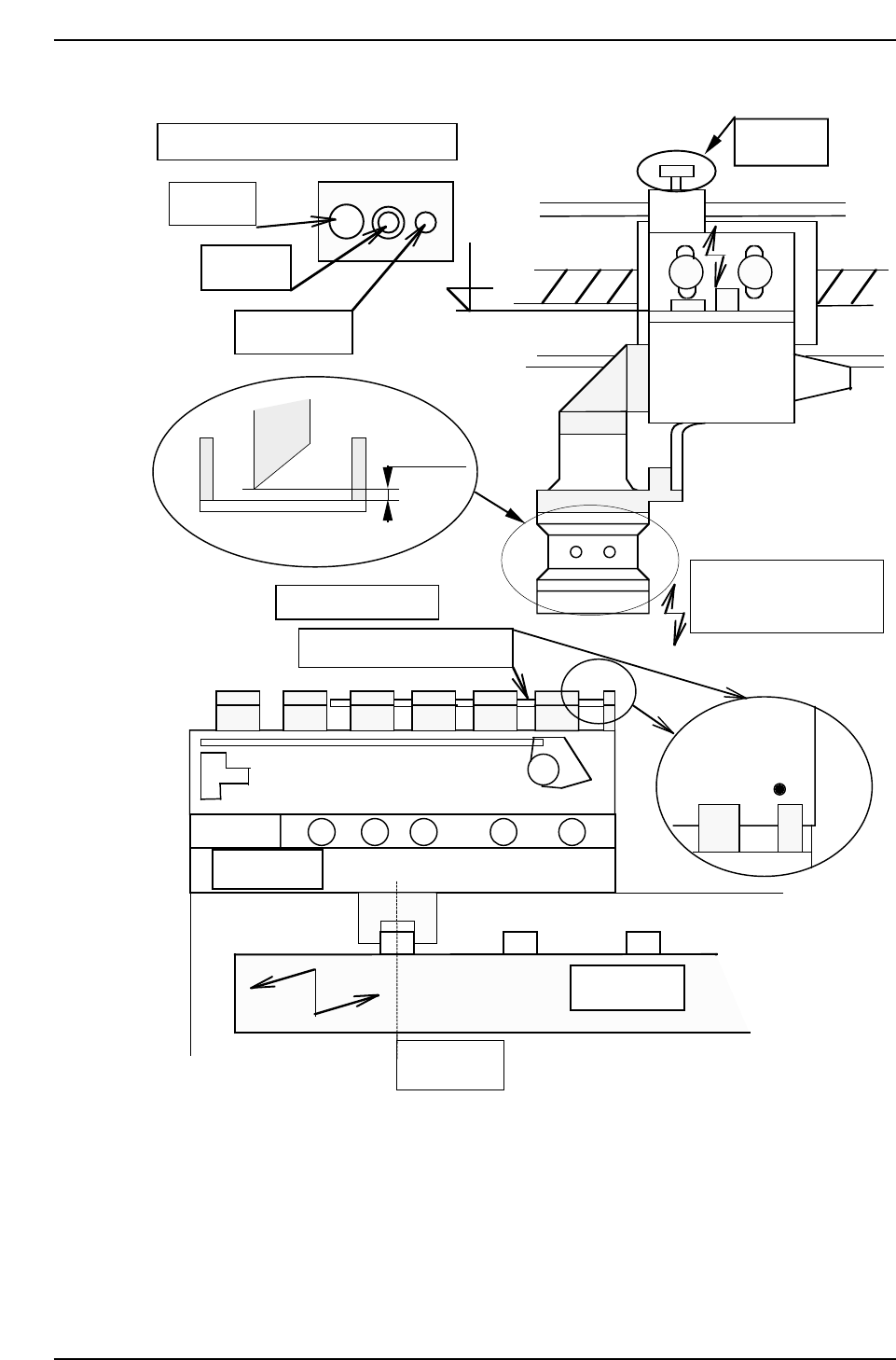
Adjust camera focus by adjusting bolt.
Center pin
Fixing bolt
Eccentric bolt
1 mm
Mark camera calibration jig
M/C from IN side ←
8-inch pallet
SS0 position
SS index rail
Focus adj.
bolt
Low/raise the camera
to adjust focus.
After that, calibrate.
¥
¥
QP132T5002
Chapter 5
5.2 Measuring Mark Camera Proper Data and Adjustment
Edition 1.1 5-4 QP-132 Level 3 Tutorial

5.3 Training Evaluation
Circle the most appropriate answer from the list below.
(1) To focus mark camera:
a. lens should be adjusted.
b. camera height should be adjusted.
c. Both a and b.
(2) If the resolution values are out of range:
a. re-adjust the focus.
b. re-adjust the gain.
c. replace the camera.
(3) Delta Q for mark camera is within:
a. ± 0.50 deg.
b. ± 0.050 deg.
c ± 0.0050 deg.
(4) Gain dip switch is set to:
a. A.
b. F.
c. M.
(5) After adjusting mark camera focus:
a. the fixing bolt needs to be tightened.
b. the center pin needs to be tightened.
c. Both a and b.
Chapter 5 5.3 Training Evaluation
Edition 1.0 5-5 QP-132 Level 3 Tutorial