00195094-0202-MM-D3_EN.pdf - 第42页
8 2-monthly maintenance jobs SIPLACE D3 08/2008 US Edition 42 8

SIPLACE D3 8 2-monthly maintenance jobs
08/2008 US Edition
41
Check or replace the intake filter for cooling the Y motor 8
a Unscrew the wing screw over the intake filter and remove the filter.
: Replace the filter if it is dirty
.
8
: Push the compressed air supply carefully back into the machine base.
8
Be careful not to squash any cables or hoses. 8
8
8
: Close the flap valve to the compressed air supply.
: Open the main compressed air valve once more.
8
8
Inspect or replace the silencer 8
s Loosen the screw used to fix the Collect&Place head silencer.
d Check the sile
ncer
for dirt.
If it is discolored, replace the dirty filter with a new filter, an
d reverse the sequence described
above to fit.
8
8
Clean TwinHead sleeve and nozzle seating 8
f Use a lint-free cloth lightly sprayed with Teflon spray to clean the sleeve and nozzle seating.
: Carefully blow through the nozzle.
8
8
8
8
8
8
8 2-monthly maintenance jobs SIPLACE D3
08/2008 US Edition
42
8

SIPLACE D3 8 2-monthly maintenance jobs
08/2008 US Edition
43
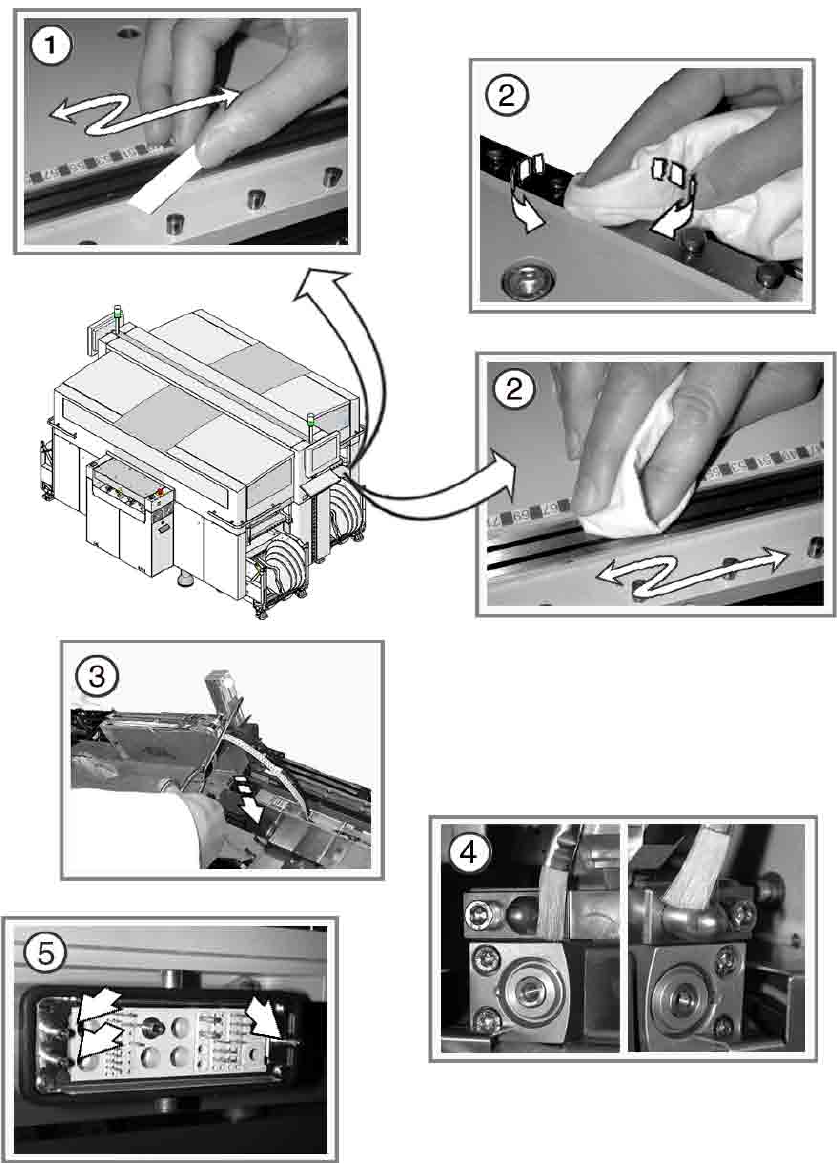
Maintain the component feeder table 8
: Clear the feeder area.
: Remove any loose components from the component feeder table using the vacuum cleaner.
a Use a whetstone to remove any bumps on the magnetic rail.
s Preserve the feeder area using a lint-free cloth sprayed with WD40.
: Vacuum up any loose components from the tape container and remove any unwanted stickers
an
d ad
hesive tape.
d Cut off the excess used tape flush with the feeder and empty the component drawer or com-
ponen
t flap on 8 mm S feeders.
: Return the feeder modules to the feeder area.
Make su
re that each feeder is in the correct location and is connected correctly. 8
8
8
8
: Switch the placement machine on at the main switch.
8
If you often pull out the component trolley, we recommend that you: 8
Grease the plunger pins 8
: Dock
out the component trolley.
f Grease the plunger pins of the component trolley d
ocking unit with a brush and UNISILKON
L250L.
g Grease the plunger pins of the ODU connector on the component trolley docking unit with a
brush an
d UNISILKON L250L.
8
8
: Dock in the component trolley once more.
: Repeat these tasks in every placement area.
8
8
8
8