80S-2080F480F4-680F5 User’s Manual.pdf - 第100页
2 Introduction and Basic Concepts SIPLACE 80S-20/F4/F4-6/F5 User’s Manual 2.3 Overview of the User Interface and Menu Functions Edition 03/98 f rom Software Version SR.404.xx 2 - 22
SIPLACE 80S-20/F4/F4-6/F5 User’s Manual 2 Introduction and Basic Concepts
Edition 03/98 from Software Version SR.404.xx 2.3 Overview of the User Interface and Menu Functions
2 - 21
2.3 Overview of the User Interface and Menu Functions
2 Introduction and Basic Concepts SIPLACE 80S-20/F4/F4-6/F5 User’s Manual
2.3 Overview of the User Interface and Menu Functions Edition 03/98 from Software Version SR.404.xx
2 - 22
SIPLACE 80S-20/F4/F4-6/F5 User’s Manual 2 Introduction and Basic Concepts
Edition 03/98 from Software Version SR.404.xx 2.3 Overview of the User Interface and Menu Functions
2 - 23
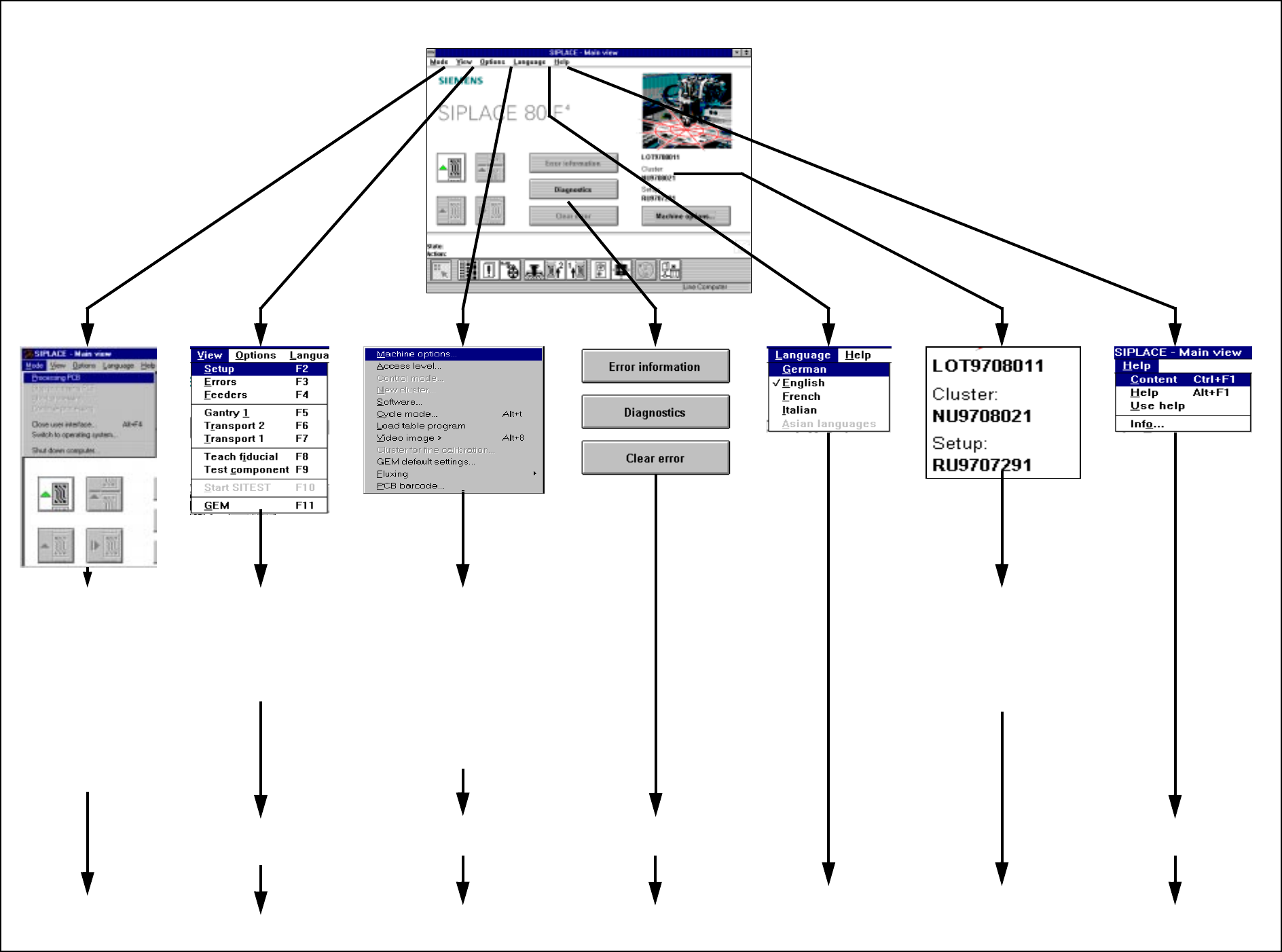
2.3.1 Flowchart Overall View
Fig. 2.3.1 Flowchart Overall View
To
Section 2.4.2
MAIN VIEW (see Section 2.4.1)
To
Section 2.4.3
To
Flowchart 2.3.2
To
Section 2.4.4
To
Flowchart 2.3.3
To
Section 2.4.6
To
Section 2.4.7
To
Chapter 8
To
Chapter 7
➩ Processing PCB
➩ Stop processing PCB
➩ Abort processing
➩ Continue processing
➩ Close user interface ...
➩ Switch to operating
system ...
➩ Shut down computer ...
➩ Placement functions
➩ Single functions
➩ Vision functions
➩ GEM functions
➩ Start SITEST
➩ View machine options
➩ Set operator control level,
operating mode, cluster
➩ Execute service technician
functions
➩ Cycle mode and video image
➩ Load table program
➩
Execute optional functions
This displays the current
➩ job name
➩ cluster name
➩ setup name
To
Section 2.4.5
To
Section 2.4.8