80S-2080F480F4-680F5 User’s Manual.pdf - 第113页
2 Introduction and Basic Concepts SIPLACE 80S-20/F4/F4-6/F5 User’s Manual 2.4 Brief Description and Principles of the User Interface Edition 03/98 from Software Version SR.404.xx 2 - 36 2.4. 4.1 Machine O ptions Fig. 2.4…
SIPLACE 80S-20/F4/F4-6/F5 User’s Manual 2 Introduction and Basic Concepts
Edition 03/98 from Software Version SR.404.xx 2.4 Brief Description and Principles of the User Interface
2 - 35
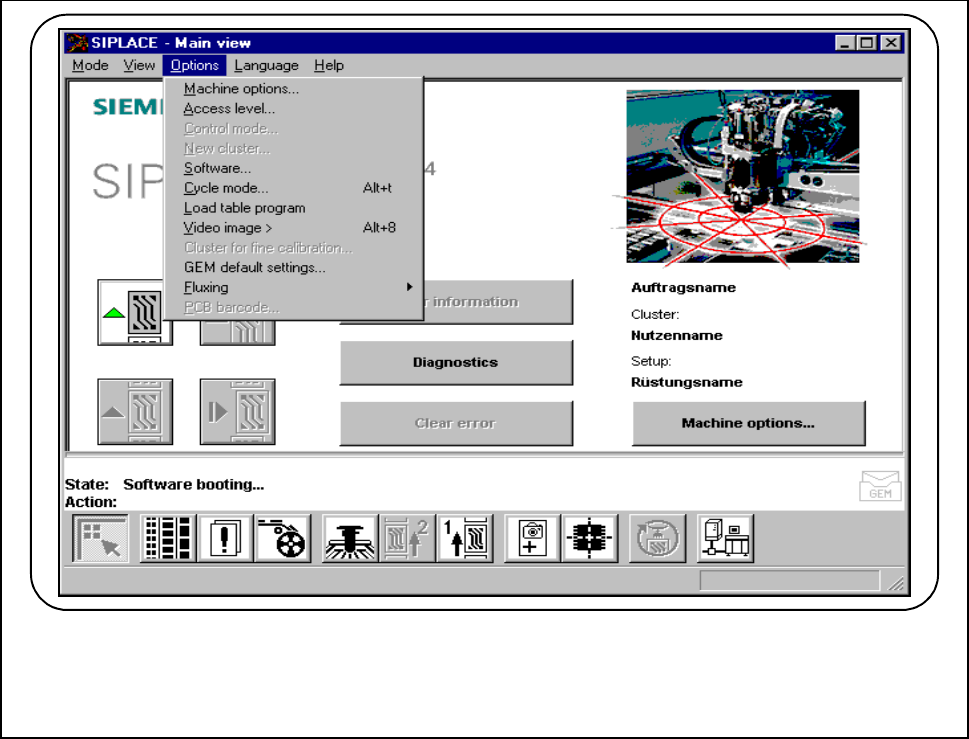
2.4.4 The Options Menu
This contains a range of additional and operator functions.
Fig. 2.4.4 The "Options" menu
2 Introduction and Basic Concepts SIPLACE 80S-20/F4/F4-6/F5 User’s Manual
2.4 Brief Description and Principles of the User Interface Edition 03/98 from Software Version SR.404.xx
2 - 36
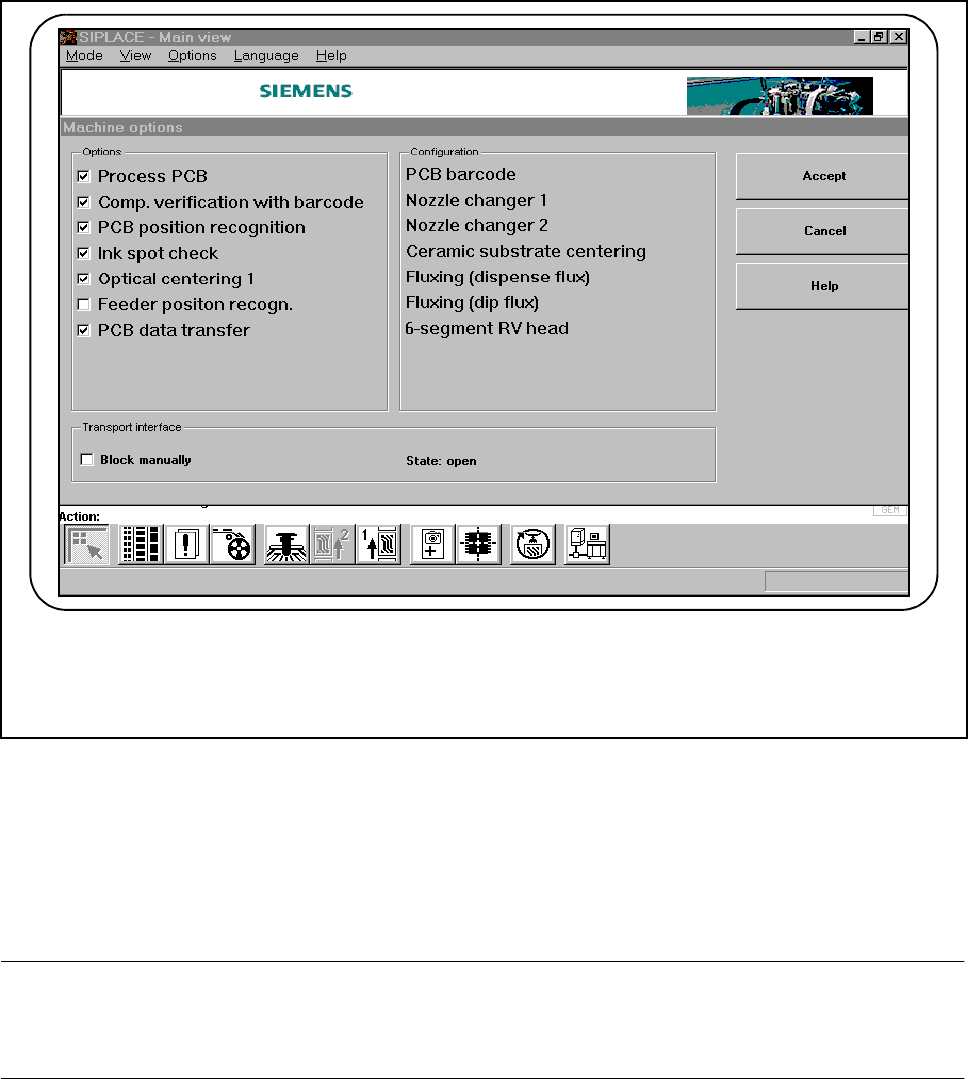
2.4.4.1 Machine Options
Fig. 2.4.5 Machine options
At the "Operator“ operator control level you can select the "Machine options“ menu to identify which machine
options are available and have been activated.
At the "Line engineer“ operator control level you can activate or deactivate the displayed machine options.
Only the machine options that have been configured for the station concerned will be displayed.
PLEASE NOTE
The available machine options and the range of functions are described in Chapter 5 Vision Functions and
Chapter 11 Station Extensions/Options of this User’s Manual.
SIPLACE 80S-20/F4/F4-6/F5 User’s Manual 2 Introduction and Basic Concepts
Edition 03/98 from Software Version SR.404.xx 2.4 Brief Description and Principles of the User Interface
2 - 37
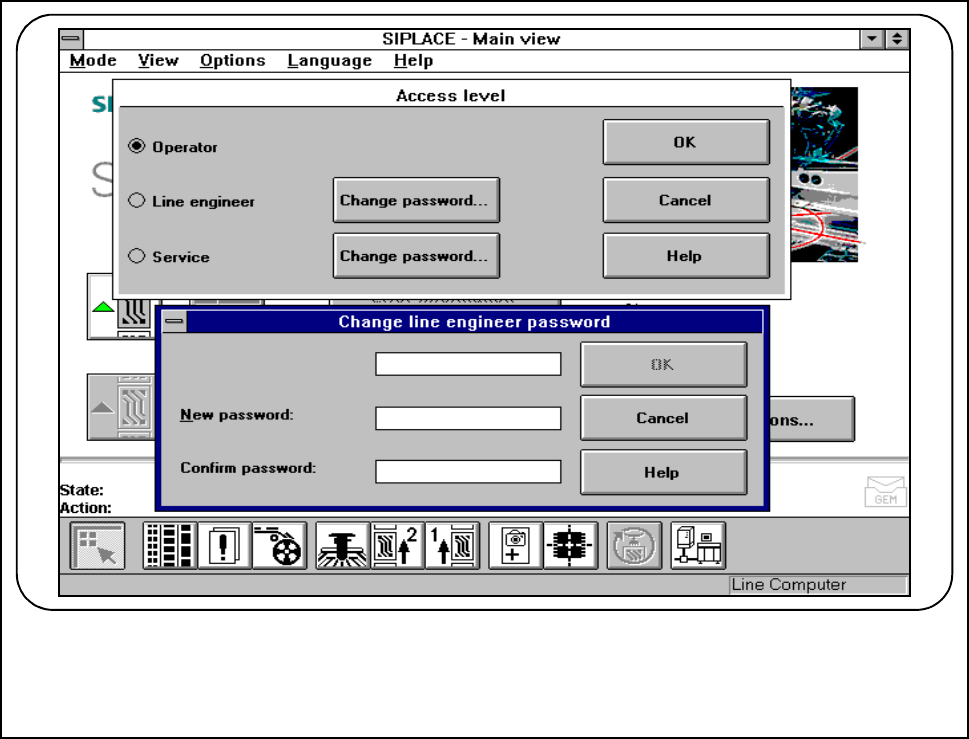
2.4.4.2 Operator Control Level
Three different operator control levels can be allocated:
Operator, Line engineer and Service technician.
Passwords may be allocated for the Line engineer and Service technician operator control levels (see Fig.
2.4.6). Functions that cannot be accessed at a particular operator control level are grayed out and cannot be
selected or used.
Fig. 2.4.6 Operator control level and code word