80S-2080F480F4-680F5 User’s Manual.pdf - 第125页
2 Introduction and Basic Concepts SIPLACE 80S-20/F4/F4-6/F5 User’s Manual 2.4 Brief Description and Principles of the User Interface Edition 03/98 from Software Version SR.404.xx 2 - 48 2.4. 5.2 Diagnos tics ( Option) If…
SIPLACE 80S-20/F4/F4-6/F5 User’s Manual 2 Introduction and Basic Concepts
Edition 03/98 from Software Version SR.404.xx 2.4 Brief Description and Principles of the User Interface
2 - 47
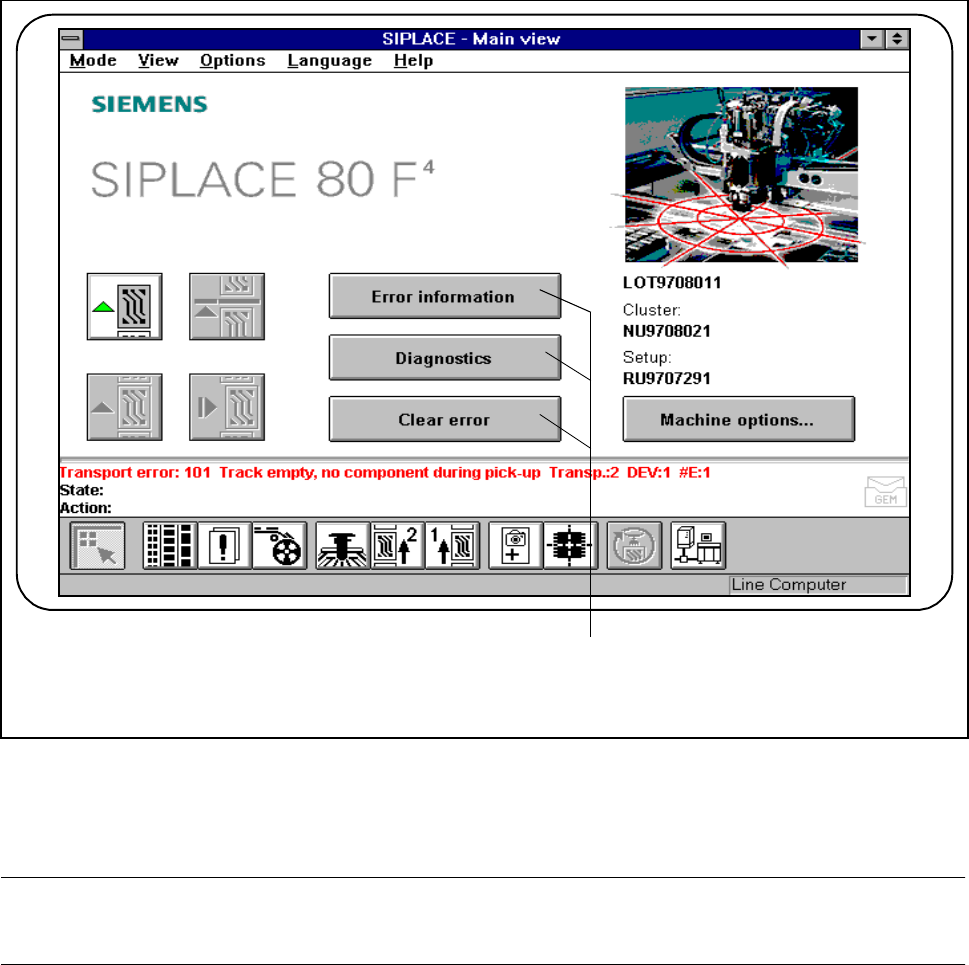
2.4.5 Troubleshooting and Diagnostics Buttons
Fig. 2.4.15 Troubleshooting and diagnostics
- Key to Fig. 2.4.15
1 Troubleshooting and diagnostic buttons
PLEASE NOTE
The complete range of functions is described in Chapter 7 of this User’s Manual.
2.4.5.1 Error Info
If errors occur while the PCB is being processed, you can call up information on the error. This information
can be called from the main view or by using “Display error“.
1
2 Introduction and Basic Concepts SIPLACE 80S-20/F4/F4-6/F5 User’s Manual
2.4 Brief Description and Principles of the User Interface Edition 03/98 from Software Version SR.404.xx
2 - 48
2.4.5.2 Diagnostics (Option)
If the information in the error info is not sufficient to rectify an error, you can also start the Diagnostics function.
The Diagnostics function helps the operator to trace the error by searching for possible references.
2.4.5.3 Clear error
Press this button to clear errors that occur.
The errors will only be deleted from the status window. They will still be present in the error menu.
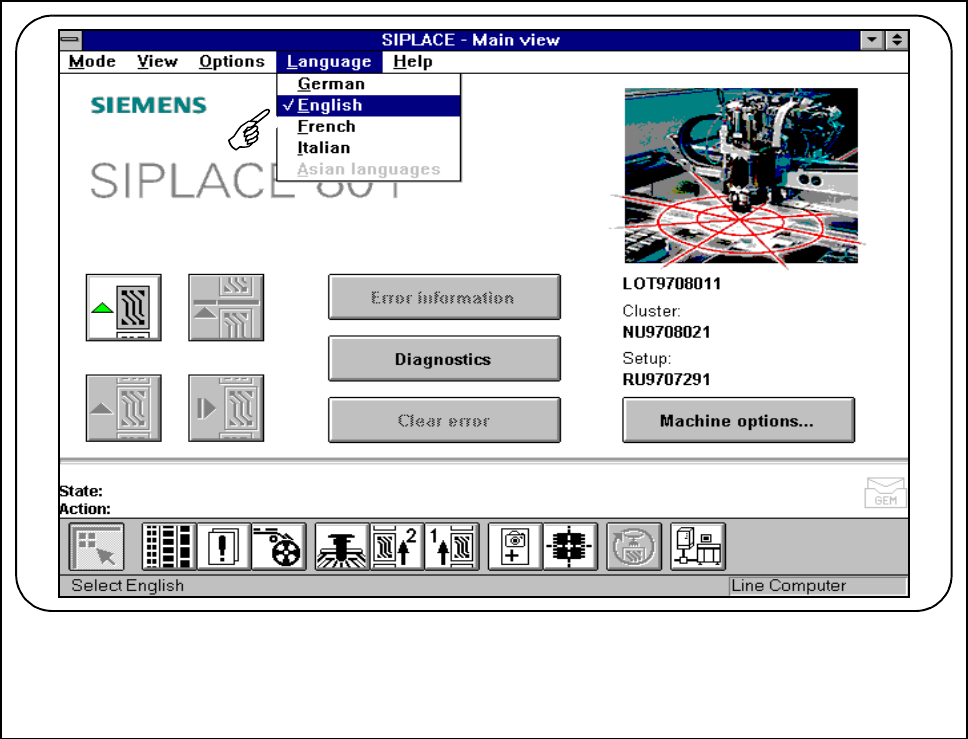
2.4.6 The Language Menu
You can select the language of the user interface in each view.
You can switch between German, English, French, Italian and to Asian languages.
Fig. 2.4.16 Set language
SIPLACE 80S-20/F4/F4-6/F5 User’s Manual 2 Introduction and Basic Concepts
Edition 03/98 from Software Version SR.404.xx 2.4 Brief Description and Principles of the User Interface
2 - 49
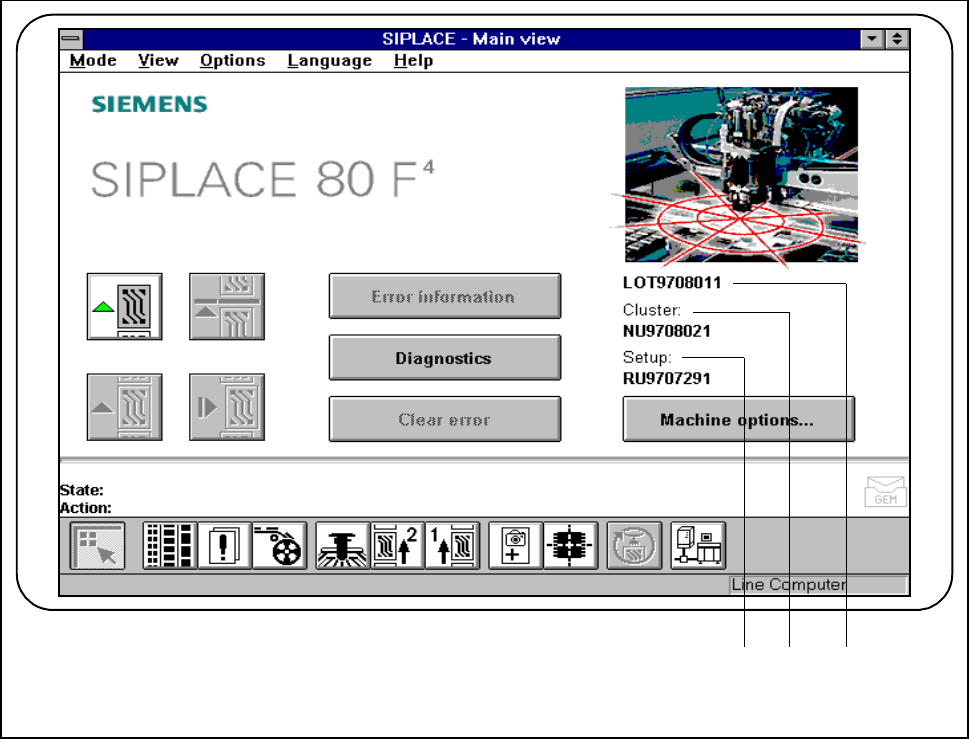
2.4.7 Display box
The display box contains the job name specified by the line computer, the current cluster name and the set-up
name.
Fig. 2.4.17 Display box for job, cluster and set-up
- Key to Fig. 2.4.17
1 Displays the set-up name 2 Displays the cluster name
3 Displays the job name
1 2 3