80S-2080F480F4-680F5 User’s Manual.pdf - 第135页
3 Placement Functions SIPLACE 80S-20/F4/F4-6 User’s Manual 3.2 Set-Up Edition 07/97 from Software Version SR.403.xx 3 - 6 Fig. 3.2. 2 Set-up 1-4 menu window - Key to Fig. 3.2 .2 1 To the M ain view 2 Displa y set-up for …
SIPLACE 80S-20/F4/F4-6 User’s Manual 3 Placement Functions
Edition 07/97 from Software Version SR.403.xx 3.2 Set-Up
3 - 5
3.2 Set-Up
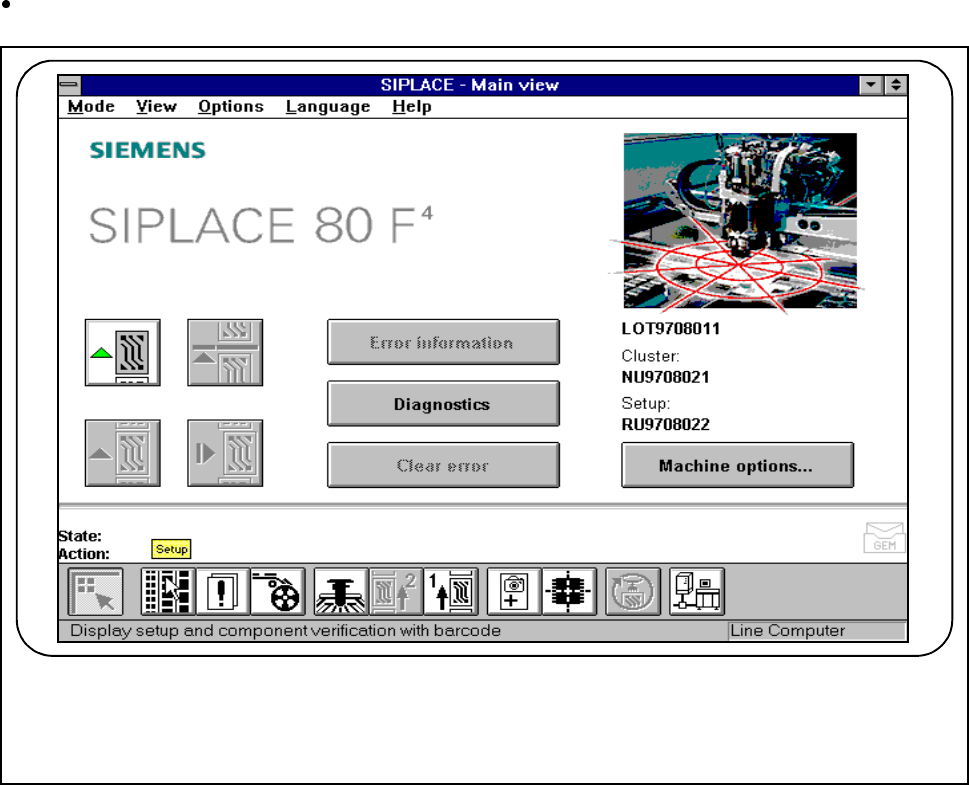
If the cluster with its corresponding set-up has been specified, the set-up for every location can be displayed
in this menu.
Click on the Set-up button in the Main view.
Fig. 3.2.1 Display set-up
The following window will open:
F
3 Placement Functions SIPLACE 80S-20/F4/F4-6 User’s Manual
3.2 Set-Up Edition 07/97 from Software Version SR.403.xx
3 - 6
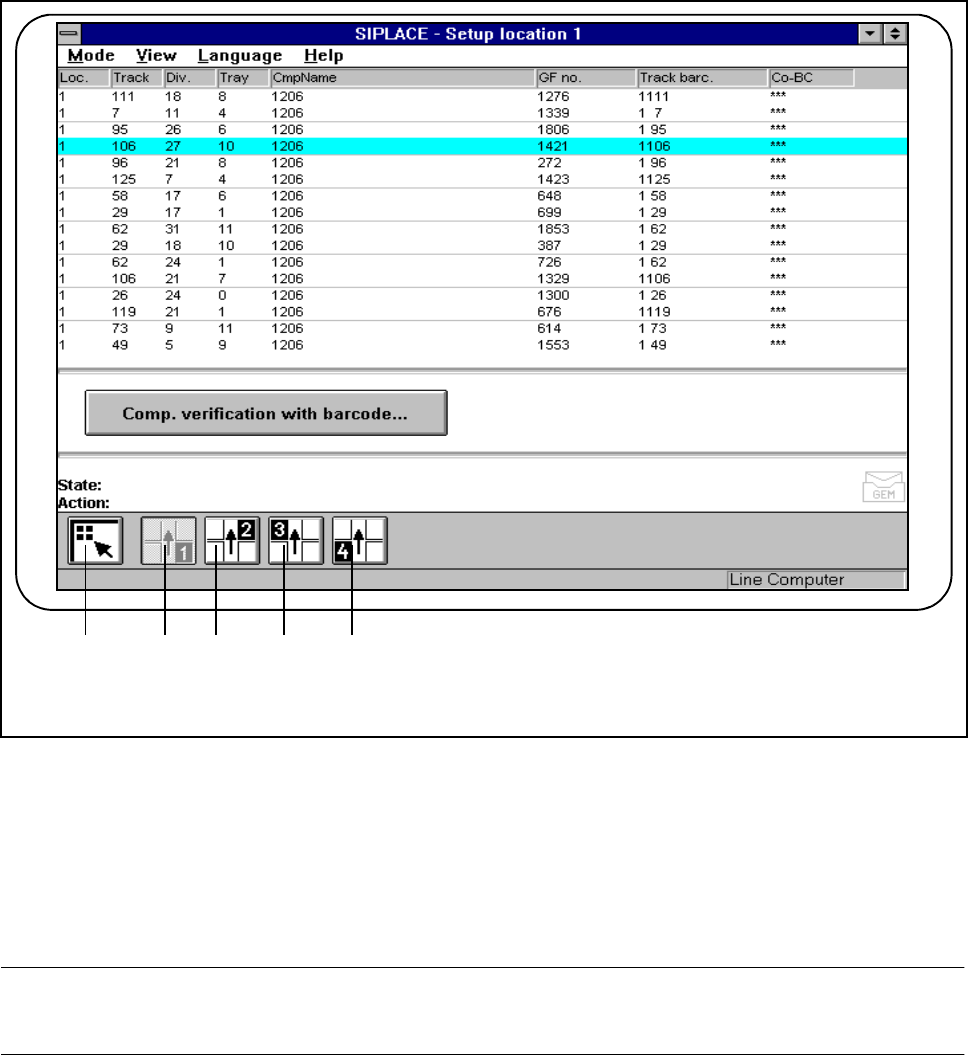
Fig. 3.2.2 Set-up 1-4 menu window
- Key to Fig. 3.2.2
1 To the Main view 2 Display set-up for location 1
3 Display set-up for location 2 4 Display set-up for location 3
5 Display set-up for location 4
PLEASE NOTE
The set-up windows are the same for each location (1-4).
1 2 3 4 5

SIPLACE 80S-20/F4/F4-6 User’s Manual 3 Placement Functions
Edition 07/97 from Software Version SR.403.xx 3.2 Set-Up
3 - 7
3.2.1 Overview of the list names in the window
l Location (Loc.)
This column shows the location ( 1- 4) which has been specified by the set-up for the component feeder
system in question (linear feeders, trays, and so on). For an overview of the position of the locations see
Fig. 0.4.1 or Fig. 0.4.2 / Fig. 0.4.3 in Section 0.4 ’Overall View of Assemblies’.
l Track
This column indicates which track has been assigned to the component feeder system in question by the
set-up.
l Division (Div.)
This column shows to which division of the component feeder system the component has been allocated
by the set-up.
l Tray (for wafflepack changer)
This column shows to which levels (1-28) of the wafflepack changer the component has been allocated by
the set-up.
NOTE
For a flatpack magazine which is set up on a manual tray holder, the default level will be 1.
l Component name (CmpName)
The Component name column indicates which component name has been specified by the set-up.
l GF No.
The GF No. column indicates which package form number has been allocated to the component.
l Track bar code
The Track bar code column indicates which track bar code has been allocated to the track in question.
l Co BC
The Co BC column shows whether a component bar code has been assigned or not.
If a component bar code has been specified, an asterisk (*) will be displayed in this column. The Compo-
nent Verification with bar code button is active and the menu can be opened.
If a component bar code has not been specified, a double hyphen (--) will be displayed in this column. The
Component Verification with bar code button is inactive.