80S-2080F480F4-680F5 User’s Manual.pdf - 第154页
SIPLACE 80S- 20/F4/F4-6 User’s Manual 3 Placement Functions Edition 07/97 from Software Version SR.403.xx 3.4 Feeders 3 - 25 Fig. 3.4.3 Empty tracks with Comp onent verification with barcode F
3 Placement Functions SIPLACE 80S-20/F4/F4-6 User’s Manual
3.4 Feeders Edition 07/97 from Software Version SR.403.xx
3 - 24
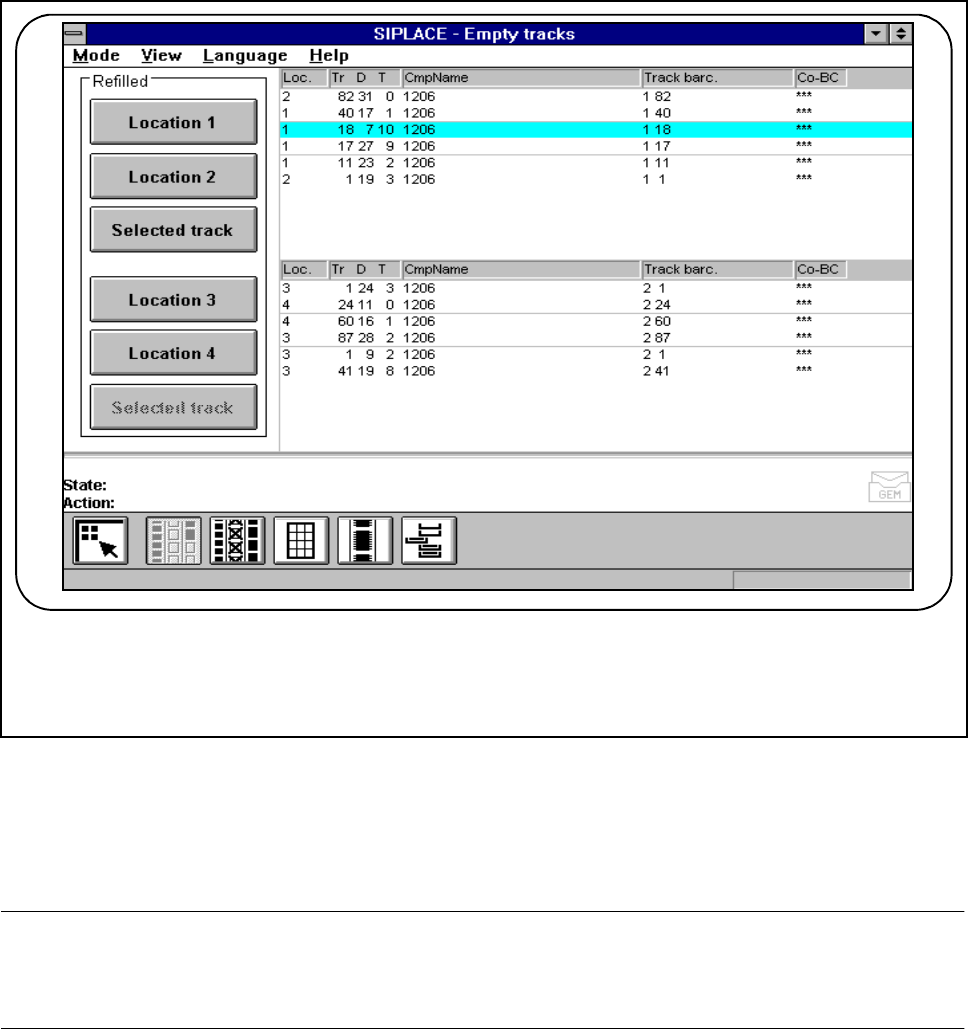
Fig. 3.4.2 Empty tracks
3.4.1.1 Component Verification With Barcode
NOTE
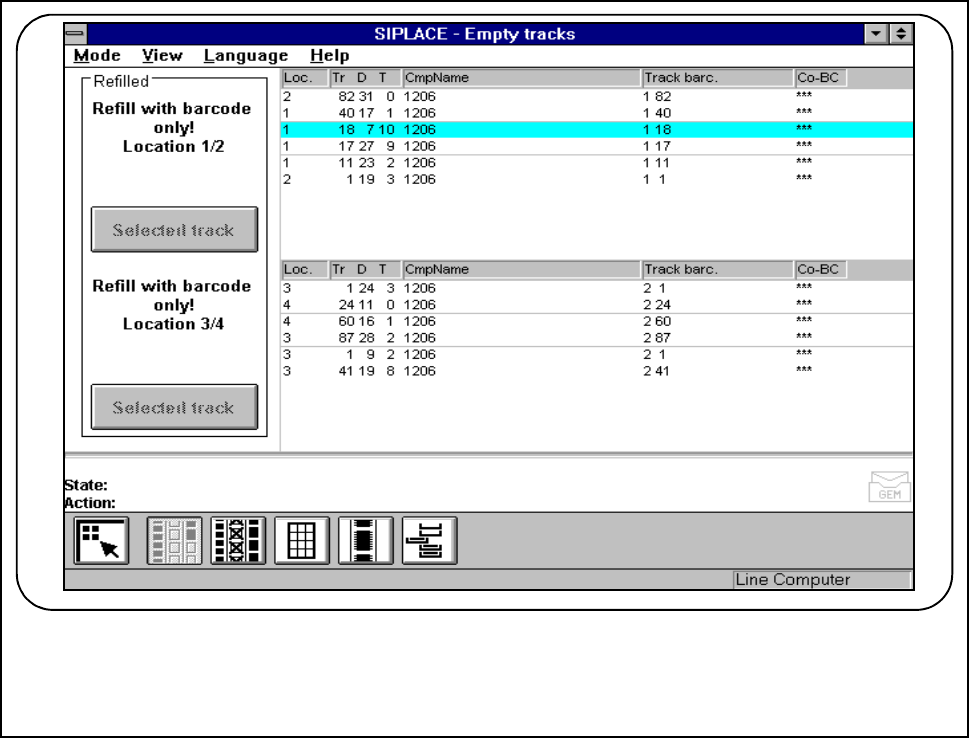
If Set-up check with barcode has been configured and activated in the machine options, the location 1/2 or
3/4 boxes will be inactive (see Fig. 3.4.3). A single track with a bar code present cannot now be filled.
F
SIPLACE 80S-20/F4/F4-6 User’s Manual 3 Placement Functions
Edition 07/97 from Software Version SR.403.xx 3.4 Feeders
3 - 25
Fig. 3.4.3 Empty tracks with Component verification with barcode
F
3 Placement Functions SIPLACE 80S-20/F4/F4-6 User’s Manual
3.4 Feeders Edition 07/97 from Software Version SR.403.xx
3 - 26
3.4.2 Omit Components
The "Omit components“ function enables you to omit one or more specific components from the PCB and
complete the rest of the placement operation.
PLEASE NOTE
PCBs placed using this function must not be moved automatically into the next station. They must be
removed manually from the output belt.
This function is intended only for introducing a new product.
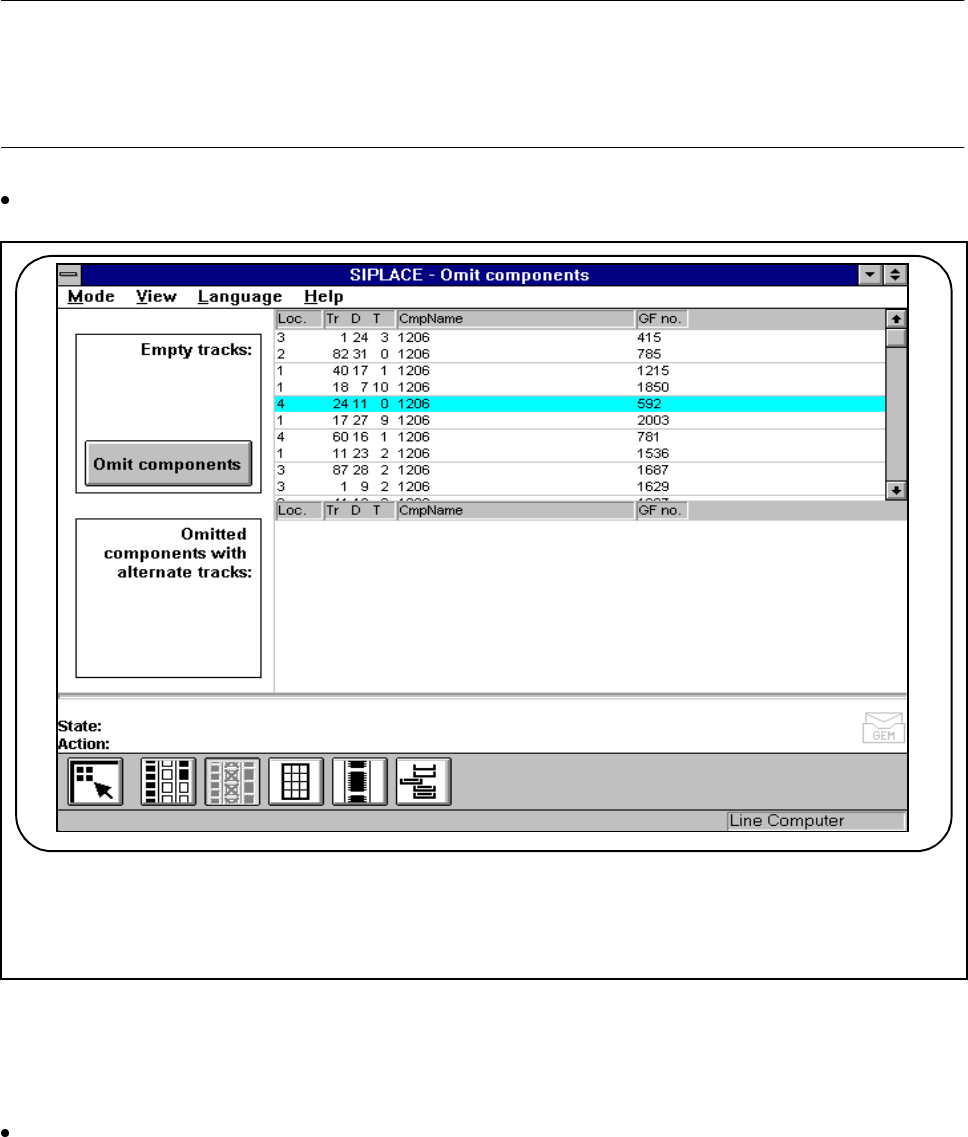
Click on the Omit components button in the "Feeders“ menu.
Fig. 3.4.4 Omit components
The empty tracks are displayed in the "Empty tracks“ menu window. You can then omit any component on
any of the displayed tracks.
Highlight an empty track in the top list and click on the Omit component button.
The "Omitted components with alternative tracks“ window contains the tracks that have been set to "omit-
ted".
Once the PCB has been removed, the omitted components are deleted (this function only applies to one
PCB).
F