80S-2080F480F4-680F5 User’s Manual.pdf - 第269页
5 Vision Functions SIPLACE 80S-20/F4/F4-6/F5 User’s Manual 5.5 Teach Fiducial Edition 03/98 from Software Version SR.404.xx 5 - 48 Line engine er NOTE Buttons ar e active when the text on the button is black (rath er tha…
SIPLACE 80S-20/F4/F4-6/F5 User’s Manual 5 Vision Functions
Edition 03/98 from Software Version SR.404.xx 5.5 Teach Fiducial
Line engineer 5 - 47
5.5.3
Select
Fiducial
Menu
When the Teach fiducial option in the Main view menu is selected the following actions will be started:
The functions for the vision system are activated in the station computer
The Select fiducial menu will drop down.
The station computer asks the line computer for the list of fiducial numbers with commentaries and dis-
plays them on the screen. The transformation tables for the screen colors are held locally in the station
computer.
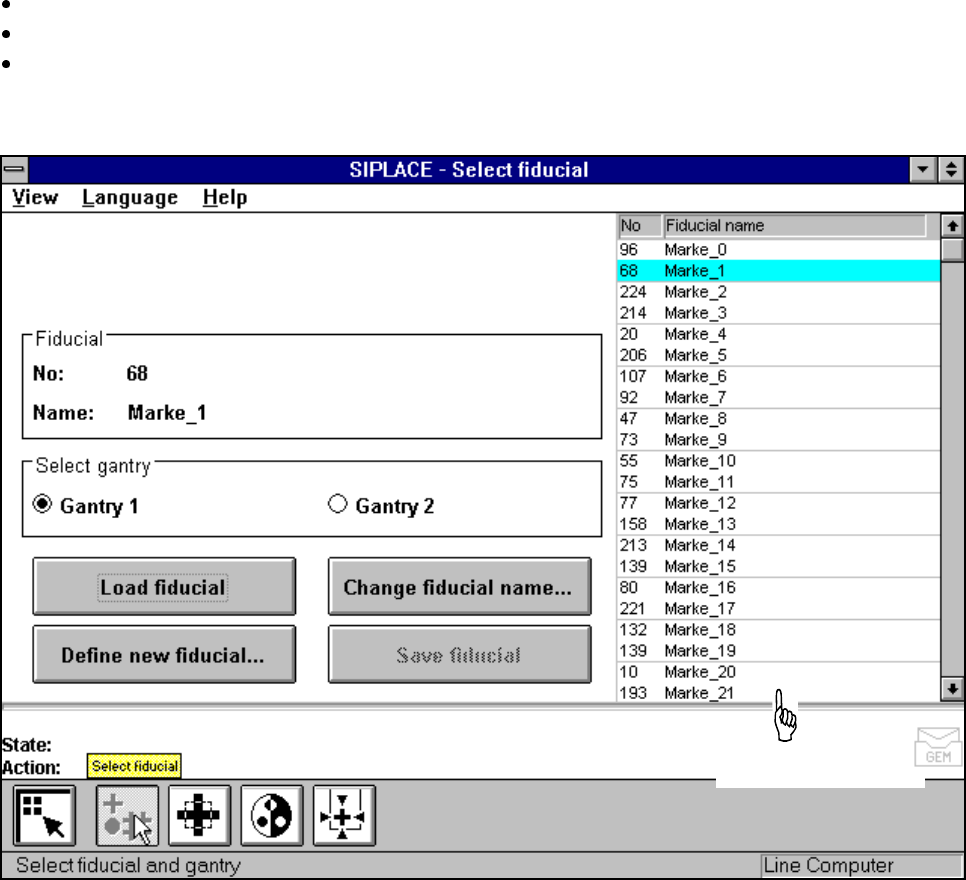
Fig. 5.5.2 Select fiducial menu
As the diagram shows, the menu offers the following options for selection.
– Select gantry
– Load fiducial
– Define new fiducial
– Change fiducial name
– Save fiducial
Fiducial numbers list
5 Vision Functions SIPLACE 80S-20/F4/F4-6/F5 User’s Manual
5.5 Teach Fiducial Edition 03/98 from Software Version SR.404.xx
5 - 48 Line engineer
NOTE
Buttons are active when the text on the button is black (rather than gray). This means that you can launch the
associated function by clicking on the button with the mouse.
The Load fiducial button will, for example, only be active if you have previously clicked on a fiducial in the
lists field.
The Change fiducial name button will only be active if you have loaded a fiducial and the Save fiducial but-
ton will only be active if you have either changed the fiducial name or fiducial parameters.
You can switch from the ’Teach fiducial’ menu to the Main menu at any time in order to start actions such as
"Fill track“ etc. The settings in the ’Teach fiducial’ menu will be retained, which means that the same condi-
tions will be set up when you return to the ’Teach fiducial’ menu.
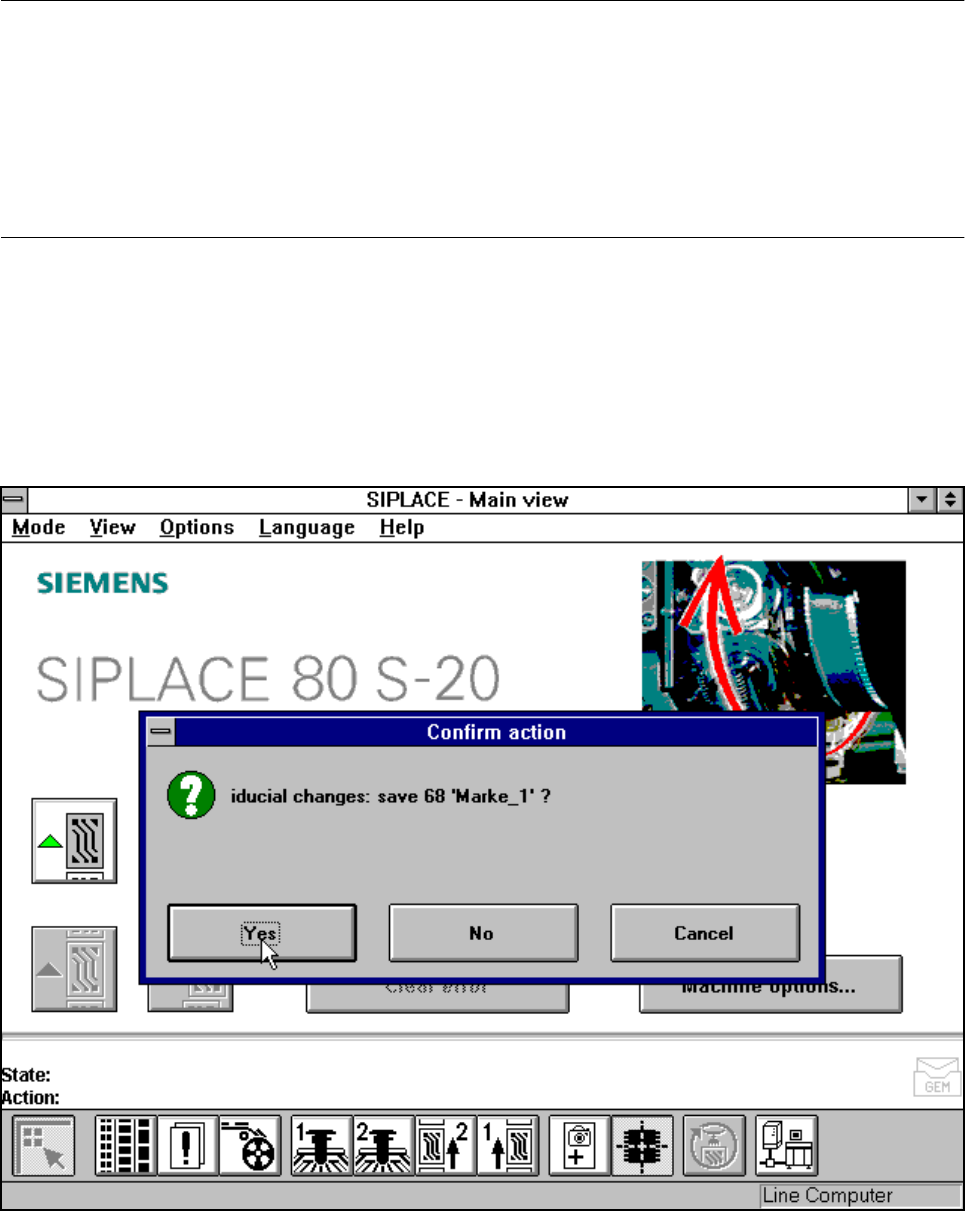
However, if you have changed fiducial data or taught a new fiducial, and then switch from the Main menu to
the ’Test component’, ’Single functions’, ’SITEST’ or ’Continue placement’ menu, the ’Save fiducial data’
selection box will appear when you leave the ’Teach fiducial’ option. You can then either save the modified or
new data or delete it.
Fig. 5.5.3 Select fiducial menu, Save fiducial data option box
SIPLACE 80S-20/F4/F4-6/F5 User’s Manual 5 Vision Functions
Edition 03/98 from Software Version SR.404.xx 5.5 Teach Fiducial
Line engineer 5 - 49
By selecting the Save fiducial option you cause the station computer to send the fiducial data to the line com-
puter, where they are saved, and to update the fiducial numbers list.
The station computer sends the fiducial data to the line computer. The fiducial numbers list is not sent to the
line computer due to the fact that it is itself correcting the list since the fiducial data have changed, after which
it updates the modified fiducial data in the remaining stations as well. The transformation tables are held
locally in the station computer.
5.5.3.1
Select Gantry
Option
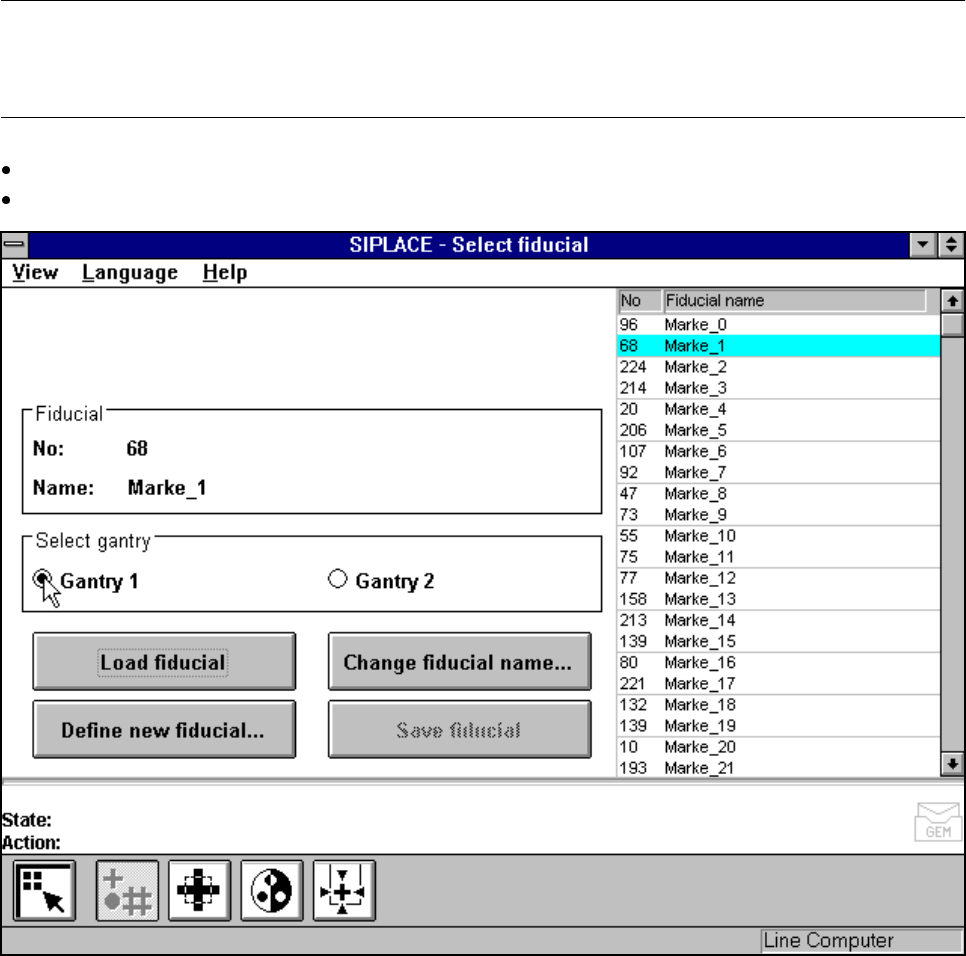
With the help of this option you can use the Gantry 1 oder Gantry 2 buttons to choose which gantry to use as
the teaching gantry. The default setting is Gantry 1.
NOTE
You can teach all fiducial shapes with the camera of Gantry 1. With the camera of Gantry 2 teaching is
restricted to rotationally symmetrical fiducials (such as a cross or a circle).
Position the mouse pointer over the desired gantry.
Click on the button. The button of the selected gantry will now turn black.
Fig. 5.5.4 Select fiducial menu, Select gantry option