80S-2080F480F4-680F5 User’s Manual.pdf - 第295页
SIPLACE 80S-2 0/F4/F4-6/F5 User’s Manual 5 ”Vision Func tions” Edition 03/98 from Software Vers ion SR.404.xx 5.6 ”Test Component” Line engi neer 5 - 74 Menu Options ’Test Component’, Part 2 Component Input bo x ’Sel ect…
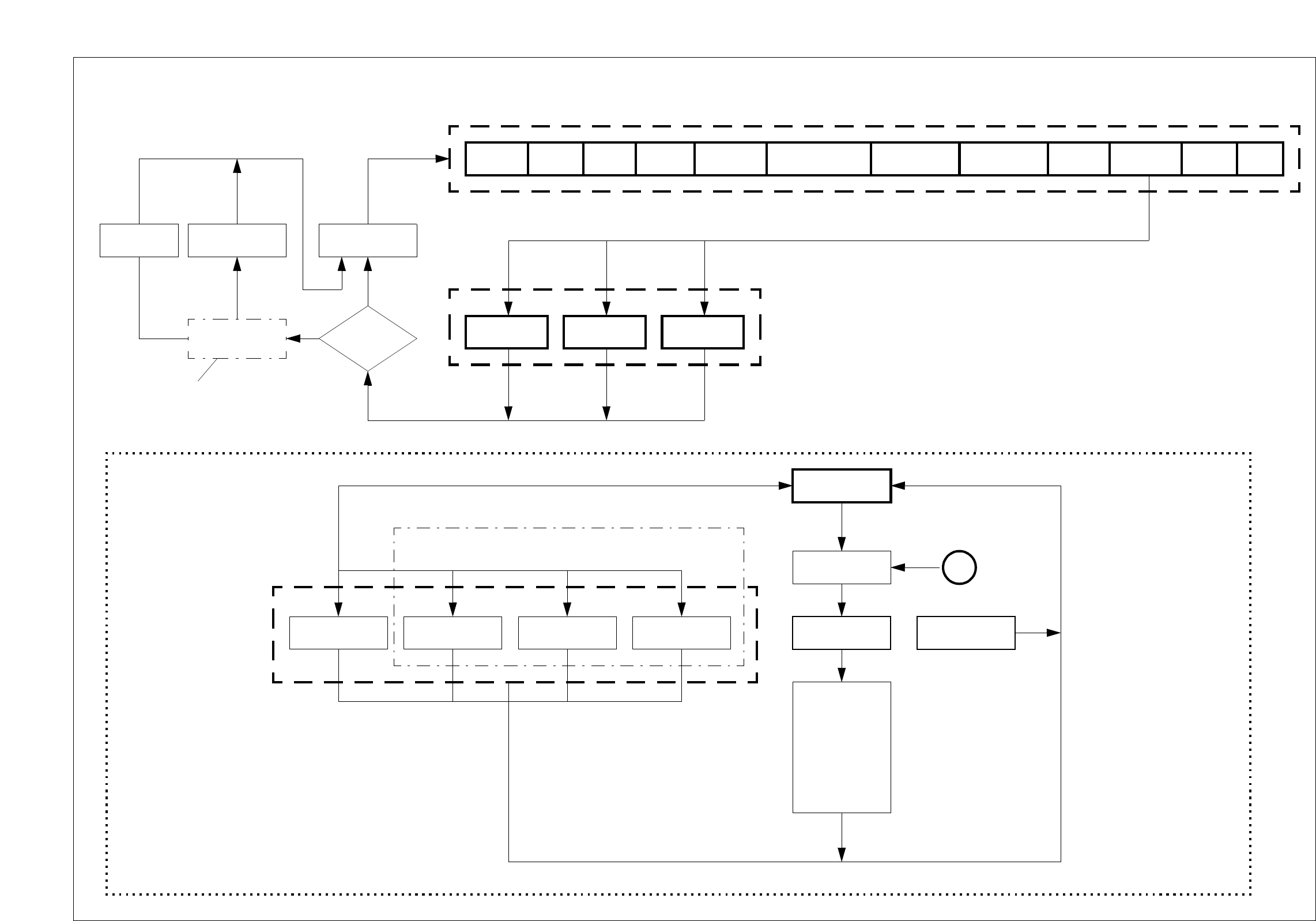
SIPLACE 80S-20/F4/F4-6/F5 User’s Manual 5 Vision Functions
Edition 03/98 from Software Version SR.404.xx 5.6 Test Component
Line engineer 5 - 73
7
V
Menu Option ’Test Component’, Part 1
’Main view’ menu
Package form
is restored
Main view Setup Errors PCB transport 1
Gantry 1
functions
Gantry 2 functions
(80S only)
Feeders
Teach
fiducial
Test
component
Save GF data
Yes
Yes
Package form
is saved
No
No
’Save edited GF data’
option box
Package
form edited?
Main
view
Select
package form
Test component
’Test component’ menu option
Select
package form
’Select package form’ menu
Select
package form
A
Load
package form
If there is a
component on
the nozzle, it will
be discarded.
The station
computer requests
GF file from the
line computer and
loads it down
to the MVS.
Discard
component
Default Revolver head Flip-chip IC head
(Applies to 80F in the case that the component is to be
centered not only using the standard camera type
[Default] but also another camera type.)
Camera type
Save
GF data
PCB transport 2 SITEST GEM
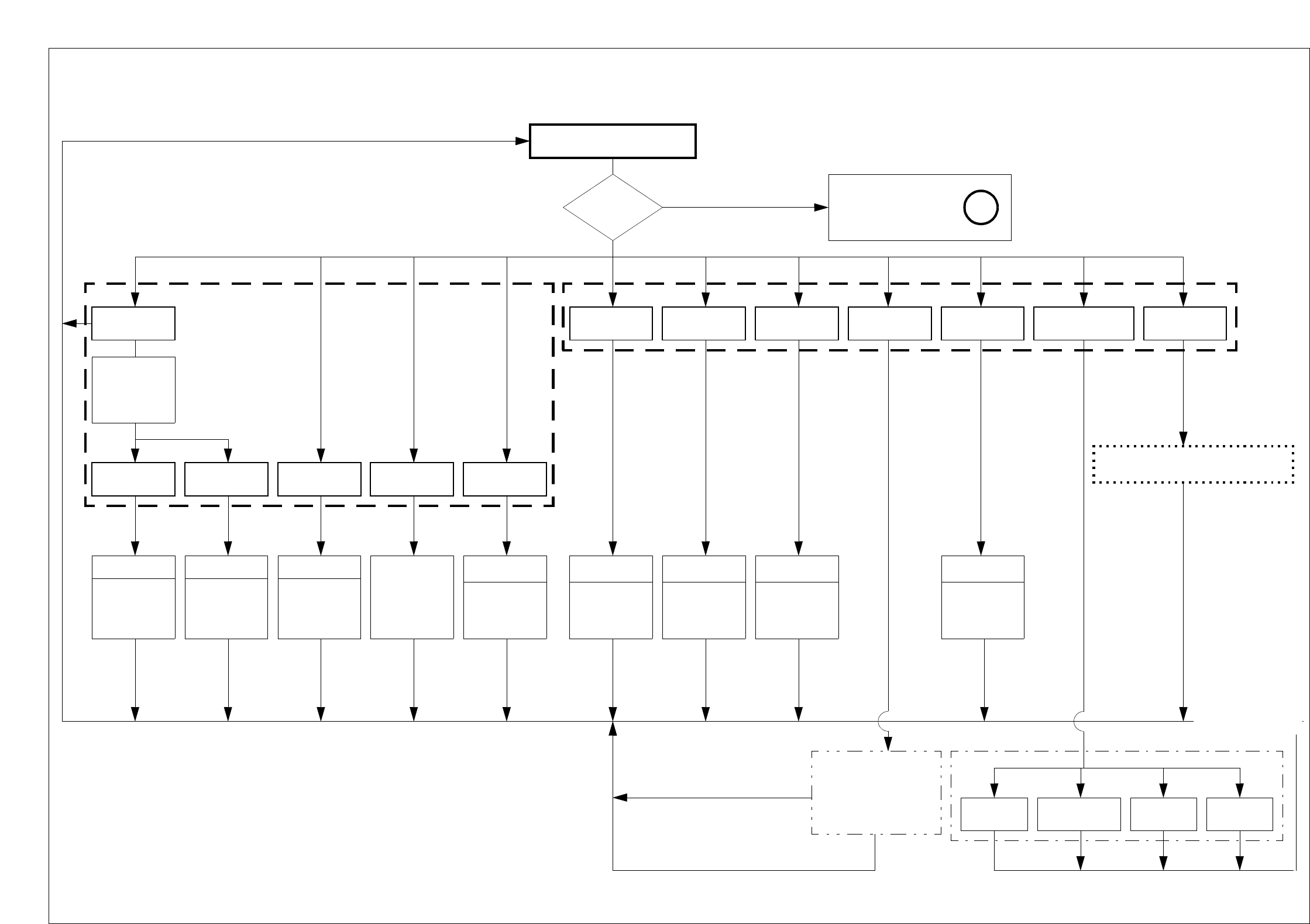
SIPLACE 80S-20/F4/F4-6/F5 User’s Manual 5 ”Vision Functions”
Edition 03/98 from Software Version SR.404.xx 5.6 ”Test Component”
Line engineer 5 - 74
Menu Options ’Test Component’, Part 2
Component
Input box
’Select contrast
sensitivity:
Program LUT
ESC
Accept data
Yes
Test component
GF
data loaded? A
’Select package form’
menu
No
OK: Accept / cancel setup
Pickup
Pickup
component from
feeder and rotate
it underneath the
comp. camera
DisplayMeasureTest
Video image
Display
synthetic
description
Video image
Measure
package form.
Display meas.
results.
Video image
Perform GF-
specific meas.
steps one after
the other
ESC ESC
Illumination
Package
dimension
Pin
dimension
Ball
illustration
Transform
Select comp. type
(80F only)
Measure mode
Video image
Manipulation
of
GF data
Video image
Manipulation
of
GF data
Video image
Manipulation
of
GF data
Video image
Manipulation
of
GF data
ESC ESC ESC
’Edit GF data’
menu options
Cancel Accept
Cubic
dull white
Cubic
dull black
Cubic
bright
Cylindrical
’Measure mode’
menu
’Select component
type’ option box
Cancel
ESC
See menu options
’Test component’ part 3, part 4
Store
image
Evaluation time
Video image
Evaluation time
ESC
Video image
is saved on
hard disk of
MC controller.
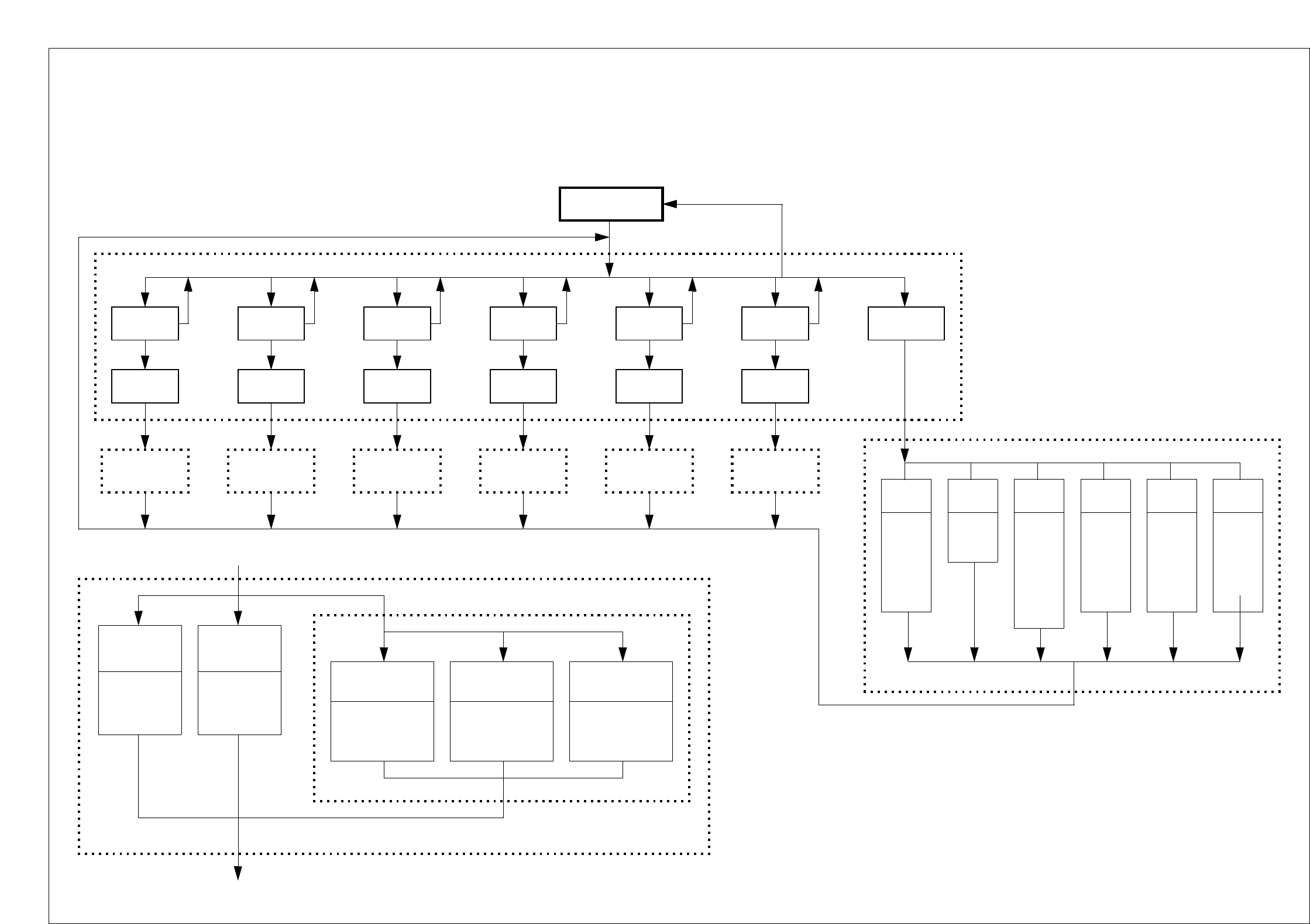
SIPLACE 80S-20/F4/F4-6/F5 User’s Manual 5 Vision Functions
Edition 03/98 from Software Version SR.404.xx 5.6 Test Component
Line engineer 5 - 75
Menu Options ’Test Component’, Part 3
’Measur. mode’ menu
Measur. mode
Size
’Measur. mode’ menu
Cancel
Accept
Set
Row
Set
’Size
measur. mode’
menu
’Row
measur. mode’
menu
Corner
Set
’Corner
measur. mode’
menu
Lead
Set
’Lead
measur. mode’
menu
Grid
Set
’Grid
measur. mode’
menu
Ball Hex entries
Cancel Accept Cancel Accept Cancel Accept Cancel Accept Cancel Accept
Size
Row BallCorner Lead Grid
P1
P2
P2a
P3
P1
P1a
P1
P2
P3
P4
P5
P1
P1a
P2
P2a
P1
P2
P3
P3a
P1
P1a
P2
P3_5
Cancel Accept
’Measur. mode 2’ menu
’Size measur. mode’ menu
Resolution
of angle
calculation
low resolution
medium resol.
high resolution
very high resol.
Method for
calculation
of rotation
Automatic
selection
SWIN method
TWIN method
Integration
direction
In X-direction
in Y-direction
’Integration settings of Size meas. mode’ menu
Resolution in
measurement
direction
low resolution
medium resolution
high resolution
very high resolution
Resolution in
direction of
integration
low resolution
medium resolution
high resolution
very high resolution
Cancel Accept
Cancel Accept
Set
’Ball
measur. mode’
menu
Cancel Accept